
Official statement
What you need to understand
What causes this WebP image indexing issue?
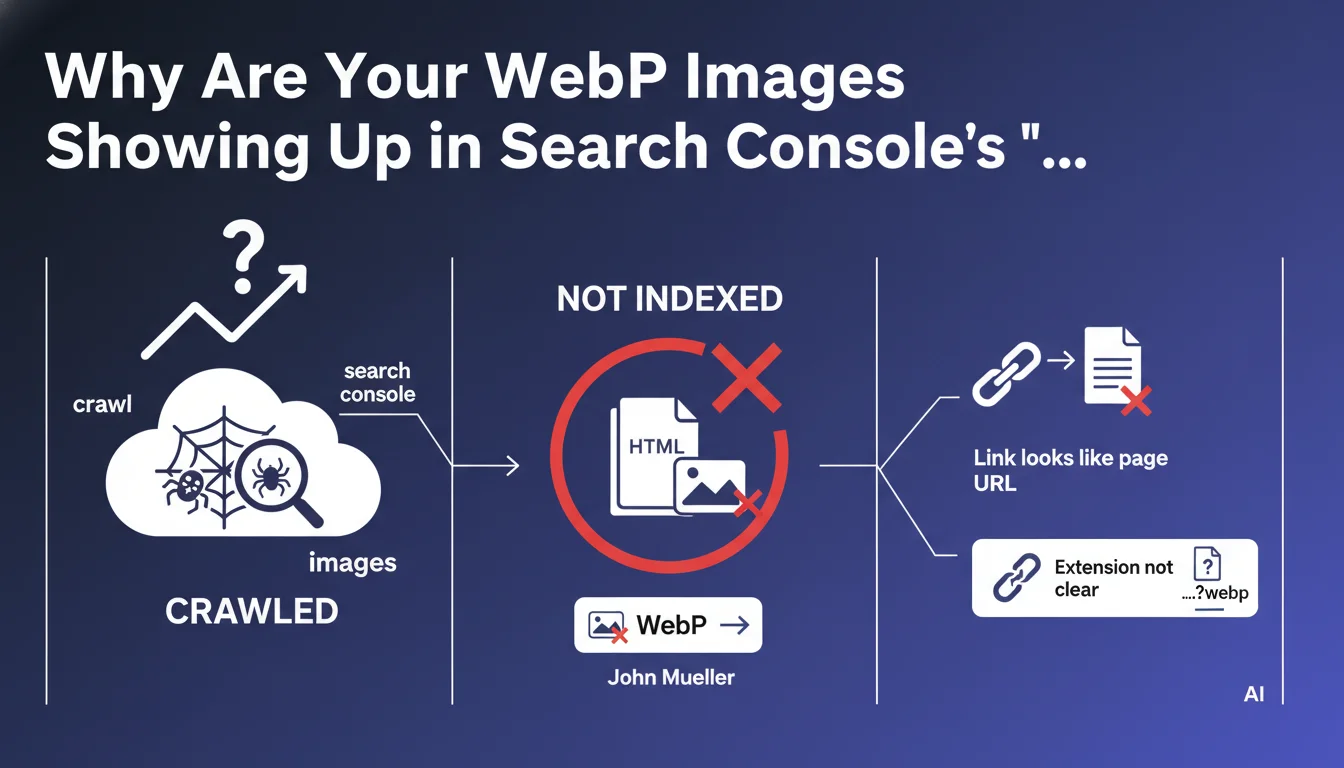
Google sometimes encounters difficulties in identifying the true nature of a URL before crawling it. When a URL points to a WebP image but resembles a standard HTML page, the bot may treat it as a web page.
Only after crawling does Google realize it's an image and not a page. The URL then appears in the "Crawled - currently not indexed" report in Search Console, which can create confusion.
When does this problem actually occur?
The problem mainly occurs when the file extension is not explicit in the URL. For example, a URL with parameters or URL rewriting can mask the true nature of the resource.
Dynamic media management systems or CDNs that generate complex URLs are particularly affected. Google then follows a link expecting to find HTML content.
Should you be concerned about this behavior?
This behavior represents a Google identification error, but it is generally rare according to observations. It doesn't negatively impact your SEO since these images shouldn't be indexed as pages anyway.
- WebP images should not be indexed as HTML pages
- The "Crawled - not indexed" report can include images if their URL is confusing
- This situation reflects a Google analysis error before crawling
- The problem is detected after crawling, hence the absence of final indexing
- The actual SEO impact is negligible for most sites
SEO Expert opinion
Does this situation reveal a deeper architectural problem?
Although Google downplays the importance of this phenomenon, its presence in your reports may indicate structural weaknesses. Ambiguous URLs for your media resources suggest a suboptimal architecture.
In my experience, sites massively displaying this behavior often suffer from crawl budget issues. Google wastes time crawling resources it shouldn't even consider as potential pages.
What real risks does this confusion create for your SEO?
The main risk is not the lack of image indexing, but the unnecessary consumption of crawl resources. Each URL crawled by mistake reduces Google's capacity to crawl your actual pages.
On large sites with thousands of images, this can represent a significant loss of efficiency. Important pages risk being crawled less frequently if Google gets bogged down in your media assets.
How should you interpret this behavior within an overall indexing strategy?
This statement confirms that Google makes crawling decisions based on assumptions even before accessing the content. This reinforces the importance of semantic clarity in your URLs.
Sites that optimize their URL structures with clear extensions and logical paths make Google's job easier. This efficiency translates into better crawl budget allocation toward strategic content.
Practical impact and recommendations
How can you check if your site is affected by this problem?
Go to Search Console, "Page indexing" section, and filter on the "Crawled - currently not indexed" status. Sort the URLs to identify those containing image extensions (.webp, .jpg, .png).
Use a CSV export to analyze the volume. If more than 5% of your non-indexed URLs are images, you need to act quickly to optimize your architecture.
What concrete actions should you take to resolve this situation?
The most effective solution is to clarify your URL structures. Ensure that all your image URLs explicitly contain the file extension (.webp, .jpg, etc.).
Implement an appropriate robots.txt file to block crawling of directories containing only media resources. Use the Disallow directive for /images/, /media/, /assets/ folders according to your architecture.
- Audit your Search Console to identify images in "Crawled - not indexed"
- Verify that your image URLs contain explicit extensions
- Use robots.txt to block crawling of non-strategic media directories
- Configure URL rewriting rules that preserve file extensions
- Implement a separate image sitemap to guide Google to your strategic visuals
- Regularly monitor the report's evolution to measure the effectiveness of corrections
- Optimize your canonical tags to avoid any content ambiguity
When should you consider specialized support?
If your site manages thousands of images with dynamically generated URLs, resolving this problem can prove complex. The modifications often affect multiple technical layers: CDN, CMS, web server.
Optimizing crawl budget and URL architecture requires in-depth expertise to avoid critical errors. Improper configuration of robots.txt or redirects can seriously impact your visibility.
💬 Comments (0)
Be the first to comment.