
Official statement
Other statements from this video 16 ▾
- □ Faut-il vraiment prévenir Google lors d'une refonte de site ?
- □ Google détecte-t-il vraiment le format WEBP par l'en-tête HTTP plutôt que par l'extension du fichier ?
- □ Comment Google évalue-t-il vraiment la proéminence d'une vidéo sur une page ?
- □ Le contenu dupliqué multilingue pénalise-t-il vraiment votre référencement international ?
- □ Faut-il préférer un ccTLD au .com pour cibler un marché local ?
- □ Pourquoi Google insiste-t-il pour isoler les migrations de site de toute autre refonte ?
- □ Pourquoi AdsBot fausse-t-il vos statistiques de crawl dans Search Console ?
- □ Hreflang : faut-il regrouper toutes les annotations dans un seul sitemap ou les séparer par langue ?
- □ Google propose-t-il un bouton pour réindexer massivement un site après refonte ?
- □ Strong vs Bold : Google fait-il vraiment la différence entre ces deux balises ?
- □ Le LCP ne mesure-t-il vraiment que le viewport visible au chargement ?
- □ Le sitemap XML est-il vraiment indispensable pour être indexé par Google ?
- □ Faut-il utiliser hreflang 'de' ou 'de-de' pour cibler les germanophones ?
- □ Faut-il vraiment imbriquer ses données structurées pour indiquer le focus principal d'une page ?
- □ Faut-il vraiment privilégier l'attribut alt plutôt que l'OCR pour le texte dans les images ?
- □ Pourquoi le scroll infini pénalise-t-il l'indexation de vos pages e-commerce ?
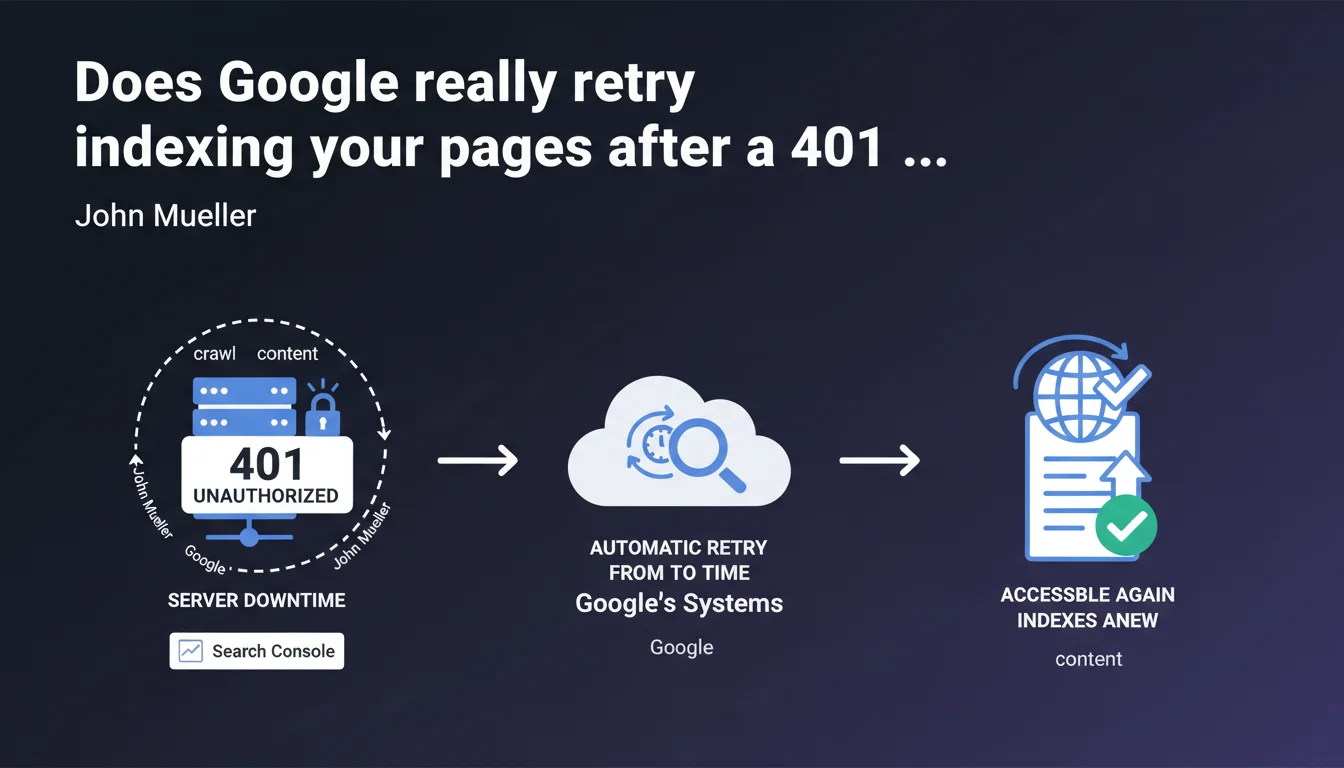
Google automatically retries crawling pages that have returned a 401 error or were inaccessible. These retry attempts appear in Search Console. As soon as the content becomes accessible again, indexing resumes — but without clarity on the frequency or duration of retries.
What you need to understand
Why does Google talk about automatic retries?
When a crawler encounters a 401 error (access denied) or a server that is temporarily unavailable, it doesn't permanently strike the URL from its index. Instead, it puts it on hold and schedules retries. This statement confirms a behavior that has already been observed but is rarely documented officially.
The goal: to prevent temporarily blocked or unavailable content from permanently disappearing from search results. Google relies on the fact that most outages are temporary — maintenance, server bugs, or htaccess configuration errors.
Which errors are specifically affected?
Mueller mentions two cases: 401 errors (authentication required) and situations where the server is inaccessible (timeouts, 5xx errors). What remains unclear: what about 403 errors? 503 errors with Retry-After? Chain redirects?
Google provides no details on how long it continues to retry, nor on the frequency of attempts. Are we talking a few days? Several weeks? Does it depend on the site's authority or the allocated crawl budget? No data whatsoever.
How can you tell if Google is retrying on your site?
These errors are reported in Search Console, under the Coverage section (or Indexed Pages depending on the new interface). You'll see the affected URLs with an error status — but there's no way to know how many times Google has already retried or for how long it will continue.
- 401 errors indicate password protection or access restrictions
- Server errors (5xx, timeouts) signal technical unavailability
- Google doesn't say whether 403 errors trigger the same treatment
- No information on the frequency of retries or their maximum duration
- Search Console displays these errors but not the history of attempts
SEO Expert opinion
Is this statement consistent with real-world observations?
Yes, broadly speaking. We regularly observe that Google doesn't immediately deindex after a one-off error. Sites that go into maintenance for a few hours or encounter traffic spikes don't lose their indexation overnight.
The problem: how long does Google wait? On high-crawl-budget sites, we sometimes see almost instant reindexing after resolution. On lower-priority sites, some URLs remain in error for weeks without visible retries. Mueller's statement remains far too vague to be actionable.
What nuances should be noted?
First point: not all retries are equal. If your site consistently returns 401 errors for several weeks, Google will likely drastically reduce your crawl budget — even if it technically continues to "retry from time to time."
Second point: this statement says nothing about the ranking impact. A page that remains inaccessible for 10 days and then returns could very well have lost positions in the meantime, even if it gets reindexed. Content freshness, user signals — everything degrades during downtime. [To verify]: no official data on the ranking impact of prolonged temporary unavailability.
In what cases could this logic fail?
If your site returns intermittent errors — accessible for some crawls, inaccessible for others — Google may not understand that it's temporary. Result: spaced-out retries, declining crawl budget, erratic indexation.
Another problematic case: intentional 401 errors on premium content. If you block entire sections behind authentication, Google will retry... but will never index anything since the content remains protected. You're wasting crawl budget for nothing. Better to use robots.txt or noindex in that case.
Practical impact and recommendations
What should you do concretely to avoid these situations?
First priority: monitor your HTTP status codes in production. Set up active monitoring (Pingdom, UptimeRobot, or any similar service) that alerts you as soon as a critical URL returns a 401, 403, 5xx, or timeout. Don't discover the problem through Search Console — you'll have already wasted time.
Second action: if you plan scheduled maintenance, properly use the 503 Service Unavailable code with a Retry-After header. This tells Google it's temporary unavailability and gives it guidance on when to retry. This is infinitely better than a timeout or generic 500 error.
How should you manage password-protected content?
If you have restricted access sections that shouldn't be indexed, don't let Google hit 401 errors. Block them cleanly via robots.txt or add a noindex tag on login pages. This prevents wasting crawl budget on URLs that Google can never index.
For temporarily protected content (pre-launch, private beta), plan a clear restriction removal timeline. Once the content goes public, verify in Search Console that 401 errors disappear and that Google is actually recrawling the affected pages.
Which errors should you absolutely avoid?
Never leave a server error unattended hoping that "Google will retry." Every day of unavailability degrades your signals: freshness, crawl budget, potentially rankings. Fix the infrastructure as a priority.
Avoid poorly configured htaccess protections that return 401 or 403 on URLs meant to be public. We still regularly see sites accidentally blocking Googlebot via IP whitelisting or faulty user-agent filtering.
- Set up active monitoring of HTTP status codes on your strategic URLs
- Use the 503 + Retry-After code for planned maintenance
- Clean blocking via robots.txt or noindex for password-protected content
- Regularly check Search Console to detect crawl errors
- Immediately fix any server error detected — don't rely on automatic retries
- Test URL accessibility with the URL Inspection tool after resolving an error
❓ Frequently Asked Questions
Combien de temps Google continue-t-il à réessayer après une erreur 401 ?
Les erreurs 403 sont-elles traitées comme les 401 ?
Mon site a été inaccessible 48h, vais-je perdre mon indexation ?
Dois-je demander une réindexation manuelle après résolution d'une erreur ?
Le code 503 est-il mieux géré qu'une simple erreur serveur ?
🎥 From the same video 16
Other SEO insights extracted from this same Google Search Central video · published on 09/03/2023
🎥 Watch the full video on YouTube →
💬 Comments (0)
Be the first to comment.