
Official statement
Other statements from this video 20 ▾
- □ Faut-il vraiment bloquer les traductions automatiques par IA de votre site en noindex ?
- □ Les recherches site: polluent-elles vos données Search Console ?
- □ Pourquoi Google vous demande d'ignorer les scores de PageSpeed Insights ?
- □ Faut-il vraiment arrêter d'optimiser les Core Web Vitals à tout prix ?
- □ Faut-il se méfier d'un domaine expiré racheté ?
- □ L'IA peut-elle vraiment produire du contenu SEO de qualité avec une simple relecture humaine ?
- □ La traduction automatique peut-elle vraiment pénaliser votre classement SEO ?
- □ Les liens d'affiliation pénalisent-ils vraiment le référencement de vos pages ?
- □ Faut-il vraiment réparer tous les backlinks cassés pointant vers votre site ?
- □ NextJS impose-t-il vraiment des bonnes pratiques SEO spécifiques ?
- □ Peut-on canonicaliser des pages à 93% identiques sans risque pour son SEO ?
- □ Faut-il rediriger ou désactiver un sous-domaine SEO non utilisé ?
- □ Faut-il encore s'inquiéter des liens toxiques pointant vers votre site ?
- □ Faut-il vraiment faire correspondre le titre et le H1 d'une page ?
- □ Le contenu localisé échappe-t-il vraiment à la pénalité pour duplicate content ?
- □ Pourquoi un bon classement ne garantit-il pas un CTR élevé sur Google ?
- □ Les erreurs JavaScript dans la console impactent-elles vraiment le référencement de votre site ?
- □ Pourquoi afficher toutes les variantes produits à Googlebot peut-il détruire votre indexation ?
- □ Faut-il vraiment une page dédiée par vidéo pour ranker dans les résultats enrichis ?
- □ La syndication de contenu est-elle un pari risqué pour votre visibilité organique ?
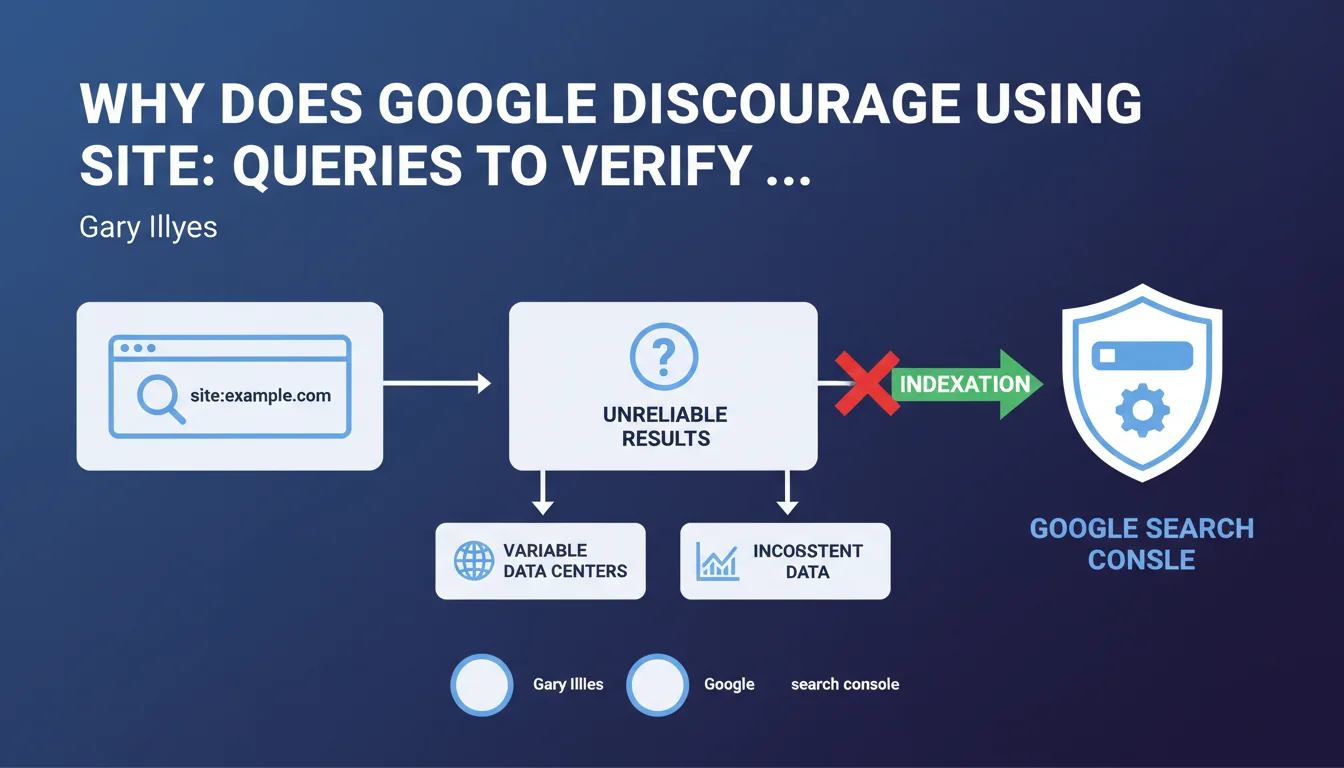
Gary Illyes recommends using Search Console exclusively to verify a website's indexation. Site: queries and third-party tools are unreliable because they return variable results depending on which data center is being queried. Search Console remains the only source of truth for diagnosing indexation issues.
What you need to understand
Are site: queries really that unreliable?
Yes, and it's a structural problem with how Google works. When you run a site:yourdomain.com query, you're interrogating a specific data center that may have a different version of the index depending on its geographic location and synchronization.
Concretely? You might see 150 pages indexed in the morning, 180 in the afternoon, then 165 the next day — without any modifications being made to your site. This variability makes it impossible to conduct any serious diagnosis based on these numbers.
Why is Search Console more reliable?
Search Console aggregates data from Google's entire infrastructure, not just a single data center. It consolidates information over several days and gives you a stabilized view of what is actually crawled, indexed, and ranked.
The URL inspection tool in real-time tests a specific page's indexability and tells you precisely why it isn't indexed if that's the case. No site: query can do that.
What about third-party tools?
Tools like Ahrefs, SEMrush, or Screaming Frog cannot access Google's index directly. They rely either on their own crawls (which don't reflect the reality of Googlebot) or on approximations based on limited API queries.
These tools remain useful for identifying technical issues (redirects, 404 errors, canonical tags), but cannot confirm that a page is actually indexed by Google.
- Site: queries interrogate a single data center and give variable results
- Search Console consolidates data from Google's entire infrastructure
- The URL inspection tool tests indexability in real-time
- Third-party tools cannot access Google's index directly
- Only Search Console provides a reliable view of indexation status
SEO Expert opinion
Is this recommendation consistent with real-world observations?
Absolutely. For years, SEO professionals have witnessed this instability of site: queries. We've all experienced that moment when a client panics because "the number of indexed pages dropped by 30%" when nothing has actually changed on the site.
The problem is that many still use these queries out of habit or because they're quick. But quick doesn't mean reliable — and in SEO, a diagnosis based on poor data leads to poor decisions.
What limitations does Search Console have despite everything?
Let's be honest: Search Console isn't perfect either. Data is aggregated over 1-2 days, which means you won't see indexation in real-time. If you publish an urgent page and want to verify it's indexed immediately, GSC won't give you an instant answer.
Furthermore, the URL inspection tool tests indexability but doesn't guarantee actual indexation. A page can be technically indexable without ever entering the index if Google deems it doesn't add value. [To verify]: Google never provides a clear threshold for what triggers or prevents indexation of a page deemed "low quality".
In what cases can you still use site: queries?
For a quick and approximate check, it's still acceptable. For example, verifying that a new site is starting to be crawled, or roughly spotting surprising indexed pages (test versions, URL parameters, duplicate content).
But never for measuring indexation evolution over time, nor for diagnosing a specific problem. In those cases, Search Console is mandatory.
Practical impact and recommendations
What should you concretely do to verify indexation?
First rule: install and properly configure Search Console for all your sites and all versions (www, non-www, HTTPS). Add all relevant subdomains if your architecture requires it.
Then regularly consult the index coverage report. This is where Google tells you how many pages are indexed, how many are excluded, and most importantly why they're excluded (crawled but not indexed, detected but not crawled, 404 errors, blocked by robots.txt, etc.).
For a specific page, use the URL inspection tool: paste the URL, click "Inspect URL", and Google will tell you if it's indexable. If it isn't, the detailed report will explain why (noindex tag, canonical to another page, redirect, etc.).
What mistakes should you absolutely avoid?
Never base a strategic decision on a site: query. If your client or boss tells you "we lost 50% of our indexed pages according to site:", first verify in Search Console before panicking.
Another common mistake: ignoring the "Excluded" sections of the coverage report. A page can be technically accessible but excluded due to duplicate content, perceived low quality, or canonicalization. That's often where the real problems hide.
How can you automate indexation monitoring?
Connect Search Console to Google Data Studio (or Looker Studio) to create custom dashboards. You can track the evolution of indexed/excluded pages over time, cross-reference with Analytics data, and quickly detect anomalies.
Also set up email alerts in Search Console to be notified of spikes in 404 errors, coverage issues, or sudden drops in indexed pages.
- Install Search Console on all site versions (www, non-www, HTTPS, subdomains)
- Consult the index coverage report at least once a week
- Use the URL inspection tool to diagnose non-indexed pages
- Analyze the "Excluded" sections to identify quality or duplication issues
- Connect Search Console to a reporting tool to automate monitoring
- Set up email alerts to detect anomalies quickly
- Never rely solely on site: queries to measure indexation
❓ Frequently Asked Questions
Peut-on faire confiance aux chiffres d'indexation affichés par les outils SEO tiers ?
Combien de temps faut-il attendre pour voir une nouvelle page indexée dans Search Console ?
Si une page est marquée 'indexable' dans l'outil de vérification d'URL, est-elle forcément indexée ?
Les variations du nombre de pages indexées dans Search Console sont-elles normales ?
Faut-il complètement abandonner les requêtes site: ?
🎥 From the same video 20
Other SEO insights extracted from this same Google Search Central video · published on 13/06/2024
🎥 Watch the full video on YouTube →
💬 Comments (0)
Be the first to comment.