
Official statement
Other statements from this video 19 ▾
- □ Should you panic if your hreflang disappears temporarily during a migration?
- □ Should you block GoogleOther or risk disrupting your Google services?
- □ Do local domains (ccTLD) really offer an SEO advantage for local search rankings?
- □ Does Google really treat a site after massive expansion as a brand new website?
- □ Why does Google keep displaying your old site name in search results long after a rebrand?
- □ Should you really fix every single indexation error Google reports in Search Console?
- □ How can you leverage the Google Search Status Dashboard API to supercharge your SEO tools?
- □ Why aren't your product structured data appearing in Google's rich results?
- □ Why does Google refuse to grant unlimited indexation request quotas in Search Console?
- □ Is your brand really stuck being confused with a common word? How long does Google actually need to figure it out?
- □ What's the only way to hide text from Google without using HTML tags?
- □ Is Schema Recipe really restricted to food recipes only, or can you use it creatively?
- □ Does the noindex tag really only affect individual pages, or can it impact your entire site?
- □ Do you really need to fill in every single field of structured data for Google to actually use it?
- □ Does Google really use RSS feeds to discover and index new content on your site?
- □ Why is your new favicon taking so long to appear in Google search results?
- □ Does the order of H1, H2, H3 tags really affect your Google rankings?
- □ Do links on crawl-blocked pages really lose all their SEO value?
- □ Does Google really require a specific sitemap structure, or can you organize them however you want?
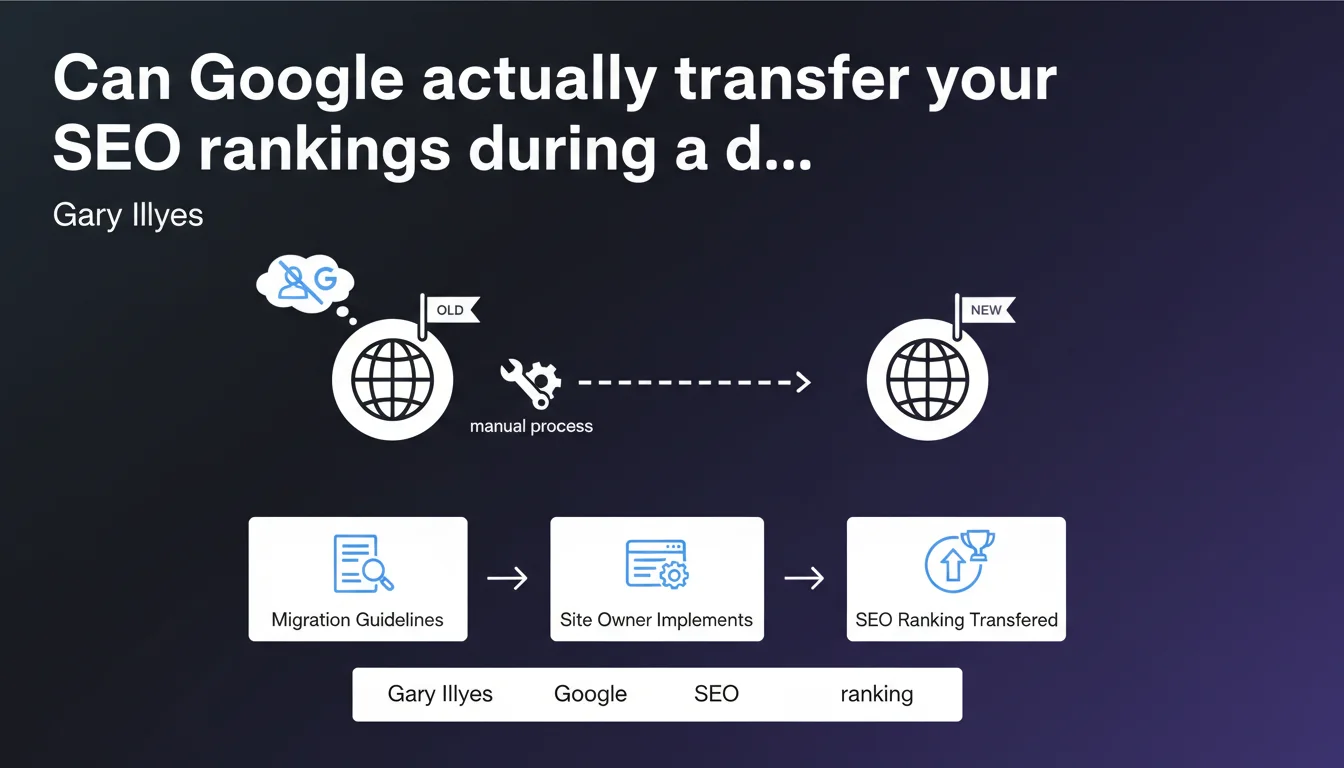
Google does not directly transfer SEO rankings when migrating to a new domain. It's up to the site owner to manage this operation by following official migration guidelines. The Google team takes a clear step back on this technical matter.
What you need to understand
Why does Google refuse to intervene directly in migrations?
Gary Illyes sets a clear framework: Google is not responsible for transferring your rankings. This position may be surprising, but it follows coherent logic. The Search team was never meant to play the role of technical consultant for every webmaster.
Domain migrations fall under the responsibility of the site owner. Google provides the tools and documentation — it's up to you to apply them correctly. This approach prevents the team from being solicited for thousands of individual cases that follow the same mechanisms.
What does this statement actually change in practice?
Nothing, really. Experienced SEO practitioners already know this: a successful migration depends on the quality of your technical execution, not on some magical intervention from Mountain View.
This reminder probably comes after recurring requests to the team. Some still seem to believe that a support ticket to Google can accelerate recognition of a new domain. Let's be honest — it's never worked that way.
What are these famous migration guidelines?
Google's official guidelines cover 301 redirects, managing address changes in Search Console, migration timing, and post-migration monitoring. They are public, detailed, and regularly updated.
The problem isn't the lack of documentation, but rather its rigorous application. A misconfigured redirect, too short a window before cutting off the old domain, or an error in Search Console declaration — and your rankings collapse.
- Google does not manually transfer rankings during a domain migration
- Site owners must follow official migration guidelines available publicly
- The Search team positions itself as a documentation provider, not a support service
- A successful migration depends entirely on the quality of technical execution
- Configuration errors (redirects, Search Console, timing) cause the ranking losses observed
SEO Expert opinion
Is Google's position consistent with what we observe in the field?
Absolutely. Migrations that fail do so always for identifiable technical reasons: chained redirects, orphaned pages, late Search Console declaration, or worse — a mix of 301s and 302s.
When a migration goes well, rankings transfer progressively over a few weeks. When it goes poorly, it's violent and rapid. In both cases, Google hasn't done anything special — it's simply followed its own algorithms for processing redirects.
What does "following the guidelines" really mean?
That's where the devil hides. Official guidelines provide a framework, but they don't cover all scenarios. [To verify] — what exact timeframe before letting the old domain expire? How long to maintain redirects? Google deliberately remains vague on these points.
In practice, we observe that you need to maintain redirects for at least 12 months, sometimes longer for slow-crawl sites. But this data comes from collective experience, not an official recommendation with specific numbers.
When doesn't this statement apply?
In cases of manual penalties or spam. If your old domain was sanctioned, migrating to a new one won't fix anything — Google transfers negative signals in certain contexts too.
And that's where Google's communication becomes problematic. They talk about "ranking transfers" as a neutral process, but in reality, negative signals follow too. Except officially, nobody states this clearly.
Practical impact and recommendations
What should you do concretely before a domain migration?
First, map your entire URL architecture. Every page on the old domain must have a corresponding page on the new one — no default homepage redirects. It's the basics, but also the most frequent error.
Next, prepare a permanent 301 redirect plan at the server level (htaccess, nginx, or via CDN). JavaScript or meta refresh redirects don't work for PageRank transfer. Test your redirect file on a sample before deploying broadly.
Declare the address change in Search Console when switching — not before, not after. Timing is critical. Synchronize this declaration with the go-live of redirects.
Which errors must you avoid at all costs?
Never cut the old domain before Google fully recognizes the new one. Monitor crawl evolution in Search Console — as long as the old domain receives significant crawl, keep it active with redirects.
Avoid redirect chains. If your old domain redirects to an intermediate domain that then redirects to the new one, you lose PageRank and slow the transfer. One redirect = one hop. Period.
Don't underestimate the impact on external backlinks. Contact important referring sites to update links pointing to your old domain. Redirects work, but a direct link is always preferable.
How do you verify the migration is proceeding correctly?
Monitor three metrics in Search Console: crawl volume on the old domain (should decrease gradually), crawl volume on the new one (should increase), and impressions/clicks that should transfer without sudden drops.
Use position tracking tools to monitor your priority queries daily for the first 6 weeks. A temporary drop of a few positions is normal — a drop of 30+ positions signals a technical problem.
- Map each URL from the old domain to its exact counterpart on the new one
- Implement permanent 301 redirects at the server level (not in JavaScript)
- Declare the address change in Search Console at the exact moment of migration
- Keep the old domain active with redirects for minimum 12 months
- Avoid redirect chains (maximum 1 hop between old and new domain)
- Contact major referring sites to update backlinks
- Monitor crawl in Search Console (old domain decreasing, new domain rising)
- Track positions on priority queries daily for 6 weeks
- Test redirects on a representative sample before mass deployment
❓ Frequently Asked Questions
Combien de temps faut-il maintenir les redirections 301 après une migration ?
Les redirections 301 transmettent-elles 100% du PageRank ?
Peut-on migrer progressivement par sections de site ?
Faut-il attendre que le nouveau domaine soit crawlé avant de rediriger ?
Que faire si les rankings chutent brutalement après migration ?
🎥 From the same video 19
Other SEO insights extracted from this same Google Search Central video · published on 18/07/2024
🎥 Watch the full video on YouTube →
💬 Comments (0)
Be the first to comment.