
Official statement
Other statements from this video 19 ▾
- □ Faut-il paniquer si votre hreflang disparaît temporairement pendant une migration ?
- □ Faut-il bloquer GoogleOther ou risquer d'impacter ses services Google ?
- □ Les domaines locaux (ccTLD) offrent-ils vraiment un avantage SEO pour le référencement local ?
- □ Pourquoi Google traite-t-il un site après expansion massive comme un tout nouveau site web ?
- □ Pourquoi Google continue-t-il d'afficher l'ancien nom de votre site après un rebranding ?
- □ Faut-il vraiment corriger toutes les erreurs d'indexation signalées dans la Search Console ?
- □ Comment exploiter l'API du tableau de bord de statut Google Search pour vos outils SEO ?
- □ Pourquoi vos données structurées produits n'apparaissent-elles pas dans les résultats enrichis ?
- □ Pourquoi Google refuse-t-il les requêtes d'indexation illimitées dans Search Console ?
- □ Marque confondue avec un mot courant : faut-il vraiment attendre des mois sans rien faire ?
- □ Peut-on vraiment utiliser le Schema Recipe pour n'importe quel type de recette ?
- □ Google peut-il transférer vos rankings SEO lors d'une migration de domaine ?
- □ Comment la balise noindex fonctionne-t-elle réellement page par page ?
- □ Faut-il vraiment remplir tous les champs des données structurées pour que Google les prenne en compte ?
- □ Les flux RSS sont-ils vraiment exploités par Google pour l'exploration et l'indexation ?
- □ Pourquoi votre nouveau favicon met-il autant de temps à apparaître dans les résultats Google ?
- □ L'ordre des balises H1, H2, H3 influence-t-il vraiment le classement Google ?
- □ Les liens sur pages bloquées au crawl perdent-ils vraiment toute leur valeur SEO ?
- □ Faut-il vraiment structurer ses sitemaps selon des règles précises ou peut-on faire n'importe quoi ?
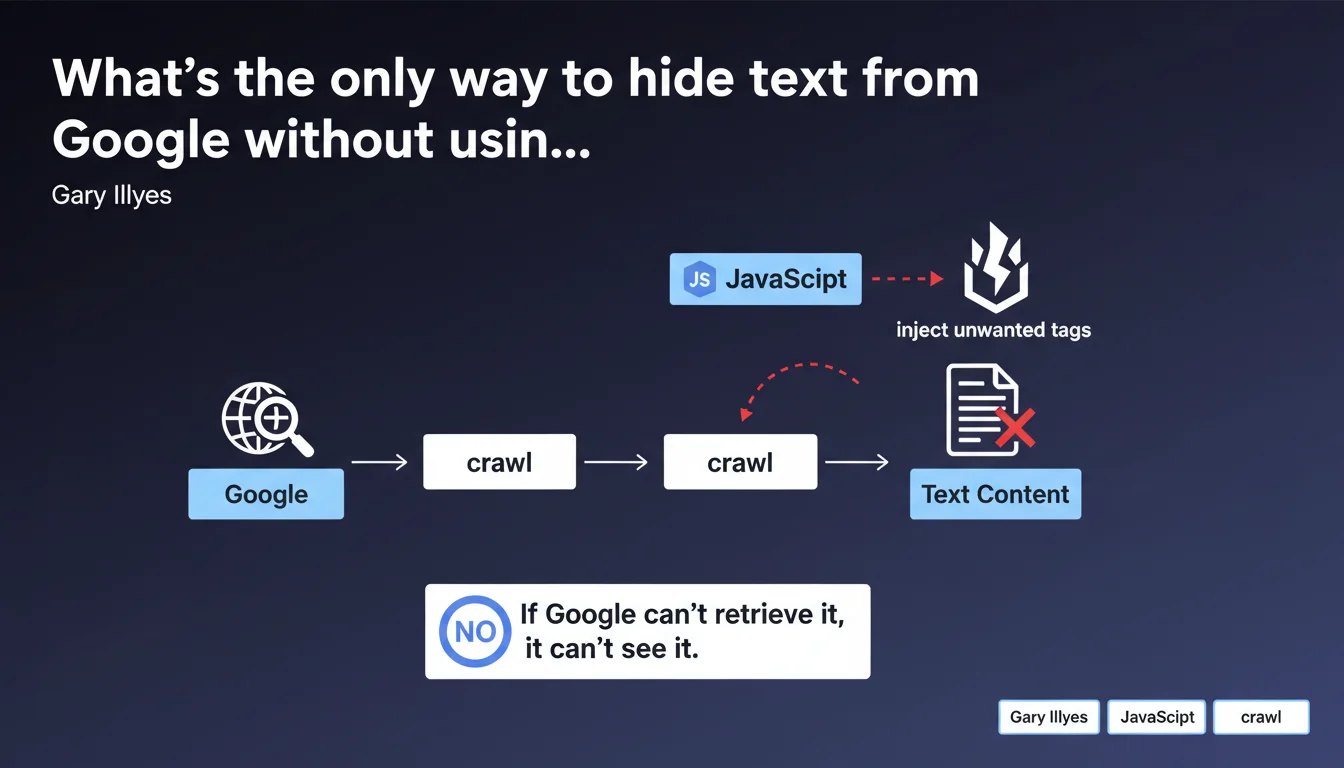
Google offers no HTML tag or annotation to ignore specific text. The only workaround is to inject content via JavaScript and block crawling of that JS file through robots.txt or another restriction method. If Googlebot can't fetch the JavaScript, it will never see the content it generates.
What you need to understand
Why would you want to hide text from Google?
There are legitimate situations where a website needs to display content to users without Google indexing it. Think of redundant contact information appearing in the footer of every page, repetitive legal notices, or dynamically generated content that could dilute a page's semantic relevance.
The problem? HTML has no built-in mechanism to say "index this part, skip that one." There's no noindex at the block level, no magic attribute signaling Googlebot to move along. The engine indexes everything it sees in the final DOM, period.
What's the workaround technique Google acknowledges?
The solution involves injecting unwanted content via JavaScript and blocking access to that JS file in robots.txt or via an HTTP 403/401 response. If Googlebot can't load the script, it will never see the text that script generates.
In practice: the base HTML contains no problematic content. An external JavaScript file (or a blocked inline script) handles it. Google crawls the page, sees it can't retrieve the JS, and settles for the raw HTML — without the injected text.
What are the implications for site architecture?
This approach requires rethinking how content is distributed between static HTML and JavaScript rendering. It creates a clear distinction between "SEO content" (pure HTML) and "user-only content" (blocked JS).
- Content critical for SEO must be in the initial HTML, never injected by JavaScript
- Repetitive or secondary elements can be moved to a blocked script
- You need to maintain two rendering logics: one for Googlebot (HTML only), one for real users (HTML + JS)
- This technique only works if Google is genuinely prevented from loading the JavaScript in question
- Watch out for unintentional cloaking: if user experience differs too much from what Google sees, that's risky
SEO Expert opinion
Is this method really advisable in practice?
Let's be honest — it's a hack. Google confirms there is no clean, native solution to hide text at the HTML level. This reveals a gap in web standards, but it doesn't make this technique elegant either.
The main risk? Creating a divergence between user experience and what Googlebot perceives. If the hidden content is purely cosmetic (a widget, a counter), no problem. But if it involves substantial text blocks, you're walking a fine line between optimization and cloaking.
In what scenarios does this approach make sense?
Legitimate scenarios are rare but exist. A typical example: an e-commerce site with thousands of product pages sharing the same verbose footer containing contact details, hours, detailed legal notices. This text pollutes each page's semantic signal.
Another case: application interfaces where certain navigation or contextual help elements have no SEO value but are essential for UX. There, injecting via blocked JS keeps HTML clean for crawlers.
[To verify] Google doesn't clarify whether this technique could be interpreted as manipulative in certain contexts. The lack of clear guidelines leaves a gray area — at your own risk.
What are less risky alternatives?
Before blocking JavaScript, first explore classic options. Use iframe to isolate content (Google doesn't always crawl iframes the same way). Or externalize repetitive content into dedicated noindex pages.
Another approach: optimize your semantic architecture so "parasite" content becomes minimal compared to unique page content. No need to hide it if the signal-to-noise ratio stays good.
Practical impact and recommendations
What exactly should you do to hide text from Google?
The method relies on precise technical implementation. First, identify content blocks to hide — ensure they're truly non-critical for SEO. Next, create a dedicated JavaScript file that will inject this content into the DOM client-side.
Then add a line to your robots.txt like Disallow: /js/blocked-content.js. Verify through Search Console that Googlebot encounters a 403 error or doesn't load the file. Test final rendering with the URL inspection tool to confirm the content doesn't appear in the crawled version.
What mistakes should you absolutely avoid?
Never block JavaScript containing critical SEO content. If your main text, your H1s, your product descriptions are generated by a blocked script, you're sabotaging your indexation. Google will see an empty or truncated page.
Another trap: creating a degraded user experience by accident. If your JS is blocked for Google but also for certain browsers or users (ad blockers, corporate restrictions), you risk breaking the display for part of your audience.
- Precisely identify non-SEO content to hide (repetitive footers, widgets, redundant legal notices)
- Create a dedicated JavaScript file to inject this content client-side
- Block this JS file via
robots.txtor a server restriction (403/401) - Test rendering in Search Console to verify Google doesn't see the injected content
- Document this approach internally to prevent a developer from "fixing" the block by mistake
- Monitor indexation metrics to detect any unexpected side effects
How can you verify the implementation is working correctly?
Use the URL inspection tool in Search Console. Compare the HTML rendered visible to Googlebot and the version displayed in your browser. The hidden content must be absent from Google's version, present on the user side.
Also check your server logs to confirm Googlebot attempts to access the JS file and receives a blocking response (403, 401, or Disallow respected). If the file loads, the technique fails.
❓ Frequently Asked Questions
Peut-on utiliser l'attribut aria-hidden pour masquer du texte à Google ?
Bloquer du JavaScript via robots.txt peut-il nuire au crawl budget ?
Cette technique fonctionne-t-elle avec du contenu injecté en Ajax ?
Google peut-il considérer cette méthode comme du cloaking ?
Faut-il bloquer tout le fichier JavaScript ou peut-on bloquer seulement une fonction ?
🎥 From the same video 19
Other SEO insights extracted from this same Google Search Central video · published on 18/07/2024
🎥 Watch the full video on YouTube →
💬 Comments (0)
Be the first to comment.