
Official statement
Other statements from this video 10 ▾
- □ Can poorly optimized snippets really tank your organic traffic?
- □ Is your crawl request volume suddenly hitting zero in Search Console? Here's why it matters.
- □ Does a robots.txt disallow directive really block snippet generation in search results?
- □ Does Search Console really catch all your crawl problems automatically?
- □ Is Search Console really enough to diagnose your indexing problems?
- □ Which Google tools do you actually need to properly audit a website?
- □ Can Lighthouse really replace a professional SEO audit?
- □ Can a misconfigured robots.txt really kill your snippets and crawl traffic?
- □ Should you really be monitoring your robots.txt continuously?
- □ Should you really test your robots.txt before every modification?
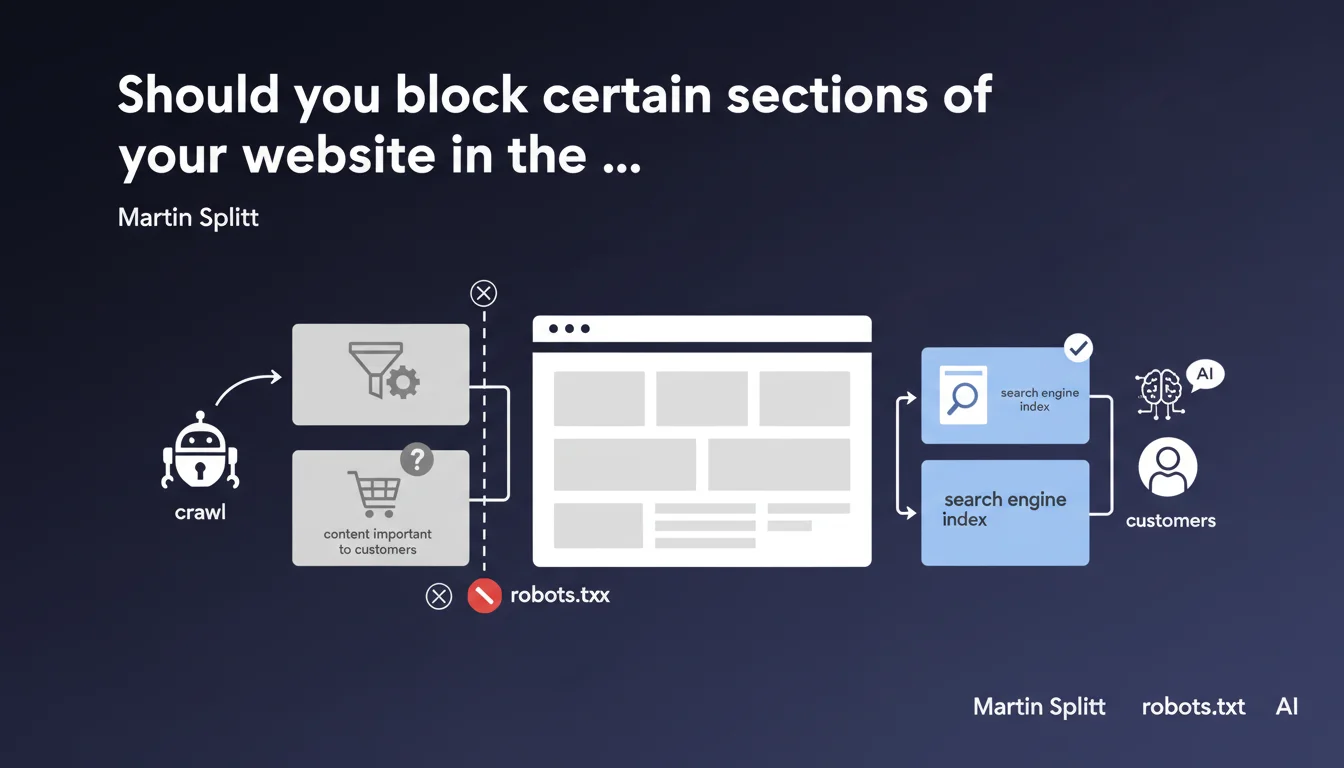
Google officially recommends blocking via robots.txt certain parts of your site that consume crawl budget without delivering SEO value: complex filter pages, content relevant to customers but not to search engines. This practice optimizes the allocation of crawl resources toward strategic pages.
What you need to understand
Why does Google encourage this selective blocking?
Martin Splitt confirms an approach that goes against the reflexive "leave everything accessible" mindset. The idea: concentrate your crawl budget on what truly matters for your organic visibility. Complex filter pages (color + size + price, etc.) often generate thousands of redundant URLs that dilute bot effort without creating SEO value.
The second targeted case — content important to customers but not to search — requires more discernment. This typically covers member spaces, order tracking pages, proprietary configurators that have no reason to appear in SERPs.
What's the difference between this and noindex?
Robots.txt blocks crawling, noindex blocks indexation. If you block via robots.txt, Google won't even visit the page — so it won't see the noindex tag if it exists. This saves server and bot resources, but it also prevents the discovery of internal links.
Noindex, on the other hand, requires Google to crawl the page to read the directive. More expensive in budget terms, but it allows the bot to follow links present on the page. The choice between the two is not trivial.
Which types of pages should be prioritized?
- Complex navigation facets: combined filters, multiple sorts, dynamically generated infinite pagination
- Internal search pages: on-site search results that create duplicate or thin content
- Authenticated spaces: member zones, customer dashboards, abandoned carts
- Temporary content: flash promotions, past events, expired campaign landing pages
- Technical resources: CSS/JS files if already consolidated, admin folders, internal APIs
SEO Expert opinion
Is this recommendation still relevant in 2025?
Yes, but with a significant caveat: Google has become much better at understanding facet patterns and ignoring noise. Their crawl system now better prioritizes high-value URLs, even without explicit blocking.
That said, for large sites (100k+ page e-commerce, media, platforms), robots.txt remains an essential control lever. Letting Google decide alone what to crawl risks that it misses your new strategic pages because it got bogged down in your filters.
[To verify] The phrase "content important to customers but not to search" remains vague. Google provides no concrete examples, leaving room for broad interpretation. A member space can contain rich resources you may want indexed for certain specific queries — blocking by default would be a mistake.
What are the risks of overly aggressive blocking?
The main danger: cutting off crawl paths. If you block a category of pages that contains links to other strategic sections, you fragment your internal linking structure. Google may then take longer to discover your new important pages, or even never reach them if they're only accessible through these blocked URLs.
Second trap: blocking pages generating long-tail traffic without knowing it. A poorly perceived filter page may actually rank on a very specific intent. Before blocking massively, comb through your server logs and cross-reference with Search Console.
In which cases does this rule not apply?
If your site has fewer than 10,000 pages and crawl budget isn't an issue (verifiable in Search Console: stable crawl frequency, no ignored strategic pages), blocking entire sections can be counterproductive. You risk over-optimizing for marginal gain.
News sites have an inverse need: maximize crawl freshness on all pages. Blocking sections would slow discovery of new content. Same logic for heavily seasonal sites where "temporary" URLs must be indexed quickly then properly deindexed.
Practical impact and recommendations
How do you identify which pages to block first?
Start by cross-referencing three sources: server logs (to see what Google actually crawls), Search Console (Coverage tab and Crawl Statistics), and your analytics (to spot pages with zero organic traffic but heavy crawling). The gaps reveal waste zones.
Use a crawler like Screaming Frog or Oncrawl to map your URL patterns. Filter by type (facets, pagination, internal search) and measure volume. If 40% of your crawl budget goes to filter combinations that rank on nothing, you have your answer.
What robots.txt syntax should you adopt for clean blocking?
Be surgical, not brutal. A Disallow: /products/ kills the entire category. Prefer precise patterns: Disallow: /*?filtre= targets filter parameter URLs, Disallow: /*?sort= blocks sorts, Disallow: /search? neutralizes internal search.
Always test with the "Test robots.txt file" tool in Search Console before pushing to production. A syntax error can accidentally block entire sections. And document each rule with a comment — in six months you'll forget why you blocked /api/legacy/.
How do you verify blocking works without breaking strategic indexation?
- Audit your server logs 2 weeks after implementation: crawling of blocked sections should drop to zero
- Monitor Search Console for any unusual drops in indexed pages or organic traffic
- Verify your strategic pages remain accessible: crawl your XML sitemap and confirm no critical URLs are accidentally blocked
- Manually test a few blocked URLs with "URL Inspection" in GSC — they should display "Blocked by robots.txt file"
- Cross-reference with Google Analytics: if blocked pages still generate organic traffic 30 days later, they were already indexed and backlinks maintain them (manage with noindex or redirect)
❓ Frequently Asked Questions
Peut-on bloquer des pages via robots.txt tout en les gardant indexées ?
Le blocage robots.txt améliore-t-il directement le classement des autres pages ?
Faut-il bloquer les paramètres UTM de tracking dans le robots.txt ?
Comment savoir si mon site souffre d'un problème de crawl budget ?
Un blocage robots.txt empêche-t-il le passage de PageRank via les liens internes ?
🎥 From the same video 10
Other SEO insights extracted from this same Google Search Central video · published on 10/01/2023
🎥 Watch the full video on YouTube →
💬 Comments (0)
Be the first to comment.