
Official statement
Other statements from this video 18 ▾
- □ Are images really slowing down your site's SEO performance?
- □ How can you actually boost your website's performance by selecting the right image format?
- □ Should you really automate image compression for SEO purposes?
- □ Is your website really serving the right image size to each device?
- □ Does Google really index all your responsive image variations with picture and srcset?
- □ Should you systematically use lazy-loading for all images below the fold?
- □ Should you really avoid lazy-loading for all your images?
- □ Should you really use the HTML loading attribute to optimize lazy-loading?
- □ Are images really the main bottleneck killing your site's performance?
- □ Are poorly configured images really harming your SEO through layout shifts?
- □ Does image quality really need to adapt by screen size for SEO success?
- □ Do you really need picture and srcset to optimize responsive images for SEO?
- □ Should you declare alternative image versions using structured data to boost Google's indexing?
- □ Should you really enable lazy-loading on every single below-the-fold image?
- □ Is lazy-loading all your images actually hurting your SEO performance?
- □ Should you really be using the HTML loading attribute for lazy-loading in 2024?
- 1:22 Do you really need to migrate your images to WebP and AVIF to boost your SEO?
- 1:57 Should you really manually verify automatic image compression results for your website?
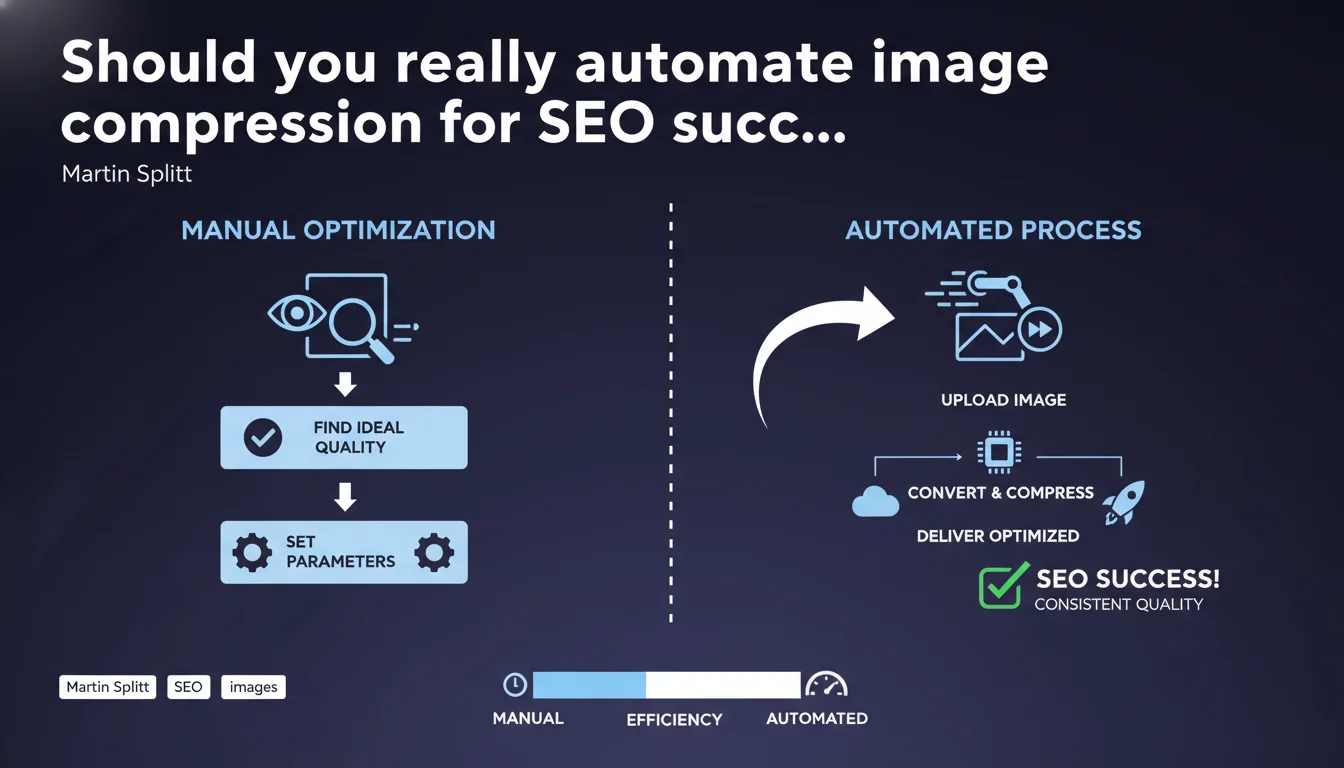
Martin Splitt recommends compressing images to the maximum without crossing the threshold of acceptable visual degradation for your site. Once optimal parameters are identified, automating the conversion and compression process becomes the sustainable solution. The challenge: finding the balance between file size and perceived quality.
What you need to understand
Why does Google insist so much on image compression?
Images often represent 50 to 70% of the total weight of a web page. Their optimization directly impacts Core Web Vitals, particularly LCP (Largest Contentful Paint) which measures the loading time of the main visible content.
Google does not set a universal threshold for acceptable quality — it is up to each site to define this cursor according to its sector. A luxury e-commerce site will tolerate less compression than a news blog.
What does "acceptable quality" really mean?
Martin Splitt intentionally leaves this notion vague. Concretely, it refers to the threshold of visual degradation beyond which your users perceive a drop in quality — and potentially leave the site.
This threshold varies by context: a product visual requires more refinement than an article illustration. The recommended methodology consists of testing multiple compression rates on different types of screens before deciding.
Is automation mandatory or optional?
Splitt presents it as a possibility after manual calibration, not as a prerequisite. The idea: once your parameters are defined (format, compression rate, dimensions), apply this recipe systematically via tools or scripts.
Without automation, the risk is twofold: inconsistency of practices between contributors and gradual drift toward unoptimized images. Industrialization guarantees process repeatability.
- Images are the main lever for optimizing page weight
- Google does not define a universal threshold — each site sets its own quality/performance cursor
- Automation is only effective after finding the right parameters manually
- LCP (Core Web Vital) is directly impacted by image weight
- The notion of "acceptable quality" depends on the sector and type of content
SEO Expert opinion
Is this approach really practical in the field?
Let's be honest: defining the "acceptable threshold" is more art than science. No objective metric will tell you the exact moment your users find an image too degraded. A/B tests on bounce rate or conversions remain the only reliable compass — and even then, it's difficult to isolate the impact of compression alone.
In reality, most sites apply empirical rules: 80-85% JPEG quality for product photos, aggressive compression WebP for secondary visuals. This statement from Splitt validates these practices without providing new safeguards.
What formats and tools does Google implicitly favor?
Splitt cites no specific format, but Google's signals have converged for years toward WebP and AVIF for their best compression/quality ratio. The vagueness of this statement — typical of Google — requires cross-referencing with other official sources to build a coherent strategy.
On the automation side, solutions like ImageOptim, Squoosh, or modern CDNs (Cloudflare, Imgix) handle this logic natively. [To verify]: Google has never publicly confirmed whether using third-party tools versus server-side processing influences crawl or indexation.
In what cases does this logic reach its limits?
Sites with premium visual content (art photography, creative portfolios, specialized media) cannot sacrifice quality for performance. Here, the compromise tilts toward heavier images served via CDN with lazy loading and responsive images.
Another edge case: dynamically generated images (charts, dataviz). Automation becomes complex because each visual is unique. Permanent manual calibration is not scalable — sometimes better to accept higher weight than degrade the experience.
Practical impact and recommendations
How do you identify the optimal compression threshold?
Start by exporting 3-4 versions of each image type (product, banner, illustration) with different compression rates. Test them on mobile, desktop, and tablet — the perception gap is massive depending on pixel density.
Organize testing sessions with real users or your team. Ask at what version they detect a quality drop. This subjective threshold defines your acceptable compression floor.
What tools should you use to automate without breaking everything?
For centralized management, prioritize a CDN with on-the-fly image transformation (Cloudinary, Imgix, Cloudflare Images). You define the rules once, they apply to your entire catalog.
If you prefer server-side automation, Gulp/Webpack scripts with Sharp (Node.js) or Pillow (Python) allow conversion and compression at build time. The advantage: full control. The disadvantage: maintenance and monitoring are your responsibility.
What must you verify after deployment?
Run an audit with PageSpeed Insights or Lighthouse on your key pages. Verify that LCP does not regress and that images appear in modern formats (WebP/AVIF). Also monitor CrUX metrics in Search Console.
Monitor your bounce rate and conversions for 2-3 weeks. If degradation is detected, gradually increase the quality cursor until you find balance again. Technical SEO should never sacrifice business results.
- Audit the current weight of your images (WebPageTest, GTmetrix)
- Test 3-4 compression rates per image type on real devices
- Define a minimum quality standard by content type
- Choose an automation tool suited to your technical stack (CDN, build tools, CMS plugins)
- Configure lazy loading and responsive images (srcset) in parallel
- Monitor LCP, CLS and business metrics post-deployment
- Document your parameters to maintain consistency over time
❓ Frequently Asked Questions
Quel format d'image privilégier pour le SEO en priorité ?
La compression d'images impacte-t-elle directement le classement Google ?
Faut-il recompresser toutes les anciennes images d'un site ?
Les plugins WordPress de compression d'images suffisent-ils ?
Peut-on automatiser la compression sans perte de qualité visible ?
🎥 From the same video 18
Other SEO insights extracted from this same Google Search Central video · published on 02/07/2024
🎥 Watch the full video on YouTube →
💬 Comments (0)
Be the first to comment.