
Official statement
Other statements from this video 11 ▾
- □ Le crawl intensif garantit-il vraiment un site de qualité ?
- □ Faut-il forcer Google à crawler davantage pour améliorer son classement ?
- □ Peut-on vraiment augmenter le crawl budget de son site en contactant Google ?
- □ Pourquoi Google crawle-t-il certains sites plus souvent que d'autres ?
- □ Pourquoi Google insiste-t-il sur l'implémentation du header If-Modified-Since ?
- □ Les paramètres d'URL créent-ils vraiment un espace de crawl infini pour Google ?
- □ Pourquoi les hashtags et ancres d'URL compliquent-ils le crawl de Google ?
- □ Pourquoi Google insiste-t-il autant sur les statistiques d'exploration dans Search Console ?
- □ Pourquoi un temps de réponse serveur lent tue-t-il votre crawl budget ?
- □ Googlebot suit-il vraiment les liens comme un utilisateur navigue de page en page ?
- □ Les sitemaps sont-ils vraiment indispensables pour optimiser le crawl de votre site ?
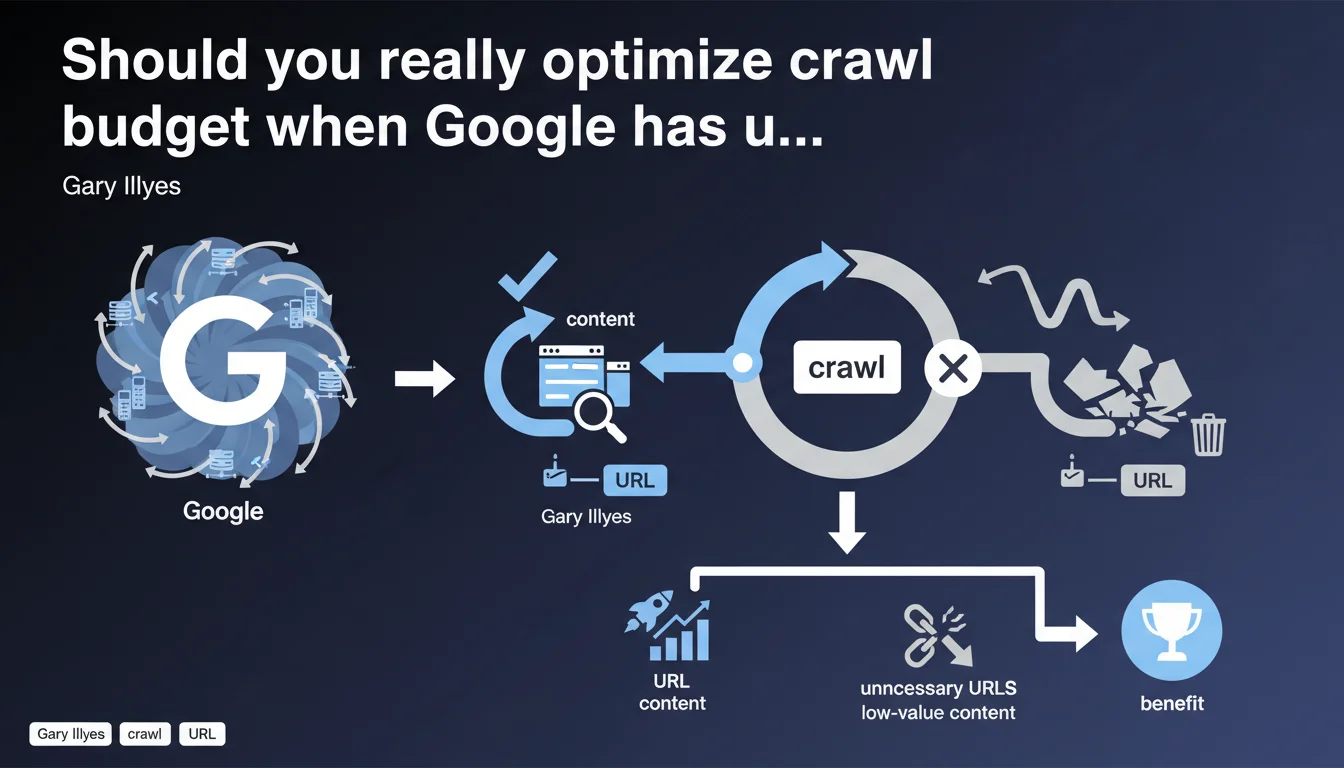
Google claims to have sufficient resources to crawl all websites. Yet optimizing crawl (eliminating parasitic URLs, improving response times) remains crucial — not for Google, but for your own site. The objective: force Googlebot to crawl your strategic pages rather than worthless content.
What you need to understand
Does Google really lack the resources to crawl the web?
No. Gary Illyes says it plainly: Google has sufficient resources to explore the entire crawlable web. The Mountain View giant is not limited by computing power or bandwidth.
So why talk about crawl budget at all? Because even if Google can crawl everything, it won't do so if your site serves it massive amounts of redundant content, infinitely parameterized URLs, or low-value pages. Crawl budget isn't a technical constraint at Google — it's a logical allocation based on perceived quality of your site.
Why optimize crawl if Google has no limits?
Crawl optimization doesn't benefit Google. It benefits your site. In concrete terms: if Googlebot spends 80% of its time crawling filter facets or session IDs, it has only 20% left to discover your new strategic pages.
Reducing unnecessary URLs and improving response times redirects crawl effort toward what truly matters: your high-value content, your SEO landing pages, your freshly updated pages. Google doesn't slow down — but you decide where it allocates its energy.
- Crawl budget is a logical allocation, not a material constraint at Google
- Optimizing crawl redirects Googlebot toward your strategic URLs
- Reducing noise (unnecessary URLs, slow response times) improves indexation freshness
- Poorly optimized sites dilute their own crawl potential across worthless content
Which sites are truly affected by this optimization?
All medium to large-sized sites. If you have only a few dozen static pages, the issue doesn't even arise. However, once you exceed several thousand URLs — e-commerce, marketplaces, news sites, content portals — the question becomes critical.
The most exposed sites are those generating dynamic URLs on the fly: filter facets, multiple sorts, session parameters, infinite calendars. If you don't properly control what should be crawled, Googlebot wastes time on worthless variants.
SEO Expert opinion
Is this statement consistent with on-the-ground observations?
Yes, but with a significant caveat. Google indeed has the technical resources to crawl massively. No one contests that. However, examining Apache or Nginx logs reveals that Googlebot doesn't visit all URLs with the same frequency — far from it.
On large e-commerce sites, we regularly observe that some sections are crawled daily, others weekly, and certain strategic URLs are never visited because they're buried in noise. So yes, Google can crawl everything — but in practice, it prioritizes based on quality and authority signals. [To verify]: the exact definition of these prioritization signals remains unclear.
What nuances should be added to this statement?
The first nuance is that Google speaks of global resources, not per-site allocation. Saying "we have enough resources" doesn't mean "we'll crawl everything on your site." There's a fundamental difference between theoretical capacity and actual behavior.
The second nuance: crawl optimization isn't limited to URL volume. Server response times play an enormous role. A site returning 200 status in 3 seconds will be crawled less aggressively than a site responding in 200ms. Google adjusts request frequency to avoid overloading servers — except if your infrastructure is slow, you're self-limiting.
When does this rule not apply?
On very small sites (fewer than 500 pages), crawl optimization is inconsequential. Googlebot will explore everything anyway, and quickly. No need to waste time over-optimizing a robots.txt or finely configuring parameters in Search Console.
However, on sites with tens or hundreds of thousands of pages, ignoring the issue amounts to sabotaging your own SEO strategy. Crawl becomes a direct competitive lever: those who know how to control it gain in indexation responsiveness, content freshness, and capacity to rapidly push new content into the index.
Practical impact and recommendations
What should you concretely do to optimize crawl?
First, identify unnecessary URLs that Googlebot visits. This requires serious server log analysis: which sections are crawled? Which ones consume crawl without adding value? Look for useless facets, infinite pagination pages, session parameters, technical duplicates.
Next, act on two levers: robots.txt to cleanly block parasitic sections, and canonical tags + noindex to handle edge cases. In parallel, work on server performance: reduce response times, optimize databases, deploy a CDN if necessary.
- Analyze server logs to identify crawled URLs with no SEO value
- Block via robots.txt unnecessary sections (filters, sorts, sessions, infinite calendars)
- Use canonical and noindex tags to manage technical duplicates
- Reduce server response times to under 200ms ideally
- Configure URL parameters in Google Search Console if applicable
- Prioritize exploration of new strategic pages via segmented XML sitemaps
- Regularly monitor crawl rate and errors in Search Console
What errors must you absolutely avoid?
First error: believing that optimizing crawl means restricting Googlebot access. No. The goal isn't to block broadly, but to redirect effort toward URLs that matter. Blocking too much can harm new content discovery.
Second error: ignoring response times. You can have perfect URL architecture, but if your server takes 2 seconds to respond, Googlebot will slow its crawl to avoid crashing your site. Server performance is a non-negotiable prerequisite.
Third error: never analyzing logs. Without real data on what Googlebot does on your site, you're flying blind. Logs are the only source of truth for understanding crawl behavior — Search Console alone isn't enough.
How do you verify that optimizations are working?
The best indicator remains before/after log analysis. You should see a crawl reallocation: fewer hits on unnecessary URLs, more hits on strategic sections. Total crawl volume may stay stable, but distribution changes.
Another signal: indexation freshness. If your new pages or content updates appear in the index faster after optimization, it means Googlebot is spending more time on what matters. Also monitor crawl errors in Search Console: they should decrease if you've properly cleaned your architecture.
❓ Frequently Asked Questions
Le crawl budget existe-t-il encore si Google a des ressources illimitées ?
Mon site de 500 pages doit-il optimiser son crawl ?
Quelle est la priorité : réduire les URLs ou améliorer les temps de réponse ?
Comment savoir quelles URLs Googlebot visite vraiment ?
Bloquer des sections entières via robots.txt est-il risqué ?
🎥 From the same video 11
Other SEO insights extracted from this same Google Search Central video · published on 08/08/2024
🎥 Watch the full video on YouTube →
💬 Comments (0)
Be the first to comment.