
Official statement
Other statements from this video 11 ▾
- □ Le crawl intensif garantit-il vraiment un site de qualité ?
- □ Faut-il forcer Google à crawler davantage pour améliorer son classement ?
- □ Peut-on vraiment augmenter le crawl budget de son site en contactant Google ?
- □ Pourquoi Google crawle-t-il certains sites plus souvent que d'autres ?
- □ Les paramètres d'URL créent-ils vraiment un espace de crawl infini pour Google ?
- □ Pourquoi les hashtags et ancres d'URL compliquent-ils le crawl de Google ?
- □ Pourquoi Google insiste-t-il autant sur les statistiques d'exploration dans Search Console ?
- □ Pourquoi un temps de réponse serveur lent tue-t-il votre crawl budget ?
- □ Googlebot suit-il vraiment les liens comme un utilisateur navigue de page en page ?
- □ Faut-il vraiment optimiser le crawl budget si Google a des ressources illimitées ?
- □ Les sitemaps sont-ils vraiment indispensables pour optimiser le crawl de votre site ?
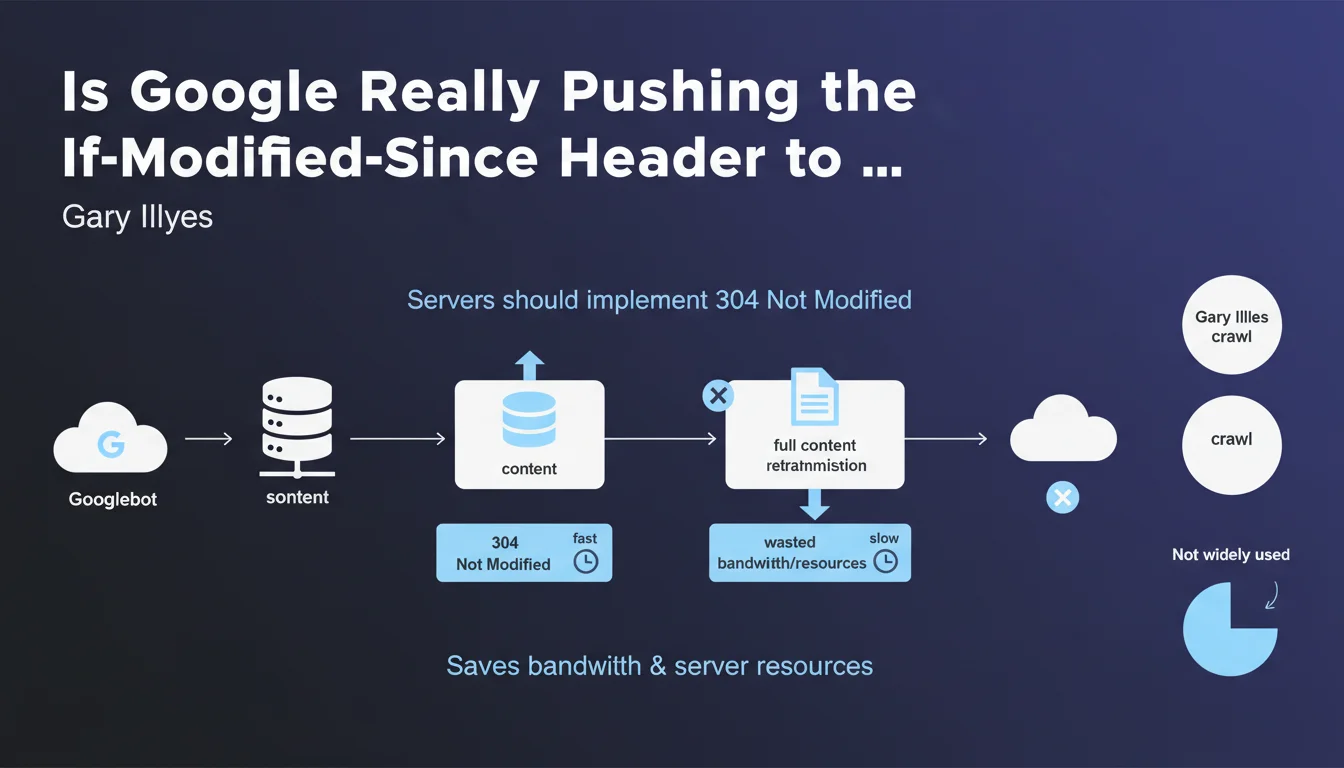
Gary Illyes recommends servers properly implement the 304 Not Modified response to the If-Modified-Since header. The goal: save bandwidth and server resources by avoiding retransmitting unchanged content. Too few websites leverage this feature despite it being essential for optimizing crawl efficiency.
What you need to understand
What Are the If-Modified-Since Header and the 304 Response?
The If-Modified-Since header allows the crawler to ask the server whether a page has been modified since its last visit. If nothing has changed, the server returns a 304 Not Modified response instead of retransmitting the entire content.
In practical terms, this means Googlebot doesn't unnecessarily download identical pages on each pass. The benefit is twofold: less bandwidth consumed and server resources preserved for other tasks.
Why Is Google Pushing This Recommendation Now?
Gary Illyes points out that this feature is underutilized. Many servers don't handle this mechanism properly, forcing Googlebot to re-download pages that haven't changed.
For Google, that's wasted time and bandwidth. For your site, it's crawl budget burned on unnecessary requests — at the expense of pages that truly deserve to be crawled.
What's the Impact on Crawl Budget?
If your server never returns a 304, Googlebot must systematically download the entire content of every page it visits. On a medium or large site, this represents significant server load and poorly optimized crawl budget.
Conversely, proper 304 implementation allows crawl to focus on genuinely modified or new pages. This is especially crucial for sites with thousands of URLs that rarely change.
- If-Modified-Since: header sent by Googlebot to ask if the page has changed
- 304 Not Modified: server response indicating no modification has occurred
- Saves bandwidth, server load, and optimizes crawl budget
- Underutilized: many servers don't implement it correctly
- Allows crawl to focus on pages that actually evolve
SEO Expert opinion
Does This Recommendation Really Change the Game?
Let's be honest: the 304 mechanism has existed for years. It's not a technical novelty. That Gary Illyes is highlighting it now suggests that Google wants to reduce its crawl bill — and that too many sites aren't playing along.
What's interesting is that Google isn't saying "we'll penalize sites that don't use 304". The approach remains incentive-based: save your resources, we'll save ours. But behind that lies a question of crawl priority. If your server makes Googlebot's job easier, it will probably come back more often to your important pages.
In What Cases Is This Implementation Pointless?
Small site with 50 frequently changing pages? The gain will be marginal. News sites where everything changes constantly? Same result. However, e-commerce sites with thousands of stable product pages, directories, blogs with archives — there you have real value.
Your server also needs to properly handle modification dates. If your CMS updates the Last-Modified field on every request without reason, 304 will never be used. [Worth checking]: some poorly configured Apache or Nginx setups systematically return a 200 even if nothing has changed.
What Are the Limitations of This Approach?
The 304 works based on Last-Modified or ETag. If your CMS doesn't properly manage these values, you won't be able to benefit from it. And that's often where things break: WordPress by default can generate inconsistent ETags, some CDNs disable them altogether.
Practical impact and recommendations
How Do I Verify If My Site Handles 304 Correctly?
First step: consult your server logs. Look for 304 responses in Googlebot requests. If you never see any, that's a bad sign.
Next, test manually with curl or a tool like Screaming Frog in custom crawl mode. Send an If-Modified-Since header with a past date and verify that the server returns a 304 if the page hasn't changed.
What Errors Should I Avoid When Implementing?
Classic mistake: configuring 304 but forgetting to properly set Last-Modified. If your CMS regenerates this value on every request, the mechanism will never work.
Another trap: CDNs that disable ETags or modify cache headers. Check the entire chain — origin, CDN, firewall — to ensure 304 passes through to Googlebot.
What Should I Actually Do?
- Verify that your server returns a consistent Last-Modified on each page
- Test with curl or a crawler that 304 works properly by sending If-Modified-Since
- Analyze server logs to track 304 responses sent to Googlebot
- Configure your CMS so it doesn't regenerate Last-Modified without reason
- Verify that your CDN or proxy doesn't block cache headers
- Monitor crawl budget evolution before/after implementation in Search Console
❓ Frequently Asked Questions
Le 304 Not Modified améliore-t-il le positionnement dans Google ?
Mon CMS gère-t-il automatiquement le 304 ?
Un CDN comme Cloudflare peut-il interférer avec le 304 ?
Comment savoir si Googlebot profite réellement du 304 sur mon site ?
Quels types de sites profitent le plus du 304 ?
🎥 From the same video 11
Other SEO insights extracted from this same Google Search Central video · published on 08/08/2024
🎥 Watch the full video on YouTube →
💬 Comments (0)
Be the first to comment.