
Official statement
Other statements from this video 11 ▾
- □ Le crawl intensif garantit-il vraiment un site de qualité ?
- □ Faut-il forcer Google à crawler davantage pour améliorer son classement ?
- □ Peut-on vraiment augmenter le crawl budget de son site en contactant Google ?
- □ Pourquoi Google crawle-t-il certains sites plus souvent que d'autres ?
- □ Pourquoi Google insiste-t-il sur l'implémentation du header If-Modified-Since ?
- □ Les paramètres d'URL créent-ils vraiment un espace de crawl infini pour Google ?
- □ Pourquoi les hashtags et ancres d'URL compliquent-ils le crawl de Google ?
- □ Pourquoi un temps de réponse serveur lent tue-t-il votre crawl budget ?
- □ Googlebot suit-il vraiment les liens comme un utilisateur navigue de page en page ?
- □ Faut-il vraiment optimiser le crawl budget si Google a des ressources illimitées ?
- □ Les sitemaps sont-ils vraiment indispensables pour optimiser le crawl de votre site ?
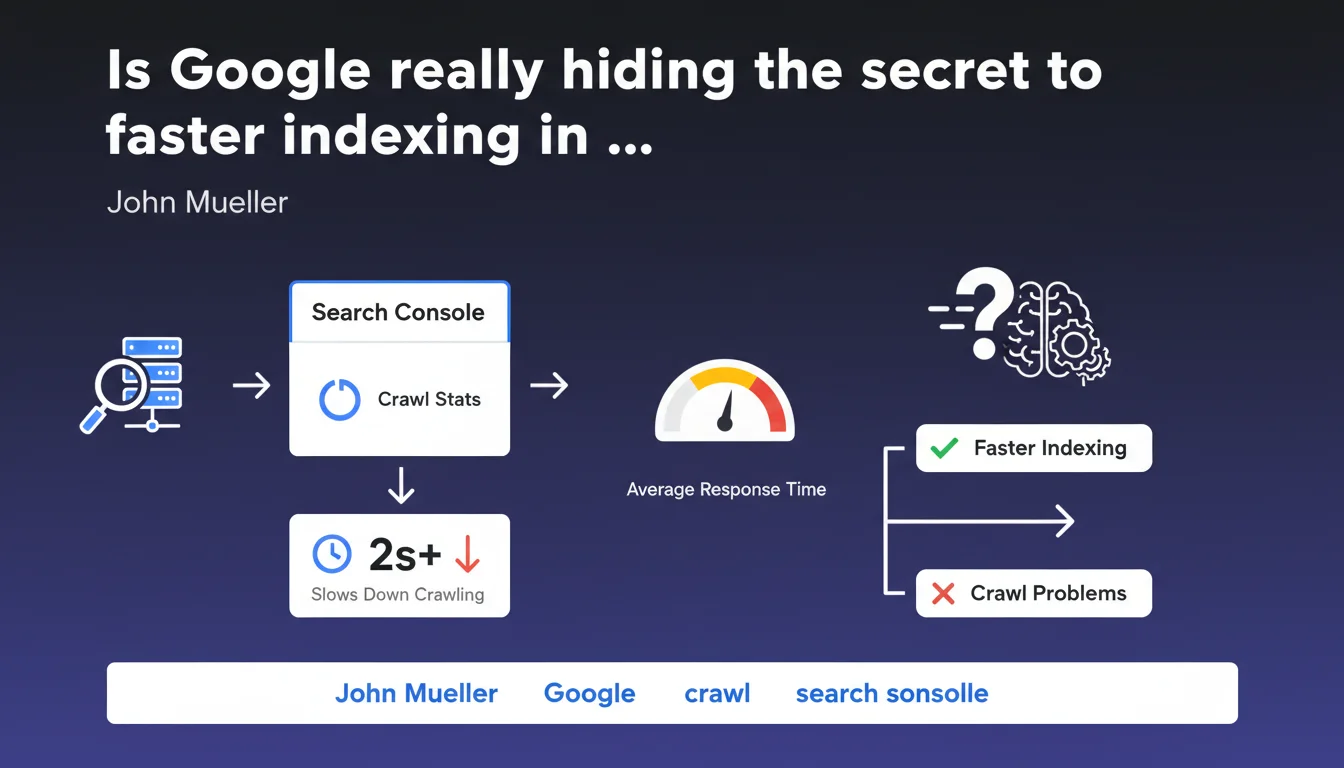
John Mueller recommends regularly checking Crawl Stats in Search Console to detect crawl issues. An average response time of several seconds is an objective red flag that slows down Googlebot's exploration of your site. It's a concrete indicator that SEOs rarely leverage to its full potential.
What you need to understand
What do crawl statistics really reveal?
Crawl Stats provide granular insight into how Googlebot interacts with your site. They compile data on the volume of pages crawled, crawl frequency, and most importantly the average response time of your server.
This last metric — often overlooked — is an objective indicator of your infrastructure's technical health. If your server takes several seconds to respond, Google naturally reduces its crawl to avoid overloading your resources.
Why is response time so critical for crawling?
Google has a limited crawl budget for each site. This budget depends notably on site popularity (authority, links) and its ability to respond quickly.
A slow server pushes Googlebot to explore fewer pages in the same timeframe. Result: your new pages or updates take longer to be indexed, or may never be indexed if your site is large.
What response time threshold should trigger an alert?
Mueller mentions "several seconds" as an objective problem. Concretely, an average response time exceeding 1-2 seconds warrants investigation. Beyond 3 seconds, you're in the danger zone.
This isn't an isolated metric: if your Core Web Vitals are also degraded (slow LCP), you have a structural issue affecting both crawl and user experience.
- Crawl Stats = underestimated dashboard for diagnosing server infrastructure problems
- Average response time > 2-3 seconds = direct alarm signal, likely crawl reduction
- This metric concerns the server only, not client-side rendering (JavaScript)
- Slowed crawling delays indexation of your new content or updates
- Crawl Stats also help identify HTTP error spikes, useful for correlating with server incidents
SEO Expert opinion
Does this statement align with real-world observations?
Yes, and it's one of the few points where Google remains factual and precise. Crawl data in Search Console is reliable — it reflects Googlebot's actual behavior.
In the field, we observe that sites with high response times (>2-3 seconds) indeed experience net crawl slowdown. The problem is that many webmasters only check these stats in a panic, never proactively.
What nuances should be added to this recommendation?
Mueller doesn't specify an exact threshold. "Several seconds" is vague. In practice, it depends on your site type.
An e-commerce site with 100,000 products won't be judged the same way as a 50-page blog. Google adapts its expectations based on site popularity and update frequency. A news outlet with 2-second response time will have more problems than a static corporate site. [To verify]: Google never communicates precise benchmarks by site typology.
In what cases does this rule not fully apply?
Crawl Stats reflect server response time only, not JavaScript client-side rendering time. If your site is heavy on JS but initial HTML responds fast, Crawl Stats will look good — but Googlebot may struggle with rendering.
Another limitation: Crawl Stats aggregate data over several days. A one-off incident can go unnoticed if your average remains acceptable. Let's be honest: this metric is one indicator among many, not absolute truth.
Practical impact and recommendations
What should you concretely do to optimize crawling?
First, check your Crawl Stats at least once a week. Spot trends: sudden increase in response time, drop in pages crawled, HTTP error spikes.
Then cross-reference this data with your server logs. If you detect high response time in Search Console, check your server monitoring (APM, New Relic, Datadog…) to identify the source: saturated database, heavy plugins, undersized hosting.
What mistakes should you avoid when analyzing Crawl Stats?
Don't panic over an isolated spike. Crawl Stats naturally fluctuate. What matters is the trend over several weeks.
Also avoid over-optimizing for Googlebot at the expense of users. An ultra-fast server for the bot but an unreadable site for users is pointless. And that's where it gets tricky: some sites optimize initial HTML but serve massive JavaScript.
How do you verify your infrastructure is compliant?
Test your TTFB (Time To First Byte) with WebPageTest or GTmetrix. Aim for under 600 ms, ideally under 400 ms. If you regularly exceed 1 second, dig deeper.
Audit your technical stack: CDN properly configured? Server cache active? Database optimized? Heavy SQL queries? Unnecessary WordPress plugins? Every millisecond counts.
- Check Crawl Stats weekly in Search Console
- Monitor average response time: alert if > 1-2 seconds
- Cross-reference with server logs and APM monitoring to identify bottlenecks
- Test TTFB via WebPageTest, aim for < 600 ms
- Optimize CDN, server cache, database, SQL queries
- Don't confuse server time (TTFB) and user speed (LCP)
- Analyze HTTP error spikes correlated with server incidents
❓ Frequently Asked Questions
Quel est le temps de réponse serveur idéal pour optimiser le crawl ?
Les Crawl Stats incluent-elles le temps de rendu JavaScript ?
À quelle fréquence faut-il consulter les statistiques d'exploration ?
Un temps de réponse élevé impacte-t-il directement le classement dans les résultats ?
Comment distinguer un problème serveur d'un problème de rendu client dans les Crawl Stats ?
🎥 From the same video 11
Other SEO insights extracted from this same Google Search Central video · published on 08/08/2024
🎥 Watch the full video on YouTube →
💬 Comments (0)
Be the first to comment.