
Official statement
Other statements from this video 11 ▾
- □ Le crawl intensif garantit-il vraiment un site de qualité ?
- □ Faut-il forcer Google à crawler davantage pour améliorer son classement ?
- □ Peut-on vraiment augmenter le crawl budget de son site en contactant Google ?
- □ Pourquoi Google insiste-t-il sur l'implémentation du header If-Modified-Since ?
- □ Les paramètres d'URL créent-ils vraiment un espace de crawl infini pour Google ?
- □ Pourquoi les hashtags et ancres d'URL compliquent-ils le crawl de Google ?
- □ Pourquoi Google insiste-t-il autant sur les statistiques d'exploration dans Search Console ?
- □ Pourquoi un temps de réponse serveur lent tue-t-il votre crawl budget ?
- □ Googlebot suit-il vraiment les liens comme un utilisateur navigue de page en page ?
- □ Faut-il vraiment optimiser le crawl budget si Google a des ressources illimitées ?
- □ Les sitemaps sont-ils vraiment indispensables pour optimiser le crawl de votre site ?
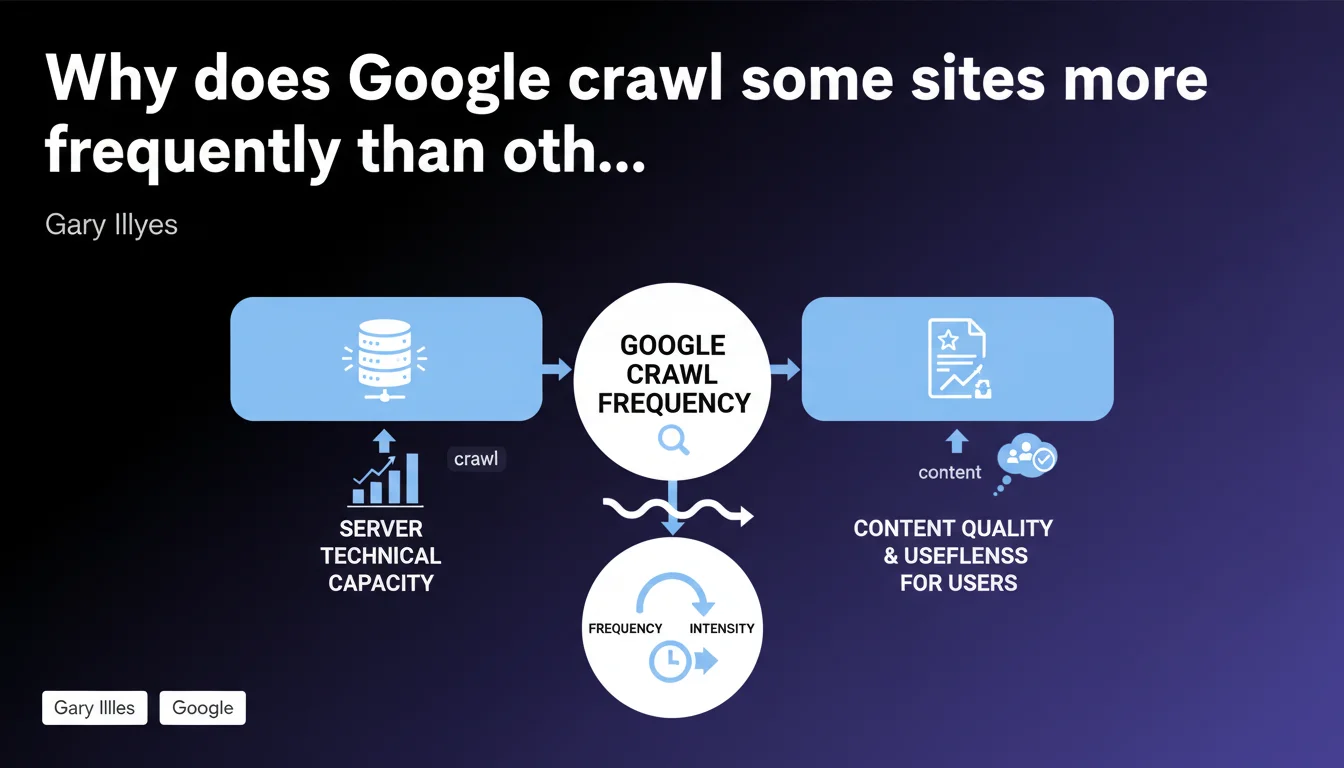
Google limits crawl volume based on two factors: your server's technical capacity to process requests, and the perceived quality of your content for users. A slow or unstable server slows down Googlebot, even if content is excellent. Conversely, a high-performing server doesn't compensate for mediocre content.
What you need to understand
What is crawl budget and why does Google limit it?
The crawl budget corresponds to the number of pages that Googlebot accepts to visit on your site during a given period. This limitation exists for two reasons: Google doesn't have infinite resources, and it prefers to concentrate its energy on useful content rather than exhaust your servers.
This statement from Gary Illyes formalizes what many were already observing — but with a crucial detail. Google doesn't limit crawl on a whim or through some obscure algorithm. It responds first to what your infrastructure allows it to do, then to the real value of your pages for users.
How does technical capacity concretely limit crawling?
If your server returns 5xx errors, timeouts, or catastrophic response times, Googlebot automatically slows down. It's a safeguard: it doesn't want to contribute to crashing your site. The problem? A sluggish server sabotages your indexation, even if you publish exceptional content.
Google adjusts its behavior in real time. A stable and fast server gets more aggressive crawling. A temperamental server? Googlebot becomes cautious and reduces frequency. This self-regulation means your infrastructure plays a direct role in your visibility.
What does Google mean by "content quality and usefulness"?
This is the second factor — and the most vague. Google evaluates whether your pages deserve frequent crawling based on signals like update rate, user engagement, freshness, and popularity. A blog that publishes daily will have more intense crawling than a static site unchanged since 2 years ago.
But be careful: quantity doesn't mean quality. Publishing 50 mediocre pages daily doesn't guarantee more frequent crawling. Google favors sites whose content generates interactions, clicks, and reading time. If your pages serve no one, Googlebot eventually spaces out its visits.
- Crawl budget is limited by two pillars: server technical performance and content relevance for users.
- A slow server limits indexation, even if content is excellent — and vice versa.
- Google adjusts crawl in real time based on your infrastructure stability.
- Content quality is measured by engagement signals and freshness, not just page volume.
SEO Expert opinion
Is this statement consistent with real-world observations?
Yes, overall. Audits show that sites with catastrophic server response times (>2s) experience visible crawl slowdown. Google Search Console confirms this with graphs that plunge when 5xx errors climb. Nothing new here — except Gary Illyes finally formalizes what was previously empirical observation.
However, the second factor — "content quality/usefulness" — remains deliberately vague. Google provides no threshold, no measurable indicator. Does 1,000 visitors/day suffice? Does bounce rate count? We're flying blind. [To verify]: Google has never published a precise list of criteria for this aspect.
What nuances should be added to this rule?
The statement overlooks a third factor observed in the field: site structure. Chaotic internal linking, orphaned URLs, or excessive click depth slow crawling, even with a fast server and relevant content. Googlebot simply doesn't find certain pages.
Another point — sites with a history of spam or massive duplicate content sometimes experience crawl throttling that can't be explained by current technical performance or content quality. Google seems to apply a form of "residual punishment" even after cleanup. It remains unofficial, but cases are documented.
In what cases doesn't this rule apply?
Very large sites (millions of pages) play by different rules. Google uses algorithmic prioritization systems that go far beyond the simple server/quality equation. For example, a giant e-commerce site with 10 million products won't be crawled uniformly — Google targets popular categories and ignores low-traffic pages.
News sites also benefit from special treatment. Even if their infrastructure isn't perfect, Google crawls certain sections in near real-time because freshness takes priority. The "usefulness" factor becomes so prevalent that it tolerates some server slowness.
Practical impact and recommendations
What concrete steps should you take to optimize crawling?
First step: diagnose your server health. Use Google Search Console to spot 5xx error spikes, timeouts, and abnormal download times. If your server caps out at 500ms response time, you're leaving room for Googlebot. Beyond 1.5s, you start throttling crawl.
Next, audit your server logs to identify pages Googlebot actually visits. Often it wastes time on useless URLs — filters, session parameters, infinite pagination. Block these sections via robots.txt or noindex directives to redirect crawl toward strategic pages.
What mistakes should you absolutely avoid?
Don't sell your crawl budget short by publishing hundreds of nearly identical or low-value pages. Google eventually considers your site noise and reduces crawl frequency. Better 50 excellent pages than 500 mediocre ones.
Also avoid chained redirects (A → B → C → D). Googlebot follows redirects, but each hop consumes crawl budget and slows content discovery. Clean ruthlessly: one redirect = one step only.
How do you verify your site is compliant?
In Google Search Console, check the "Crawl statistics" report. You'll find three curves: number of crawled requests, KB downloaded, and average response time. Crawl that collapses without obvious reason? Look toward server errors or a traffic/engagement drop.
Also compare crawl frequency with your publishing pace. If you publish 10 articles/week but Googlebot visits these sections only twice/month, there's a gap. Ask yourself: do these contents really generate interest, or are they just filler?
- Audit server logs to identify unnecessarily crawled URLs
- Block non-strategic sections via robots.txt (filters, session parameters)
- Reduce server response time under 1s if possible
- Clean up chained redirects and recurring 4xx/5xx errors
- Consolidate or remove low-value or duplicate pages
- Monitor the "Crawl statistics" report in Google Search Console
- Improve internal linking to facilitate new page discovery
❓ Frequently Asked Questions
Un serveur ultra-rapide garantit-il un crawl budget élevé ?
Google crawle-t-il toutes les pages d'un site de la même manière ?
Le crawl budget impacte-t-il directement le classement dans les résultats ?
Combien de temps faut-il pour que Google ajuste le crawl après une optimisation serveur ?
Les sites de petite taille doivent-ils s'inquiéter du crawl budget ?
🎥 From the same video 11
Other SEO insights extracted from this same Google Search Central video · published on 08/08/2024
🎥 Watch the full video on YouTube →
💬 Comments (0)
Be the first to comment.