
Official statement
Other statements from this video 11 ▾
- □ Le crawl intensif garantit-il vraiment un site de qualité ?
- □ Faut-il forcer Google à crawler davantage pour améliorer son classement ?
- □ Peut-on vraiment augmenter le crawl budget de son site en contactant Google ?
- □ Pourquoi Google crawle-t-il certains sites plus souvent que d'autres ?
- □ Pourquoi Google insiste-t-il sur l'implémentation du header If-Modified-Since ?
- □ Pourquoi les hashtags et ancres d'URL compliquent-ils le crawl de Google ?
- □ Pourquoi Google insiste-t-il autant sur les statistiques d'exploration dans Search Console ?
- □ Pourquoi un temps de réponse serveur lent tue-t-il votre crawl budget ?
- □ Googlebot suit-il vraiment les liens comme un utilisateur navigue de page en page ?
- □ Faut-il vraiment optimiser le crawl budget si Google a des ressources illimitées ?
- □ Les sitemaps sont-ils vraiment indispensables pour optimiser le crawl de votre site ?
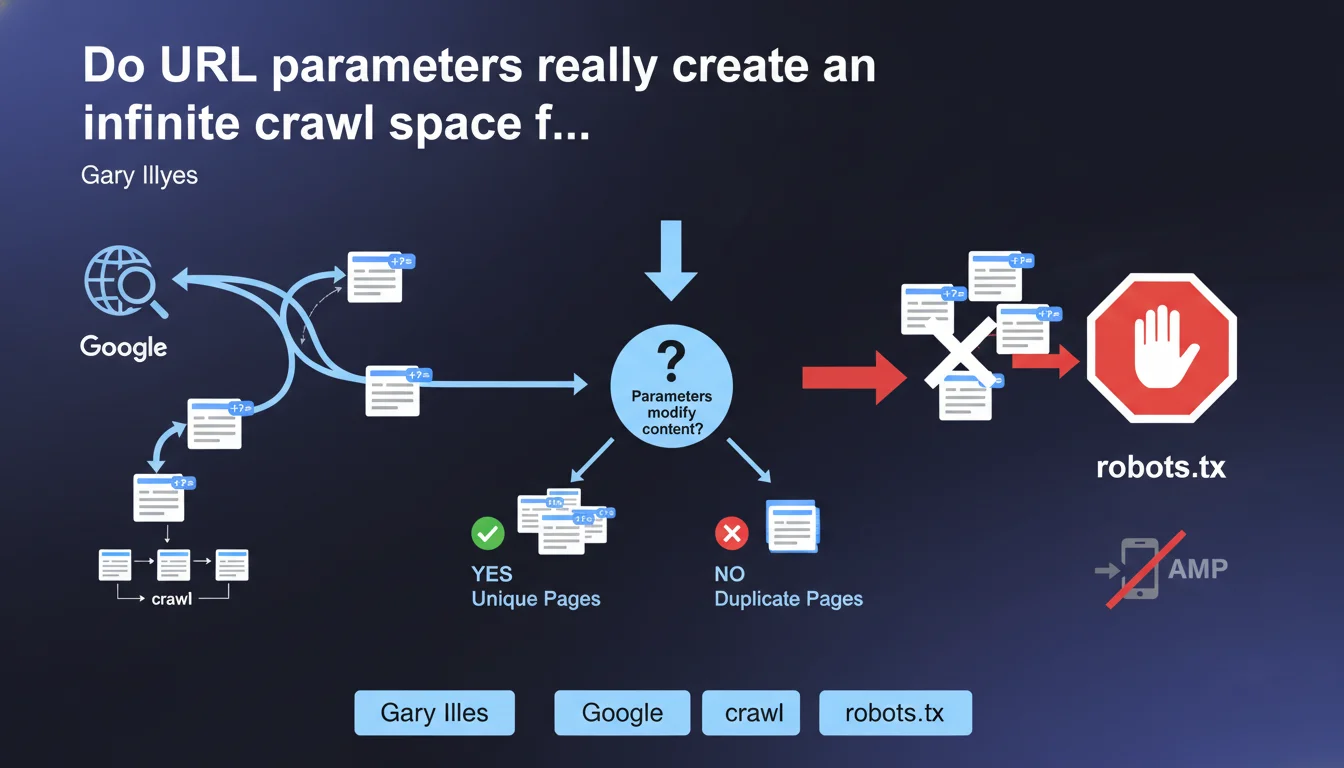
URL parameters generate a nearly infinite number of versions of the same page, forcing Google to crawl a large sample to determine whether these parameters actually modify the content. This statement confirms that parameterized URLs directly impact crawl budget and that robots.txt remains the preferred tool for blocking these unnecessary spaces.
What you need to understand
Why do URL parameters create a crawl problem?
A URL parameter — those ?id=123 or &sort=price elements — can generate thousands, even millions of combinations of the same page. Sorting by price, filtering by color, pagination, session IDs: each variation creates a unique URL in Googlebot's eyes.
The problem? Google must explore enough of these URLs to understand whether the parameter actually changes the content or if it's the same page in different forms. This process consumes crawl budget — that limited resource Google allocates to each site.
What does "nearly infinite crawl space" mean in practical terms?
Take an e-commerce site with 1,000 products. Add 5 sorting options, 3 display options, 10 price filters, and pagination of 20 pages. The calculation quickly becomes astronomical: hundreds of thousands of auto-generated URLs.
Google can't crawl them all. It will attempt to sample this mass to identify patterns — but meanwhile, your strategic pages may be waiting their turn in the queue.
What is Google's official position on this issue?
Gary Illyes confirms that Google recognizes this structural problem. The recommended solution: use robots.txt to block URL spaces with unnecessary parameters. No canonical here, no noindex: pure crawl-level blocking.
- URL parameters create a nearly infinite combinatorial space of distinct URLs
- Google must crawl a large sample to determine whether parameters modify actual content
- This process consumes crawl budget that could be allocated elsewhere
- The recommended solution is robots.txt, not meta tags or canonical tags
- This approach allows crawl blocking upstream, before Googlebot even discovers these URLs
SEO Expert opinion
Is this recommendation really the most effective in all cases?
Let's be honest: robots.txt is a powerful but binary tool. You either block or you don't. The problem? Some parameters have SEO value — well-managed pagination, high-volume search filters, regional variants.
Blindly blocking all parameters risks losing long-tail traffic. Conversely, letting Google fend for itself with infinite space dilutes your crawl budget. This statement lacks nuance. [To verify]: Google doesn't specify how to distinguish SEO-valuable parameters from purely technical ones.
Why doesn't Google recommend other solutions?
Search Console once offered a URL parameter management tool — since abandoned. Canonical tags aren't mentioned here at all, yet they allow consolidating these variations without blocking crawl.
This omission is troubling. In practice, a combination of canonical + selective robots.txt often works better than total blocking. But Google simplifies its message — which can mislead less experienced practitioners.
In what cases does this rule not apply?
Low-volume sites don't have this problem. If your site generates 500 total URLs, parameters won't create critical infinite space. Google will crawl the entire set without difficulty.
Practical impact and recommendations
What should you concretely do to manage these parameters?
First step: audit your URLs via Google Search Console and server logs. Identify which parameters generate the most URLs, which are crawled massively, which drive traffic. This mapping is essential.
Next, classify your parameters into three categories: those that genuinely modify content (to index), those that change nothing (to block), and the gray zone (filters with moderate search volume — case-by-case decision).
What mistakes should you absolutely avoid?
Never block a parameter in robots.txt if Google has already indexed it massively. You'll create a black hole: indexed URLs that aren't crawlable, which Google will take months to purge. Use canonical tags first to consolidate, then progressively block.
Another classic trap: blocking ?page= thinking you're solving a pagination problem. Result? Google can no longer crawl your pages 2, 3, 4… and you lose indexing depth. Pagination requires specific handling (rel=next/prev or canonical to a "See all" page), not brutal blocking.
How do you verify your site is correctly configured?
Three essential checks. First, analyze your server logs to spot crawl patterns on parameterized URLs — if Googlebot spends 80% of its time on useless URLs, you have a problem. Second, use Search Console to identify indexed URLs with parameters and measure their performance. Third, test your robots.txt rules with the testing tool to avoid accidentally blocking strategic pages.
- Audit URL parameters via Search Console and server logs
- Classify parameters: unique content vs unnecessary technical ones
- Use robots.txt to block parameterized spaces with no SEO value
- Combine with canonical tags for gray-zone parameters
- Never block a parameter already massively indexed without transition
- Regularly check logs to detect crawl drift
- Test any robots.txt modifications before deployment
❓ Frequently Asked Questions
Dois-je bloquer tous les paramètres d'URL en robots.txt ?
Que se passe-t-il si je bloque un paramètre déjà indexé par Google ?
Les balises canonical suffisent-elles à résoudre le problème de crawl budget ?
Comment savoir si mes paramètres d'URL consomment trop de crawl budget ?
Google peut-il comprendre automatiquement quels paramètres sont inutiles ?
🎥 From the same video 11
Other SEO insights extracted from this same Google Search Central video · published on 08/08/2024
🎥 Watch the full video on YouTube →
💬 Comments (0)
Be the first to comment.