
Official statement
Other statements from this video 11 ▾
- □ Le crawl intensif garantit-il vraiment un site de qualité ?
- □ Faut-il forcer Google à crawler davantage pour améliorer son classement ?
- □ Peut-on vraiment augmenter le crawl budget de son site en contactant Google ?
- □ Pourquoi Google crawle-t-il certains sites plus souvent que d'autres ?
- □ Pourquoi Google insiste-t-il sur l'implémentation du header If-Modified-Since ?
- □ Les paramètres d'URL créent-ils vraiment un espace de crawl infini pour Google ?
- □ Pourquoi les hashtags et ancres d'URL compliquent-ils le crawl de Google ?
- □ Pourquoi Google insiste-t-il autant sur les statistiques d'exploration dans Search Console ?
- □ Googlebot suit-il vraiment les liens comme un utilisateur navigue de page en page ?
- □ Faut-il vraiment optimiser le crawl budget si Google a des ressources illimitées ?
- □ Les sitemaps sont-ils vraiment indispensables pour optimiser le crawl de votre site ?
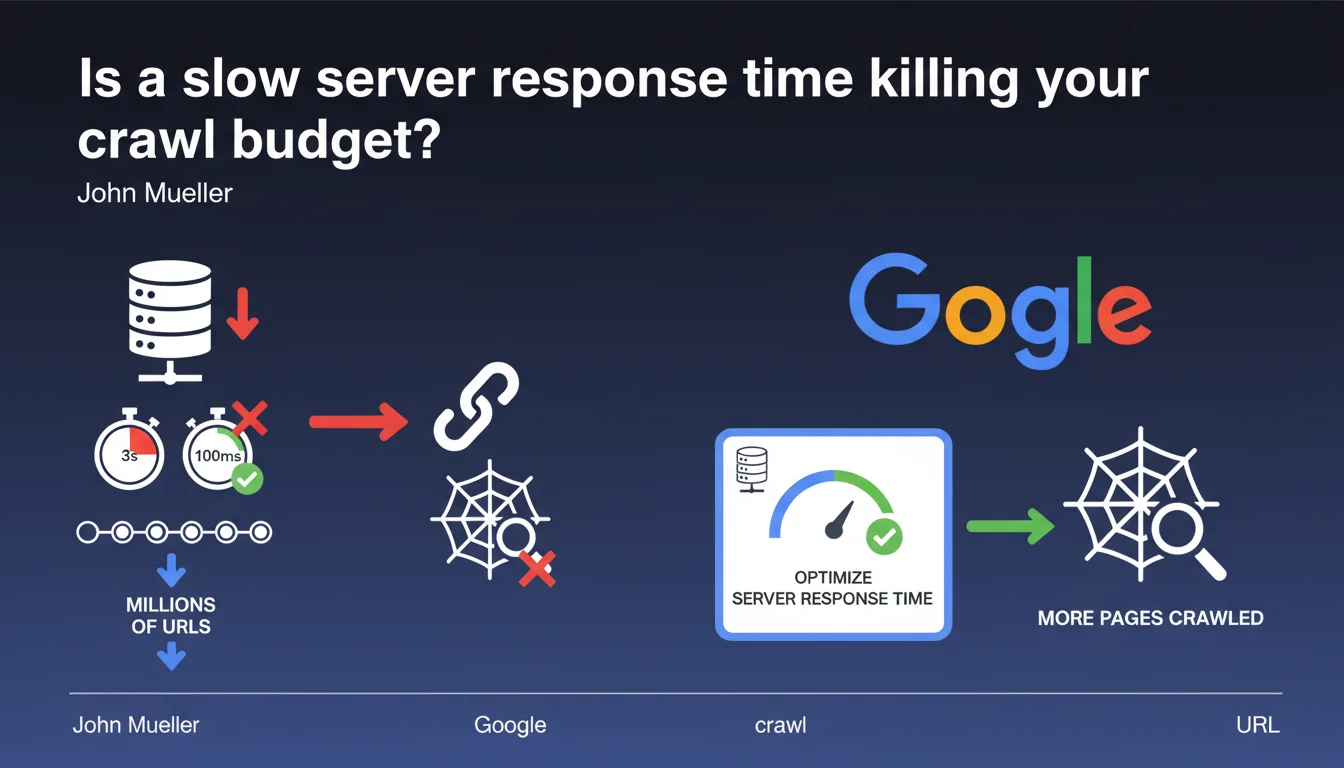
A high server response time (3 seconds instead of 100 ms) multiplies the time needed to crawl each URL by 20 to 30 times. Across millions of pages, this drastically reduces the number of URLs that Googlebot can explore. Optimizing server response time becomes a critical lever for improving crawl efficiency.
What you need to understand
What is the direct link between server response time and crawl budget?
Google allocates a crawl budget to each site — a limited amount of time and number of requests to explore your pages. If each request consumes 3 seconds instead of 100 milliseconds, Googlebot can crawl 20 to 30 times fewer URLs in the same timeframe.
Concretely, a site that could theoretically see 10,000 pages crawled per day with optimal response time will only see 300 to 500 pages explored if the server is slow. For sites with several million URLs, this means entire sections of content will never be seen by Google.
Why doesn't Google simply increase the number of requests?
Because Googlebot must respect server capacity. Increasing the number of simultaneous requests on an already slow server risks overloading it and degrading the user experience for real visitors.
Google therefore adapts its crawl rate based on observed response speed. The slower the server, the slower Googlebot becomes — and the faster your crawl budget melts away.
Which sites are most exposed to this problem?
Large sites (e-commerce, marketplaces, directories, media) with thousands or millions of URLs are the first to be affected. A 50-page site won't see any notable difference — Google will manage to crawl everything even with a mediocre server.
However, once you exceed 10,000 to 100,000 pages, every millisecond counts. Complex technical sites (facets, filters, infinite pagination) with poorly optimized architecture face compounded handicaps.
- A server response time >1 second drastically reduces crawl efficiency
- Sites with several thousand URLs are particularly vulnerable
- Google adapts its crawl rate to avoid overloading slow servers
- Optimizing server response time frees up crawl budget to explore more pages
SEO Expert opinion
Is this statement consistent with real-world observations?
Absolutely. We regularly observe in Search Console sites with thousands of discovered but uncrawled URLs — and high server response time ranks among the main causes.
Hosting migration tests confirm this: moving from a slow server (1-2 second response time) to a performant one (100-200 ms) often results in a dramatic increase in the number of pages crawled in the following weeks. We sometimes see increases of +300% to +500%.
What nuances should we add to this observation?
Let's be honest: server response time is only one parameter among many. An ultra-fast server won't save a site with catastrophic architecture, millions of duplicate or low-value URLs, or an organization in rigid silos.
Google also considers page popularity, content freshness, and overall site quality. A slow server penalizes crawl efficiency, but it's not the only factor. [To verify]: Google doesn't communicate a precise threshold beyond which response time becomes problematic — 200-300 ms is often cited as an acceptable limit, but this is empirical.
In what cases does this rule apply less?
On small sites (fewer than 1,000 pages), the impact is negligible. Google manages to crawl all content even with a mediocre server. Server response time becomes critical with tens of thousands of URLs or more.
Another case: sites with very high organic traffic or established authority often benefit from a more generous crawl budget. Google crawls more frequently and broadly for sites it deems important — but even in this case, a slow server remains a bottleneck.
Practical impact and recommendations
How do I measure my site's server response time?
Several tools allow you to measure TTFB: Google Search Console (Core Web Vitals report), PageSpeed Insights, WebPageTest, GTmetrix, Pingdom. Aim for TTFB under 200 ms ideally, acceptable up to 500 ms, problematic beyond that.
Important: test from multiple geographic locations and at different times of day. A TTFB of 150 ms in France at 3 AM doesn't necessarily reflect what Googlebot observes from the United States during peak hours.
What are the most common causes of high TTFB?
Undersized hosting: overloaded shared server, insufficient CPU/RAM resources, non-optimized server configuration. Budget offerings at $5 per month aren't suited for ambitious sites.
Poorly optimized database: slow SQL queries, missing indexes, poorly structured tables, no caching. A WordPress site with 50 active plugins and no cache can easily reach 2-3 seconds of TTFB.
Inefficient application code: costly loops, blocking external API calls, absent HTML caching. A misconfigured CMS or custom development without optimization often generates catastrophic response times.
What should I do concretely to optimize server response time?
- Audit TTFB across a representative sample of URLs (homepage, categories, products, articles)
- Identify bottlenecks: database, external requests, server processing
- Implement server-side caching (Varnish, Redis, Memcached) to serve pre-generated HTML pages
- Optimize SQL queries: add indexes, eliminate redundant queries, use query caching
- Enable a CDN to bring content closer to users and Googlebot
- If hosting is the issue, migrate to more performant infrastructure (VPS, cloud, dedicated server)
- Monitor TTFB over time with monitoring tools (UptimeRobot, Pingdom, New Relic)
High server response time is a major handicap for crawl budget on large sites. Google cannot crawl efficiently if each request takes several seconds. Optimizing TTFB frees up crawl budget, allows Google to explore more pages, and improves content indexation.
The technical implementation of these optimizations — server configuration, database tuning, advanced caching — can be complex, especially on existing infrastructure. If you manage a site with several thousand URLs and server response time remains a blocking issue, bringing in a specialized SEO agency for technical auditing can save you valuable time and avoid costly mistakes.
❓ Frequently Asked Questions
Quelle est la différence entre TTFB et temps de chargement de la page ?
Un CDN améliore-t-il le TTFB pour Googlebot ?
A partir de quel volume d'URLs le TTFB devient-il critique ?
Le TTFB impacte-t-il directement le classement dans les résultats de recherche ?
Comment voir le TTFB dans Google Search Console ?
🎥 From the same video 11
Other SEO insights extracted from this same Google Search Central video · published on 08/08/2024
🎥 Watch the full video on YouTube →
💬 Comments (0)
Be the first to comment.