
Official statement
Other statements from this video 13 ▾
- □ Les images de stock pénalisent-elles vraiment votre référencement ?
- □ Faut-il vraiment penser stratégie avant technique pour l'optimisation des images ?
- □ Faut-il vraiment contextualiser les attributs alt pour améliorer le référencement des images ?
- □ Faut-il vraiment rédiger des phrases complètes dans les attributs alt ?
- □ Faut-il choisir entre accessibilité et SEO dans vos balises alt ?
- □ Faut-il vraiment remplir l'attribut alt de toutes vos images ?
- □ Faut-il vraiment renommer tous vos fichiers images pour le SEO ?
- □ Pourquoi Google crawle-t-il vos images beaucoup moins souvent que vos pages HTML ?
- □ Faut-il vraiment redouter un changement massif d'URLs d'images pour votre SEO ?
- □ Le texte autour de vos images pèse-t-il vraiment plus lourd que l'attribut alt ?
- □ Faut-il vraiment utiliser rel="canonical" pour les images multiples ?
- □ Faut-il optimiser TOUTES vos images ou seulement celles des pages à fort trafic ?
- □ Pourquoi vos logos et boutons cliquables sabotent-ils votre accessibilité et votre SEO ?
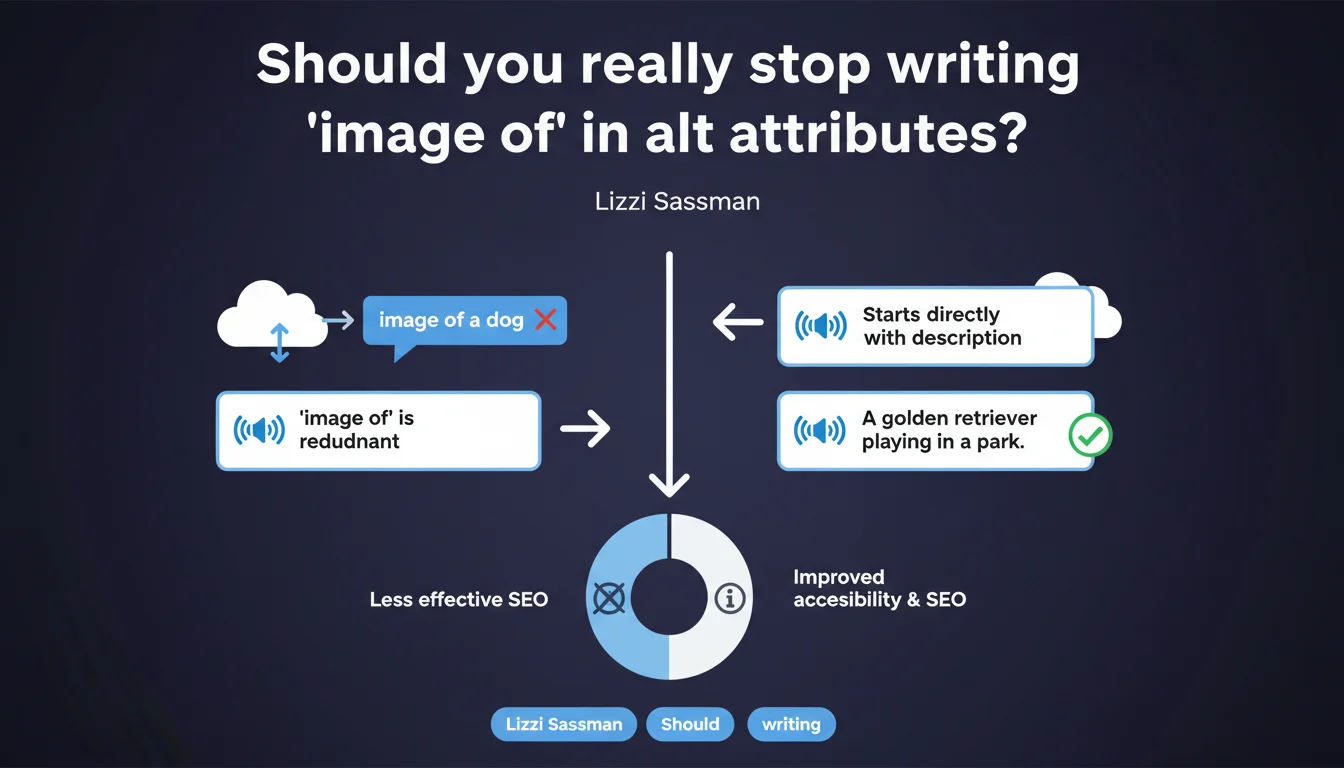
Google recommends not prefixing alt attributes with 'image of' or 'screenshot of'. Screen readers already announce that it's an image — this redundancy pollutes the user experience. Start directly with the relevant description of the visual content.
What you need to understand
Why is this recommendation emerging now?
Screen readers like NVDA, JAWS, or VoiceOver automatically announce the type of element before reading the alt attribute. When a user encounters an <img> tag, they already hear "image" or "graphic" depending on the software.
Adding "image of" in the alt creates unnecessary redundancy: the user hears "image, image of cat" instead of "image, orange cat on a couch". This sonic clutter degrades accessibility — exactly what we're trying to improve.
Does this rule apply to all types of images?
The recommendation targets informative images: product photos, editorial illustrations, graphics. For screenshots — interface captures, code excerpts — the situation is more nuanced.
A "screenshot of" can sometimes provide useful context if the image shows a specific software interface. But in 90% of cases, describing directly what the capture shows remains more effective.
What impact does this have on Google Images ranking?
Google has always favored concise and descriptive descriptions. An alt that starts with "image of product" wastes valuable characters — the first words of an alt attribute carry more weight.
Starting directly with the main subject improves semantic relevance. "Orange cat sleeping on gray couch" beats "image of orange cat sleeping on gray couch" — same number of useful words, zero redundancy.
- Screen readers already announce the element type (image, graphic, etc.)
- The redundancy "image of" pollutes the experience of visually impaired users
- The first words of the alt carry more weight in Google Images ranking
- The rule applies mainly to informative images and product photos
- Prioritize direct and concise description of visual content
SEO Expert opinion
Does this recommendation contradict practices observed on high-performing sites?
No — and that's rather reassuring. Sites that rank well in Google Images mostly use direct descriptive alts. The "image of" prefix appears mainly on automatically generated sites or those with poorly configured CMS.
However, some SEO audit tools continue to tolerate or even recommend these prefixes. An update to their rules would be welcome to avoid perpetuating bad practices.
What nuances should be applied to this rule?
Context matters. In certain editorial content, specifying "diagram of" or "chart showing" can clarify the type of data presented. The difference? These terms provide useful information about the nature of the content, not just redundancy.
Let's be honest: Google doesn't say that "screenshot of" is forbidden — just that it's often unnecessary. If your alt says "screenshot of Analytics interface showing a traffic spike in July", the "screenshot of" adds nothing. But "Analytics interface showing a traffic spike in July" remains understandable.
alt="") — neither description nor prefix.In what cases does this rule become counterproductive?
Rarely, but it happens. On technical sites with many diagrams, schematics and captures, specifying the type can help with keyboard navigation. A user quickly browsing documentation might want to distinguish a diagram from a photo.
But even in this case, better solutions exist: using the title attribute as a complement, structuring content with figure and figcaption, or categorizing images via CSS classes that screen readers can announce.
Practical impact and recommendations
What should you do concretely on an existing site?
Audit your current alt attributes. Look for patterns like "image of", "photo of", "screenshot of" — a simple crawl with Screaming Frog or an SQL query on your WordPress database is enough.
Prioritize images that already rank in Google Images or generate traffic. No need to redo everything at once — focus on strategic pages first.
How to rewrite these alt attributes effectively?
Apply this formula: Subject + Context + Distinctive Detail. "Orange cat sleeping on modern gray couch" beats "image of cat" on every front — accessibility, SEO, relevance.
Limit yourself to 125 characters maximum. Beyond that, some screen readers truncate. Focus on what is visible and relevant to the page content.
What errors should you avoid when revamping?
Don't replace "image of" with keyword stuffing. "Women's Nike Air Zoom Pegasus 40 running shoes cheap" remains spam, with or without a prefix.
Also avoid generic alts like "product" or "illustration". If you can't describe the image precisely, maybe it's decorative — and in that case, alt="" is the right answer.
- Crawl the site to identify all alt attributes containing "image of", "photo of", "screenshot of"
- Prioritize high-traffic pages and images that rank in Google Images
- Rewrite alts by starting directly with the main subject (Subject + Context + Detail)
- Limit each alt to 125 characters to prevent truncation by screen readers
- Verify that decorative images have an empty alt (alt="") and are not removed
- Test the new version with a screen reader (free NVDA on Windows)
- Document the rules for the editorial team and integrate them into CMS processes
❓ Frequently Asked Questions
Dois-je supprimer tous les 'image de' de mon site immédiatement ?
Peut-on utiliser 'diagramme de' ou 'graphique montrant' ?
Les images décoratives doivent-elles avoir alt='image décorative' ?
Cette règle améliore-t-elle le ranking en Google Images ?
Comment tester si mes nouveaux alts sont bien lus par les lecteurs d'écran ?
🎥 From the same video 13
Other SEO insights extracted from this same Google Search Central video · published on 06/10/2022
🎥 Watch the full video on YouTube →
💬 Comments (0)
Be the first to comment.