
Official statement
Other statements from this video 13 ▾
- □ Les images de stock pénalisent-elles vraiment votre référencement ?
- □ Faut-il vraiment penser stratégie avant technique pour l'optimisation des images ?
- □ Faut-il vraiment contextualiser les attributs alt pour améliorer le référencement des images ?
- □ Faut-il vraiment arrêter d'écrire 'image de' dans les attributs alt ?
- □ Faut-il vraiment rédiger des phrases complètes dans les attributs alt ?
- □ Faut-il choisir entre accessibilité et SEO dans vos balises alt ?
- □ Faut-il vraiment remplir l'attribut alt de toutes vos images ?
- □ Faut-il vraiment renommer tous vos fichiers images pour le SEO ?
- □ Pourquoi Google crawle-t-il vos images beaucoup moins souvent que vos pages HTML ?
- □ Faut-il vraiment redouter un changement massif d'URLs d'images pour votre SEO ?
- □ Le texte autour de vos images pèse-t-il vraiment plus lourd que l'attribut alt ?
- □ Faut-il vraiment utiliser rel="canonical" pour les images multiples ?
- □ Faut-il optimiser TOUTES vos images ou seulement celles des pages à fort trafic ?
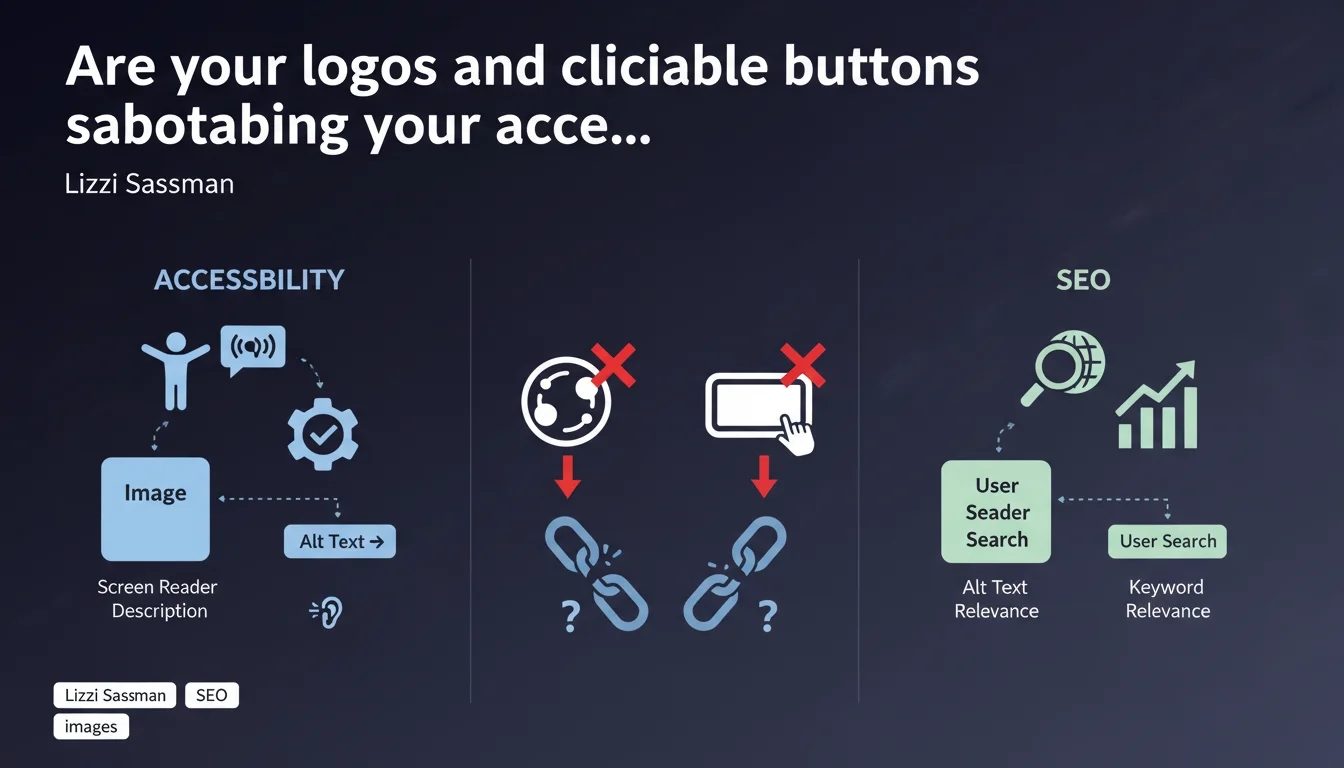
Google confirms that functional images (logos, buttons) must absolutely contain alt text for accessibility. SEO bonus: users actively search for company logos, so the alt attribute should reflect this search behavior. Alt text isn't just a technical crutch — it's an exploitable relevance signal.
What you need to understand
What exactly is a functional image?
A functional image is any visual element that triggers an action or serves navigation purposes: clickable logo in the header, form submission button, hamburger menu icon, download pictogram. Unlike decorative images that can remain empty (alt=""), these elements must be understandable by all users.
The problem? Many sites treat logos as decorations. Result: screen readers announcing "image" with no context, and Google missing out on a brand signal.
Why does Google insist on logo search behavior?
Sassman points to specific user behavior: people type "logo of [brand]" into Google Images. Without relevant alt text, your own logo may not rank on these queries — sometimes losing out to low-resolution or outdated versions.
This is a missed branding opportunity. Alt text becomes a vector for direct visibility here, not just a regulatory accessibility factor.
Are accessibility and SEO really connected in this case?
Absolutely. Google crawls like a user with a disability: it reads code, not pixels. A logo without alt text is a black hole for the bot, exactly like for a screen reader.
Both disciplines converge: what is accessible is crawlable, what is crawlable is indexable. Sassman's statement formalizes this principle applied to functional elements.
- Functional images (logos, buttons) require an explicit alt attribute
- Alt text should reflect potential search usage ("logo of [company]")
- Purely decorative images can remain with alt="" (empty but present)
- Accessibility and SEO share the same technical foundations
- A logo without alt is invisible to Google Images on brand-related queries
SEO Expert opinion
Is this statement consistent with real-world observations?
Yes, and it's refreshing. We've observed for years that sites with rigorous alt tag markup on navigation elements perform better on brand queries. The correlation between structural accessibility and organic visibility is well established.
What's new is Google's explicit clarification of search behavior ("logo of X"). It confirms that user intent in Google Images is taken seriously — not just for product photos, but also for brand assets.
What nuances should be applied to this rule?
Beware of over-optimization. A logo with alt="logo of our amazing company leader in the market since 1987" is counterproductive. Alt text should be descriptive and concise: "Logo [Company Name]" is more than enough.
For buttons, the logic differs. A button "Buy" displayed as an image should have alt="Buy" or "Add to cart", not "Button to purchase the product". The action takes priority over describing the element.
In which cases does this rule not apply?
CSS background images don't have an alt attribute — it's technically impossible. If a logo is integrated via background-image, it becomes invisible to both accessibility and SEO. This is an integration error, period.
Inline SVGs pose another challenge: they can contain a <title> or <desc> element for accessibility, but Google doesn't treat them as indexable images in Google Images. [To verify] whether Google extracts these metadata for general semantic context on the page.
Practical impact and recommendations
What should you do concretely on your sites?
Audit all functional <img> elements: header logo, footer logo, custom buttons, navigation icons. Each one must have a non-empty and relevant alt attribute. Use DevTools or a crawler to identify images without alt or with alt="".
For logos, test the query "logo [your brand]" in Google Images. If your own logo doesn't appear in the top position, it's a signal that the alt text (or overall image indexation) deserves revision.
What mistakes should you absolutely avoid?
Don't duplicate alt text across multiple identical images. If your logo appears 3 times on the page (header, footer, sidebar), the alt can remain identical — that's consistent. But avoid having 10 buttons with alt="Click here".
Another pitfall: CSS sprites. If you're using a single image containing multiple icons and displaying it via background-position, no alt text is possible. Prefer individual <img> elements or inline SVGs with aria-label.
How do you verify the compliance of your implementations?
Test with a screen reader (NVDA on Windows, VoiceOver on Mac). If the element is announced in an understandable way, that's a good sign. Otherwise, it's broken for accessibility — and potentially opaque to Google.
Use Lighthouse (Accessibility tab in Chrome DevTools): it flags images without alt. Cross-reference with Screaming Frog or Sitebulb for site-wide auditing.
- Identify all functional <img> elements (logos, buttons, navigation icons)
- Verify that each element has an explicit and relevant alt attribute
- Test the query "logo [brand]" in Google Images to validate indexation
- Avoid generic alt text ("image", "photo", "click here")
- Translate alt attributes on multilingual sites
- Replace functional background-image with <img> elements with alt
- Audit with Lighthouse and an SEO crawler (Screaming Frog, Sitebulb)
- Test with a screen reader to validate real user experience
❓ Frequently Asked Questions
Un logo en SVG inline a-t-il besoin d'un attribut alt ?
Faut-il mettre "Logo" dans le texte alt d'un logo ?
Les boutons en <button> avec background-image nécessitent-ils un alt ?
Un logo dupliqué dans le header et le footer peut-il avoir le même alt ?
Google Images indexe-t-il les logos même s'ils sont petits ?
🎥 From the same video 13
Other SEO insights extracted from this same Google Search Central video · published on 06/10/2022
🎥 Watch the full video on YouTube →
💬 Comments (0)
Be the first to comment.