
Official statement
Other statements from this video 13 ▾
- □ Les images de stock pénalisent-elles vraiment votre référencement ?
- □ Faut-il vraiment penser stratégie avant technique pour l'optimisation des images ?
- □ Faut-il vraiment contextualiser les attributs alt pour améliorer le référencement des images ?
- □ Faut-il vraiment arrêter d'écrire 'image de' dans les attributs alt ?
- □ Faut-il vraiment rédiger des phrases complètes dans les attributs alt ?
- □ Faut-il vraiment remplir l'attribut alt de toutes vos images ?
- □ Faut-il vraiment renommer tous vos fichiers images pour le SEO ?
- □ Pourquoi Google crawle-t-il vos images beaucoup moins souvent que vos pages HTML ?
- □ Faut-il vraiment redouter un changement massif d'URLs d'images pour votre SEO ?
- □ Le texte autour de vos images pèse-t-il vraiment plus lourd que l'attribut alt ?
- □ Faut-il vraiment utiliser rel="canonical" pour les images multiples ?
- □ Faut-il optimiser TOUTES vos images ou seulement celles des pages à fort trafic ?
- □ Pourquoi vos logos et boutons cliquables sabotent-ils votre accessibilité et votre SEO ?
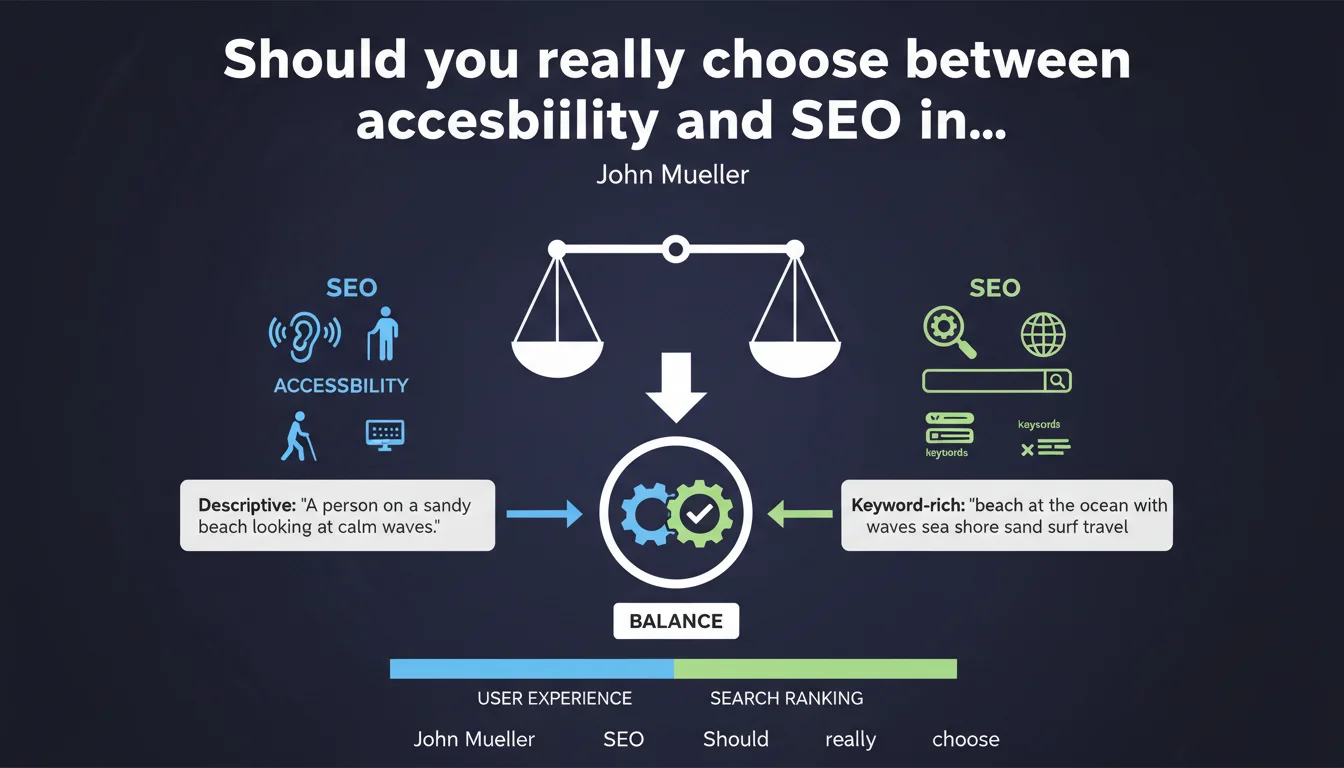
John Mueller reminds us that alt text should not be a catalog of keywords. The balance between accessibility and SEO comes through a natural description of the image, not through keyword stuffing with synonyms. Screen reader users must remain the priority.
What you need to understand
Why does Google warn against keyword stuffing in alt tags?
Alternative text has first and foremost an accessibility function — enabling screen reader users to understand image content. When you pile up synonyms ("beach at the ocean with waves"), you hijack this function in favor of rudimentary SEO optimization.
Google values natural and contextual descriptions. An alt like "Fine sand beach at sunset with calm waves" is more relevant than a flat list of terms — and especially more useful for a visually impaired user.
Are accessibility and SEO truly in conflict on this point?
No, not if you understand that Google seeks to understand the image in its context. Alt text that is effective for accessibility — concise, descriptive, contextual — will also be relevant for the search engine.
The problem arises when you optimize solely for search queries, neglecting user experience. Google is sophisticated enough to detect that a beach image remains relevant for "ocean" or "waves" without you having to mention them explicitly.
What are the risks of over-optimized alt text?
First, a degraded user experience for people using screen readers — which contradicts WCAG accessibility criteria. Second, you send a signal to Google that you are attempting to manipulate rankings through borderline practices.
Google has never said this would trigger a direct penalty, but in an ecosystem where user experience carries increasing weight, it is a poor quality signal.
- Prioritize descriptive clarity over accumulation of keywords
- Think about the visually impaired user before thinking about the Google crawler
- Effective alt text naturally remains relevant for SEO without manipulation
- Avoid lists of synonyms that provide no contextual information
SEO Expert opinion
Does this statement contradict classic SEO practices on images?
Yes and no. Older SEO reflexes — those inherited from the late 2000s — recommended injecting strategic keywords into every available attribute, including alt text. Mueller reminds us here that these practices are outdated.
In practice, many e-commerce sites continue to apply alt templates like "Product + brand + color + material + target keyword". While this remains functional for search engines, it becomes problematic when it harms accessibility. And Google observes these kinds of compromises.
Should you abandon all SEO optimization in alt tags?
No. Optimization remains relevant — it should just be secondary to a clear description of the image. If your image actually shows a beach with waves, mentioning "beach" is logical. But adding "ocean, sea, coastline, waterfront" in the same alt becomes counterproductive.
Google Vision API and image recognition models are capable of identifying visual content without explicit help. Alt text primarily serves to clarify context, intent, and details that AI might miss — not to repeat what it already sees.
In which cases does this rule not apply?
There are situations where alt text can remain empty — particularly for decorative images (purely visual icons, dividers, ornaments). In these cases, an empty alt attribute (alt="") tells screen readers to skip the image, which improves the experience.
For complex images (charts, diagrams, infographics), short alt text is sufficient if a long description is provided via aria-describedby or in adjacent text. [To verify]: Google has never clarified how it handles associated long descriptions — we assume it takes them into account, but no official data confirms this.
Practical impact and recommendations
What should you do concretely to balance accessibility and SEO?
Adopt a straightforward descriptive approach: describe what the image shows in its context, in one natural sentence. If the image illustrates an article about vacation destinations, "White sand beach in Bali at sunrise" is more relevant than "Beach Bali vacation ocean sea white sand".
For e-commerce sites, avoid rigid templates that stack product attributes and keywords. Prioritize functional description: "Black leather ergonomic office chair with adjustable armrests" rather than a flat list of terms.
What mistakes should you avoid when writing alt text?
Never repeat the content of the title or caption — if these elements are already present, alt text should provide complementary or contextual information. Don't stuff keywords that have nothing to do with the image itself.
Also avoid overly long alt text. If you exceed 125 characters, ask yourself whether part of this information shouldn't instead appear in adjacent content or a separate long description.
- Write alt text that describes the image in a natural and contextual way
- Limit length to 10-15 words maximum except in specific cases
- Test with a screen reader (NVDA, JAWS) to verify consistency
- Avoid redundancy with the title, caption, or adjacent text
- Use alt="" for purely decorative images
- Audit automatic CMS templates to avoid generic alt text
- Document best practices in an internal editorial guide
How can you verify that your alt text respects this balance?
Run an accessibility audit with tools like Axe, Wave, or Lighthouse. These tools flag missing alt text, overly long text, or text suspected of keyword stuffing. Then cross-reference with SEO analysis to verify that strategic images remain well indexed.
Compare click-through rates from Google Images before and after optimization. If your alt text is relevant, you should see an improvement in CTR on images that appear in visual search results.
❓ Frequently Asked Questions
Un texte alt vide nuit-il au SEO ?
Faut-il inclure le mot-clé cible dans chaque texte alt ?
Google pénalise-t-il le bourrage de mots-clés dans les textes alt ?
Quelle longueur maximale pour un texte alt ?
Les images décoratives doivent-elles avoir un texte alt ?
🎥 From the same video 13
Other SEO insights extracted from this same Google Search Central video · published on 06/10/2022
🎥 Watch the full video on YouTube →
💬 Comments (0)
Be the first to comment.