
Official statement
Other statements from this video 14 ▾
- □ Google choisit-il vraiment les titres de page indépendamment de la requête de l'utilisateur ?
- □ Changer un nom de ville suffit-il à créer des doorway pages condamnables par Google ?
- □ Faut-il vraiment centraliser son contenu compétitif plutôt que le dupliquer ?
- □ Découvert mais non indexé : Google n'a-t-il vraiment jamais crawlé ces pages ?
- □ Pourquoi Google refuse-t-il d'indexer un site techniquement parfait ?
- □ Faut-il vraiment faire confiance aux recommandations de vos outils SEO ?
- □ Faut-il encore corriger les redirections cassées longtemps après une migration ?
- □ Passer d'un ccTLD à un gTLD suffit-il pour conquérir de nouveaux marchés internationaux ?
- □ Sous-domaine ou sous-répertoire : Google a-t-il vraiment une préférence ?
- □ Pourquoi les clics par page et par requête diffèrent-ils dans Search Console ?
- □ Les erreurs de données structurées bloquent-elles vraiment l'indexation de vos pages ?
- □ Le maillage interne révèle-t-il vraiment l'importance de vos pages à Google ?
- □ Faut-il vraiment supprimer tous les breadcrumbs schema sauf un pour éviter la confusion ?
- □ Pourquoi vos images CSS background-image sont-elles invisibles pour Google Images ?
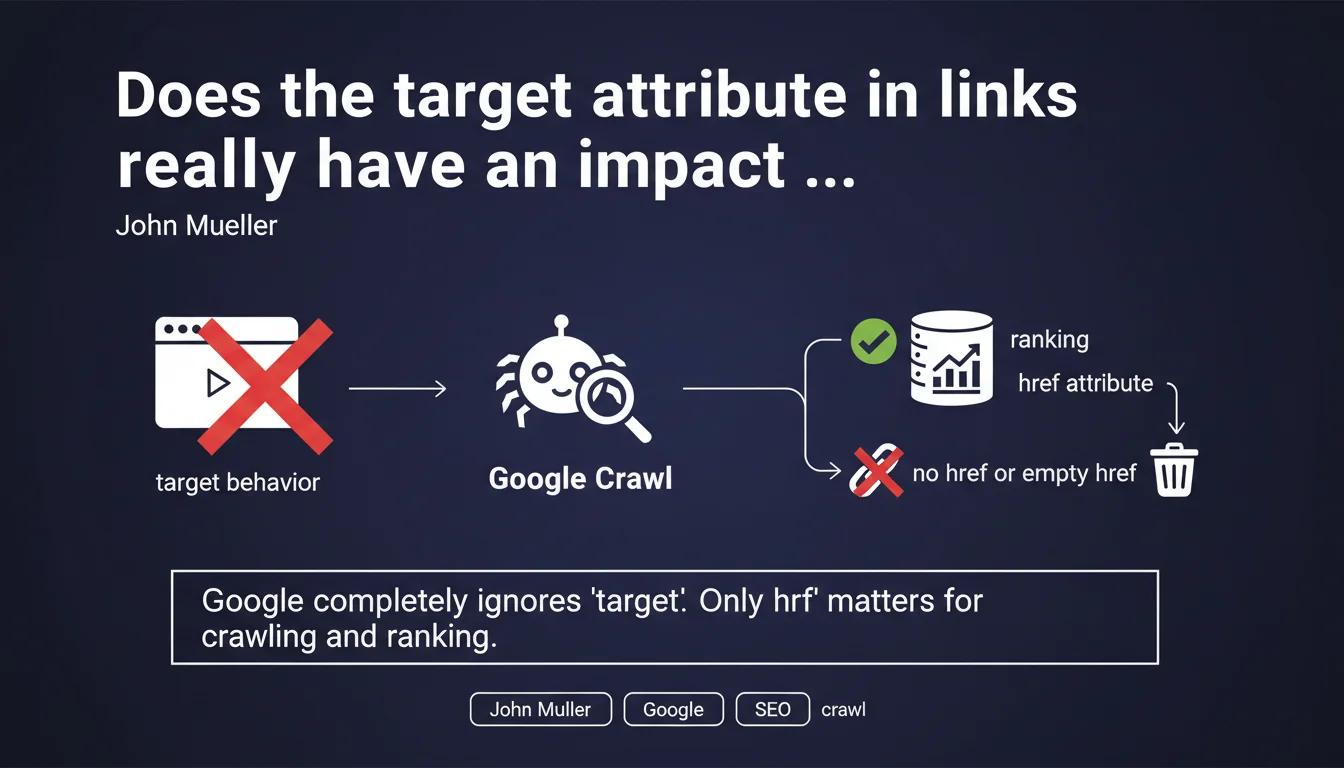
Google completely ignores the 'target' attribute in HTML links — only the 'href' matters for crawling and SEO. A link without href or with an empty href is treated as a self-link and transmits no ranking signal. The opening behavior (new tab, frame) remains purely browser-side.
What you need to understand
Why does Google ignore the target attribute?
The target attribute in an HTML link (target="_blank", target="_parent", etc.) defines only the display behavior in the user's browser. It indicates whether the page should open in a new tab, a frame, or replace the current page.
For Googlebot, these instructions are irrelevant. The crawler doesn't "navigate" like a human — it extracts URLs and adds them to its crawl queue. It doesn't matter whether the link opens in a new tab or not: only the href determines the destination and PageRank transfer.
What about links without href or with empty href?
A link lacking an href attribute, or with href="" or href="#", is considered by Google to point to the page itself. In practice, Googlebot ignores it completely: no signal is transmitted, no crawl is triggered.
This is particularly common in dropdown menus or JavaScript buttons where the <a> serves only as an event hook. These pseudo-links contribute nothing to internal linking or crawl budget.
What are the implications for internal linking?
This clarification confirms that only href structures your SEO architecture. All ancillary attributes — target, rel (except nofollow/sponsored/ugc), title, class — are invisible to crawling and popularity calculations.
If you want a link to transmit SEO value, it must absolutely contain a valid href pointing to a crawlable URL. Pure JavaScript menus, buttons without href, or empty anchors (#) are dead ends for Googlebot.
- The target attribute plays no role in crawling or ranking
- A link without href or with empty href is ignored by Google
- Only href determines destination and PageRank transfer
- Visual or behavioral attributes (class, onclick, title) don't impact SEO
SEO Expert opinion
Is this statement consistent with real-world observations?
Absolutely. No documented test has ever shown an influence of the target attribute on crawling or ranking. Recurring discussions about "should we open external links in _blank to keep the user" are matters of UX, not SEO.
What deserves attention is the persistent confusion between semantic attributes (href, rel, hreflang) and behavioral attributes (target, onclick, data-*). Only the former interest Googlebot. The latter are executed client-side and remain invisible to the crawler.
What nuances should be added to this rule?
The precision about links without href warrants closer examination. Many JavaScript frameworks (React, Vue, Angular) generate <a> components without href, delegating navigation to a client-side router.
For Google, these links don't exist. If your internal linking relies on non-SSR JavaScript or without prerendering, you're fragmenting your architecture in Googlebot's eyes. [To verify]: Google claims to crawl and index modern JavaScript, but delays and reliability remain inferior to a standard href.
In what cases can this rule cause problems?
E-commerce or SaaS sites using overlays, modals, or dropdown menus without real href break their internal linking without realizing it. Typical example: a mega-menu where main categories are <a href="#"> triggering an animation, with only sub-links having valid hrefs.
Result: pages at levels 2-3 are accessible, but the hierarchical structure isn't transmitted to Google. The crawler sees a flat graph instead of a tree — direct impact on internal PageRank distribution.
Practical impact and recommendations
What should you prioritize checking on your site?
Run a complete crawl with Screaming Frog or Sitebulb in "follow internal links" mode. Filter <a> tags without href or with href="#" — these elements are invisible to Google and break your linking structure.
Also verify menus generated in pure JavaScript. If your framework doesn't preload hrefs server-side (SSR, static prerendering), Googlebot won't discover all your pages via main navigation.
What errors should you avoid during redesign or development?
Don't confuse UX and SEO. Opening an external link in target="_blank" improves user experience (it keeps your tab open), but doesn't influence crawling in any way. It's an editorial choice, not an SEO optimization.
Avoid delegating critical navigation (categories, sections, product sheets) to JavaScript events without href fallback. An SEO-friendly link should work even if JavaScript is disabled — that's the basic rule of progressive enhancement.
How do you audit and fix broken links for Google?
Use Search Console to identify orphaned pages (indexed but not discovered by internal crawl). Cross-reference with your sitemap: if URLs appear only in the XML and never in internal link reports, that's a red flag.
Fix by adding valid hrefs to your navigation, breadcrumbs, or contextual linking. Remove purely decorative <a href="#"> or replace them with <button> if no navigation is expected.
- Crawl the site and list all
<a>tags without href or with empty href - Verify that main navigation (menu, footer) contains exploitable hrefs
- Check JavaScript rendering via Search Console (live URL testing)
- Audit orphaned pages and restore missing links
- Prioritize progressive enhancement: href first, JavaScript second
- Document development rules to prevent future regressions
❓ Frequently Asked Questions
L'attribut target="_blank" améliore-t-il le SEO de mes liens externes ?
Un lien avec href="#" transmet-il du PageRank interne ?
Les menus JavaScript sans href cassent-ils mon maillage interne ?
Dois-je supprimer tous mes target="_blank" pour améliorer mon SEO ?
Comment vérifier que mes liens sont bien crawlables par Google ?
🎥 From the same video 14
Other SEO insights extracted from this same Google Search Central video · published on 22/03/2022
🎥 Watch the full video on YouTube →
💬 Comments (0)
Be the first to comment.