
Official statement
Other statements from this video 17 ▾
- □ Do you really need to choose between www and non-www for SEO?
- □ Why does Googlebot ignore your buttons and how can you work around this limitation?
- □ Are guest posts really banned by Google for building backlinks?
- □ Do you really need text on category pages to rank well in Google?
- □ Does semantic HTML really impact your Google rankings?
- □ Should you really worry about 404 errors generated by JSON and JavaScript in Google Search Console?
- □ Does Google really prioritize meta descriptions when page content is thin?
- □ Does Google really expect you to block indexation of menus and common site sections?
- □ Does mobile-first indexing really force you to prioritize the mobile version above all else?
- □ Can PDFs hosted on Google Drive actually be indexed by Google search?
- □ Why is Google indexing your URLs even when robots.txt blocks them?
- □ Is your low-quality content actually hurting your SEO rankings?
- □ Does your CMS really impact how Google ranks your website?
- □ Can a noindex on your homepage really cause other pages to rank first instead?
- □ Should you really optimize INP if it's not (yet) a ranking factor?
- □ Should you really clean up every hacked page or let Google handle the sorting?
- □ Should you stop forcing indexing when Google deindexes your pages?
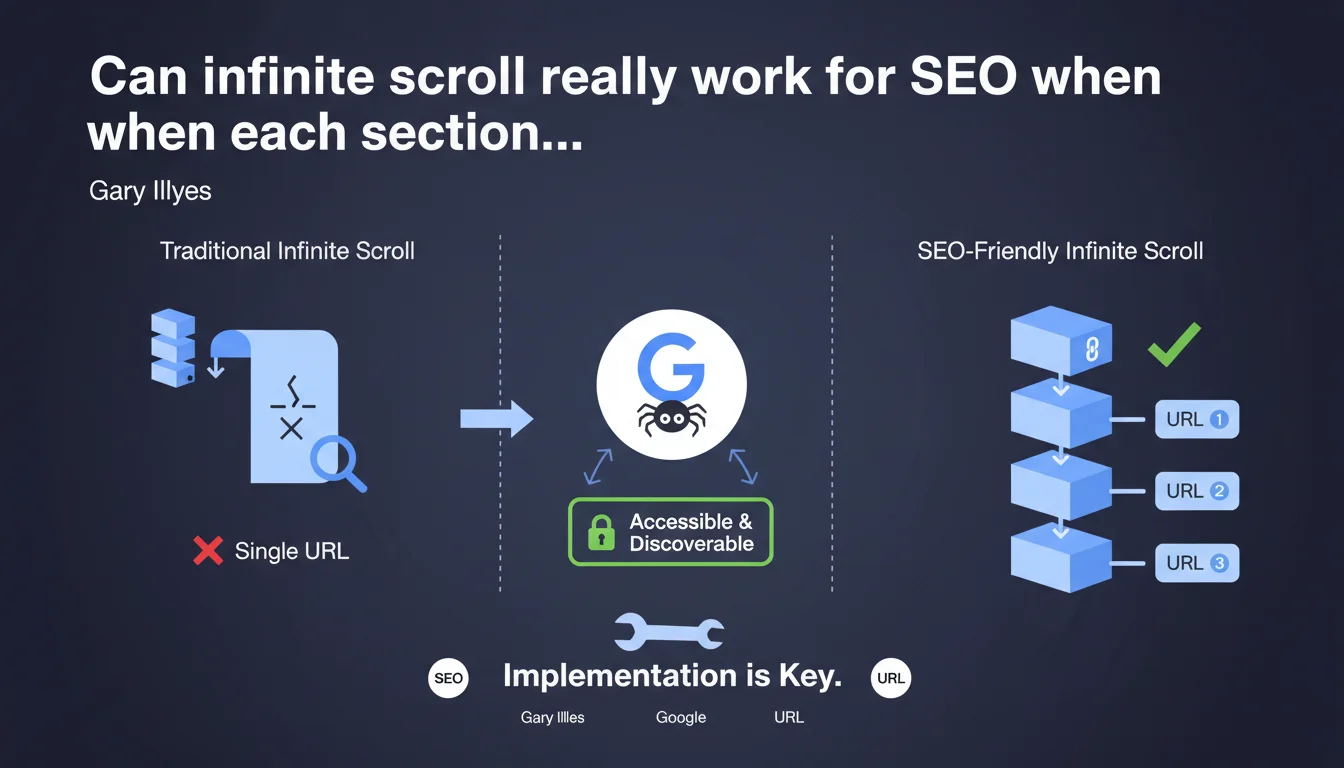
Google confirms that infinite scroll can work for SEO, provided that each virtual page section is accessible via a unique URL and discoverable by Googlebot. The quality of the technical implementation determines the success or failure of this approach.
What you need to understand
Why does Google insist on unique URLs for infinite scroll?
Infinite scroll presents a major structural problem for crawlers: without intervention, all content loads dynamically on a single URL. Googlebot cannot "scroll" indefinitely like a human user.
The solution lies in virtualized pagination. Each "section" of the infinite feed must correspond to a distinct URL (example.com/page/2, example.com/page/3, etc.). Googlebot can then methodically crawl each content segment without relying on JavaScript to load the next section.
What constitutes a correct implementation according to Google?
A correct implementation combines progressive enhancement and accessibility. Traditional pagination links must exist in the HTML, even if the user interface visually hides them in favor of infinite scroll.
The History API (pushState) must update the browser URL as scrolling progresses. This way, if a user shares a link or a bot crawls a section directly, the corresponding content displays — not page 1 by default.
What are the most common technical pitfalls?
The classic trap: implementing infinite scroll only on the client side, without canonical URLs for each segment. The result? Googlebot indexes the first page and ignores everything else, or worse, attempts to crawl hundreds of JavaScript state variations.
Another common mistake: pagination URLs exist, but return empty or incomplete content without JavaScript enabled. Google can render the JS, but this wastes crawl budget unnecessarily and slows down indexation.
- Each virtual section must have its own stable URL
- URLs must be crawlable and discoverable (internal links, sitemap)
- Content must be accessible without JavaScript or via minimal rendering
- The History API must synchronize the URL with scroll position
- rel="next" / rel="prev" tags can clarify the sequence (although Google has officially ignored them since 2019, they help structural understanding)
SEO Expert opinion
Is this statement consistent with real-world observations?
Yes, but with a significant caveat: between "can work" and "works effectively," there's a vast gap. In practice, e-commerce or media sites that migrated to infinite scroll without unique URLs saw their indexation collapse.
The rare successful implementations (Pinterest, Airbnb formerly) invest considerable resources in technical architecture. For an average site, the risk of SEO regression is real if the technical team underestimates the complexity.
When is this approach truly relevant?
Let's be honest: infinite scroll first addresses a UX need, not SEO. It improves mobile engagement for social feeds or visual galleries. But for a blog, product catalog, or news site, traditional pagination remains more robust.
The real debate — which Gary doesn't address — is the opportunity cost. Implementing SEO-friendly infinite scroll mobilizes development sprints that could be allocated to quick wins: page speed, internal linking, content. [To verify]: no public study demonstrates a measurable SEO advantage of correctly implemented infinite scroll vs. traditional pagination.
What risks are left unspoken?
Google never talks about crawl budget. If your site generates 500 pagination URLs for an infinite feed, will Googlebot crawl them all regularly? Probably not, especially on a site with average authority.
Another blind spot: Core Web Vitals metrics. Poorly optimized infinite scroll causes catastrophic layout shifts (CLS) and blocking interactions (INP). Google values UX in its algorithm, but never makes the connection in this statement.
Practical impact and recommendations
How do you verify that your infinite scroll is SEO-compatible?
First test: disable JavaScript completely in Chrome DevTools. Navigate through your feed. If you cannot access pages 2, 3, 4 via clickable links, you've failed.
Second test: use the URL inspection tool in Search Console. Request a live test on a section URL (ex: /page/5). Does the expected content display? If Google shows you page 1 or an error, your implementation is broken.
Third test: check server logs. Is Googlebot actually crawling your pagination URLs? How frequently? If pages 10+ are never visited, your architecture is diluting your crawl budget.
What errors should you absolutely avoid?
Never implement infinite scroll without a fallback. Even if 95% of your users have JS enabled, the remaining 5% plus bots must be able to navigate. This is a question of accessibility as much as SEO.
Avoid URLs with fragments (#) for pagination. Anchors are not sent to the server and Google treats them as variations of the same page. Use query parameters (?page=2) or URL segments (/page/2/).
Don't duplicate content. If your page 1 displays items 1-20 AND your page 2 also displays items 1-20 + 21-40, you create internal cannibalization. Each URL should serve a unique segment.
What strategy should you adopt concretely?
- Generate static URLs for each pagination segment (/page/N or ?page=N)
- Implement the History API (window.history.pushState) to synchronize scroll and URL
- Add native HTML links to next/prev, even if visually hidden
- Configure the XML sitemap to include all pagination URLs (up to a reasonable threshold)
- Test rendering with Screaming Frog in JavaScript mode and compare with raw HTML rendering
- Monitor Core Web Vitals (CLS and INP) to detect UX regressions
- Use self-referencing canonical tags on each pagination page
- Avoid noindex directives on pages 2+ (common error inherited from old practices)
❓ Frequently Asked Questions
Dois-je absolument utiliser des URLs avec /page/2 ou puis-je utiliser des paramètres ?page=2 ?
Google crawle-t-il vraiment toutes mes pages de pagination avec l'infinite scroll ?
Les balises rel="next" et rel="prev" sont-elles encore utiles en 2023+ ?
Mon site React peut-il implémenter l'infinite scroll de manière SEO-safe ?
L'infinite scroll impacte-t-il les Core Web Vitals négativement ?
🎥 From the same video 17
Other SEO insights extracted from this same Google Search Central video · published on 06/09/2023
🎥 Watch the full video on YouTube →
💬 Comments (0)
Be the first to comment.