
Official statement
Other statements from this video 17 ▾
- □ Do you really need to choose between www and non-www for SEO?
- □ Why does Googlebot ignore your buttons and how can you work around this limitation?
- □ Are guest posts really banned by Google for building backlinks?
- □ Do you really need text on category pages to rank well in Google?
- □ Does semantic HTML really impact your Google rankings?
- □ Should you really worry about 404 errors generated by JSON and JavaScript in Google Search Console?
- □ Does Google really prioritize meta descriptions when page content is thin?
- □ Does Google really expect you to block indexation of menus and common site sections?
- □ Can infinite scroll really work for SEO when each section has its own unique URL?
- □ Does mobile-first indexing really force you to prioritize the mobile version above all else?
- □ Why is Google indexing your URLs even when robots.txt blocks them?
- □ Is your low-quality content actually hurting your SEO rankings?
- □ Does your CMS really impact how Google ranks your website?
- □ Can a noindex on your homepage really cause other pages to rank first instead?
- □ Should you really optimize INP if it's not (yet) a ranking factor?
- □ Should you really clean up every hacked page or let Google handle the sorting?
- □ Should you stop forcing indexing when Google deindexes your pages?
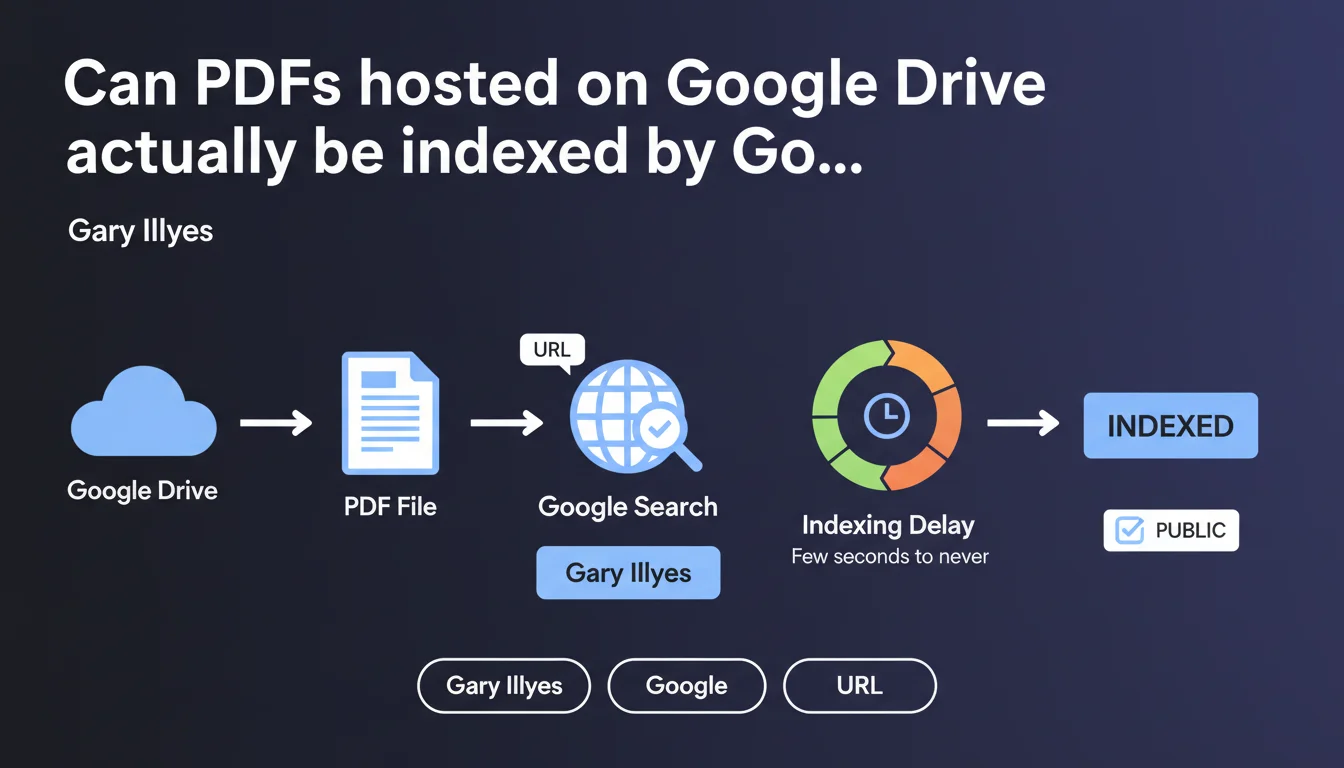
Google can index public PDF files hosted on Google Drive without any special treatment compared to other URLs. Indexing delays remain unpredictable, ranging from a few seconds to never happening at all, just like any other web page. No guarantees are provided regarding the speed or certainty of this indexing.
What you need to understand
Does Google Drive host indexable content just like a regular website?
Gary Illyes's statement is clear: Google treats public PDFs on Drive exactly like any other URL. No special status, no priority or differentiated treatment. A PDF file shared publicly via Google Drive becomes a URL accessible to crawling, just like a PDF hosted on an Apache or Nginx server.
Concretely, this means that if you share a document in "Anyone with the link can view" mode, Googlebot can discover and index it. Note the "can" carefully — there is no time guarantee or absolute certainty.
Why does Gary Illyes emphasize that the delay could be "a few seconds to never"?
This blunt wording reflects a truth often forgotten: indexation is never guaranteed. Google commits to no SLA for indexing your content, whether it's on your own domain or on Drive.
The delay depends on classic factors: link popularity, content quality, crawl budget allocated to the domain (here drive.google.com), external signals. A PDF without backlinks or mentions elsewhere on the web might simply never be discovered. And even if discovered, it might never be deemed worthy of indexation.
What are the technical prerequisites for a Drive PDF to be crawlable?
The file must be publicly accessible without authentication. If sharing is limited to certain users or requires Google login, Googlebot won't be able to access it. The "Anyone with the link" permission isn't always sufficient — the link must actually be published somewhere to be discovered.
No robots.txt, noindex, or other blocking directive should prevent access. Google Drive respects these rules like any other hosting provider.
- Public access mandatory: no authentication restrictions or account-based limitations
- External discoverability: a link published elsewhere (website, social networks, forums) drastically increases crawling chances
- Identical treatment: no advantage or disadvantage linked to Google hosting
- Unpredictable delay: no time guarantee, even with all technical signals aligned
SEO Expert opinion
Is this statement consistent with real-world observations?
Yes, completely. I've observed Google Drive PDFs indexed in SERPs, but never systematically or quickly. Discovery remains the main bottleneck: without an external link pointing to the file, Googlebot has no reason to crawl it. Drive hosts billions of files — Google won't systematically browse all public shares.
A PDF linked from a well-crawled blog post might appear in a few days. A file shared only via a link copy-pasted in a private email? Never. This is exactly the behavior expected for any orphaned URL.
What are the practical limitations of this indexability?
The real question is one of control and permanence. Hosting strategic content on Drive amounts to entrusting your SEO to a third-party platform over which you have no technical control. No custom robots.txt file, no server configuration, no fine-grained monitoring of indexation performance.
Drive URLs are also unpredictable and unmemorable: they benefit from no domain authority signals linked to your brand. A PDF hosted on your own domain will benefit from the authority and trust accumulated by your site. On Drive, you start from scratch with each file. [To verify]: Google claims identical treatment, but the absence of proprietary domain context might influence crawl prioritization.
In what cases could this indexation capability become problematic?
If you share work documents, internal presentations, or temporary files in public mode for convenience, you risk unintended indexation. A PDF containing sensitive data, confidential strategies, or simply draft versions could end up in search results.
Let's be honest: many companies share public Drive links without considering indexation. And when it happens, deindexing content takes time — requesting removal via Search Console requires proving domain ownership, which isn't straightforward for drive.google.com.
Practical impact and recommendations
Should you host your SEO content on Google Drive?
No, absolutely not. Google Drive isn't designed to be an SEO publishing platform. If your goal is to rank PDF content, host it on your own domain, within a controlled site structure, with clean URLs and optimized metadata.
Drive's indexability is a default feature, not a recommended strategy. You lose too much control: no fine-grained crawl management, no canonical tags, no hreflang for multilingual content, no integrated Analytics tracking. And most importantly, no domain authority benefit.
How do you prevent unintended indexation of Drive files?
If you must share files publicly via Drive without wanting them to appear in Google Search, limit permissions to the strict minimum. Prefer "Anyone with the link" rather than "Public on the web" — this drastically reduces crawlers' discovery chances.
For truly sensitive documents, use sharing restricted by email or domain. And if a file has already been indexed by mistake, request its removal via the Search Console deindexation tool — but prepare yourself for a heavy process if you don't control the domain.
What should you do if you absolutely want to publish indexable PDFs?
Host them on your domain, period. Create a /resources/ or /guides/ section on your site, with a dedicated HTML page presenting each PDF, an optimized title, a description, and a download link. This page will be crawled, the PDF will be discovered via a logical internal link, and you maintain control over the structure.
If you have hundreds of PDFs to manage, automate the generation of these presentation pages. This also allows you to add text content around the document, which drastically improves ranking chances compared to a raw PDF without context.
- Host your strategic PDFs on your own domain, never on Drive for SEO purposes
- If you use Drive for internal sharing, limit permissions to avoid accidental indexation
- Create dedicated HTML pages to present your PDFs with context and optimized metadata
- Regularly monitor indexed content via Search Console to detect potential leaks
- Clearly document Drive sharing rules with your teams to prevent errors
❓ Frequently Asked Questions
Un PDF sur Google Drive avec partage "Toute personne disposant du lien" est-il automatiquement indexé ?
Combien de temps faut-il pour qu'un PDF Drive soit indexé ?
Puis-je contrôler l'indexation de mes fichiers Drive via robots.txt ?
Un PDF sur Drive a-t-il le même potentiel de ranking qu'un PDF sur mon domaine ?
Comment désindexer un PDF Drive qui apparaît dans les résultats de recherche ?
🎥 From the same video 17
Other SEO insights extracted from this same Google Search Central video · published on 06/09/2023
🎥 Watch the full video on YouTube →
💬 Comments (0)
Be the first to comment.