
Official statement
Other statements from this video 17 ▾
- □ Do you really need to choose between www and non-www for SEO?
- □ Why does Googlebot ignore your buttons and how can you work around this limitation?
- □ Are guest posts really banned by Google for building backlinks?
- □ Do you really need text on category pages to rank well in Google?
- □ Does semantic HTML really impact your Google rankings?
- □ Does Google really prioritize meta descriptions when page content is thin?
- □ Does Google really expect you to block indexation of menus and common site sections?
- □ Can infinite scroll really work for SEO when each section has its own unique URL?
- □ Does mobile-first indexing really force you to prioritize the mobile version above all else?
- □ Can PDFs hosted on Google Drive actually be indexed by Google search?
- □ Why is Google indexing your URLs even when robots.txt blocks them?
- □ Is your low-quality content actually hurting your SEO rankings?
- □ Does your CMS really impact how Google ranks your website?
- □ Can a noindex on your homepage really cause other pages to rank first instead?
- □ Should you really optimize INP if it's not (yet) a ranking factor?
- □ Should you really clean up every hacked page or let Google handle the sorting?
- □ Should you stop forcing indexing when Google deindexes your pages?
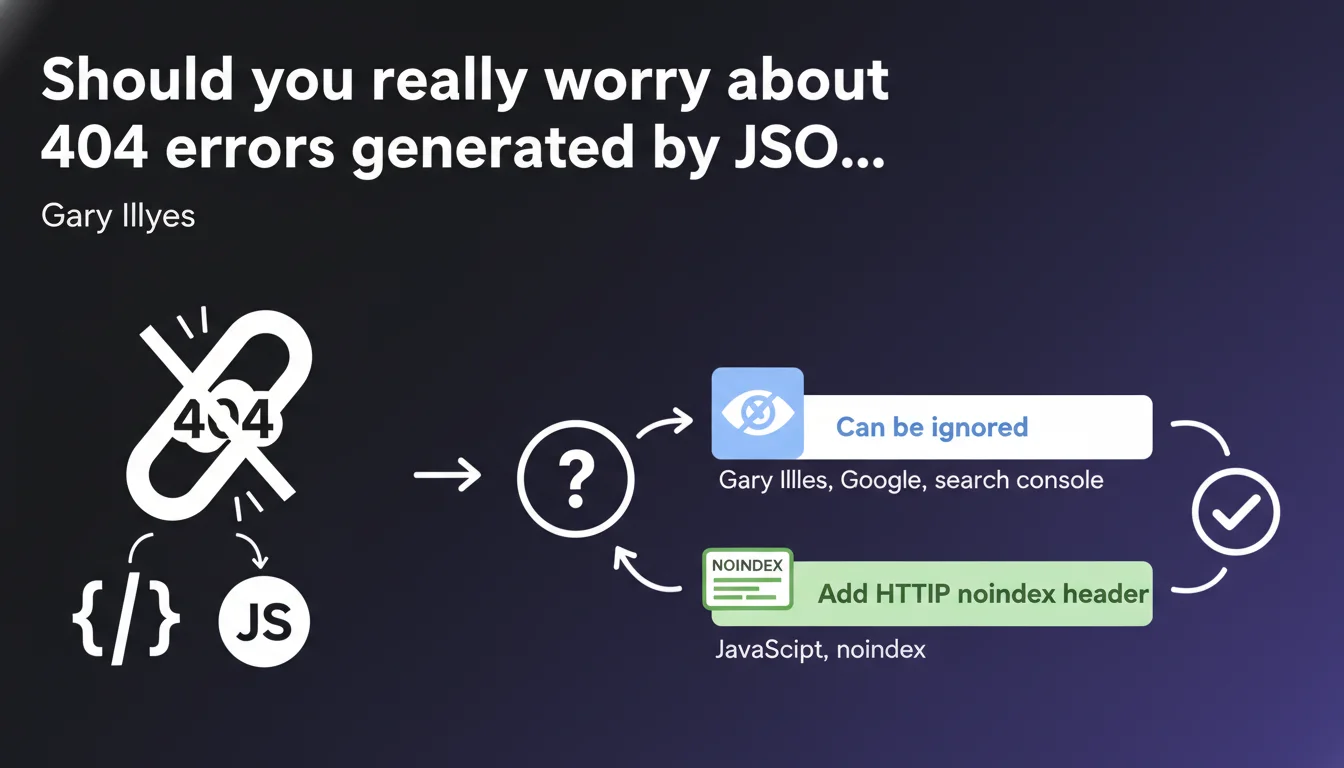
404 URLs appearing in Search Console that originate from JSON or JavaScript files require no action. You can either ignore them or add a noindex header to these resources if their presence in GSC bothers you. Google confirms that these technical errors don't impact your page rankings.
What you need to understand
Where do these mysterious 404 errors in GSC come from?
Googlebot crawls and analyzes JavaScript to understand the content of modern pages. During this process, it explores JSON files, scripts, and their dependencies. Some of these resources may point to non-existent URLs — old references, obsolete endpoints, conditional paths never used.
These 404s appear in Search Console because Google detected them during crawling. But they don't correspond to real pages on your site: they're technical references in code, not content meant for indexing.
Why does Google say we can ignore them?
These errors don't block page rendering or indexation. A missing JSON file or a script in 404 can cause a functional problem (broken display, unavailable feature), but not a pure SEO problem.
Google makes a clear distinction: if the main page loads correctly and content is accessible, a few secondary resources in error won't affect rankings. The purpose of this statement is to reassure webmasters who panic seeing their GSC report explode with 404s.
What should you do if these errors clutter your GSC report?
If you want to clean up your console, Gary Illyes suggests adding an HTTP noindex header to these URLs. Technically, this tells Google not to attempt to index them — even though by default a 404 isn't indexed.
This recommendation is mostly cosmetic: it reduces noise in reports without changing anything about engine behavior. If you have better things to do, simply ignore them.
- 404s from JSON/JavaScript don't impact the indexation of actual pages
- These errors come from crawling technical dependencies, not real broken URLs
- Adding noindex to these resources is optional and serves only to clean up GSC
- Google distinguishes between a 404 page and a missing technical resource
SEO Expert opinion
Is this statement consistent with field observations?
Yes, completely. For years we've observed that Google tolerates technical resources in error without issue as long as main content remains accessible. Sites loading dozens of third-party scripts (analytics, chat, widgets) regularly generate this type of 404 without visible consequence on organic traffic.
What really matters is that the final page rendering is exploitable by Googlebot. If your base HTML is clean and critical JavaScript executes properly, a few phantom JSON files won't change that.
What nuances should we mention?
Be careful not to generalize this tolerance to all types of 404s. Gary specifically speaks of JSON/JavaScript resources, not your actual content pages. An e-commerce product in 404, a broken category page, a blog article deleted without redirect — that remains problematic.
Another point: if your 404s come from misconfigured JavaScript that prevents rendering of essential content, then yes, you have a problem. Google can't index what it doesn't see. The statement targets benign errors, not architectural bugs.
[To verify]: Google doesn't specify whether a massive volume of these 404s could indirectly affect crawl budget. Theoretically, each request lost on a non-existent resource is a request not exploring a real page. On a large site, this friction could matter — but no official data confirms this point.
In which cases doesn't this rule apply?
If your 404 errors come from a poorly managed SPA routing system where URLs display empty content on the client side, it's no longer accessory JSON — it's an implementation flaw. Google will crawl these pages, find them empty or broken, and that will hurt your indexation.
Same if you have JSON-LD structured data in 404 because the file is poorly referenced. Again, Gary's statement doesn't cover this case: missing structured markup can deprive you of rich snippets, thus a competitive advantage in SERPs.
Practical impact and recommendations
What should you concretely do about these 404 errors?
First, identify their origin. Open the coverage report in GSC, filter for 404s, and look at the URLs concerned. If they point to .json files, API endpoints, obsolete JavaScript chunks, you're in the case described by Gary.
Then ask yourself: should these resources exist? If it's old code referencing deleted files, clean up your dependencies. If it's conditional lazy-loading that generates phantom paths, no urgency — but document it for your dev team.
How do you decide between ignoring and adding noindex?
If your GSC report becomes unreadable because of hundreds of parasitic 404s, add an X-Robots-Tag: noindex to these URL patterns via your .htaccess or server config. That cleans up the console without touching site functionality.
If you have fewer than 50 errors of this type and they don't pollute your analysis, drop it. Your time is better invested in content, internal linking, or speed optimization.
What errors should you absolutely avoid?
Don't generalize this tolerance to actual content pages. A 404 on an indexable page remains a critical error that deserves a 301 redirect or content restoration.
Don't block these resources via robots.txt thinking it will solve the problem. Google must be able to crawl JavaScript to analyze its content — blocking access can break page rendering and seriously hurt your indexation.
- Audit your 404s in GSC to distinguish technical resources from real broken pages
- Clean up obsolete references in your code if it's quick to fix
- Add noindex to recurring patterns only if it pollutes your reporting
- Prioritize real indexation errors — products, categories, articles — before handling these details
- Document these benign errors to prevent your team from fixing them in loops
Gary Illyes' statement is a permission to do nothing about a type of error often overestimated. Focus your efforts where SEO impact is measurable: content, performance, user experience.
If you're overwhelmed managing technical details and lack perspective to prioritize SEO projects, external support can clarify what really deserves your attention. A specialized agency will know how to distinguish cosmetic errors from structural flaws and guide you toward high-ROI optimizations.
❓ Frequently Asked Questions
Est-ce que les erreurs 404 sur des fichiers JSON peuvent pénaliser mon site ?
Dois-je obligatoirement ajouter un noindex sur ces URLs ?
Comment savoir si mes 404 proviennent vraiment de JSON ou JavaScript ?
Ces erreurs peuvent-elles affecter mon crawl budget ?
Faut-il bloquer ces ressources dans le robots.txt ?
🎥 From the same video 17
Other SEO insights extracted from this same Google Search Central video · published on 06/09/2023
🎥 Watch the full video on YouTube →
💬 Comments (0)
Be the first to comment.