
Official statement
Other statements from this video 11 ▾
- □ Is the HTML loading=lazy attribute really enough to prevent indexation issues?
- □ Should you really ban lazy loading from hero images?
- □ Is lazy loading actually killing your LCP?
- □ Is your custom JavaScript lazy loading library sabotaging Google's ability to index your images?
- □ Is your lazy loading blocking Google from seeing your images?
- □ Does WordPress's native lazy loading really boost your SEO performance?
- □ Does lazy loading really boost your SEO, or just your page speed?
- □ What if your LCP is a text block loaded in JavaScript—how does Google actually measure it?
- □ Is native HTML lazy loading really enough to optimize your page crawl?
- □ Is lazy loading destroying your image indexation in Google?
- □ Are CSS background images really invisible to Google's search algorithm?
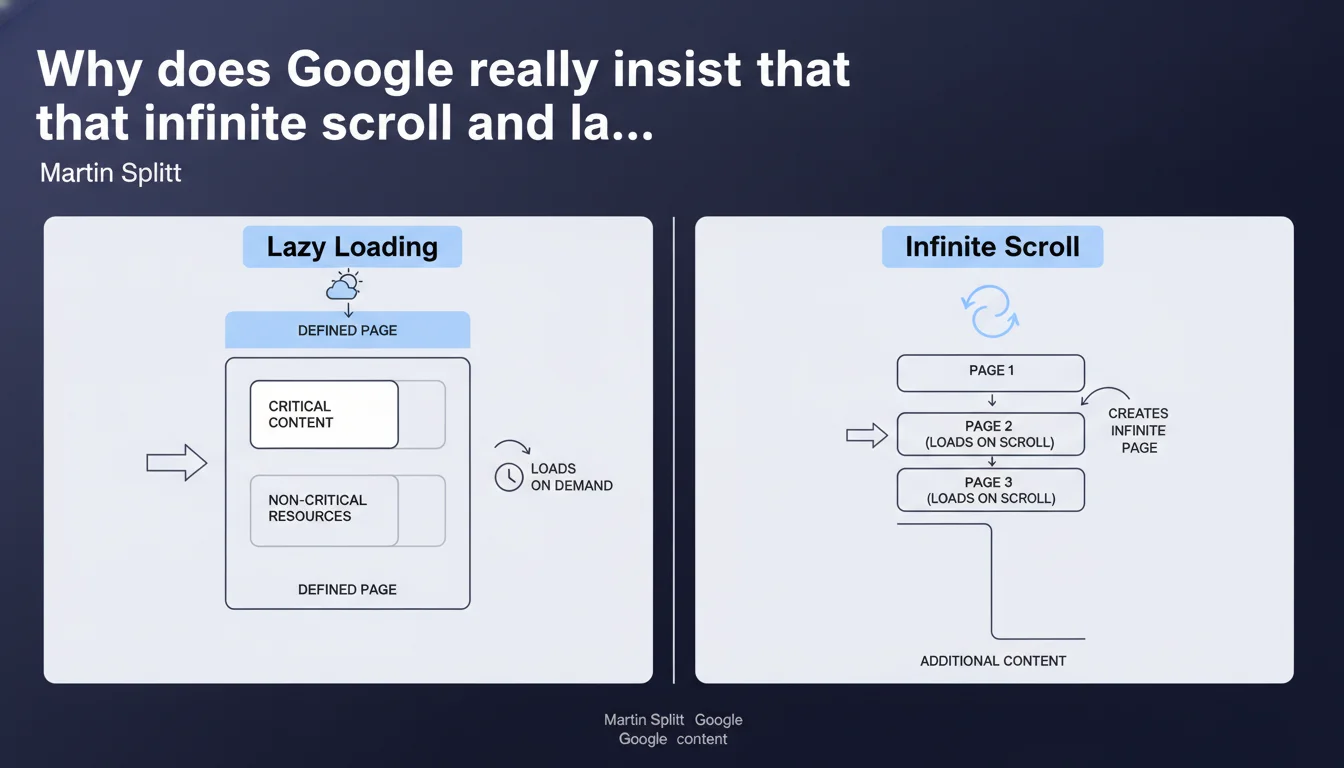
Martin Splitt reminds us that infinite scroll and lazy loading are not interchangeable. Lazy loading optimizes the loading of an existing page by deferring non-critical resources, while infinite scroll loads additional content to simulate endless navigation. Confusing the two can lead to catastrophic implementation errors for crawling and indexing.
What you need to understand
What's the technical difference between these two approaches?
Lazy loading operates at the level of resources within an already-defined page — typically images, videos, even scripts. The goal? Delay their loading until they're actually needed, usually when the user scrolls toward them.
Infinite scroll, on the other hand, plays in a different league entirely. It's not about optimizing the loading of existing elements, but about dynamically loading new pages or content sections to create a seamless experience without visible pagination. It's a navigation strategy, not a resource optimization technique.
Why does Google take the time to clarify this distinction?
Because too many developers — and some SEOs — still conflate the two concepts, which creates confusion around implementation best practices. The result: websites that think they're doing lazy loading while actually hiding critical content, or infinite scroll implementations that make URLs inaccessible to bots.
This confusion has direct consequences for crawling. Googlebot won't scroll indefinitely — it expects distinct URLs or clear signals to discover paginated content.
What should you take away from this clarification?
- Lazy loading concerns the resources of a single page (images, videos, scripts) and aims to optimize initial load time.
- Infinite scroll loads additional content to create a seamless navigation experience, and poses specific SEO challenges.
- Confusing the two leads to implementation errors that can block indexation or degrade UX.
- Google expects differentiated implementations: lazy loading must preserve access to critical content, infinite scroll must provide crawlable URLs.
SEO Expert opinion
Does this clarification actually change our practices?
Not really — but it's a reminder of a truth often overlooked in the field. The confusion between these two mechanisms is still widespread, especially among teams adopting JavaScript frameworks without considering SEO implications.
What's interesting is that Splitt chooses to return to fundamentals. This suggests Google still receives plenty of poorly framed questions, like « Does my lazy loading prevent my infinite scroll from being indexed? ». Answer: these are two separate issues, stop mixing them up.
What concrete risks arise if you conflate the two?
Poorly implemented lazy loading can hide essential content from Googlebot if JavaScript doesn't execute correctly. But at least the page remains crawlable via its URL.
A poorly executed infinite scroll is worse: you create a fluid user experience, but Googlebot only sees a single page with no way to access subsequent sections. Result? Hundreds of products or articles invisible in the index.
Is this distinction still relevant with Google's modern rendering?
Yes, because even though Googlebot executes JavaScript, it doesn't do so with user-like patience. There are timeout limits, crawl budgets, scroll depth limits. If your infinite scroll requires 10 user interactions to load page 5, Googlebot will never see it.
Lazy loading, on the other hand, is better tolerated — Google has even improved its handling of the native loading="lazy" attribute. But these are still two different logics that require two distinct technical strategies.
Practical impact and recommendations
How do you implement infinite scroll without killing your SEO?
The golden rule: every content section must be accessible via a unique URL. This means implementing classic pagination in parallel, or using crawlable anchor URLs (though that's less clean).
Google also recommends breaking pages into segments each with their own URL, rather than loading everything dynamically. This allows the bot to crawl efficiently without depending on JavaScript.
What errors should you absolutely avoid with lazy loading?
Never lazy-load critical text content or above-the-fold essential elements. Reserve this technique for images and non-critical resources located further down the page.
Use the native loading="lazy" attribute when possible — Google handles it correctly. Avoid overly complex JavaScript solutions that require user interaction to trigger loading.
How do you verify your implementation is compliant?
- Test your pages with the URL Inspection tool in Search Console to confirm lazy-loaded content is properly rendered.
- For infinite scroll, ensure each content section has a unique, JavaScript-interaction-free accessible URL.
- Use a crawler like Screaming Frog in JavaScript mode to verify which URLs are discovered.
- Analyze server logs to confirm Googlebot accesses all pages of your pagination, not just the first one.
- Compare the number of indexed URLs in Search Console with the total number of pages you think you've published.
🎥 From the same video 11
Other SEO insights extracted from this same Google Search Central video · published on 21/08/2025
🎥 Watch the full video on YouTube →
💬 Comments (0)
Be the first to comment.