
Official statement
Other statements from this video 11 ▾
- □ Should you really ban lazy loading from hero images?
- □ Is lazy loading actually killing your LCP?
- □ Is your custom JavaScript lazy loading library sabotaging Google's ability to index your images?
- □ Is your lazy loading blocking Google from seeing your images?
- □ Does WordPress's native lazy loading really boost your SEO performance?
- □ Does lazy loading really boost your SEO, or just your page speed?
- □ What if your LCP is a text block loaded in JavaScript—how does Google actually measure it?
- □ Is native HTML lazy loading really enough to optimize your page crawl?
- □ Is lazy loading destroying your image indexation in Google?
- □ Are CSS background images really invisible to Google's search algorithm?
- □ Why does Google really insist that infinite scroll and lazy loading are fundamentally different?
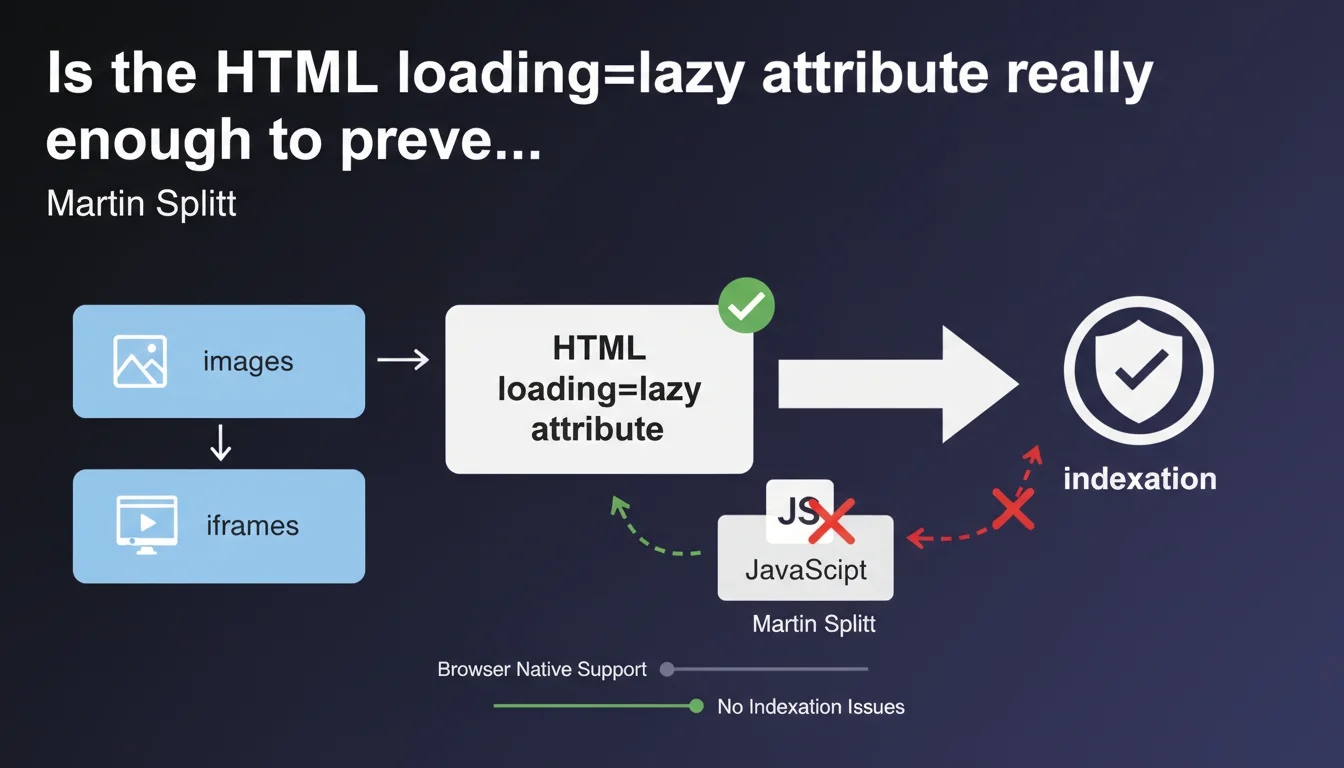
Google now recommends using the native HTML 'loading=lazy' attribute rather than JavaScript libraries for lazy loading images and iframes. This native method eliminates indexation risks and drastically simplifies technical implementation. The message is clear: abandon your complex scripts for a pure HTML solution.
What you need to understand
Why is Google suddenly insisting on this native method?
For years, lazy loading relied on third-party JavaScript libraries — sometimes heavy, often poorly implemented. The problem? Googlebot must wait for JavaScript execution to discover these resources, which creates blind spots in indexation.
With the loading="lazy" attribute natively supported by modern browsers (Chrome since 2019, Firefox, Edge, Safari), the HTML code directly declares the lazy loading intent. No JS interpretation necessary. Googlebot immediately sees the image, even if it doesn't load instantly in the viewport.
What does this actually change for indexation?
Historical JavaScript solutions sometimes completely hid images from Googlebot — empty src attribute or replaced by data-src, content dynamically injected after scroll. Result: images invisible in Search Console, loss of Google Images traffic, missing visual signals for ranking.
The native method eliminates this risk. The src attribute remains visible in the HTML source, the loading="lazy" attribute is just a behavior instruction for the browser. Googlebot indexes normally.
Are there technical limitations to be aware of?
The native attribute only works on <img> and <iframe> tags. For other content types (background videos, complex CSS elements), you'll still need to script — but it's marginal.
Note that browsers apply their own loading threshold logic. You don't control precisely at which pixel-perfect moment the image loads, unlike configurable JS libraries. For 99% of cases, this isn't a problem.
- The HTML loading="lazy" attribute is recognized by Googlebot without JavaScript execution
- Natively lazy-loaded images remain indexable normally
- This method eliminates risks linked to failing JavaScript implementations
- Browser support: Chrome, Firefox, Edge, Safari (coverage >90% of the market)
- Limitations: works only on img and iframe, not on other elements
SEO Expert opinion
Is this recommendation really new or just a timely reminder?
Let's be honest: Google has been communicating about native lazy loading since 2019, but this statement from Martin Splitt sounds like a firm reminder in the face of persistent practices. Many sites continue using legacy JS libraries (Lozad, Lazysizes, etc.) out of inertia or lack of awareness.
What's changing? The emphasis that the HTML method is "preferable" — strong language coming from Google. It's not just "a possible alternative", it's now the reference. Audits I conduct still show 60-70% of e-commerce sites with pure JS lazy loading, often poorly configured.
Are there cases where JavaScript remains relevant?
Yes, and this is where nuance matters. If you need complex conditional logic — load different images based on dynamically detected resolution, implement sophisticated animated placeholders, precisely track loading events — JavaScript keeps its place.
But — and this is crucial — you can combine both approaches. Use loading="lazy" as the foundation, and add a JS layer only for advanced behaviors. The key point: the src attribute must always be present in the HTML source.
Are Core Web Vitals impacted by this choice?
Absolutely. Native lazy loading is better optimized for LCP (Largest Contentful Paint) than most artisanal JS implementations. Browsers can anticipate loading critical above-the-fold images without waiting for complete script execution.
However — classic trap — never lazy-load your hero image or your LCP element. The loading="lazy" attribute on a critical image delays its loading and destroys your score. This is an error I see on 30-40% of auditable sites that adopt lazy loading indiscriminately.
Practical impact and recommendations
What do you need to do concretely on an existing site?
First step: audit your current implementation. Inspect the HTML source code (not the DOM inspected after JS) and see how your images declare themselves. If you see data-src without src, or libraries like Lozad/Lazysizes loaded, you're in risky territory.
Migrating to native is usually straightforward: replace your JS logic by adding loading="lazy" to your img and iframe tags. Most modern CMS platforms (WordPress 5.5+, Shopify, etc.) now do this by default — but check your custom themes and plugins.
Critical point: explicitly exclude critical images. Your header logo, hero image, first content image above-the-fold should NOT have the loading="lazy" attribute. Use loading="eager" or simply omit the attribute.
How do you verify that indexation isn't compromised?
Check the "Pages" report in Search Console and look for errors related to blocked or unloaded resources. Also use the URL inspection tool: test a page with lazy-loaded images and examine Googlebot's screenshot.
Compare the number of images indexed in Google Images before/after migration. If you see a sharp drop after switching to lazy loading, your implementation has an issue — either you've lazy-loaded critical images, or your residual JS method is still blocking indexation.
What mistakes should you absolutely avoid when implementing?
Mistake #1: lazy-load all images by default. Above-the-fold images must load immediately to avoid penalizing LCP. Configure exceptions in your logic.
Mistake #2: combine loading="lazy" with a JS script that manipulates src. You create a conflict — the browser no longer knows who's in control. Choose: either pure native or JS with src always present.
Mistake #3: forget about third-party content iframes (YouTube embeds, etc.). The loading="lazy" attribute on iframe greatly improves performance — but test that the content remains indexable if it's relevant for your SEO.
- Replace JS lazy loading libraries with the native HTML loading="lazy" attribute
- Keep the src attribute visible in HTML source code for all images
- Explicitly exclude above-the-fold and LCP images from lazy loading
- Check the indexation report in Search Console after migration
- Test Googlebot screenshot using the URL inspection tool
- Audit Core Web Vitals (especially LCP) post-implementation
- Apply loading="lazy" to non-critical iframes as well
🎥 From the same video 11
Other SEO insights extracted from this same Google Search Central video · published on 21/08/2025
🎥 Watch the full video on YouTube →
💬 Comments (0)
Be the first to comment.