
Official statement
Other statements from this video 11 ▾
- □ Is the HTML loading=lazy attribute really enough to prevent indexation issues?
- □ Should you really ban lazy loading from hero images?
- □ Is lazy loading actually killing your LCP?
- □ Is your custom JavaScript lazy loading library sabotaging Google's ability to index your images?
- □ Is your lazy loading blocking Google from seeing your images?
- □ Does WordPress's native lazy loading really boost your SEO performance?
- □ Does lazy loading really boost your SEO, or just your page speed?
- □ What if your LCP is a text block loaded in JavaScript—how does Google actually measure it?
- □ Is native HTML lazy loading really enough to optimize your page crawl?
- □ Is lazy loading destroying your image indexation in Google?
- □ Why does Google really insist that infinite scroll and lazy loading are fundamentally different?
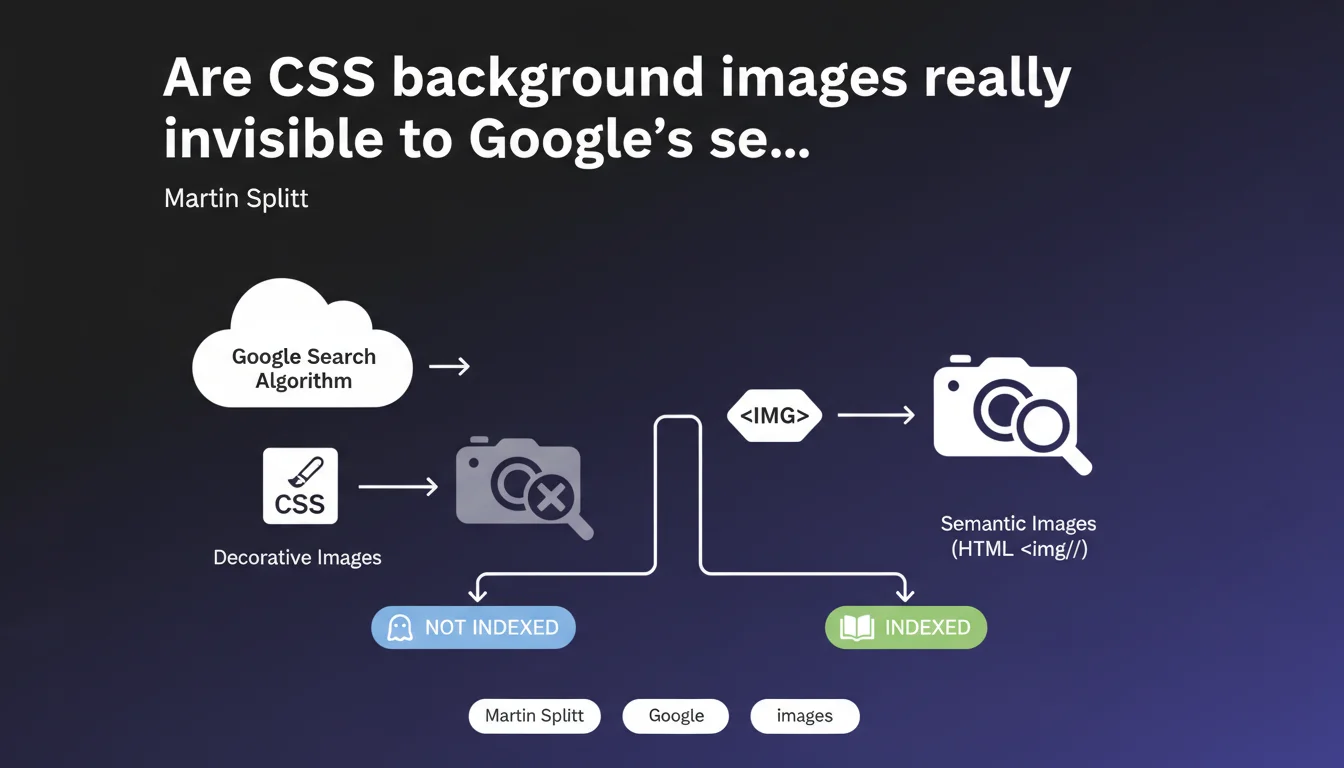
Google does not index images loaded via CSS (background-image, pseudo-elements, etc.). Only HTML <img> tags with semantic content are considered for search engine optimization. If an image carries important information for your content, it must absolutely be in HTML, not in CSS.
What you need to understand
Why does Google make this distinction between CSS and HTML?
The logic is straightforward: CSS is for design, HTML is for content. Google operates on the principle that an image loaded as a CSS background serves primarily visual presentation — a decorative banner, background pattern, or purely aesthetic icon.
Conversely, an <img> tag with its alt attribute explicitly signals that this is a full content element. This semantic signal is what Googlebot looks for to feed Google Images and enhance its understanding of the page.
What qualifies as a "semantically important" image?
Any image that delivers useful information to the user: product photography, explanatory infographics, technical diagrams, author portraits, screenshots illustrating a tutorial.
If removing the image compromises content comprehension, it's semantic. If it merely beautifies the page, it can safely remain in CSS without SEO consequences.
Which images can safely stay in CSS?
Anything that falls under pure decoration: textured backgrounds, graphical gradients, redundant navigation icons (when paired with text), visual dividers, repeating patterns.
In these cases, keeping the image in CSS is actually recommended — it lightens the DOM, improves maintainability, and prevents polluting the index with irrelevant content.
- Decorative images: keep in CSS, no negative SEO impact
- Content images: must be in HTML with <img> tag and populated alt attribute
- Simple test: if the image disappears, does the user lose information? If yes → HTML. If no → CSS is acceptable
- Google Images: only HTML <img> tags are eligible for image search indexing
- Alt attribute: essential for providing context to Googlebot, even if the image is visible
SEO Expert opinion
Does this rule match what we observe in practice?
Absolutely. Field tests confirm that CSS images never appear in Google Images, regardless of their quality or potential relevance. No exceptions found in 15 years of practice.
This aligns with Googlebot's core architecture: it parses the HTML DOM, extracts <img> tags, follows src attributes, analyzes alt text. CSS is interpreted for rendering, not for extracting indexable content.
Are there gray areas worth knowing about?
Yes — and this is where it gets interesting. Images loaded dynamically via JavaScript that inject <img> tags into the DOM are properly indexed, provided the rendering is accessible to Googlebot.
But here's the catch: an image added via JS that only modifies CSS (for example, a carousel that changes the background-image property) remains invisible for indexing. It's the final markup that counts, not the trigger.
Could Martin Splitt have been more precise?
Honestly? Yes. The term "decorative" invites confusion. Some developers consider an attractive product photo "decorative" because it enhances the page.
Splitt should have hammered home: if an image illustrates the point or helps users understand the content, it MUST be in HTML. Period. Whether it's beautiful is irrelevant — its informational role takes precedence over its initial aesthetic intention.
Practical impact and recommendations
What should you audit first?
Start with your strategic pages: product sheets, blog articles, landing pages. Inspect the source code (not just the visual rendering) and identify all important images loaded via CSS.
Use Google Search Console, Performance section → Images tab. If key visuals from your site never appear, they're likely either in CSS or improperly marked up in HTML.
How do you properly migrate images from CSS to HTML?
Replace background-image with <img> tags featuring descriptive and relevant alt attributes. Use srcset for responsive design if needed.
Keep CSS for positioning and styling, but remove the image from the background and place it in the HTML flow. It's straightforward refactoring but may require design adjustments.
Also consider Schema.org structured data (Product, Article, etc.) that often reference an "image" property. This URL must point to a real, indexable <img> tag, not a phantom CSS resource.
What critical mistakes should you avoid?
Don't reflexively convert all your CSS images to HTML. Genuinely decorative elements (background textures, patterns, ornaments) should stay in CSS — it's cleaner and more performant.
Avoid generic alt text like "image" or "photo". An empty alt (alt="") signals a decorative image; a populated alt must be descriptive and context-aware.
- Audit source code on priority pages to identify background-image patterns
- Check Google Search Console (Performance → Images) to see which strategic images are missing
- Replace CSS background images with <img> tags for content visuals
- Write precise, contextualized alt attributes — never generic
- Use srcset for responsive design and optimize image file sizes
- Verify consistency between Schema.org (image property) and actual <img> tags
- Test rendering in Google Images after migration (allow several weeks)
- Keep purely decorative images in CSS to avoid DOM bloat
🎥 From the same video 11
Other SEO insights extracted from this same Google Search Central video · published on 21/08/2025
🎥 Watch the full video on YouTube →
💬 Comments (0)
Be the first to comment.