
Official statement
Other statements from this video 11 ▾
- □ L'attribut HTML loading=lazy suffit-il vraiment pour éviter les problèmes d'indexation ?
- □ Faut-il vraiment bannir le lazy loading des images hero ?
- □ Le lazy loading tue-t-il vraiment votre LCP ?
- □ Votre bibliothèque JavaScript custom sabote-t-elle l'indexation de vos images par Google ?
- □ Comment vérifier que votre lazy loading n'empêche pas Google de voir vos images ?
- □ Le lazy loading natif de WordPress améliore-t-il vraiment votre SEO ?
- □ Le lazy loading améliore-t-il vraiment votre SEO ou seulement vos performances ?
- □ Votre LCP est un bloc de texte chargé en JavaScript : comment Google le mesure-t-il vraiment ?
- □ Le lazy loading natif HTML suffit-il vraiment pour optimiser le crawl de vos pages ?
- □ Les images en CSS sont-elles vraiment invisibles pour le référencement Google ?
- □ Infinite scroll et lazy loading : pourquoi Google insiste-t-il sur leur différence fondamentale ?
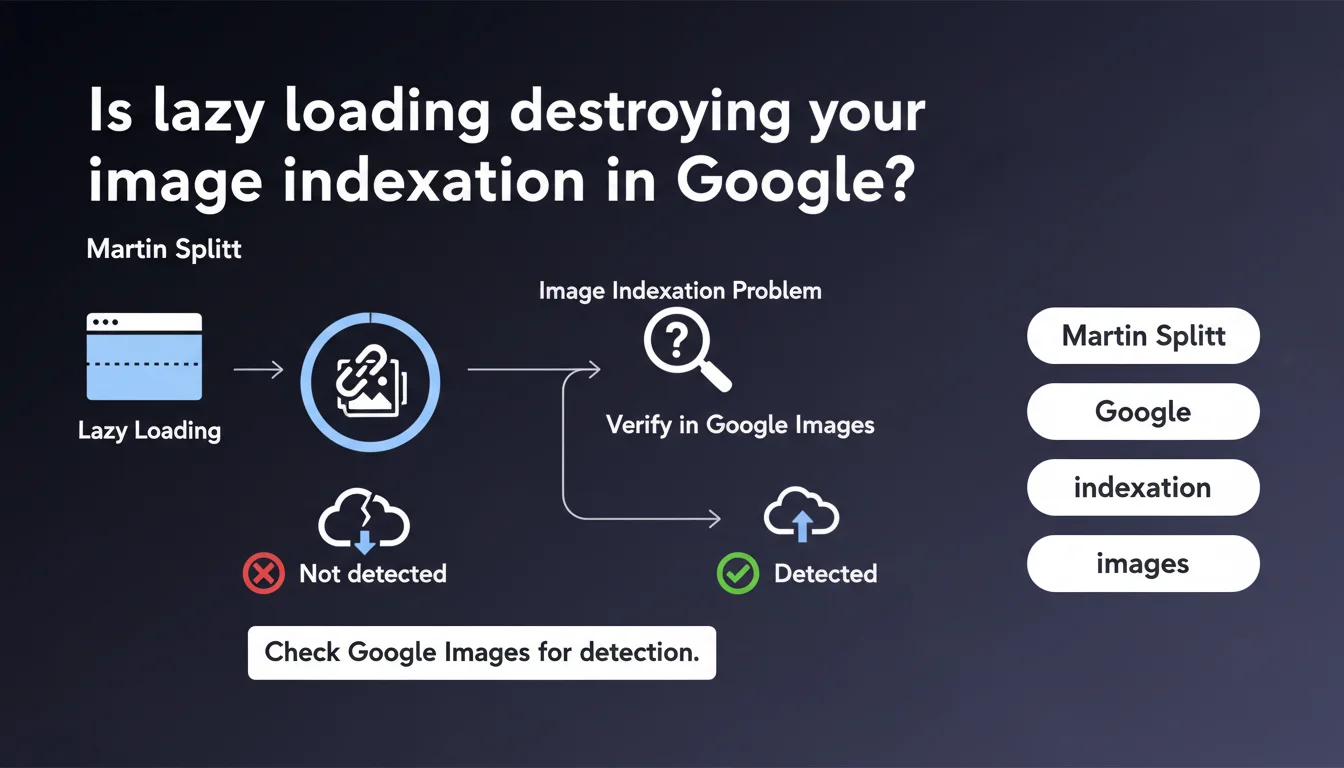
Google confirms that poorly implemented lazy loading prevents massive image indexation. The solution? Check directly in Google Images whether your visuals appear — this is the most reliable on-the-ground diagnosis. No indexed images = failed implementation.
What you need to understand
Why is Google specifically calling out lazy loading?
Lazy loading defers image loading until they enter the user's viewport. It's great for performance — except when it's poorly coded.
The problem? Googlebot doesn't scroll like a human. If your implementation relies on overly complex JavaScript events or non-standard attributes, images remain invisible to the crawler. Result: they never make it past the discovery phase, so zero indexation.
How do you know if your images are actually indexed?
Martin Splitt recommends checking directly in Google Images. Not in Search Console — in the actual index. Do a reverse image search by URL or use the site: operator to see what comes up.
If you have 500 images on your product pages and Google only indexes 50, you have an urgent technical issue to fix. The gap between what you publish and what gets crawled reveals the failure.
What's the difference between correct lazy loading and toxic lazy loading?
Well-implemented lazy loading uses the native HTML attribute loading="lazy" or JavaScript libraries that inject the src attribute on initial render for Googlebot. Images are technically present in the DOM, even if their loading is deferred on the browser side.
Toxic lazy loading loads images via asynchronous scripts triggered by scroll events or misconfigured IntersectionObserver, with no fallback for crawlers. Googlebot arrives, sees empty <img> tags or data-src attributes that never resolve, and moves on.
- Image indexation isn't automatic: it depends on the crawler's ability to detect the image URL in the rendered HTML
- A large-scale problem signals a systemic code error, not a one-off bug
- Google Images is the best indicator for diagnosing this type of issue
- Native lazy loading (
loading="lazy") has been generally safe for Googlebot since 2020 - Custom JavaScript implementations remain risky if they don't account for crawlers
SEO Expert opinion
Is this recommendation consistent with on-the-ground observations?
Absolutely. We regularly see e-commerce sites with catastrophic indexation rates — only 10 to 20% of images present in Google Images. The consistent culprit: JavaScript-based lazy loading that doesn't expose src attributes in the initial HTML render.
Splitt's advice is pragmatic — he doesn't say "use this library," he says verify the output. That's exactly the approach we take in audits: we never assume it's working, we verify in the actual index.
What nuances should be added to this statement?
Splitt doesn't clarify that image indexation isn't binary. Google can detect an image but choose not to index it for quality, duplication, or crawl priority reasons. If your image is blurry, duplicated across 50 sites, or weighs 12 KB, it may be seen but ignored.
Another point: checking Google Images is good, but it's not scalable monitoring. For a site with 10,000 products, you need to automate via server logs or third-party tools that track indexation. Manually searching Google Images is one-off diagnostics, not continuous monitoring.
loading="lazy" attribute can also cause issues with above-the-fold images. Google recommends applying it only to images below the fold. If you lazy load your hero image, you slow down LCP and potentially hinder Googlebot detection on certain configurations.In what cases does this rule not fully apply?
If your images are decorative or redundant, their non-indexation has no SEO impact. Typically: icons, CSS backgrounds, purely aesthetic visuals. In that case, whether they're indexed doesn't matter.
However, if your images drive direct organic traffic via Google Images — products, infographics, recipes — every unindexed image is a missed opportunity. And that's when poorly managed lazy loading becomes a real drag on your performance.
Practical impact and recommendations
How do you concretely verify that your images are indexed?
Start with a site:yourdomain.com search in Google Images. Scroll, count, compare with the actual number of images on your key pages. The gap gives you a first indication.
To dig deeper, use tools like Screaming Frog with JavaScript rendering enabled. Compare detected image URLs with and without JS. If the difference is huge, your lazy loading is probably blocking Googlebot.
Another method: inspect the rendered HTML via the URL inspection tool in Search Console. If your <img> tags don't have src attributes populated in the crawled version, it's a non-starter.
What mistakes should you absolutely avoid in lazy loading implementation?
Never leave <img> tags without a src attribute in the initial HTML. Even if you use data-src for lazy loading, provide a fallback or server-side pre-rendering mechanism.
Avoid obsolete JavaScript libraries that don't handle deferred rendering for crawlers. If you use a custom solution, systematically test it with the rich results testing tool or Puppeteer in headless mode.
Never lazy load critical images — those above the fold, those on first screen, those carrying your main content. Reserve this technique for secondary images, truly below the fold.
What concrete steps should you take to fix this problem?
- Audit your key pages with Screaming Frog in JavaScript-enabled mode to detect images not visible to Googlebot
- Check Google Images to see if your strategic visuals (products, editorial content) actually appear in the index
- Switch to the native
loading="lazy"attribute for below-the-fold images — it's the safest solution since 2020 - If you must use custom JavaScript, ensure the
srcattribute is present in the initial HTML render, even with a placeholder image - Systematically test with the Search Console URL inspection tool to see what Googlebot actually detects
- Monitor image indexation via automated scripts or third-party tools, not manually
- Prioritize high-traffic-potential images — products, infographics, unique visual content — and verify their indexation first
loading="lazy" attribute solves 90% of cases, but custom JavaScript implementations require extra vigilance — and often a thorough technical audit. These optimizations span performance, crawl, and indexation: if you're not confident you control all parameters, engaging an SEO specialist agency can save you months of lost traffic from errors invisible to the naked eye.🎥 From the same video 11
Other SEO insights extracted from this same Google Search Central video · published on 21/08/2025
🎥 Watch the full video on YouTube →
💬 Comments (0)
Be the first to comment.