
Official statement
Other statements from this video 11 ▾
- □ L'attribut HTML loading=lazy suffit-il vraiment pour éviter les problèmes d'indexation ?
- □ Faut-il vraiment bannir le lazy loading des images hero ?
- □ Votre bibliothèque JavaScript custom sabote-t-elle l'indexation de vos images par Google ?
- □ Comment vérifier que votre lazy loading n'empêche pas Google de voir vos images ?
- □ Le lazy loading natif de WordPress améliore-t-il vraiment votre SEO ?
- □ Le lazy loading améliore-t-il vraiment votre SEO ou seulement vos performances ?
- □ Votre LCP est un bloc de texte chargé en JavaScript : comment Google le mesure-t-il vraiment ?
- □ Le lazy loading natif HTML suffit-il vraiment pour optimiser le crawl de vos pages ?
- □ Le lazy loading sabote-t-il l'indexation de vos images dans Google ?
- □ Les images en CSS sont-elles vraiment invisibles pour le référencement Google ?
- □ Infinite scroll et lazy loading : pourquoi Google insiste-t-il sur leur différence fondamentale ?
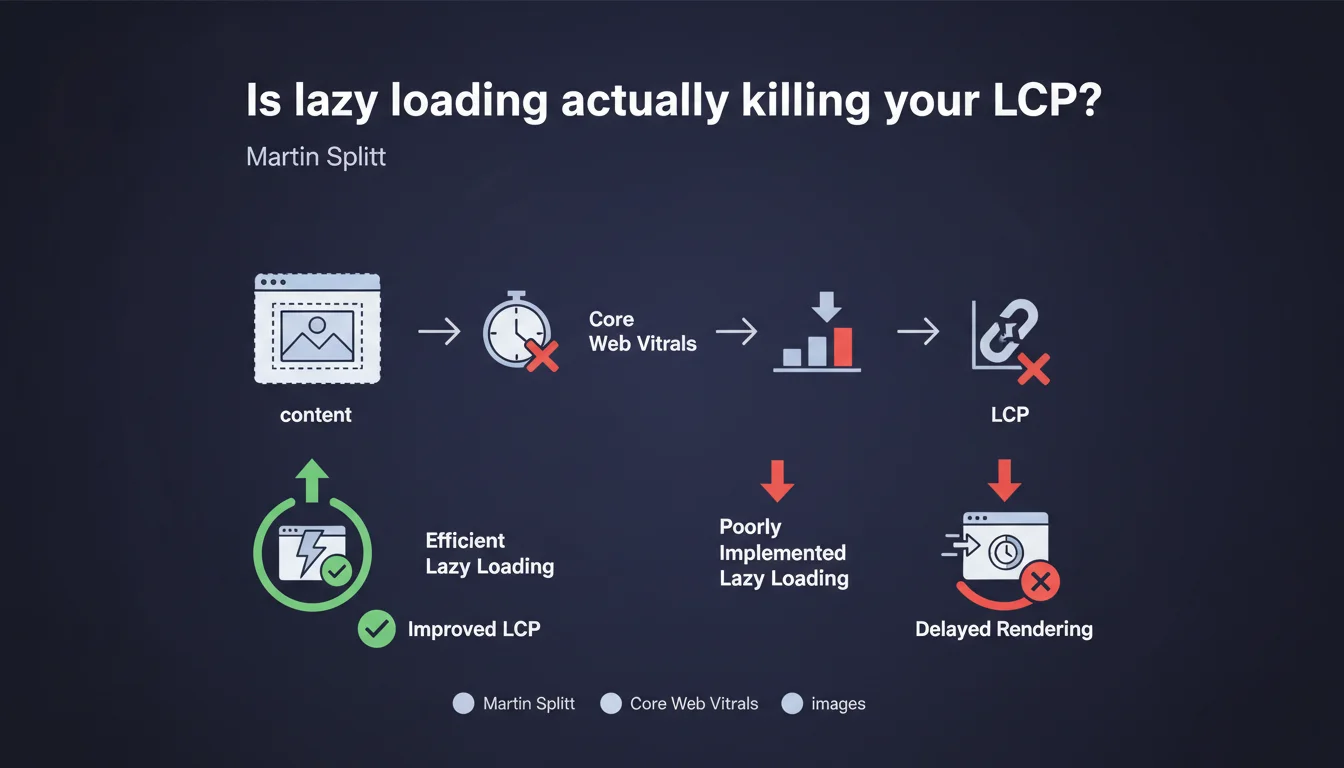
Google confirms that lazy loading directly impacts LCP — the most critical Core Web Vitals metric. Lazy-loading a hero image or any visible element without scrolling immediately degrades your measured performance. The problem isn't lazy loading itself, but its blind application to critical resources.
What you need to understand
Why does lazy loading cause problems with LCP?
The Largest Contentful Paint measures the time required to display the largest visual element in the initial viewport. If that element — often a hero image or banner — is lazy-loaded, the browser waits for a JavaScript signal to trigger the download.
Result: rendering is delayed. The browser can't anticipate the resource via the preload scanner, and LCP degrades mechanically. Google says it clearly — this practice directly harms Core Web Vitals.
Are all lazy-loading implementations created equal?
No. Native lazy loading (loading="lazy") works well for images below the fold. The problem arises when you apply it to critical resources — those visible on initial load.
Some third-party scripts make things worse by introducing additional JavaScript dependencies, delaying the download trigger even further. The performance delta can reach several hundred milliseconds.
What are the typical mistakes encountered in production?
The most common: enabling lazy loading via a WordPress plugin or theme without granular configuration. The loading="lazy" attribute is applied indiscriminately to all images, including those above the fold.
Another classic case: JavaScript frameworks (React, Vue) that lazy-load image components by default without checking their position in the initial viewport.
- Lazy loading delays LCP when applied to visible images without scrolling
- The browser cannot preload a lazy resource via its preload scanner
- Native lazy loading (
loading="lazy") is effective only below the fold - Plugins and themes often apply lazy loading blindly without discernment
- Bad lazy loading can cost several hundred milliseconds on LCP
SEO Expert opinion
Does this recommendation actually change anything in the real world?
Not really — it's an official confirmation of what we've been observing for months. PageSpeed Insights audits already flag LCP images loaded lazily as a critical issue.
What's interesting is how Martin Splitt frames it directly. No nuance, no "it depends." If your largest visible element is lazy-loaded, you're degrading performance. Period.
Is lazy loading still relevant in 2025?
Yes, but only with discernment. On a long article with 20 images, lazy-loading the 18 images below the fold remains an excellent practice. It reduces initial page weight, accelerates Time to Interactive, and improves mobile experience.
The problem is mindless automation. Modern CMSs and page builders enable lazy loading by default without contextual logic. Result: you sabotage LCP to save a few kilobytes on resources that could have waited.
Are there cases where lazy-loading an above-the-fold image remains acceptable?
Technically, no. But in practice, certain complex scenarios complicate things. On a site with multiple conditional layouts (desktop vs mobile, A/B tests), programmatically identifying which image will be the LCP can be computationally expensive.
In those cases, prioritize explicit server-side preload of your critical image, even if it carries a loading="lazy" attribute. The preload bypasses lazy loading and guarantees anticipated download.
Practical impact and recommendations
How do you identify images to never lazy-load?
Start by analyzing your initial viewport on mobile and desktop. The visually largest element — often a hero image, product banner, or video poster — is your LCP candidate.
Use Chrome DevTools: Performance tab, record a page load, and spot the element marked as LCP in the timeline. If that element carries a loading="lazy" attribute, you've found your problem.
What corrective actions should you implement immediately?
Remove the loading="lazy" attribute from your first 2-3 images. On WordPress, this often requires modifying theme code or installing a plugin for granular lazy loading management.
Add an explicit preload for your LCP image in the <head>:
<link rel="preload" as="image" href="/hero.jpg">
This guarantees the browser downloads this resource at absolute priority, before even completing the full HTML parse.
How do you audit your entire site at scale?
Manual page-by-page auditing isn't sustainable on a 500+ URL site. Use tools like Screaming Frog with JavaScript rendering enabled, or Lighthouse CI integrated into your deployment pipeline.
Create automated alerts if a page shows an LCP greater than 2.5 seconds — often a sign of poorly placed lazy loading or an unoptimized critical resource.
- Identify the LCP element on mobile and desktop via Chrome DevTools
- Remove
loading="lazy"from your first 2-3 above-the-fold images - Add a
<link rel="preload">for your hero image in the<head> - Audit your WordPress plugins and themes — disable automatic lazy loading if necessary
- Systematically test your changes with PageSpeed Insights or Lighthouse
- Monitor LCP in production via Chrome User Experience Report (CrUX)
- Document exceptions: certain pages require specific treatment based on their layout
🎥 From the same video 11
Other SEO insights extracted from this same Google Search Central video · published on 21/08/2025
🎥 Watch the full video on YouTube →
💬 Comments (0)
Be the first to comment.