
Official statement
Other statements from this video 11 ▾
- □ Is the HTML loading=lazy attribute really enough to prevent indexation issues?
- □ Should you really ban lazy loading from hero images?
- □ Is lazy loading actually killing your LCP?
- □ Is your lazy loading blocking Google from seeing your images?
- □ Does WordPress's native lazy loading really boost your SEO performance?
- □ Does lazy loading really boost your SEO, or just your page speed?
- □ What if your LCP is a text block loaded in JavaScript—how does Google actually measure it?
- □ Is native HTML lazy loading really enough to optimize your page crawl?
- □ Is lazy loading destroying your image indexation in Google?
- □ Are CSS background images really invisible to Google's search algorithm?
- □ Why does Google really insist that infinite scroll and lazy loading are fundamentally different?
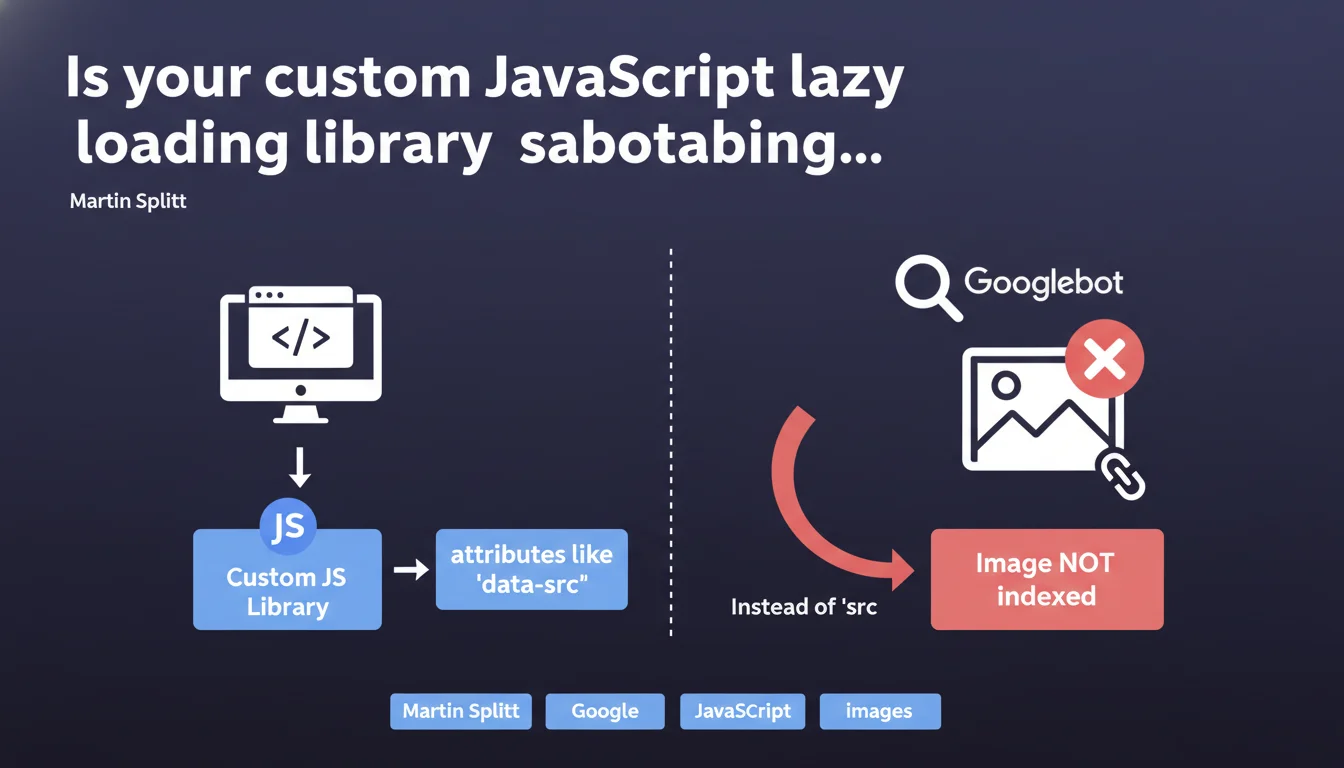
Custom lazy loading libraries that use 'data-src' instead of 'src' prevent Googlebot from indexing your images. Without a properly populated 'src' attribute, the image remains invisible to Google. Martin Splitt reminds us of a fundamental rule: if the HTML doesn't contain an exploitable 'src', the image doesn't exist for the search engine.
What you need to understand
Why is the 'src' attribute so critical for image indexation?
Googlebot analyzes the raw HTML before any JavaScript execution. If your custom library stores the image URL in an attribute like 'data-src', the bot only sees an empty tag during the initial crawl.
Unlike modern libraries that progressively hydrate the DOM, some homemade solutions only populate the actual src after user interaction or a JavaScript event. Result: the image never appears in Google Images and contributes nothing to the page's visual SEO.
Do native lazy loading libraries avoid this problem?
Yes, absolutely. The loading="lazy" attribute from HTML5 is now recognized and handled by all modern browsers — and by Googlebot. It defers loading while keeping the 'src' attribute exploitable from the initial render.
Frameworks like Next.js and Nuxt have integrated this mechanism natively. They generate a valid 'src' even if the image hasn't loaded on the client side yet, which preserves visibility for search engines.
What happens if JavaScript eventually executes on Google's side?
Google can execute JavaScript, but with limits: crawl budget, timeouts, limited resources. If your custom script takes time to initialize or depends on user interactions, the image will remain invisible during the second pass.
Relying on JS execution to reveal your images is like playing Russian roulette with your indexation. Especially when native solutions exist and work without friction.
- Googlebot reads the initial HTML, not JavaScript promises
- A 'data-src' without 'src' makes the image invisible to crawling
- The HTML5 loading="lazy" attribute combines performance and SEO without compromise
- Custom libraries require a 'src' fallback to guarantee indexation
- Testing with the URL Inspection tool in Search Console reveals what Google actually sees
SEO Expert opinion
Does this statement contradict real-world observations about JavaScript rendering?
Not really. We know Google executes JS, but Martin Splitt reminds us of a technical reality often overlooked: the initial crawl remains decisive. If the 'src' attribute is missing on the first pass, the image may never be discovered, even if JS eventually executes.
Tests with libraries like LazyLoad or Lozad show that without a noscript fallback or a pre-filled 'src', the indexation rate of images drops drastically. It's not a question of Google's technical capability — it's a question of prioritization and crawl budget.
Why do some custom implementations get away with it anyway?
Two main reasons. First hypothesis: they have a generous crawl budget and Google revisits often enough to capture the post-JS render. But that's a risky bet — nothing guarantees that budget will remain stable.
Second lead: their implementation includes a default 'src', even if it's a 1x1px placeholder or a low-resolution version. This is enough to trigger detection, even if the final image loads later. Let's be honest — most custom devs don't think about this detail.
Which custom libraries cause the most problems?
Homemade solutions written before 2018, when native lazy loading didn't exist yet. Many use custom observers or obsolete libraries like Unveil.js without maintenance for years.
And that's where it gets stuck: these scripts often wait for a scroll event or a viewport threshold before populating the 'src'. For a bot parsing static HTML, these images simply don't exist.
Practical impact and recommendations
How can I verify that my images are properly indexable?
First step: open your browser in private browsing mode, completely disable JavaScript (in DevTools > Settings > Debugger), and reload the page. If your images don't display, Googlebot doesn't see them either.
Second verification: use the URL Inspection tool in Search Console. Check the "Rendered HTML" tab and look for your tags. If the 'src' is empty or contains a generic placeholder, you have a problem.
Third check: run a crawl with Screaming Frog in JavaScript disabled mode. Compare the number of detected images with a crawl with JS enabled. A significant gap confirms the problem.
What concrete changes need to be made to the code?
Immediate solution: switch to the native loading="lazy" attribute. Replace your with . It's supported by all modern browsers since 2020 and works natively with Googlebot.
If you absolutely must keep a custom library — for example for fallback on legacy browsers — make sure the 'src' attribute initially contains a valid URL, even if it's a low-resolution version or an SVG placeholder. Your JS can then replace this 'src' with the HD version once the viewport is reached.
Elegant alternative: use a tag containing a complete version of the image with 'src' populated. Google crawls noscript content and will index this fallback version.
What technical errors must be absolutely avoided?
Never rely on JavaScript to reveal the existence of a critical resource. JS should enhance the experience, not condition the SEO visibility of your content.
Avoid libraries that require manual initialization or that depend on user events to populate the DOM. Google doesn't scroll, doesn't click, doesn't wait 5 seconds for your JS bundle to load.
And most importantly — test systematically after every modification. A poorly configured deployment can break the indexation of hundreds of images in a single production release.
- Audit all pages with images to verify the presence of the 'src' attribute in raw HTML
- Migrate to native loading="lazy" or implement a valid 'src' fallback
- Test with JavaScript disabled to simulate Googlebot's initial crawl
- Use URL Inspection in Search Console on strategic pages with images
- Compare the number of indexed images before/after modification via Google Images
- Implement continuous monitoring with Screaming Frog or equivalent
- Document modifications to prevent regressions during future deployments
🎥 From the same video 11
Other SEO insights extracted from this same Google Search Central video · published on 21/08/2025
🎥 Watch the full video on YouTube →
💬 Comments (0)
Be the first to comment.