
Official statement
Other statements from this video 15 ▾
- □ Does hreflang really boost your ranking in a targeted country?
- □ Should you really reduce the number of pages to optimize your international SEO?
- □ Does Google really use only main content to identify language on multilingual pages?
- □ Does Google really ignore your page titles when the language doesn't match your content?
- □ Does Google really use domain authority to rank websites?
- □ Is your content trapped behind buttons that Googlebot refuses to click?
- □ Are JavaScript interstitials really safe for your SEO?
- □ Can a technical bug during a Core Update really cause your site to crash in rankings?
- □ Can technical problems really trigger a ranking drop during a Core Update?
- □ Does Google penalize you for translating content between languages?
- □ Can poor machine translations really sabotage your international SEO strategy?
- □ Should you really use Google's Indexing API for all your content?
- □ Does Google really give its own platforms an unfair advantage in search results?
- □ Does the meta description really impact your Google rankings?
- □ Should you really choose your structured data based on the rich results you're targeting in the SERPs?
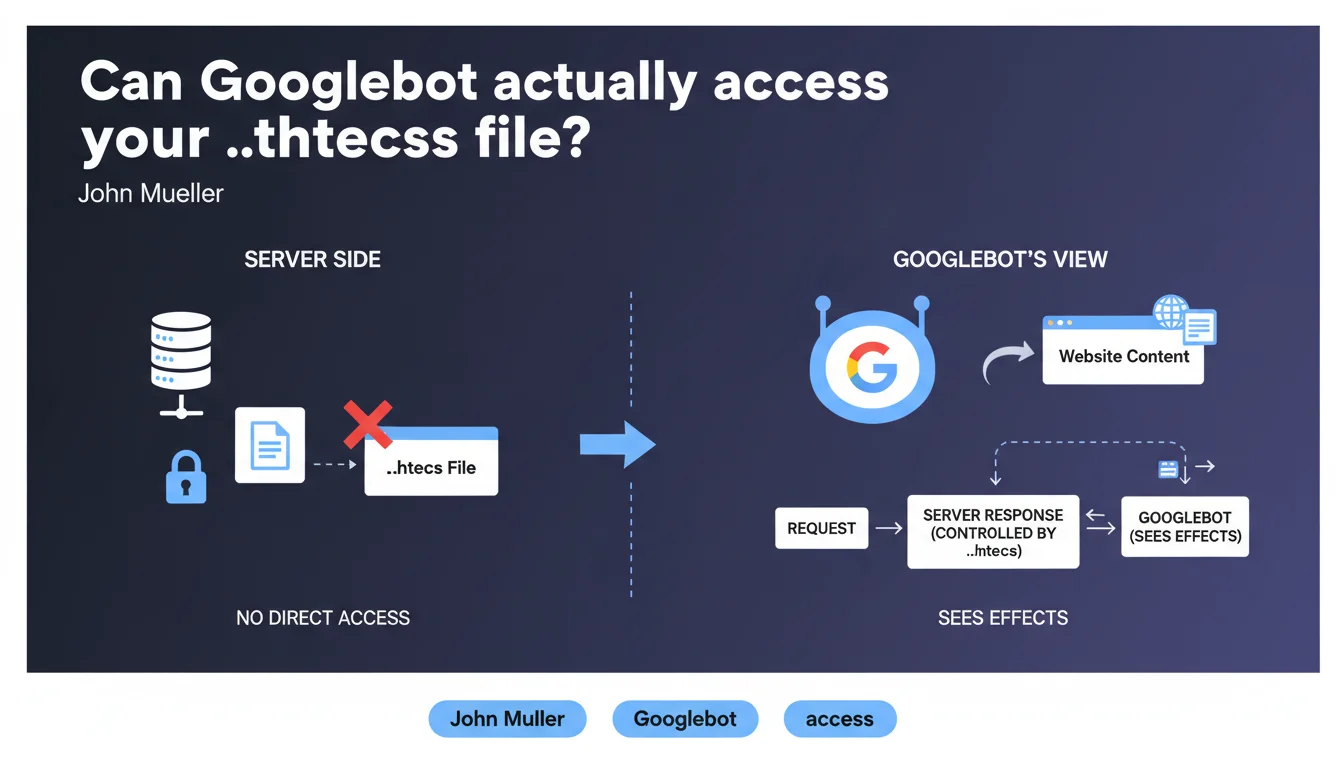
Googlebot never reads the .htaccess file directly because web servers systematically block its access. However, Google perfectly observes the effects of this file — redirects, access blocks, URL rewriting — since the server applies these rules before responding to the crawler.
What you need to understand
The .htaccess file is an invisible configuration element for Googlebot, but its consequences are visible with every request. This nuance deserves closer attention.
Why can't Googlebot read the .htaccess file?
Apache servers (and their equivalents) are configured by default to deny external access to configuration files. The .htaccess file is one of these protected resources.
Concretely, if Googlebot tried to access https://yoursite.com/.htaccess, it would receive a 403 Forbidden error. This is a basic security measure — exposing this file would reveal the internal structure of your server configuration.
What does Google actually see then?
Google doesn't need to read the file to observe its effects. When Googlebot requests a URL, the server first applies the .htaccess rules, then sends back an HTTP response.
If you've configured a 301 redirect, Google receives the 301 code and the destination URL. If you block access to a directory, it receives a 403. If you rewrite URLs via mod_rewrite, it sees the final URL served.
What's the difference from robots.txt?
Unlike robots.txt which gives direct instructions to Googlebot ("don't crawl this directory"), .htaccess acts at the server level and applies to all visitors, human or robot.
The robots.txt file is a recommendation that Google respects. The .htaccess file is a technical barrier that no one can bypass — not even Google.
- Googlebot can never download or analyze the contents of the .htaccess file
- Google observes the HTTP responses generated by .htaccess rules (redirects, errors, rewrites)
- The effects of .htaccess are interpreted like any other server response
- This server configuration is invisible but crucial for crawling and indexing
SEO Expert opinion
Does this statement change established SEO practices?
No. This is a confirmation of what practitioners have known for years. The .htaccess file is not a communication tool with Google — it's a server configuration tool.
Confusion sometimes arises because we use .htaccess to implement SEO directives: 301 redirects, www/non-www canonicalization, parameter blocking. But Google doesn't "read" these intentions — it simply observes the results.
Should we worry about the visibility of our .htaccess rules?
If your server is properly configured, no. The real question is: do your rules produce the expected effects for Googlebot?
I've seen cases where .htaccess redirects were technically functional but generated unnecessary redirect chains. Google follows these redirects, but it extends crawl time and dilutes PageRank. Another example: poorly configured RewriteCond rules that blocked Googlebot without the technical team realizing it.
What are the pitfalls to avoid with .htaccess in SEO?
The first pitfall: believing that a .htaccess rule is invisible to Google because the file can't be read. Wrong. Anything that modifies the HTTP response is visible to Google.
Second pitfall: testing your redirects only in a browser. Browsers hide certain behaviors (aggressive caching, cookie management). Always test with curl -I or the URL inspection tool in Search Console to see what Googlebot actually receives.
User-Agent) can go unnoticed for weeks if you don't monitor your server logs.Practical impact and recommendations
How do you verify that your .htaccess rules don't negatively impact crawling?
Use the URL inspection tool in Google Search Console to test your critical pages. This tool simulates Googlebot's behavior and shows you exactly what HTTP response it receives.
Regularly check your server logs. Look for 403, 404 or 500 errors triggered by Googlebot — they often reveal overly restrictive or misdirected .htaccess rules.
Which .htaccess errors are critical for SEO?
Redirect chains. If one rule redirects A to B, then another rule redirects B to C, Google wastes time and crawl budget. Simplify: redirect A directly to C.
Accidental blocks. A rule that blocks an entire directory (Deny from all) when you meant to block a single file. Result: entire sections of your site become inaccessible to Google.
What should you do concretely right now?
- Audit your .htaccess file: identify all rules that affect HTTP responses (redirects, blocks, rewrites)
- Test each critical rule with
curl -Ito verify the exact response returned to the crawler - Verify in Search Console that no important URL returns a 4xx or 5xx error linked to a .htaccess rule
- Analyze your server logs to spot error patterns triggered by Googlebot
- Document each .htaccess rule: in 6 months, you'll have forgotten why it exists
- Eliminate redirect chains — one redirect = one hop, not three
❓ Frequently Asked Questions
Googlebot peut-il contourner les restrictions définies dans le .htaccess ?
Faut-il protéger le fichier .htaccess avec des règles spécifiques ?
Les redirections .htaccess sont-elles équivalentes aux redirections PHP pour Google ?
Une erreur dans le .htaccess peut-elle empêcher l'indexation de tout mon site ?
Google peut-il détecter si j'affiche un contenu différent à Googlebot via .htaccess ?
🎥 From the same video 15
Other SEO insights extracted from this same Google Search Central video · published on 29/04/2022
🎥 Watch the full video on YouTube →
💬 Comments (0)
Be the first to comment.