
Official statement
Other statements from this video 14 ▾
- □ Does a 403 error on mobile really block your entire site from being indexed by Google?
- □ Do 404 errors and 301 redirects really hurt your SEO rankings?
- □ Does the canonical tag really prevent your pages from being indexed?
- □ Is Google really seeing your prices in US dollars by default?
- □ Why does Google treat hreflang and canonical tags as two completely separate mechanisms?
- □ Does the disavow tool really delete toxic backlinks from Google's index?
- □ How can you create unique content for identical products without falling into duplicate content traps?
- □ Should you really verify each subdomain separately in Search Console?
- □ Do you really need to worry about a high volume of 404 errors on your site?
- □ Should you really mark every affiliate link with rel=nofollow or rel=sponsored?
- □ Do Google's quality raters really affect your site's search rankings?
- □ Is mobile-first indexing really the standard for every website on the web?
- □ Is the .ai domain really being treated as a gTLD by Google?
- □ Does cutting your indexed pages really boost SEO, or is it just a myth?
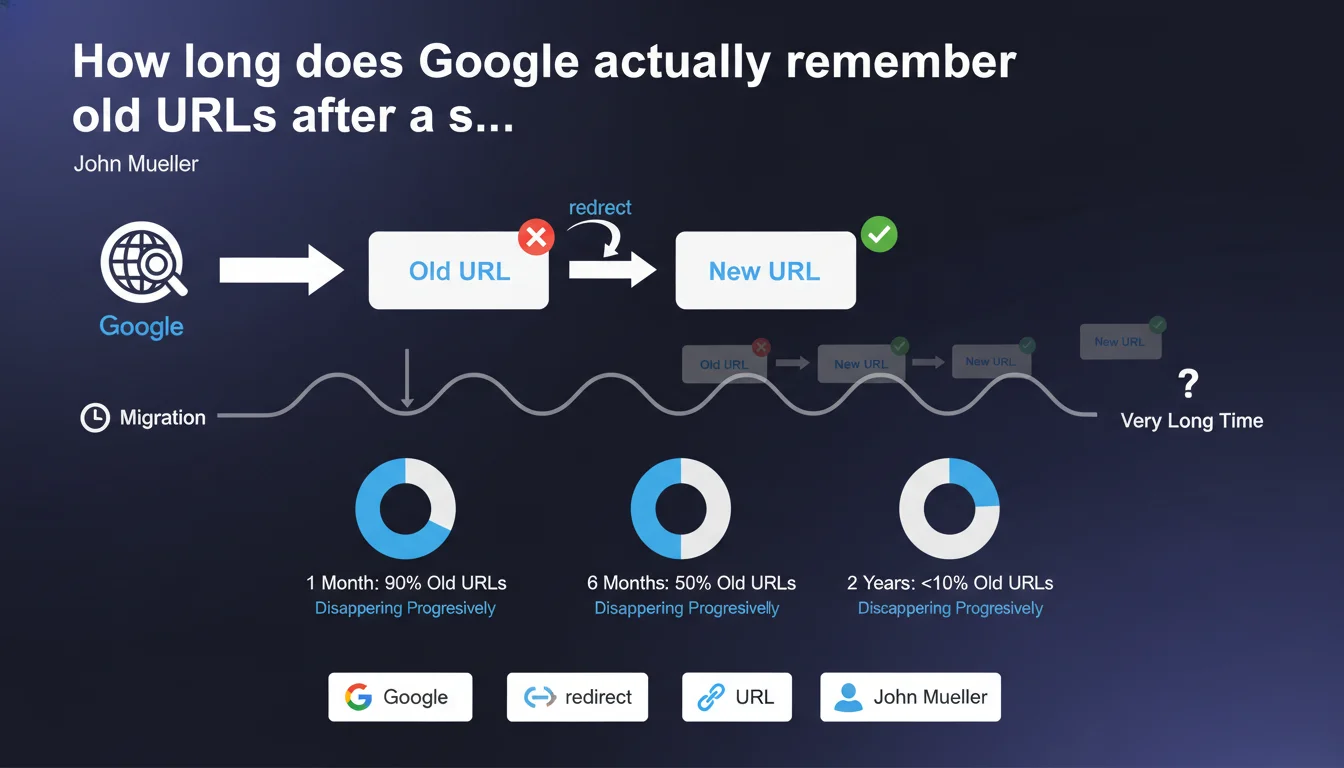
Google's systems retain old URLs in memory for a very long time after a migration, with no precise time limit defined. As long as redirects are functioning correctly, this memory retention poses no problem whatsoever. It's impossible to force Google to forget these old URLs — they fade away progressively, at their own pace.
What you need to understand
Why does Google keep old URLs in memory for so long?
Google indexes and memorizes billions of URLs. When a migration occurs, the old addresses don't vanish instantly from its systems. Google's infrastructure operates with distributed memory: multiple databases, multiple data centers, multiple processing layers. Erasing data everywhere simultaneously is neither simple nor a priority.
Let's be honest — Google has no reason to rush. If 301 redirects are in place and functional, the old URLs point to the new ones. Signals transfer correctly. The engine sees no malfunction, so no urgency to purge its memory.
What does this long-term memory retention mean in practice?
In reality, it means that months, even years after a migration, Google may still attempt to crawl the old URLs. You'll see these attempts in your server logs or Search Console. This isn't a bug; it's normal operation.
This memory retention concerns all associated signals: backlinks, crawl history, content age. Google throws nothing away. It simply consolidates data toward the new URLs over time, but keeps records of the old ones.
When does this memory become a problem?
It only becomes one if the redirects break or disappear. If you remove the 301 redirects too early thinking Google has "forgotten" the old URLs, you create massive 404 errors. Historical backlinks go nowhere. SEO signal is lost.
Another problematic case: poorly configured migrations where certain old URLs were never redirected. Google continues to crawl them, generates unnecessary traffic, wastes crawl budget. That's where things get stuck.
- Google memorizes old URLs for a very long time, with no defined limit
- This memory retention poses a problem only if redirects are absent or broken
- It's impossible to force Google to erase these URLs from its memory
- Old URLs disappear progressively and naturally from Google's systems
- Maintaining 301 redirects remains therefore essential long-term
SEO Expert opinion
Is this statement consistent with real-world observations?
Yes, completely. Every SEO who manages large-scale migrations observes it: Google crawls old URLs years after they disappear. Server logs don't lie. This isn't theory; it's factual.
What's missing here — and it's frustrating — is any indication of duration. "Very long time" means what exactly? Six months? Two years? Five years? [To verify]: Google provides no metrics, no order of magnitude. We're left in the dark.
What risks does this lack of precision create?
The danger is that misinformed clients or decision-makers decide to remove redirects after a few months "to lighten server load" or "because the migration is complete." Result: sudden position loss, traffic drop, broken backlinks. An avoidable disaster.
The other problem is crawl budget management on very large sites. If Google continues crawling old URLs heavily via redirects for years, it wastes time on obsolete paths rather than focusing on new strategic pages. Practically speaking? You need to monitor and potentially block certain old URLs via robots.txt if they're draining crawl unnecessarily — but be careful, this strategy requires careful consideration.
In which cases does this rule not fully apply?
On a recent site with little history, Google's memory is lighter. Old URLs disappear faster simply because they never had much weight. Conversely, on a 20-year-old site with millions of historical backlinks, Google retains everything in memory much longer.
Another nuance: sites that migrate multiple times. If you move from domain A to domain B, then from B to C, Google keeps all three layers in memory. Redirects must chain properly, or you create huge gaps in your SEO architecture.
Practical impact and recommendations
What should you concretely do during a migration?
First rule: map all old URLs to their new equivalents before launching the migration. No historical URL should point to nothing. Zero tolerance for 404s on pages that had SEO weight.
Next, configure permanent 301 redirects at the server level (Apache, Nginx, or via CDN). No JavaScript redirects or meta refresh — they're ineffective for Google. Test each redirect individually on a representative sample before rolling out broadly.
How long should you maintain these redirects?
The pragmatic answer: indefinitely, or at minimum for several years. If server cost is a concern (spoiler: it almost never is), monitor your logs. As long as Google crawls old URLs, keep the redirects in place.
Use Search Console to track 404 errors and redirects. If old URLs still generate clicks or impressions months after migration, Google still has them in active memory. Don't touch anything.
How do you optimize crawl budget after a migration?
On very large sites, analyze your server logs to identify which old URLs Google still crawls heavily. If certain obsolete sections drain crawl with no value, consider blocking them via robots.txt — but only if redirects are in place AND these URLs bring no more traffic.
In parallel, submit a clean new XML sitemap containing no old URLs. This helps Google prioritize new pages. But don't expect it to instantly forget the old site regardless.
- Map 100% of old URLs to their new destinations before migration
- Configure permanent 301 redirects at the server level
- Maintain these redirects for several years minimum
- Monitor server logs to detect crawls of old URLs
- Track Search Console for 404 errors post-migration
- Submit a clean XML sitemap containing only new URLs
- Never remove redirects while traffic or crawls persist
- On large sites, analyze crawl budget and block via robots.txt only obsolete sections with heavy crawl and no value
❓ Frequently Asked Questions
Combien de temps exactement Google mémorise-t-il les anciennes URL ?
Peut-on forcer Google à oublier les anciennes URL plus rapidement ?
Est-ce grave si Google continue de crawler les anciennes URL ?
Faut-il bloquer les anciennes URL en robots.txt après une migration ?
Quand peut-on supprimer les redirections 301 d'une migration ?
🎥 From the same video 14
Other SEO insights extracted from this same Google Search Central video · published on 11/07/2023
🎥 Watch the full video on YouTube →
💬 Comments (0)
Be the first to comment.