
Official statement
Other statements from this video 14 ▾
- □ Un code 403 sur mobile bloque-t-il réellement toute indexation de votre site ?
- □ Les erreurs 404 et redirections 301 nuisent-elles vraiment au référencement ?
- □ La balise canonical bloque-t-elle vraiment l'indexation de vos pages ?
- □ Pourquoi Google voit-il majoritairement vos prix en dollars américains ?
- □ Hreflang et canonical : pourquoi Google les traite-t-il comme deux concepts distincts ?
- □ L'outil de désaveu supprime-t-il vraiment les backlinks toxiques de Google ?
- □ Comment différencier des pages produits identiques sans tomber dans le duplicate content ?
- □ Faut-il vraiment vérifier séparément chaque sous-domaine dans Search Console ?
- □ Faut-il vraiment marquer tous les liens d'affiliation avec rel=nofollow ou rel=sponsored ?
- □ Les quality raters impactent-ils vraiment le classement de votre site ?
- □ Combien de temps Google mémorise-t-il les anciennes URL après une migration ?
- □ L'indexation mobile-first est-elle vraiment généralisée à tous les sites ?
- □ Le domaine .ai est-il vraiment traité comme un gTLD par Google ?
- □ Faut-il vraiment réduire le nombre de pages indexées pour améliorer son SEO ?
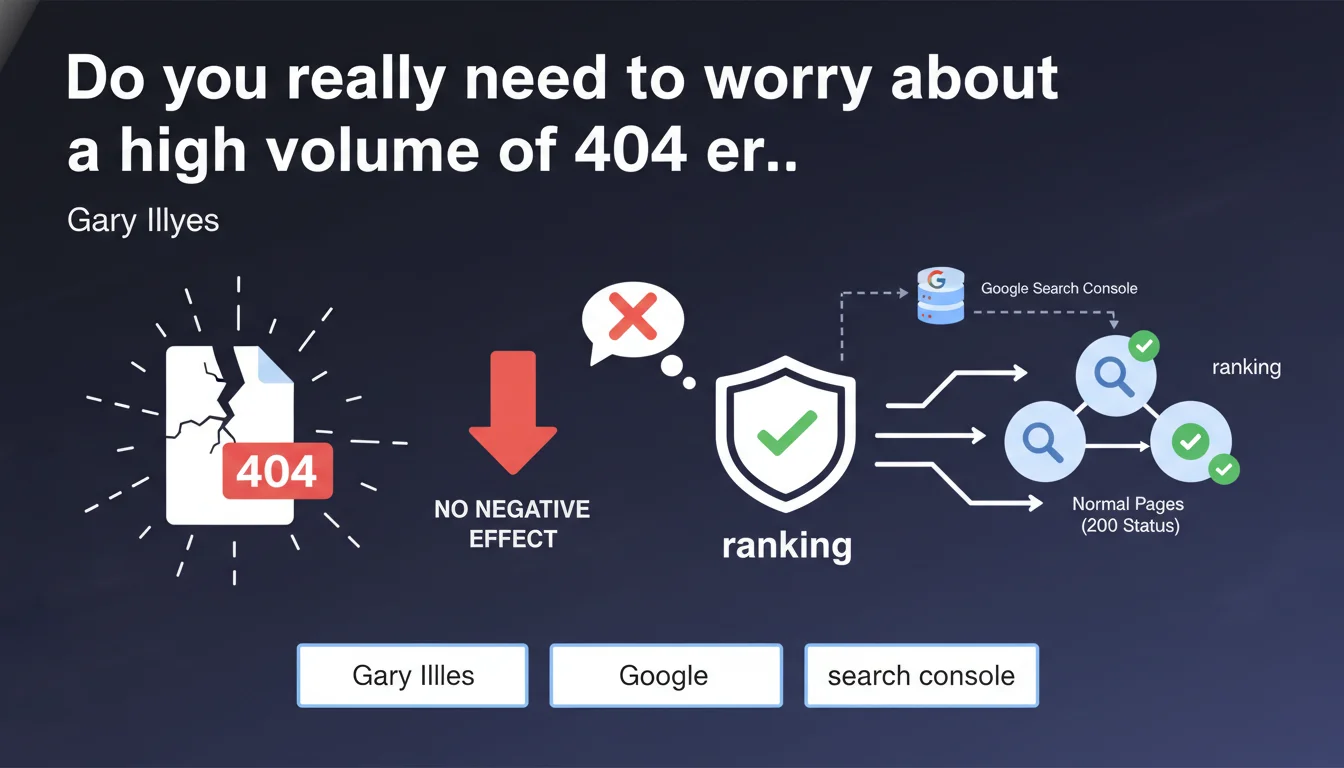
Google confirms that a large quantity of 404 pages in Search Console has no negative impact on the ranking of active pages. 404 errors are a normal phenomenon on the web and do not penalize the overall SEO performance of the site.
What you need to understand
Why does Google bother clarifying this point?
The massive presence of 404s in Search Console regularly creates panic among SEO managers. This statement aims to demystify a widespread fear: that a high volume of 404 errors will be interpreted as a quality signal by the algorithm.
Google insists that 404s are a natural state of the web — pages disappear, URLs change, external links point to obsolete resources. The search engine distinguishes between pages that return a 200 status (active pages) and those that correctly signal their absence via a 404.
What does this absence of impact on rankings concretely mean?
It means that no algorithmic penalty is applied to the site as a whole if Search Console displays hundreds or thousands of 404s. The crawl budget may be allocated differently, but the ability of your active pages to rank remains intact.
The important nuance: this concerns pages that return a true 404 status, not those that display an error message while returning a 200 (soft 404). These latter pose a problem because they create confusion for Googlebot.
Where do all these 404s in Search Console come from?
Several sources feed this report: obsolete backlinks pointing to old URLs, typos in internal links, pages deleted without redirects, crawl attempts on automatically generated URL parameters.
Google also discovers URLs through its general web exploration, including resources that were never created but are referenced somewhere. The volume displayed in Search Console therefore does not always reflect a real problem on the site side.
- 404s do not affect the ranking of active pages with 200 status
- Crucial distinction between true 404s and soft 404s (error pages returning a 200)
- The volume of 404s in Search Console often comes from external sources beyond your control
- No global algorithmic penalty linked to the number of 404 errors
- Crawl budget may be consumed differently but with no direct impact on ranking
SEO Expert opinion
Is this statement consistent with what we observe in practice?
Absolutely. Sites with thousands of 404s in Search Console can perform very well if their active pages are optimized and relevant. I've worked on e-commerce sites generating hundreds of 404s daily (out-of-stock products, temporary promotional pages) without ever observing a correlation with a visibility drop.
What becomes problematic, however, is when these 404s correspond to strategic pages deleted without redirects, or to massive technical errors creating instability. But the volume itself is not the triggering factor.
What nuances should be added to this statement?
First point: Gary is specifically talking about pages returning a normal 200 status. If your site generates soft 404s — pages displaying error content while returning a 200 — Google considers them low-quality pages. This can indirectly affect the overall perception of the site. [To verify] in your logs to detect these anomalies.
Second point: crawl budget. On a large site, if Googlebot spends its time crawling dead URLs, it may miss important pages. This is not a ranking penalty, but an exploration efficiency problem that can delay the indexation of new pages.
Third point: user experience. A user who lands on a 404 via a poorly managed internal link does not directly penalize SEO, but increases the bounce rate and degrades engagement — two signals that Google can indirectly interpret.
In which cases does this rule not fully apply?
If 404s come massively from broken internal links, it's a symptom of structural problems. Google won't penalize the site for the 404s themselves, but the degradation of internal linking affects PageRank distribution and exploration of deep pages.
Another case: 404s on URLs that previously received qualified traffic and backlinks. Technically, no penalty, but you're concretely losing traffic and transmitted authority. Here, the impact is measurable even if indirect.
Practical impact and recommendations
What should you concretely do with these 404s in Search Console?
First step: identify the source. Are they caused by broken internal links, obsolete backlinks, or crawl attempts on URLs never created? The "Links" section in Search Console allows you to trace the sources.
Second step: prioritize. 404s on URLs with historical traffic or quality backlinks deserve a 301 redirect to a relevant page. 404s on phantom URLs or random parameters can be safely ignored.
Third step: clean up internal links. Regular audits with Screaming Frog or similar tools allow you to detect and correct links pointing to 404s. This improves internal linking and user experience.
What errors must you absolutely avoid?
Don't transform all 404s into 301 redirects to the homepage. This is a disastrous practice that creates soft 404s and dilutes relevance. Google prefers a true 404 over a non-relevant redirect.
Don't panic at a large volume of 404s in Search Console if your traffic is stable. Focus on strategic pages, not obsessive cleaning of every error.
Avoid returning a 200 status on a custom error page. This creates soft 404s that Google interprets as low-quality content. Always use the correct HTTP code.
How to verify that your 404 management is optimal?
Regularly check the "Coverage" report in Search Console. 404s should appear in the "Excluded" section, not in "Error" or "Valid with warnings".
Analyze your server logs to see how much time Googlebot spends on dead URLs. If this time represents a significant share of total crawl, optimize your robots.txt or implement a targeted redirect strategy.
Verify that your custom 404 error pages return a proper HTTP 404 code, not a 200. A simple test with your browser's developer tools is sufficient.
- Audit the source of 404s: internal links, backlinks or random crawl
- Prioritize 301 redirects only for URLs with traffic or backlinks
- Fix broken internal links through regular technical audits
- Never redirect massively to the homepage
- Verify that custom 404 pages return an HTTP 404 code
- Monitor the share of crawl budget consumed by 404s in logs
- Safely ignore 404s on phantom URLs with no business impact
❓ Frequently Asked Questions
Un grand nombre de 404 peut-il ralentir l'exploration de mon site par Googlebot ?
Dois-je rediriger toutes mes pages 404 vers la homepage ?
Quelle est la différence entre une 404 et une soft 404 ?
Pourquoi Search Console affiche des 404 sur des URL que je n'ai jamais créées ?
Faut-il nettoyer régulièrement les 404 dans Search Console ?
🎥 From the same video 14
Other SEO insights extracted from this same Google Search Central video · published on 11/07/2023
🎥 Watch the full video on YouTube →
💬 Comments (0)
Be the first to comment.