
Official statement
Other statements from this video 14 ▾
- □ Un code 403 sur mobile bloque-t-il réellement toute indexation de votre site ?
- □ Les erreurs 404 et redirections 301 nuisent-elles vraiment au référencement ?
- □ La balise canonical bloque-t-elle vraiment l'indexation de vos pages ?
- □ Pourquoi Google voit-il majoritairement vos prix en dollars américains ?
- □ Hreflang et canonical : pourquoi Google les traite-t-il comme deux concepts distincts ?
- □ L'outil de désaveu supprime-t-il vraiment les backlinks toxiques de Google ?
- □ Comment différencier des pages produits identiques sans tomber dans le duplicate content ?
- □ Faut-il vraiment s'inquiéter d'un volume important de 404 sur son site ?
- □ Faut-il vraiment marquer tous les liens d'affiliation avec rel=nofollow ou rel=sponsored ?
- □ Les quality raters impactent-ils vraiment le classement de votre site ?
- □ Combien de temps Google mémorise-t-il les anciennes URL après une migration ?
- □ L'indexation mobile-first est-elle vraiment généralisée à tous les sites ?
- □ Le domaine .ai est-il vraiment traité comme un gTLD par Google ?
- □ Faut-il vraiment réduire le nombre de pages indexées pour améliorer son SEO ?
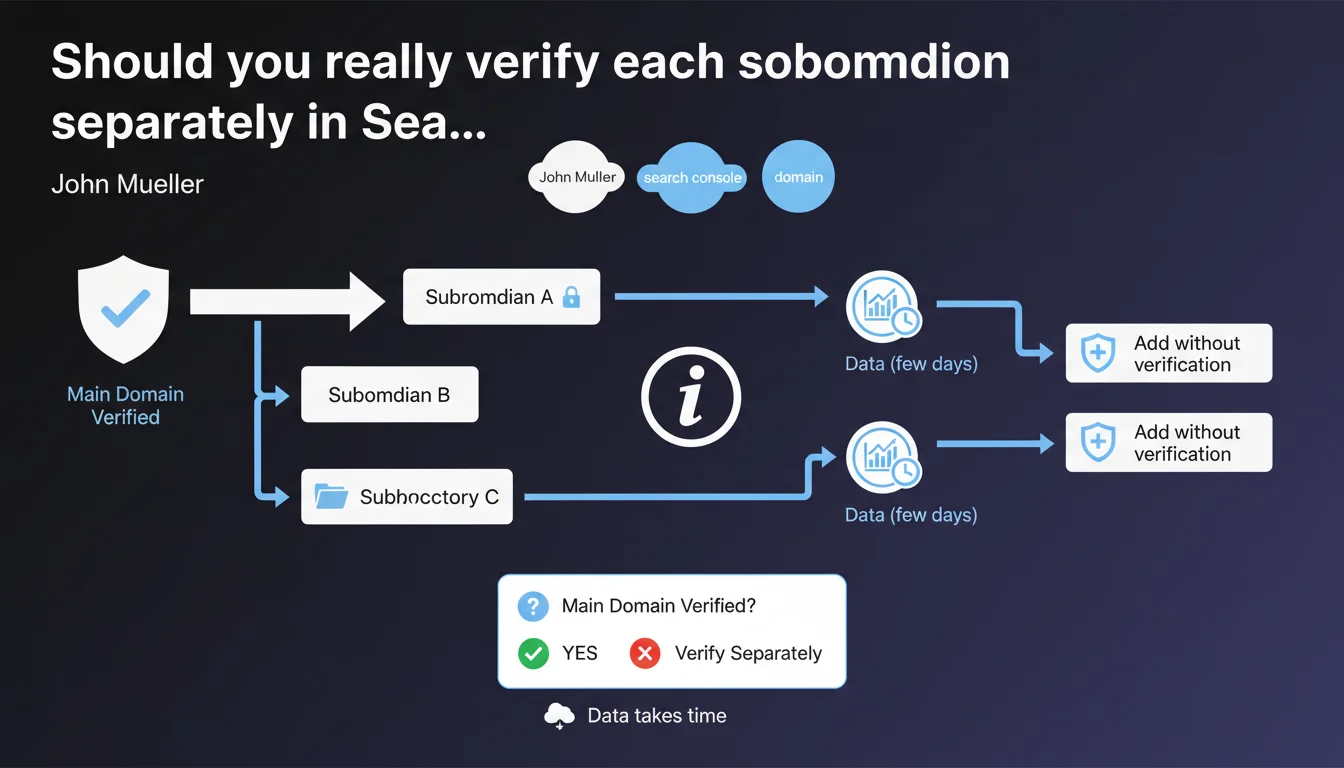
Google confirms that subdomains and subdirectories can be verified individually in Search Console. If the main domain is already verified, adding these sub-sections does not require additional verification. Data can take a few days to appear after being added.
What you need to understand
What's the real difference between domain-level verification and sub-property verification?
Domain-level verification in Search Console automatically covers all subdomains and protocols (HTTP, HTTPS). This is the DNS method that provides this global coverage.
But you can also verify separately a subdomain (blog.example.com) or a subdirectory (example.com/blog). Why bother? You get isolated reports, can delegate access to a specific team, or monitor a critical section of your site in detail.
Why verify separately if the main domain is already verified?
The verified main domain gives you a consolidated view. But as soon as your architecture becomes complex — multiple active subdomains, distinct teams, differentiated SEO strategies by section — separate verification becomes tactically valuable.
You gain data granularity: crawl stats, search performance, and error messages specific to each property. This prevents important signals from getting lost in a sea of aggregated data.
How long before data starts showing up?
Google says « a few days ». In practice, expect 2 to 5 days depending on the volume of pages and how frequently Google crawls the subdomain or subdirectory in question.
During this period, Search Console collects and aggregates available historical data. Don't panic if reports remain empty 24-48 hours after adding the property.
- Domain verification (DNS) automatically covers all subdomains and protocols
- Separate verifications provide isolated reports by property
- No additional verification is required if the main domain is already verified
- Data takes 2 to 5 days to display after adding a property
- Useful for delegating access or monitoring a critical section in detail
SEO Expert opinion
Does this feature actually address real-world needs?
Yes, and it's even essential once you manage multi-team architectures. I've seen too many sites where marketing manages the blog at blog.example.com, tech manages api.example.com, and e-commerce manages shop.example.com. Without separate verifications, it's impossible to delegate access properly.
The problem: many SEOs still don't realize you can add multiple properties for the same site. As a result, they end up with consolidated reports where a zombie subdomain pollutes the main site's metrics.
What are the limits of this approach?
Data fragmentation. The more properties you multiply, the more you have to juggle between views to get a coherent overview. Google doesn't yet offer (or doesn't prominently offer) a unified dashboard letting you easily compare the performance of 5 subdomains side by side.
Another point: the « a few days » timeline is vague. [To verify] based on my experience, this delay heavily depends on the crawl budget allocated to the subdomain. An active blog with daily posts will see its data appear in 24-48 hours. A dormant subdomain might wait a week.
In what cases is this strategy counterproductive?
If your site has fewer than 10,000 pages and a simple architecture, multiplying properties in Search Console serves no purpose. You'll spend more time navigating between views than filtering data in a single property.
Practical impact and recommendations
How should you structure your properties in Search Console?
Start with DNS verification of the main domain. This is your safety net: you capture everything, including HTTP/HTTPS variations and future subdomains.
Then add separate properties only for sections that justify dedicated monitoring: a subdomain managed by an external team, a critical e-commerce section, a high-traffic SEO blog.
What mistakes should you avoid during setup?
Don't create unnecessary duplicates. I've seen sites with 15 properties for the same domain, simply because nobody documented what already existed. Keep a register of active properties.
Another trap: forgetting to set up the same filters and segments on each property. If you exclude UTM parameters in one property but not in others, your comparisons will be skewed.
How do you verify that your configuration is correct?
Wait 5 business days after adding a property. Then check that key pages from the subdomain or subdirectory appear correctly in the performance report.
Compare metrics from the isolated property with those from the main domain: the numbers should be consistent. If you see 10,000 clicks on blog.example.com in the isolated property but only 3,000 in the main domain, there's a scope problem.
- First verify the main domain via DNS
- Add separate properties only if necessary (delegation, granularity)
- Document each created property to avoid duplicates
- Set up the same filters on all properties to ensure consistency
- Wait 5 days before drawing conclusions about your data
- Regularly compare metrics between isolated properties and main domain
❓ Frequently Asked Questions
Dois-je vérifier mon blog en sous-domaine séparément si j'ai déjà vérifié le domaine principal ?
Puis-je avoir plusieurs propriétés Search Console pour le même site ?
Pourquoi mes données n'apparaissent-elles pas immédiatement après l'ajout d'une propriété ?
La vérification séparée d'un sous-répertoire modifie-t-elle le crawl budget ?
Quelle méthode de vérification privilégier : DNS ou méta-tag ?
🎥 From the same video 14
Other SEO insights extracted from this same Google Search Central video · published on 11/07/2023
🎥 Watch the full video on YouTube →
💬 Comments (0)
Be the first to comment.