
Official statement
Other statements from this video 16 ▾
- □ Does Google really apply the same weight to every single one of your backlinks?
- □ Does the position of internal links really impact your SEO rankings?
- □ Does Google really categorize websites into rigid, fixed types?
- □ Does NAP consistency really impact local SEO rankings, or is it just about the Knowledge Graph?
- □ Are reciprocal links really risk-free for your SEO strategy?
- □ Does keyword frequency really influence your Google rankings?
- □ Should you really clean up ALL hacked pages or can you let Google sort them out?
- □ Why does Google refuse to index part of your site even when it's technically perfect?
- □ Do emojis in title tags and meta descriptions really boost your SEO rankings?
- □ Does the Search Console API really show the exact same data as your web interface?
- □ Why aren't your FAQs showing up in rich results despite correct markup?
- □ Should you really reuse the same URL for seasonal pages every year?
- □ Do Core Web Vitals really have no impact on crawling and indexation?
- □ Does Google really reset your site's evaluation when migrating from a subdomain to a primary domain?
- □ Does the .edu domain extension really boost your SEO rankings?
- □ Are geo-redirects really blocking your content from getting indexed by Google?
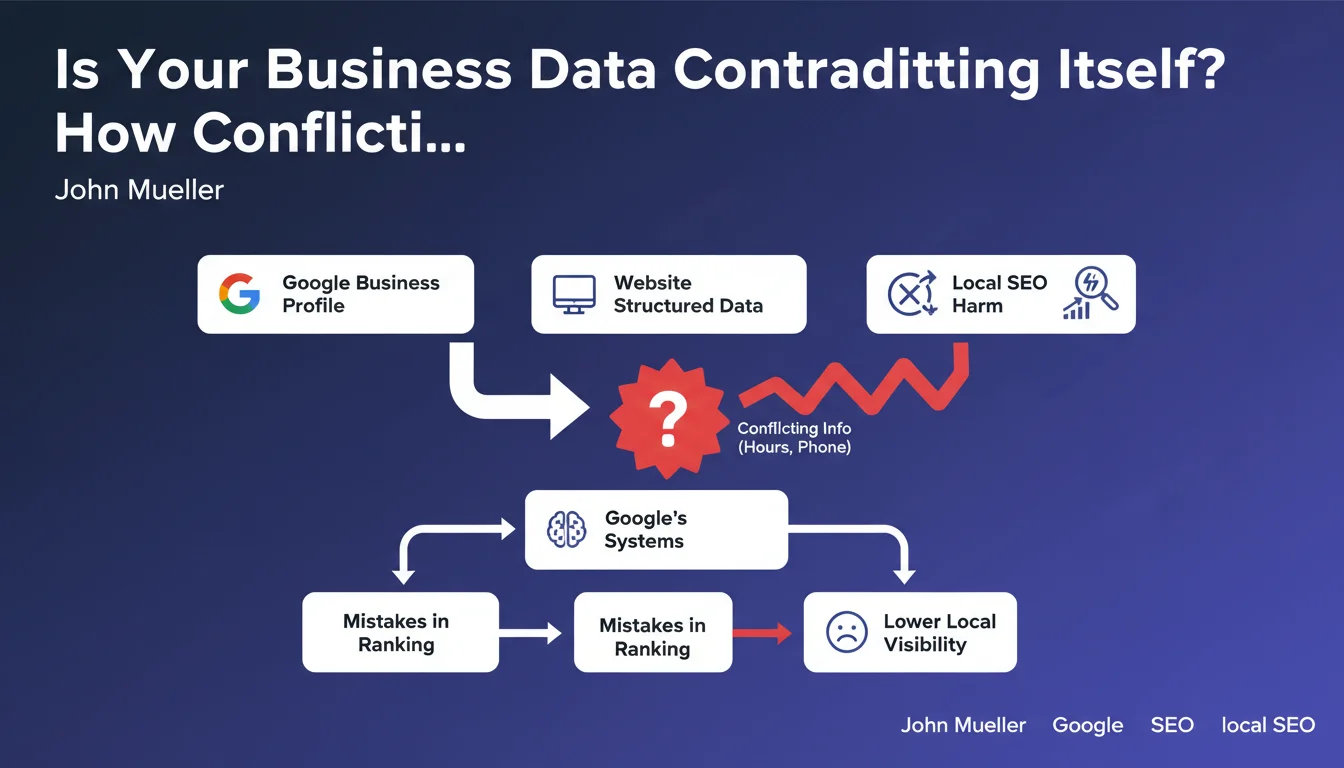
Google confirms that discrepancies between your structured data (schema.org) and your Google Business Profile (hours, phone, address) can mislead its systems. In practice, this inconsistency damages your local visibility and prevents your information from displaying correctly in search results. Cross-platform consistency has become a reliability criterion for the algorithm.
What you need to understand
Why Does Google Struggle to Handle These Inconsistencies?
Google's systems retrieve your information from multiple sources simultaneously: your website (via schema.org LocalBusiness), your Google Business Profile listing, your local citations, your social media pages. When these sources contradict each other, the algorithm has to make a choice — and it doesn't have a foolproof mechanism to determine which version is correct.
The result? It might display incorrect hours in the Knowledge Panel, pull an obsolete phone number in mobile results, or worse, lose confidence in your business's reliability. This "confusion" actually translates into a degraded quality signal for Google.
Which Data Points Are Most at Risk?
Mueller explicitly mentions opening hours and phone numbers, but the principle logically extends to physical address, business legal name, and services offered. Basically, any factual data that exists in both your markup and your profile.
The most common inconsistencies we see in the field:
- Hours not synchronized after seasonal or regulatory changes
- Main number on website vs. tracking number in GBP
- Address formatted differently (with or without floor number, abbreviated vs. complete version)
- Business name slightly modified for marketing reasons on one channel
Does This Rule Apply to Multi-Location Businesses or Franchises Too?
Absolutely, and this is where it becomes genuinely complex. Each location must maintain strict consistency between its local URL, its dedicated GBP listing, and its specific LocalBusiness markup.
For a franchise with 50 locations, a poorly coordinated hours update can create 50 simultaneous conflicts. Automated systems that synchronize this data become indispensable — but only if they're properly configured and regularly tested.
SEO Expert opinion
Does This Statement Really Change the Game for Local SEO?
Let's be honest: we already knew this. NAP consistency (Name, Address, Phone) has been a pillar of local SEO for years. What Mueller confirms here is that this requirement now explicitly extends to structured markup — and the consequences of inconsistency go beyond just losing a few positions in the Local Pack.
What strikes me more is the implicit admission: "the systems can make mistakes". Google is acknowledging that its AI isn't robust enough to intelligently arbitrate between two sources. This means we can't rely on some hypothetical "contextual understanding" to bail us out of our errors.
What Does It Mean Concretely When Google "Gets Confused"?
Mueller deliberately stays vague about the precise impacts. Does a conflict trigger a ranking penalty? Partial deindexing? Just incorrect display? [To be verified] — Google doesn't say, and our field observations show variable consequences depending on the industry vertical.
In highly competitive sectors (restaurants, home services), we've seen sites lose their local zero position after prolonged divergence between website and GBP. In other cases, the impact seems limited to rich snippets temporarily disappearing. It's impossible to establish a universal rule without more data.
Should You Prioritize One Source Over Another During Temporary Conflicts?
Again, Google provides no clear guidance. You might assume GBP is authoritative for local data — it's an interface you control directly, verified by phone or mail. But tests show that structured markup can sometimes "override" GBP information in certain display contexts.
My pragmatic recommendation: never be in a conflict situation. If an update is needed, synchronize all your sources at the same time — website, GBP, social media, directories. A 24-48 hour lag is acceptable, but beyond that you're taking a risk that nobody can precisely quantify.
Practical impact and recommendations
What Should You Audit First on Your Client Sites?
First reflex: manually compare the data displayed in your LocalBusiness markup with what's on your Google Business Profile listing. Yes, manually — automated tools often miss subtle formatting differences.
Specifically check:
- Opening hours (format, holidays, exceptional hours)
- Phone number (watch for tracking numbers or international versions)
- Complete address (no abbreviations like "Ave." on one channel and "Avenue" on another)
- Exact legal business name (no marketing variations like "Chez Joe" vs. "Joe's Restaurant")
- Website URL (http vs. https, www vs. no-www, trailing slash or not)
How Do You Detect These Inconsistencies at Scale?
For a single site, manual auditing suffices. But for a franchise network, hotel group, or client portfolio, you need to industrialize the process.
Several approaches work:
- Python scripts via the Google My Business API to pull GBP data and compare it against your source of truth (CRM, database)
- Automatic extraction of schema.org markup from each local page using crawlers (Screaming Frog, OnCrawl)
- Set up automated alerts whenever a discrepancy is detected between the two sources
- Systematic quarterly reviews, especially after seasonal hours changes
The trap: many CMS systems auto-generate markup from a form field — but that field might not be synced with your GBP management tool. Map your data flows to identify where gaps can emerge.
What Technical Errors Make the Problem Worse?
Beyond simple content inconsistency, certain markup structure errors make things even more confusing for Google:
- Multiple LocalBusiness blocks on the same page with conflicting data (common when a WordPress theme and an SEO plugin each generate their own markup)
- Using Organization instead of LocalBusiness, preventing Google from correctly cross-reference local data
- Incorrect formatting of hours (not following OpeningHoursSpecification standards)
- Phone numbers without international country codes, making comparison impossible for Google
Local data consistency is no longer optional — it's a reliability factor that Google now explicitly evaluates. For organizations with multiple locations or operating in competitive sectors, managing this consistency can quickly become a complex technical undertaking.
If you're seeing recurring discrepancies despite your best efforts, or if you lack the resources to audit and synchronize all your Google touchpoints, working with a local SEO specialist agency might be worth considering. The technical expertise needed to automate these checks and fix discrepancies at scale often justifies dedicated support.
❓ Frequently Asked Questions
Que se passe-t-il si je mets à jour mon GBP mais oublie de modifier le schema.org de mon site ?
Les numéros de tracking (call tracking) créent-ils un conflit problématique ?
Faut-il dupliquer exactement le formatage de l'adresse entre GBP et schema.org ?
Comment gérer les horaires exceptionnels (jours fériés, fermetures temporaires) ?
Un site e-commerce sans point de vente physique est-il concerné par cette problématique ?
🎥 From the same video 16
Other SEO insights extracted from this same Google Search Central video · published on 30/01/2022
🎥 Watch the full video on YouTube →
💬 Comments (0)
Be the first to comment.