
Official statement
Other statements from this video 16 ▾
- □ Does Google really apply the same weight to every single one of your backlinks?
- □ Does Google really categorize websites into rigid, fixed types?
- □ Does NAP consistency really impact local SEO rankings, or is it just about the Knowledge Graph?
- □ Is Your Business Data Contradicting Itself? How Conflicting Information Between Your Website and Google Business Profile Hurts Your Local SEO
- □ Are reciprocal links really risk-free for your SEO strategy?
- □ Does keyword frequency really influence your Google rankings?
- □ Should you really clean up ALL hacked pages or can you let Google sort them out?
- □ Why does Google refuse to index part of your site even when it's technically perfect?
- □ Do emojis in title tags and meta descriptions really boost your SEO rankings?
- □ Does the Search Console API really show the exact same data as your web interface?
- □ Why aren't your FAQs showing up in rich results despite correct markup?
- □ Should you really reuse the same URL for seasonal pages every year?
- □ Do Core Web Vitals really have no impact on crawling and indexation?
- □ Does Google really reset your site's evaluation when migrating from a subdomain to a primary domain?
- □ Does the .edu domain extension really boost your SEO rankings?
- □ Are geo-redirects really blocking your content from getting indexed by Google?
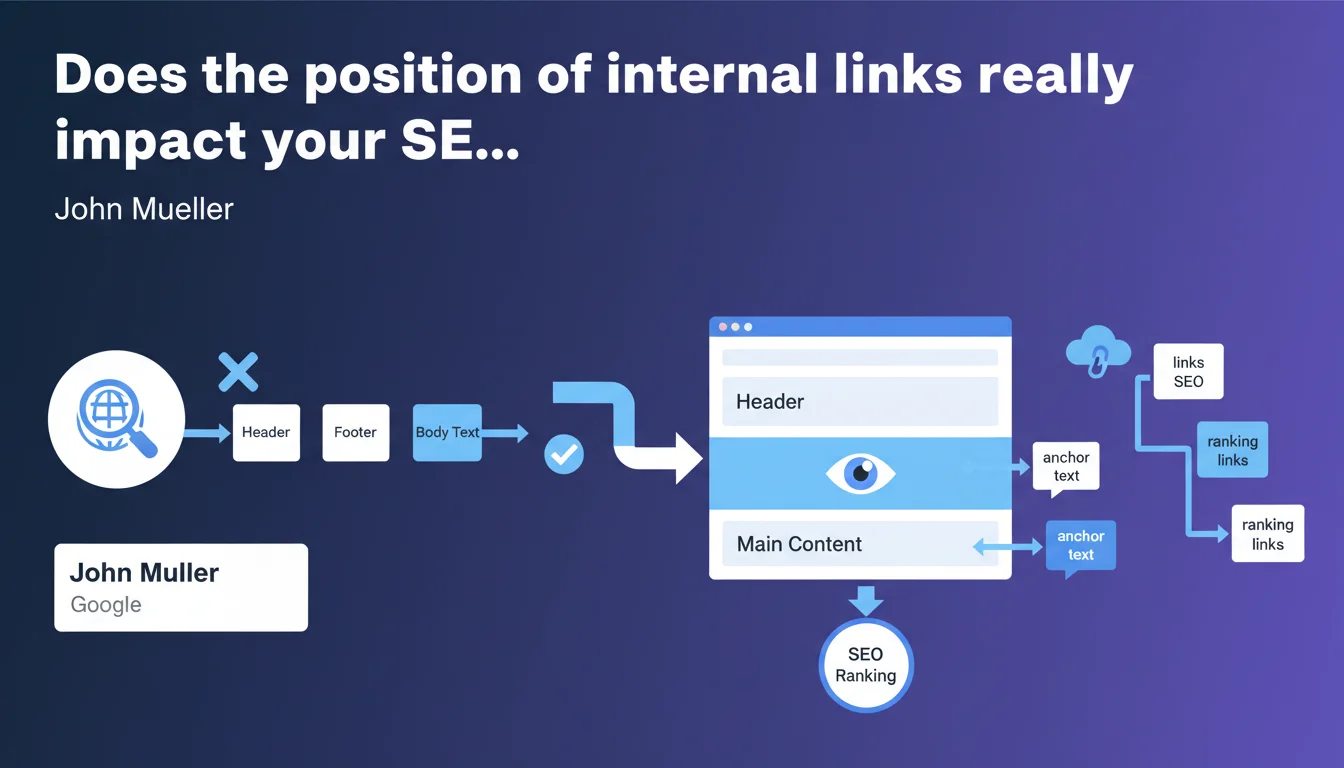
According to John Mueller, the position of an internal link (header, footer, body text) does not significantly influence how Google treats it. The algorithm uses these links primarily to crawl the site and understand context through anchor text. However, useful content for ranking should be placed in the central area of the page.
What you need to understand
What does Google really say about internal link positioning?
Mueller states that the physical location of an internal link – whether it's in the header, footer, or in the middle of text – has no major impact on how Google treats it. What matters is that the link exists and has a descriptive anchor text.
Google uses these links for two specific objectives: crawling the site's pages and understanding semantic relationships between them through anchor text. The link's position doesn't fundamentally change these two functions.
Why this clarification about central content?
Mueller introduces an important nuance: while the position of links isn't critical, that of main content is. Google prioritizes the central part of the page (main content) to assess its relevance and quality.
This means that stuffing the footer with links optimized with anchor text doesn't harm crawling, but placing strategic content in these peripheral areas is ineffective for ranking.
How does Google distinguish navigation links from the rest?
Google is capable of identifying recurring link patterns (menus, footers). These links are treated as navigation elements, useful for crawling but not for transferring "SEO juice" in the same way as contextual links.
This distinction explains why a link in an editorial paragraph can have greater contextual weight for understanding the topic, even though technically all links are crawled.
- Link position: no major impact according to Google
- Link anchor: essential for context and understanding
- Central content: priority for qualitative evaluation
- Navigation links: distinguished from editorial links by Google
SEO Expert opinion
Does this statement contradict field observations?
Not really. A/B tests show that moving a link from the footer to the body text often improves performance, but this isn't related to position itself. It's because a contextual link is generally better anchored, surrounded by semantically rich content, and not buried in a mass of generic links.
Mueller doesn't say all links are equal. He says that their geographic location on the page isn't the discriminating factor. The difference lies in the semantic context and intention of the link.
Is Google transparent about differentiated link weight?
No. [To be verified] Mueller remains evasive about the notion of "link equity" or internal PageRank transfer differentiated by link type. We know Google weights links, but the exact criteria (signal-to-noise ratio, DOM distance, semantic context) are never detailed.
In practice, we observe that links in main content generate more user clicks and probably more indirect "engagement signals." It's difficult to disentangle what's pure algorithm from user behavior.
What nuances should be made for an e-commerce site?
On an e-commerce site, footer links to strategic categories remain useful for crawling and architecture. But if the goal is to promote a specific category, a contextual link from a buying guide or editorial page will be more effective.
Let's be honest: a footer overloaded with 150 links dilutes the algorithm's attention. It's not the position that's the problem, it's the signal-to-noise ratio. Google can crawl, but it prioritizes less what looks like a template.
Practical impact and recommendations
Should you revise your site's internal linking architecture?
No revolution necessary. If your current internal linking relies on menus, footers, and a few editorial links, it works. The important thing is that each strategic page is accessible in 3-4 clicks maximum from the homepage.
On the other hand, if you've neglected contextual links thinking that a well-optimized footer was enough, now's the time to rebalance. Links within content provide semantic context that Google values for understanding thematic relationships.
What errors should you avoid in internal linking?
First error: overloading the footer with dozens of links to strategic pages hoping to boost their visibility. Google will crawl them, but the contextual weight will be low.
Second error: ignoring descriptive anchor text. Whether the link is in a header or in a paragraph, if the anchor is generic ("click here," "learn more"), Google loses signal to understand the target page.
Third error: concentrating all internal links in template areas (sidebar, footer) and neglecting opportunities for natural editorial links that provide context and generate user clicks.
How can you concretely optimize your internal linking?
- Audit your strategic pages: are they linked from editorial content or only from menus?
- Identify opportunities for contextual links between thematically related pages
- Vary link anchors for each target page while remaining descriptive and natural
- Limit the number of footer/sidebar links to avoid dilution (50-70 links max)
- Use tools (Screaming Frog, Oncrawl) to map the internal PageRank flow
- Test the impact of contextual links through A/B testing on similar pages
❓ Frequently Asked Questions
Les liens dans le footer sont-ils pénalisants pour le SEO ?
Un lien dans le contenu a-t-il plus de valeur qu'un lien dans le menu ?
Combien de liens internes maximum dans un footer ?
Faut-il supprimer les liens en sidebar pour concentrer le jus SEO ?
Google pondère-t-il différemment les liens selon leur position DOM ?
🎥 From the same video 16
Other SEO insights extracted from this same Google Search Central video · published on 30/01/2022
🎥 Watch the full video on YouTube →
💬 Comments (0)
Be the first to comment.