
Official statement
Other statements from this video 18 ▾
- □ Does canonical alone really prevent syndicated content from appearing in Discover, or do you actually need to add noindex?
- □ Does Google really penalize multiple domains targeting the same market, or is this just another SEO myth?
- □ Are your JavaScript library vulnerabilities causing your Google rankings to plummet?
- □ Can you really prevent Google from crawling certain parts of a webpage?
- □ Is it really worth your time submitting an XML sitemap to Google?
- □ Why isn't schema.org compliance enough to guarantee Google rich results?
- □ Do HSTS headers really impact your SEO performance?
- □ Does Google really reprocess your sitemap on every crawl?
- □ Does Google really care about the difference between HTML and XML sitemaps? Here's what John Mueller revealed
- □ Does Google really ignore structured data that contains parsing errors?
- □ Do numbers in your URLs really hurt your search rankings?
- □ Does index bloat really exist at Google?
- □ How can you permanently block Googlebot from crawling your website?
- □ Does Google really issue official SEO certifications?
- □ Do multiple navigation menus really hurt your SEO?
- □ Are host groups really a sign of cannibalization you need to fix?
- □ Can you really disavow toxic backlinks by targeting their IP address in Google's tool?
- □ Should you remove the NOODP meta tag from your Blogger sites?
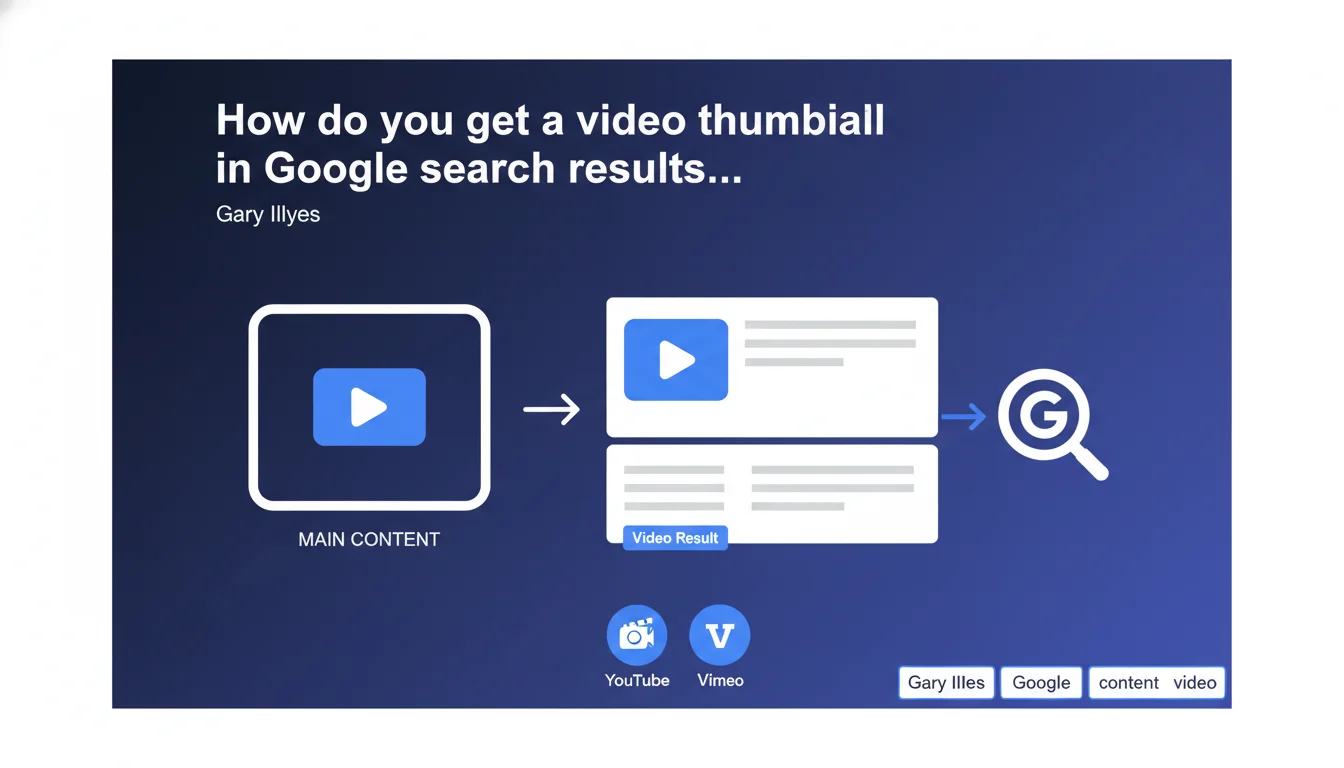
Google only generates a video thumbnail in search results if the video is the main content of the page — meaning it's visible immediately, without scrolling or additional clicks. The reference point: YouTube and Vimeo, where video is clearly the central element. If your video is buried in an article or hidden in a tab, don't expect a thumbnail.
What you need to understand
Google rarely publishes criteria this explicit. Here, Gary Illyes sets a clear rule: for a video to earn its rich thumbnail in the SERPs, it must be immediately visible when users land on the page.
Practical translation: no scrolling, no accordion clicks, no video lost in the middle of a text block. Users should understand at a glance that the video is the heart of the content.
Why does Google enforce this requirement?
The algorithm wants to prevent abuse. If any page with a secondary video could get a thumbnail, the SERPs would be flooded with irrelevant results.
By requiring that the video be the main content, Google ensures that users who click on the thumbnail land exactly on what they expect: a video, not an article with an illustrative video buried at the bottom.
What does 'immediately visible' actually mean?
Gary Illyes doesn't give pixel metrics, but he points to YouTube and Vimeo. On these platforms, the video takes up most of the screen from the moment it loads. That's the benchmark.
In practice, this means: above the fold, generous dimensions, no elements competing for visual attention. If your video is 300x200px in a sidebar, forget about the thumbnail.
- The video must be visible without scrolling when the page loads
- It must occupy a central place in the layout, not be relegated to a supporting role
- The remaining content (text, images) should play a secondary role compared to the video
- Take inspiration from YouTube: the video is the hero, everything else orbits around it
SEO Expert opinion
Is this statement consistent with real-world observations?
Yes, and it's even a welcome confirmation. We've long observed that pages with 'article with illustrative video' rarely get a rich thumbnail, even with perfect VideoObject markup.
Google favors pages where video is clearly the primary format. This makes sense: search intent differs depending on whether you're looking for a video tutorial or a written article with visuals. The video thumbnail should signal video content, not a hybrid.
What nuances should we consider?
The concept of 'main content' remains subjective. Gary Illyes doesn't set a numerical threshold: what's the minimum size? What's the video-to-text ratio? [To be tested] by trying different configurations.
Another point: 'immediately visible' doesn't necessarily mean 'autoplay.' A video set to autoplay could actually be detrimental to user experience. What matters is visual hierarchy, not technical behavior.
When doesn't this rule apply?
If you're creating long-form editorial content where video is a complement, don't try to force the thumbnail. Your featured snippet or position zero could be more valuable than a video thumbnail.
Conversely, if you're targeting high video intent queries (tutorials, product demos, recipes), then yes, restructure your page to make video the hero. But this sometimes means sacrificing text content that could rank for other keywords.
Practical impact and recommendations
What do you need to do concretely to get the thumbnail?
First step: audit your video pages. Open them in private browsing mode, without scrolling. If the video doesn't occupy most of the screen, you have a problem.
Second step: rethink the layout. The video must be centered, wide (at least 600px wide on desktop), and placed before any substantial text content. The title can go above it, but not a 300-word intro block.
What critical mistakes should you avoid?
Don't hide your video in a tab, accordion, or lightbox. Google can't guess it's there if it's not visible on initial page load.
Don't bury the video in an article. If you have 2000 words of text and a 2-minute video in the middle of the page, Google will consider the text to be the main content. No thumbnail.
- Place the video above the fold, ideally after a short title and 1-2 lines maximum of intro text
- Use generous dimensions: 16:9 aspect ratio, minimum width of 600px on desktop
- Add Schema.org VideoObject markup with all required properties (name, description, thumbnailUrl, uploadDate, duration)
- Check in Search Console that Google detects the video correctly (Enhancements > Videos report)
- Test the page in private browsing on both mobile and desktop to confirm the video is immediately visible
- Limit text content before the video: maximum 2-3 introductory sentences
- Avoid pop-ups, intrusive GDPR banners, or anything else that would hide the video on load
❓ Frequently Asked Questions
Le balisage Schema.org VideoObject suffit-il à obtenir une vignette ?
Peut-on avoir une vignette vidéo si la vidéo est en bas de page ?
Quelle taille minimale doit faire la vidéo pour être considérée comme contenu principal ?
Faut-il activer la lecture automatique pour obtenir la vignette ?
Si j'ai un article long avec une vidéo intégrée, comment obtenir la vignette ?
🎥 From the same video 18
Other SEO insights extracted from this same Google Search Central video · published on 07/06/2023
🎥 Watch the full video on YouTube →
💬 Comments (0)
Be the first to comment.