
Official statement
Other statements from this video 18 ▾
- □ Les images freinent-elles vraiment les performances SEO de votre site ?
- □ Quel format d'image choisir pour booster réellement les performances de votre site ?
- □ Faut-il vraiment automatiser la compression de vos images pour le SEO ?
- □ Faut-il vraiment adapter la taille de vos images selon l'appareil de l'utilisateur ?
- □ Faut-il systématiquement utiliser le lazy-loading pour toutes les images en dessous de la ligne de flottaison ?
- □ Faut-il vraiment éviter le lazy-loading sur toutes vos images ?
- □ Faut-il vraiment utiliser l'attribut HTML loading pour optimiser le lazy-loading ?
- □ Les images sont-elles vraiment le principal frein à la performance de votre site ?
- □ Les images mal configurées nuisent-elles vraiment au référencement via les layout shifts ?
- □ Faut-il vraiment adapter la qualité d'image selon la taille d'écran pour le SEO ?
- □ Faut-il vraiment utiliser picture et srcset pour optimiser les images en responsive ?
- □ Comment exploiter les données structurées pour déclarer les versions alternatives d'images ?
- □ Faut-il vraiment activer le lazy-loading sur toutes les images below-the-fold ?
- □ Faut-il vraiment arrêter de lazy-loader toutes vos images ?
- □ Faut-il vraiment utiliser l'attribut HTML loading pour le lazy-loading ?
- 1:22 Faut-il vraiment migrer ses images vers WebP et AVIF pour améliorer son SEO ?
- 1:57 Faut-il vraiment automatiser la compression d'images pour le SEO ?
- 1:57 Faut-il vraiment vérifier manuellement la compression automatique de vos images ?
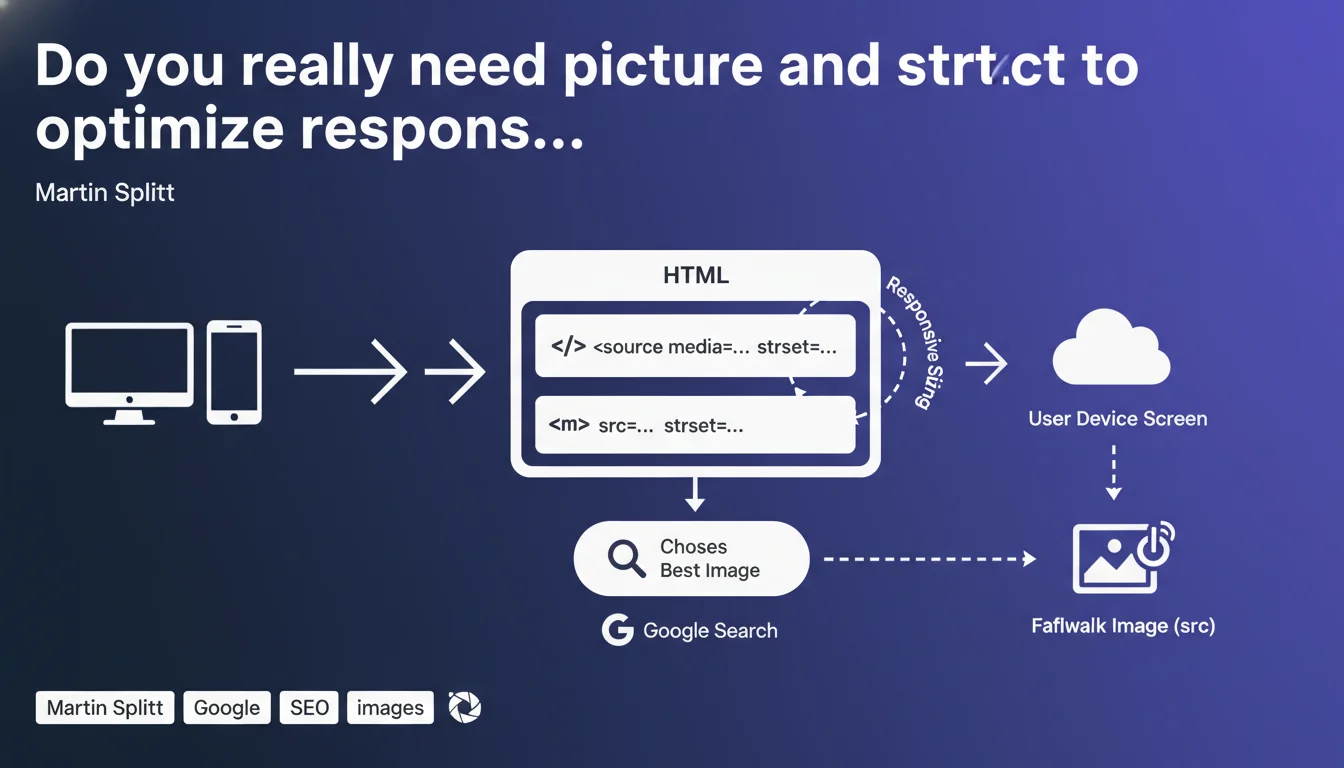
Google Search only uses the fallback image from picture elements or srcset for indexing — other responsive versions are not automatically considered. To signal image variants to Google, you must explicitly add structured data. A gray area that can impact your visibility in Google Images.
What you need to understand
Why does Google only crawl the fallback image?
The srcset attributes and picture element are HTML standards designed to let the browser choose the best version of an image based on context: screen size, resolution, supported format. It's client-side optimization, not server-side.
The problem? Googlebot behaves like a browser with fixed characteristics during crawl. It doesn't simulate all possible scenarios — mobile screen, tablet, desktop high resolution. Result: it selects only one version of the image, typically the one defined as fallback in the classic img tag.
What does this mean concretely for indexing?
If you use picture or srcset to serve images optimized per device, Google will not automatically index all these variants. Only the default image — the one in the src of the img tag — will be taken into account for Google Images.
The other versions? Invisible to Google, unless you signal them explicitly via structured data. Martin Splitt remains unclear about the exact type of structured data to use, but we can assume it's schema.org ImageObject with variants.
What are the key points to remember?
- Google doesn't explore all image sources defined in srcset or picture — only the fallback image.
- For Google to index responsive variants, you must add explicit structured data.
- This limitation can reduce your visibility in Google Images if your best images aren't in the fallback.
- The choice of fallback image becomes strategic: it's the one Google will see and index by default.
SEO Expert opinion
Is this statement consistent with field observations?
Yes and no. On sites with picture/srcset implementation, we indeed see that Google Images mostly indexes the default image. But the part about structured data remains nebulous.
Martin Splitt doesn't specify which type of structured data to use, or how to structure this information. Schema.org offers ImageObject with properties like thumbnail or associatedMedia, but no official example clearly documents how to declare responsive variants. [To verify] — there's a crucial missing concrete use case.
What nuances should be added?
First point: this statement concerns Google Images, not text SEO. Impact on page ranking is indirect — through visual engagement, CTR in rich results, etc.
Second point: if your fallback image is of equivalent or superior quality to the variants, you have no problem. The issue arises when the fallback is a compressed or low-resolution version for performance reasons.
In which cases does this rule really pose a problem?
Typical scenario: you use picture to serve modern formats (WebP, AVIF) with a JPEG fallback for older browsers. If the JPEG is lower quality or poorly optimized, it's this degraded version that Google will index.
Another case: e-commerce sites that load a placeholder image in src and use srcset for actual product images. Google risks indexing the placeholder. Let's be honest — many developers don't think about this.
Practical impact and recommendations
What should you concretely do to optimize responsive image indexing?
First rule: your fallback image must be your best card. Don't treat it as a backup for obsolete browsers. It's the one Google will see, it's the one that will appear in Google Images.
Make sure the src of your img tag points to a high-quality version of the image — ideally the one that corresponds to a standard desktop screen. The srcset variants will serve to optimize for mobile or high resolution, but the fallback remains the reference.
How do you signal image variants to Google via structured data?
This is where it gets tricky. Google doesn't provide an official example for this specific case. In theory, you can use schema.org ImageObject with multiple instances or the associatedMedia property.
Concretely, if you have a product with multiple responsive images, include each relevant variant in your structured data Product > image (which accepts a URL array). Nothing guarantees Google will index them all, but at least you maximize your chances.
What errors should you absolutely avoid?
- Don't put a placeholder or low-res image in the default src.
- Don't forget to add descriptive alt tags — they remain crucial for semantic context.
- Don't use srcset without a quality-equivalent fallback.
- Don't skip testing what Googlebot actually sees: use the URL inspection tool in Search Console to verify which image is crawled.
- Don't neglect EXIF data and compression — even if Google indexes the image, poor quality impacts CTR in Images.
Practical summary: Treat your fallback image as the one that will be indexed by default. Optimize it for quality and file size. If you want Google to know about your other variants, add them explicitly to your structured data — even if the impact remains uncertain due to lack of clear documentation.
These tradeoffs between technical performance, visual quality, and SEO visibility can quickly become complex, especially on sites with thousands of images. If you're looking to maximize your presence in Google Images while maintaining optimal Core Web Vitals, working with a specialized SEO agency can help you avoid costly mistakes and guide you through a tailored implementation suited to your specific context.
❓ Frequently Asked Questions
Google indexe-t-il les images en format WebP ou AVIF servies via picture ?
Quel type de données structurées utiliser pour signaler les variantes d'images ?
L'attribut srcset impacte-t-il le ranking SEO des pages ?
Faut-il privilégier picture ou srcset pour le SEO ?
Comment vérifier quelle image Google a réellement indexée ?
🎥 From the same video 18
Other SEO insights extracted from this same Google Search Central video · published on 02/07/2024
🎥 Watch the full video on YouTube →
💬 Comments (0)
Be the first to comment.