
Official statement
Other statements from this video 18 ▾
- □ Les images freinent-elles vraiment les performances SEO de votre site ?
- □ Quel format d'image choisir pour booster réellement les performances de votre site ?
- □ Faut-il vraiment automatiser la compression de vos images pour le SEO ?
- □ Faut-il vraiment adapter la taille de vos images selon l'appareil de l'utilisateur ?
- □ Picture et srcset pour le responsive : Google indexe-t-il vraiment toutes vos images ?
- □ Faut-il systématiquement utiliser le lazy-loading pour toutes les images en dessous de la ligne de flottaison ?
- □ Faut-il vraiment éviter le lazy-loading sur toutes vos images ?
- □ Faut-il vraiment utiliser l'attribut HTML loading pour optimiser le lazy-loading ?
- □ Les images sont-elles vraiment le principal frein à la performance de votre site ?
- □ Les images mal configurées nuisent-elles vraiment au référencement via les layout shifts ?
- □ Faut-il vraiment adapter la qualité d'image selon la taille d'écran pour le SEO ?
- □ Faut-il vraiment utiliser picture et srcset pour optimiser les images en responsive ?
- □ Comment exploiter les données structurées pour déclarer les versions alternatives d'images ?
- □ Faut-il vraiment activer le lazy-loading sur toutes les images below-the-fold ?
- □ Faut-il vraiment arrêter de lazy-loader toutes vos images ?
- □ Faut-il vraiment utiliser l'attribut HTML loading pour le lazy-loading ?
- 1:57 Faut-il vraiment automatiser la compression d'images pour le SEO ?
- 1:57 Faut-il vraiment vérifier manuellement la compression automatique de vos images ?
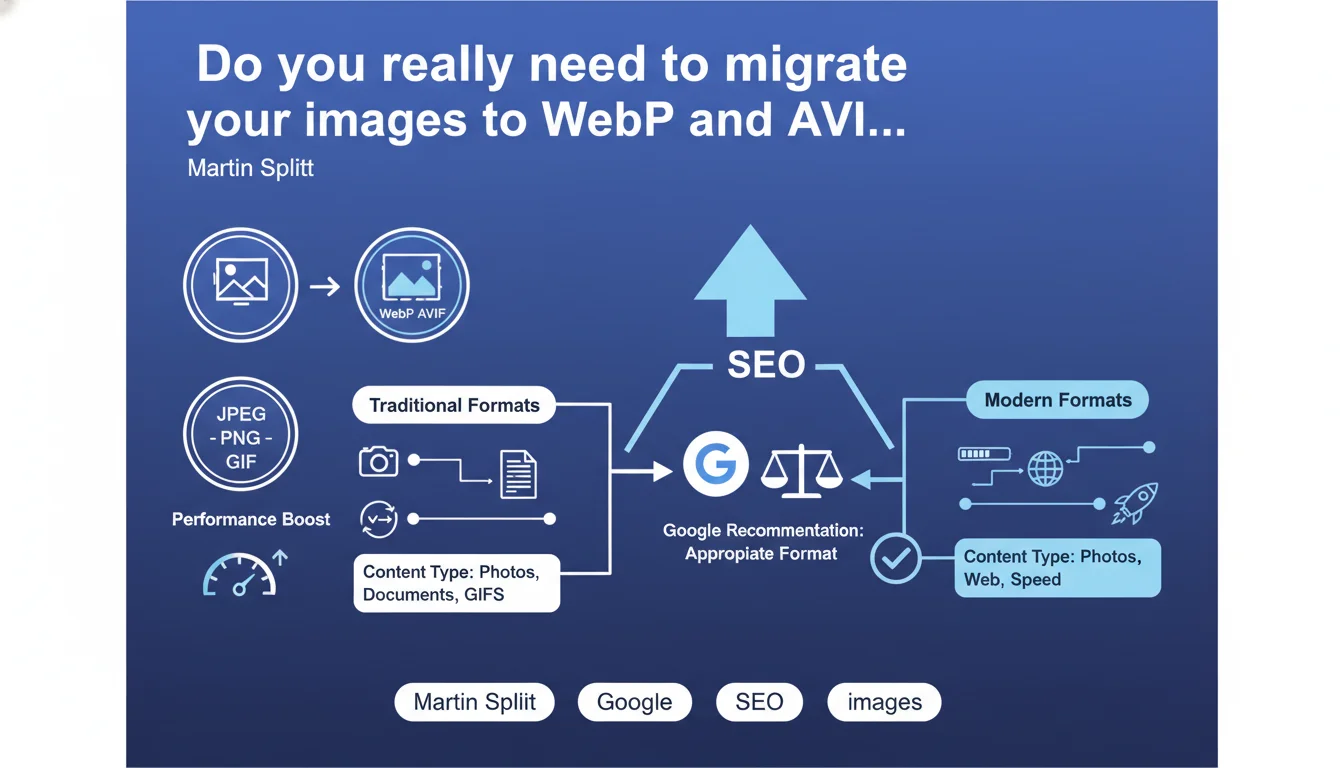
Google officially recommends using modern image formats like WebP and AVIF to improve performance. Traditional formats (JPEG, PNG, GIF) remain acceptable, but newer formats offer better compression without quality loss. The main challenge: reduce page weight to improve Core Web Vitals, particularly LCP.
What you need to understand
Why is Google pushing these modern image formats?
The answer comes down to one word: performance. WebP and AVIF can reduce image file size by 25 to 50% compared to traditional formats, without visible quality degradation. For Google, this is a direct lever on the Core Web Vitals, particularly Largest Contentful Paint (LCP).
Images often represent 50 to 70% of a web page's total weight. Optimizing this bottleneck mechanically improves loading time — and therefore user experience, a ranking criterion since the Page Experience update.
What's the concrete difference between WebP and AVIF?
WebP is the "mature" format: developed by Google, supported by all modern browsers for several years now. It offers a good balance between compression and quality, with broad adoption among hosting providers and CMS platforms.
AVIF is newer and more performant — up to 30% additional compression compared to WebP. The downside? Still incomplete browser support (notably Safari, which lagged behind) and longer encoding times. It's the "next-gen" format to anticipate, but not yet a universal standard.
Are traditional formats penalized by Google?
No. Google doesn't penalize the use of JPEG or PNG. These formats remain fully indexable and eligible for Google Images. The nuance: if your competitors use modern formats and load 40% faster, you mechanically lose rankings on queries where Core Web Vitals make the difference.
It's an indirect penalty — not an algorithmic filter, but a real competitive disadvantage on tight SERPs.
- WebP and AVIF significantly reduce image file size without visible quality loss
- The main impact is measured on LCP (Largest Contentful Paint), a key Core Web Vitals component
- Traditional formats (JPEG, PNG) are not directly penalized, but create a competitive disadvantage
- AVIF offers the best compression but its browser support remains incomplete
- Google's recommendation is part of its broader web acceleration strategy
SEO Expert opinion
Is this recommendation really new?
Let's be honest: no. Google has been evangelizing WebP since 2010 and AVIF since 2020. What's changing is the intensity of the message. With Core Web Vitals now integrated as a ranking factor, image formats have shifted from "best practice" status to priority optimization.
Martin Splitt is simply reaffirming a consistent position. The problem? Google remains vague about the actual weight of this optimization in the overall algorithm. Does moving from JPEG to WebP gain you 5 positions or 0.5 positions? [To verify] — no public data allows us to quantify this impact precisely.
In what cases does this rule not apply?
Exceptions exist and they matter. On a site with high image volume (e-commerce with 50,000 products), migrating to WebP/AVIF represents heavy technical work: re-encoding, managing fallbacks for older browsers, adapting editorial workflows.
The ROI isn't always clear. If your site already loads in under 2 seconds and your Core Web Vitals are green, the urgency is relative. Sometimes it's better to invest that time in editorial content or internal linking — SEO levers with more immediate ROI.
Is Google's messaging consistent with real-world reality?
Yes and no. In Google's tools (PageSpeed Insights, Lighthouse), WebP and AVIF are consistently recommended — perfect consistency. But published case studies showing direct ranking gains after migration remain rare. Field feedback is more nuanced: improved speed metrics, yes. Measurable SEO impact? It depends.
The classic problem: Google simplifies its message to make it accessible, even if it glosses over the nuances. The reality is that image format is one factor among a hundred — important for certain types of sites (media, visual e-commerce), trivial for others (pure info, text-heavy blogs).
Practical impact and recommendations
What should you do concretely right now?
First step: audit your current state. Run a crawl to identify the average weight of your images and their format. PageSpeed Insights will give you an estimate of the potential gain by switching to WebP/AVIF. If the estimated gain exceeds 30%, this is a priority project.
Next, choose your migration strategy. Two main options: on-the-fly conversion (via CDN or plugin) or mass re-encoding. The first is faster to implement but can be expensive in bandwidth. The second requires more initial work but gives you better control.
How do you handle browser compatibility without breaking the experience?
The <picture> tag with <source> elements remains the standard solution. You propose AVIF as priority, WebP as fallback, then JPEG/PNG for older browsers. It's clean, works everywhere, and doesn't penalize any users.
Example structure:
<picture>
  <source srcset="image.avif" type="image/avif">
  <source srcset="image.webp" type="image/webp">
  <img src="image.jpg" alt="Description">
</picture>
Pay attention to lazy loading: combine it intelligently with modern formats to maximize LCP impact. Prioritize loading above-the-fold images in AVIF/WebP, and defer the rest.
What mistakes should you avoid during migration?
- Don't test visual rendering after conversion — AVIF can produce artifacts on certain complex images
- Don't forget to update og:image tags and structured data with new URLs
- Don't neglect images in CSS (backgrounds, sprites) that often escape automatic optimization tools
- Don't deploy without fallbacks and break display for users on older browsers
- Don't ignore the impact on crawl budget if you generate 3 versions of each image (AVIF + WebP + JPEG)
- Don't skip monitoring Core Web Vitals before/after to measure real impact
Migration to WebP and AVIF is a solid optimization lever, but not a magic button. Its impact depends directly on your site's current state, your image volume, and your competitive position. Prioritize this optimization if your Core Web Vitals are in the red and images represent significant page weight.
For high-volume sites or complex architectures, this migration can quickly become a tricky technical project requiring specialized expertise. If you want to maximize impact without risking regression, working with a specialized SEO agency will give you tailored support and help you avoid common deployment pitfalls.
❓ Frequently Asked Questions
WebP et AVIF sont-ils supportés par tous les navigateurs ?
Est-ce que Google Images indexe correctement les images WebP et AVIF ?
Quel gain de poids peut-on espérer en passant de JPEG à WebP ou AVIF ?
Faut-il convertir toutes les images d'un site ou seulement certaines ?
Les CDN proposent-ils une conversion automatique vers WebP/AVIF ?
🎥 From the same video 18
Other SEO insights extracted from this same Google Search Central video · published on 02/07/2024
🎥 Watch the full video on YouTube →
💬 Comments (0)
Be the first to comment.