
Official statement
Other statements from this video 18 ▾
- □ Les images freinent-elles vraiment les performances SEO de votre site ?
- □ Quel format d'image choisir pour booster réellement les performances de votre site ?
- □ Faut-il vraiment adapter la taille de vos images selon l'appareil de l'utilisateur ?
- □ Picture et srcset pour le responsive : Google indexe-t-il vraiment toutes vos images ?
- □ Faut-il systématiquement utiliser le lazy-loading pour toutes les images en dessous de la ligne de flottaison ?
- □ Faut-il vraiment éviter le lazy-loading sur toutes vos images ?
- □ Faut-il vraiment utiliser l'attribut HTML loading pour optimiser le lazy-loading ?
- □ Les images sont-elles vraiment le principal frein à la performance de votre site ?
- □ Les images mal configurées nuisent-elles vraiment au référencement via les layout shifts ?
- □ Faut-il vraiment adapter la qualité d'image selon la taille d'écran pour le SEO ?
- □ Faut-il vraiment utiliser picture et srcset pour optimiser les images en responsive ?
- □ Comment exploiter les données structurées pour déclarer les versions alternatives d'images ?
- □ Faut-il vraiment activer le lazy-loading sur toutes les images below-the-fold ?
- □ Faut-il vraiment arrêter de lazy-loader toutes vos images ?
- □ Faut-il vraiment utiliser l'attribut HTML loading pour le lazy-loading ?
- 1:22 Faut-il vraiment migrer ses images vers WebP et AVIF pour améliorer son SEO ?
- 1:57 Faut-il vraiment automatiser la compression d'images pour le SEO ?
- 1:57 Faut-il vraiment vérifier manuellement la compression automatique de vos images ?
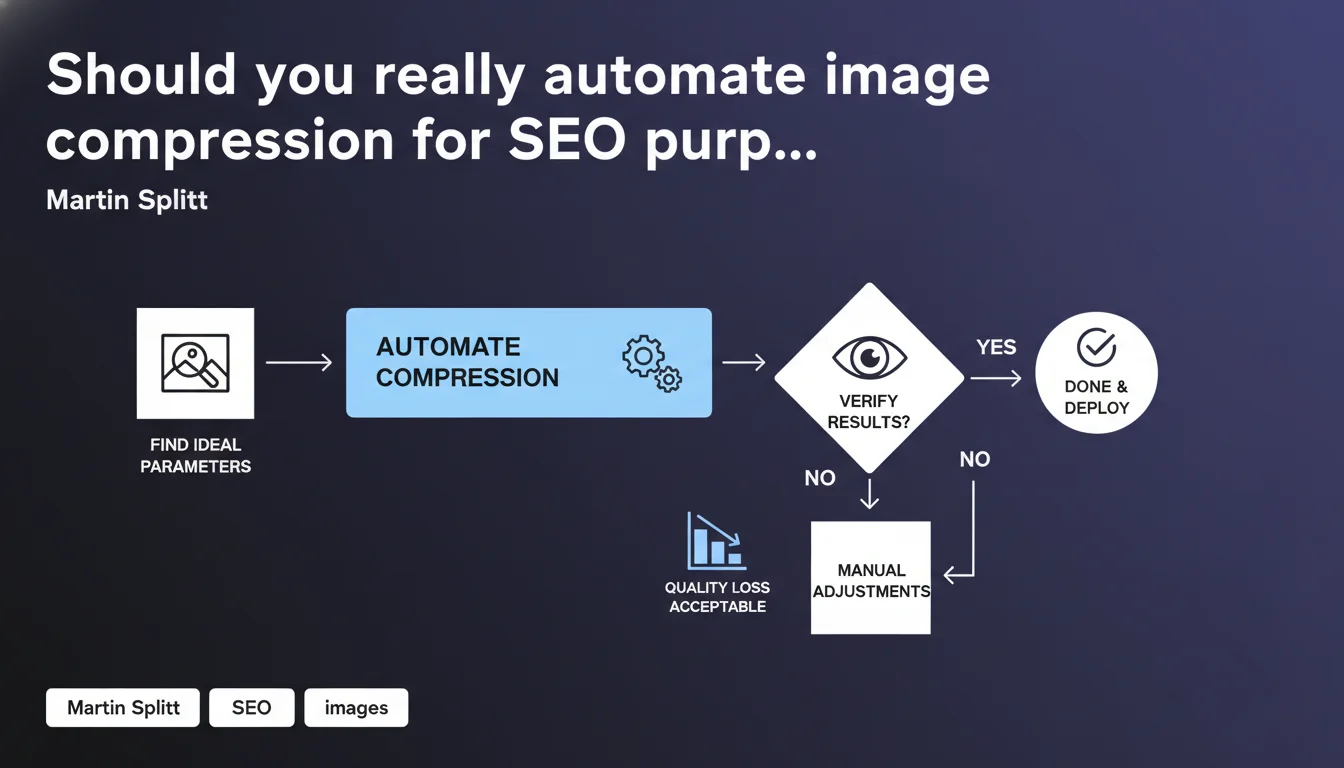
Google recommends compressing images to the maximum without visible quality loss, then automating the process once optimal parameters are found. However, some images will require manual adjustments — full automation is not a magic solution.
What you need to understand
Why does Google insist so much on image compression?
Images represent on average 50 to 70% of the total weight of a web page. Inadequate compression directly impacts the Largest Contentful Paint (LCP), one of the three Core Web Vitals metrics scrutinized by Google since the Page Experience Update.
Martin Splitt doesn't talk about a target size in kilobytes, but rather a balance: compress "as much as possible" without unacceptable visual degradation. The tolerance threshold varies depending on the type of image and context — an e-commerce product photo tolerates less compression than a decorative illustration.
What does "acceptable quality" concretely mean?
Google remains intentionally vague on this point. Acceptable quality depends on business context, device of viewing, and image type. A high-resolution photo for an architecture firm's website doesn't have the same requirements as a blog visual.
The recommended approach: test multiple compression levels (70%, 80%, 90%) and compare visually on different screens. The balance point is where quality loss becomes noticeable for your target audience.
Is automation really reliable?
Splitt implicitly acknowledges the limitations of automation by specifying that "some images may require manual adjustments". Automatic compression algorithms struggle with certain cases: subtle gradients, embedded text, images with complex transparency.
The hybrid approach is therefore the norm: automate the majority of images (products, thumbnails, standard editorial images), but maintain human quality control over strategic visuals.
- Maximum compression without visible quality loss is the objective — not a universal compression rate
- Automation works for 80-90% of cases, but requires systematic verification of results
- The threshold for "acceptable quality" varies depending on business context and image usage
- Compression directly impacts LCP and therefore ranking via Core Web Vitals
- Modern formats (WebP, AVIF) offer better compression/quality ratios than JPEG/PNG
SEO Expert opinion
Is this recommendation consistent with real-world observations?
Absolutely. Performance audits consistently show that poorly optimized images are the primary bottleneck for good LCP. Google practices what it preaches: a faster web means less bandwidth consumed on Google's infrastructure side.
What's missing from this statement? Quantified benchmarks. Splitt provides no compression thresholds, no preferred format, no metrics to measure "acceptable quality". [To verify]: Does Google have internal compression thresholds beyond which an image is considered too heavy? Nothing in public documentation.
In what cases does this approach show its limitations?
Automation works poorly with three types of images: visuals with embedded text (JPEG compression degrades readability), images with high added value (photography portfolios, luxury sites where visual quality is a selling point), and complex graphics with subtle gradients.
Another point: the recommendation ignores the question of lazy loading and responsive design. Compressing an image is good — but serving the right size according to the viewport is better. Optimal compression on 4K can be catastrophic on mobile if the image remains 3000px wide.
What's the real priority: compression or format?
Splitt talks about compression, not format. Yet migrating from JPEG to WebP (average gain: 25-35%) or AVIF (gain: 40-50%) often delivers more benefits than fine-tuning JPEG compression. The unspoken point here is revealing: Google has been pushing these formats for years, but avoids officially imposing them.
In practice, the winning combination is: modern format + adapted compression + responsive images. Isolating compression as Splitt does here is somewhat reductive — but probably more digestible for a broad audience.
Practical impact and recommendations
What should you concretely do to optimize image compression?
First step: audit your existing assets. Use PageSpeed Insights or Lighthouse to identify images that are too heavy. The report precisely indicates potential savings per image — start with those that provide the most gain.
Next, define your compression parameters by image type. Example: e-commerce products in WebP quality 85%, editorial visuals in WebP quality 75%, icons and logos in SVG or optimized PNG. Test each configuration on multiple devices before validating.
How do you automate without losing quality control?
Integrate compression into your publishing workflow. If you're on WordPress, plugins like ShortPixel or Imagify handle conversion + compression at upload. On custom stacks, tools like Squoosh (Google), ImageOptim or services like Cloudinary automate the process.
Critical: implement systematic quality control on a random sample. Regularly verify that automation isn't degrading certain image types — especially those with text or fine details.
What mistakes should you avoid at all costs?
Never compress an already compressed image — you lose quality without significant gain. Don't rely on automatic previews: always verify on real device, not only on your 27-inch developer screen.
Another classic pitfall: forgetting responsive design. A perfectly compressed image but served at 2000px on mobile unnecessarily consumes bandwidth. Use srcset and sizes to serve the right dimension according to viewport.
- Audit images with PageSpeed Insights and prioritize those with high LCP impact
- Define compression profiles by image type (products, editorial, decorative)
- Visually test each configuration on mobile, tablet and desktop
- Automate compression via CMS plugin or CDN with on-the-fly transformation
- Implement regular quality control on random samples
- Prefer WebP or AVIF over JPEG/PNG when compatible
- Implement srcset and sizes to serve the right image size according to device
- Regularly monitor Core Web Vitals via Search Console
❓ Frequently Asked Questions
Quel taux de compression appliquer par défaut sur les images JPEG ?
Faut-il migrer toutes les images en WebP ou AVIF ?
Les outils de compression automatique dégradent-ils vraiment la qualité ?
La compression d'images améliore-t-elle directement le ranking Google ?
Comment vérifier que mes images ne sont pas surcompressées ?
🎥 From the same video 18
Other SEO insights extracted from this same Google Search Central video · published on 02/07/2024
🎥 Watch the full video on YouTube →
💬 Comments (0)
Be the first to comment.