
Official statement
Other statements from this video 9 ▾
- □ Does the Search Console API Really Unlock 50 Times More Data Than the Standard Interface?
- □ Can the Search Analytics API replace the Search Console interface for managing your SEO strategy?
- □ Can the URL Inspection API Really Replace Manual Indexation Testing?
- □ Is Your Declared Canonical Different From Google's? Here's How to Spot It Using the URL Inspection API
- □ Does the URL Inspection API finally reveal the true indexation status of your pages?
- □ Should you be monitoring your sitemaps through Google's dedicated API?
- □ How can combining Search Console API data with other sources transform your SEO reporting?
- □ Can Google's Sites API really streamline how you manage multiple Search Console properties?
- □ Should you really be using Google's client libraries to leverage the Search Console API?
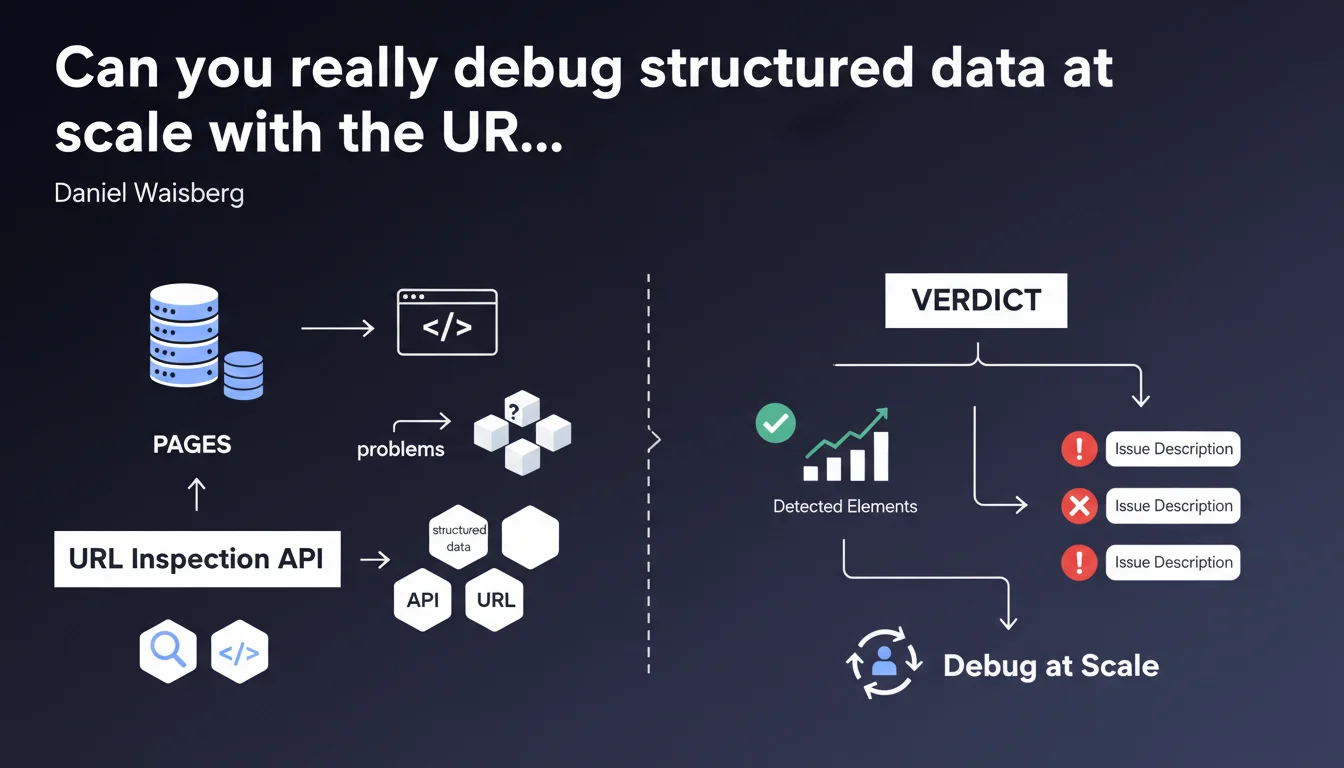
Google confirms that the URL Inspection API enables you to diagnose structured data issues across multiple pages simultaneously. The tool delivers a verdict for each type of rich result, with a complete description of detected elements and identified errors. A technical solution to automate the audit of hundreds of URLs instead of checking page by page in Search Console.
What you need to understand
How does the URL Inspection API differ from the manual Search Console tool?
The URL Inspection API allows you to automate what you do manually in Search Console, but at scale. Instead of testing one URL at a time, you can submit hundreds of requests via scripts and retrieve diagnostics in a structured format.
The main benefit? You get the same data that Googlebot sees — structured data validation, rich result eligibility, detected errors — but programmatically. No more manual copy-pasting to audit 500 product sheets.
What types of problems can the API detect?
The API returns a verdict for each type of rich result (Recipe, Product, FAQ, etc.) found on the page. It lists all detected elements and flags missing, invalid, or poorly formatted properties.
Concretely, if your JSON-LD markup contains a syntax error, a missing required field, or an incorrect price format, the API will flag it with an error description. This is exactly what you see in the "Rich results" tab of Search Console, but accessible via code.
Why is Google clarifying this capability now?
This statement aims to clarify a specific use case of the API that isn't always obvious to developers. Many use the API to verify indexation or force a recrawl, but overlook its potential for massive structured data debugging.
Google is clearly pushing large-scale sites to industrialize their audits. Waiting for errors to surface naturally in Search Console takes time — the API allows you to test upstream, before indexation even happens.
- The URL Inspection API automates the diagnosis of structured data across large volumes of URLs
- It provides the same level of detail as the manual Search Console tool
- Each type of rich result receives a verdict accompanied by a complete list of errors
- Optimal usage: detect problems before indexation or after a massive deployment
- Requires technical implementation via Python scripts, Node.js, or other languages supporting Google APIs
SEO Expert opinion
Does this API really live up to its promises in the real world?
The theory is appealing, but real-world reality is more nuanced. The API works, but it's subject to the same restrictive quotas as other Search Console APIs — and Google doesn't shout that from the rooftops.
With a quota of 600 requests per minute and 2,000 per day per property, you won't be able to audit a 50,000-page site daily. You need to prioritize, segment, sample. The promised industrialization quickly runs into practical limits for large catalogs.
Are the returned verdicts 100% reliable?
Let's be honest: the API returns what Googlebot sees during rendering, but that doesn't guarantee your rich results will display in SERPs. A "Valid" verdict means "technically compliant," not "guaranteed to show up."
Google applies undocumented quality filters that can exclude pages that are technically validated. A perfectly structured recipe might never trigger a rich snippet if the content is deemed too thin or duplicated. [To verify]: the exact correlation between API verdict and actual SERP display remains unclear — Google provides no official metrics on this.
In what cases doesn't this method apply?
The API doesn't replace continuous production monitoring. It tests an instantaneous state of the page but doesn't detect JavaScript regressions that appear randomly depending on devices or user contexts.
If your structured data is injected dynamically on the client side with complex conditions (A/B tests, personalization), the API may return a result different from what some users actually see. And there, you're in a gray area that Google doesn't directly address.
Practical impact and recommendations
How do you concretely implement this automated audit solution?
You'll need a custom script that queries the URL Inspection API for each target URL. Common languages: Python with the official Google API Client library, Node.js, or even Google Apps Script for modest volumes.
The script must handle OAuth2 authentication, respect quotas, store responses in an exploitable format (CSV, database, Google Sheets), and parse returned JSON objects to extract verdicts and errors. This isn't trivial if you're new to Google APIs.
What errors should you avoid when using the API?
First pitfall: testing non-indexed URLs or those blocked by robots.txt. The API may refuse to inspect these URLs or return incomplete data. Always verify that your URLs are crawlable before launching a massive audit.
Second common mistake: ignoring delays between requests. Bombarding the API without throttling will burn through your quotas in minutes and may temporarily block your access. Implement strict rate limiting (example: maximum 10 requests/second).
Third critical point: not prioritizing URLs. Test your key templates first (product sheet, article, strategic landing pages) before spending quotas on secondary or orphan pages.
What should you verify after correcting detected errors?
After fixing your markup, rerun an inspection on a representative sample to validate that errors have disappeared. But don't stop there — monitor the evolution of your rich snippet impressions in Search Console (Performance > Appearance in results).
If verdicts turn green but your rich results don't gain visibility within 2-3 weeks, Google is likely filtering your pages for quality or relevance reasons. At that point, the problem is no longer technical but editorial.
- Configure Search Console API access and generate your OAuth2 credentials
- Develop or adapt a query script with quota and rate limiting management
- List your priority URLs by template or content type
- Launch an initial audit on a sample of 50-100 URLs to validate your setup
- Analyze returned verdicts and errors, prioritize corrections by SEO impact
- Implement corrections on affected templates or content
- Rerun inspection post-correction for validation
- Monitor the evolution of rich snippet impressions in Search Console over 3-4 weeks
❓ Frequently Asked Questions
L'API URL Inspection remplace-t-elle complètement l'outil manuel Search Console ?
Combien d'URLs peut-on tester par jour avec l'API ?
Un verdict 'Valid' garantit-il l'affichage de résultats enrichis en SERP ?
Peut-on utiliser l'API pour forcer l'indexation après correction des erreurs ?
Quels langages de programmation sont compatibles avec cette API ?
🎥 From the same video 9
Other SEO insights extracted from this same Google Search Central video · published on 26/04/2023
🎥 Watch the full video on YouTube →
💬 Comments (0)
Be the first to comment.