
Official statement
Other statements from this video 9 ▾
- □ Pourquoi l'API Search Console révèle 50 fois plus de données que l'interface standard ?
- □ L'API Search Analytics peut-elle remplacer l'interface Search Console pour piloter votre SEO ?
- □ Comment exploiter l'API URL Inspection pour détecter les écarts entre canonical déclaré et canonical Google ?
- □ Peut-on vraiment déboguer les données structurées à grande échelle avec l'API URL Inspection ?
- □ L'API URL Inspection dévoile-t-elle enfin le vrai statut d'indexation de vos pages ?
- □ Faut-il surveiller vos sitemaps via l'API dédiée de Google ?
- □ Pourquoi combiner l'API Search Console avec d'autres sources de données SEO ?
- □ L'API Sites de Search Console peut-elle vraiment simplifier la gestion de vos propriétés ?
- □ Faut-il vraiment passer par les bibliothèques clientes pour exploiter l'API Search Console ?
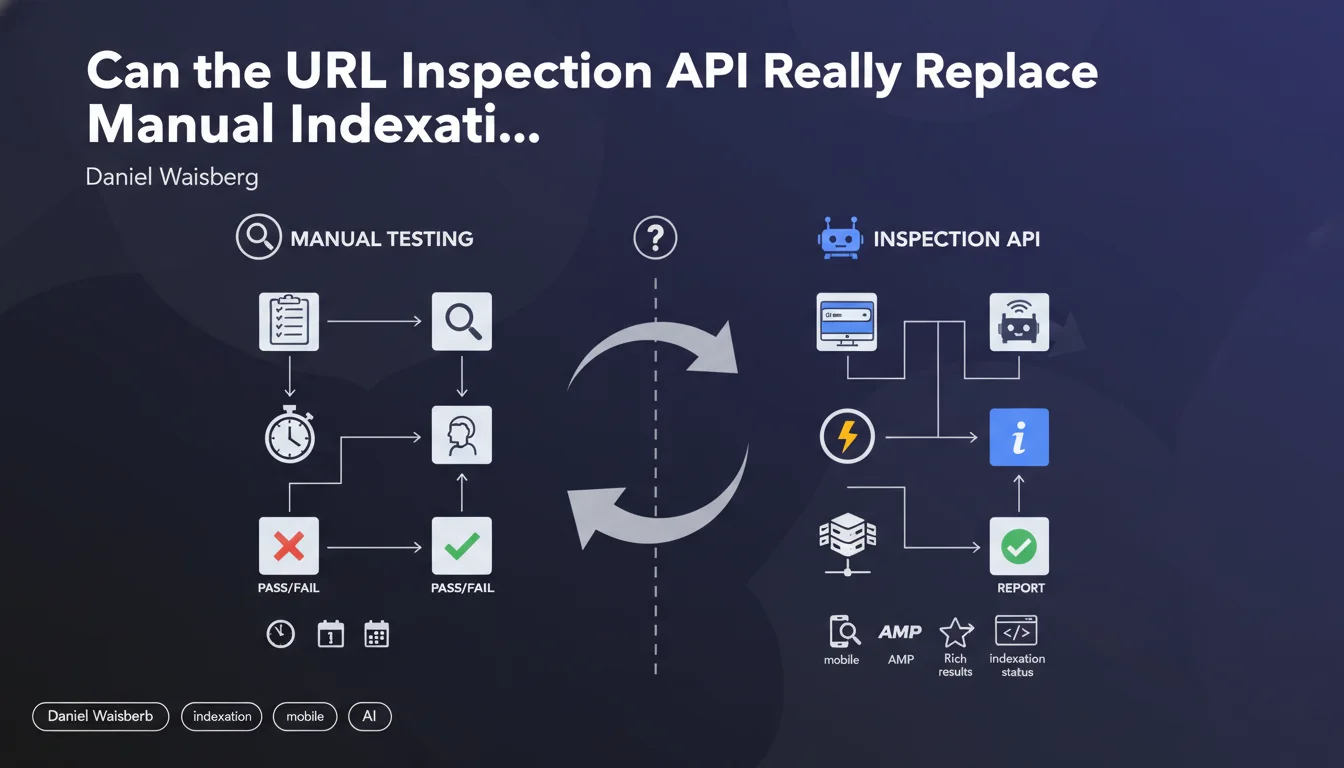
Google offers a URL Inspection API that provides access to the same data as the URL inspection tool in Search Console: indexation status, AMP validity, rich results, and mobile usability. In practical terms, this allows you to automate debugging and optimization of specific pages at scale, without going through the manual interface.
What you need to understand
What does this API really bring compared to the Search Console interface?
The URL Inspection API makes the same information available as the URL inspection tool, but in programmatic form. It returns the indexation status of a page, any AMP-related errors, the validity of rich results (structured data), and mobile usability issues.
The main benefit? Automation. Rather than manually checking each URL in Search Console, you can script bulk checks, monitor migrations, or audit thousands of pages programmatically. It becomes an industrializable debugging tool.
In what concrete cases does this API become essential?
For sites with thousands of pages, manually checking indexation status is practically impossible. The API allows you to quickly detect pages blocked by noindex, canonicalization errors, or structured data problems that prevent rich snippets from displaying.
Another use case: site migrations. After a redesign, you can automate verification that Google is properly indexing the new URLs and encounters no critical errors. This prevents nasty surprises three weeks after go-live.
- Monitoring automation: check the indexation status of hundreds of URLs without manual effort
- Technical debugging: identify AMP errors, structured data, or mobile usability issues at scale
- Post-migration validation: ensure Google is properly indexing the new URLs
- Continuous optimization: track indexation status evolution over time via regular scripts
What limitations should you keep in mind?
The API relies on Search Console data, so it inherits its limitations. Information is not real-time — there can be a lag between your page's current state and what Google returns. If you modify a page, the API won't instantly reflect the change.
Another point: quotas. Google imposes usage limits on API calls. For very large sites, you'll need to manage these quotas intelligently and prioritize which URLs to check. There's no way to analyze everything daily if you manage a 100,000-page site.
SEO Expert opinion
Does this API really change the game for technical SEOs?
Let's be honest: the URL Inspection API brings nothing new in terms of information — these are exactly the same data as the manual interface. The real revolution is programmatic accessibility. For teams managing complex sites or multiple projects, this becomes a massive time saver.
The problem is that Google remains vague about data freshness. How much time passes between crawling a page and updating the information available via the API? [To verify] — Google doesn't precisely document this lag, which can be problematic if you're trying to debug an urgent issue.
In what cases is this API insufficient?
The URL Inspection API gives the final result: indexed or not, valid or not. But it doesn't replace a complete technical audit. It won't tell you why a page takes three weeks to be indexed, or if your internal linking structure is slowing crawl speed.
It also doesn't detect crawl budget or page depth issues. If a URL is technically valid but buried 10 clicks from the homepage, the API will just tell you "not indexed" without pointing to the real structural issue. You need to cross-reference this data with other tools — server logs, third-party crawlers, analytics.
Are the returned data reliable for making strategic decisions?
Search Console information — and therefore the API — is sometimes incomplete or contradictory. You regularly see pages marked as "not indexed" when they actually appear in the index (via a site: search). Conversely, pages reported as indexed disappear from results.
[To verify] — Google doesn't guarantee perfect consistency between the API and the actual index state. Use this data as an indicator, not as absolute truth. Cross-checking with manual tests remains essential for strategic pages.
Practical impact and recommendations
What should you concretely do to leverage this API?
First step: set up API access via Google Cloud Console. You'll need to create a project, enable the Search Console API, and generate OAuth 2.0 credentials. If your team isn't used to handling Google APIs, plan for learning time — the documentation is complete but dense.
Next, identify the priority URLs to monitor. No need to scan everything: focus on strategic pages (conversions, high SEO traffic), new URLs after publishing, or recently migrated sections. Script regular checks and log the results to track evolution over time.
- Enable the URL Inspection API in Google Cloud Console and configure OAuth 2.0
- Prioritize URLs to check: strategic pages, new publications, post-migration URLs
- Automate API calls via a Python, Node.js script or integrate into your CI/CD workflows
- Log results in a database or dashboard to track temporal evolution
- Cross-reference API data with server logs and a third-party crawler for validation
- Set up automatic alerts if strategic URLs shift to "not indexed" status
What mistakes should you avoid when using this API?
Don't fall into the technical over-investment trap: if you manage a 200-page site, the API doesn't add much compared to manual checking. Automation only makes sense with thousands of URLs or in frequent publishing contexts.
Another classic mistake: blindly trusting data without verification. If the API indicates a page is indexed but it appears nowhere in the SERPs (even in exact searches), something's wrong — and it won't be the API that tells you what. Always manually validate suspicious results.
How do you integrate this API into an existing SEO workflow?
The ideal approach is to combine the API with your audit and monitoring tools. For example: your crawler detects a newly published URL, triggers an API call to check its indexation status a few days later, then alerts if Google hasn't indexed it yet. This lets you react fast if an accidental noindex blocks the page.
For DevOps teams, integrate the API into your CI/CD pipelines: before each production deployment, check a sample of URLs to detect regressions (broken structured data, mobile errors, etc.). This prevents discovering a problem three weeks after a failed deployment.
❓ Frequently Asked Questions
L'API URL Inspection donne-t-elle des informations en temps réel ?
Peut-on utiliser cette API pour forcer l'indexation d'une page ?
Quels sont les quotas d'utilisation de l'API ?
L'API détecte-t-elle les problèmes de crawl budget ?
Faut-il avoir des compétences en développement pour utiliser l'API ?
🎥 From the same video 9
Other SEO insights extracted from this same Google Search Central video · published on 26/04/2023
🎥 Watch the full video on YouTube →
💬 Comments (0)
Be the first to comment.