
Official statement
Other statements from this video 9 ▾
- □ Can the Search Analytics API replace the Search Console interface for managing your SEO strategy?
- □ Can the URL Inspection API Really Replace Manual Indexation Testing?
- □ Is Your Declared Canonical Different From Google's? Here's How to Spot It Using the URL Inspection API
- □ Can you really debug structured data at scale with the URL Inspection API?
- □ Does the URL Inspection API finally reveal the true indexation status of your pages?
- □ Should you be monitoring your sitemaps through Google's dedicated API?
- □ How can combining Search Console API data with other sources transform your SEO reporting?
- □ Can Google's Sites API really streamline how you manage multiple Search Console properties?
- □ Should you really be using Google's client libraries to leverage the Search Console API?
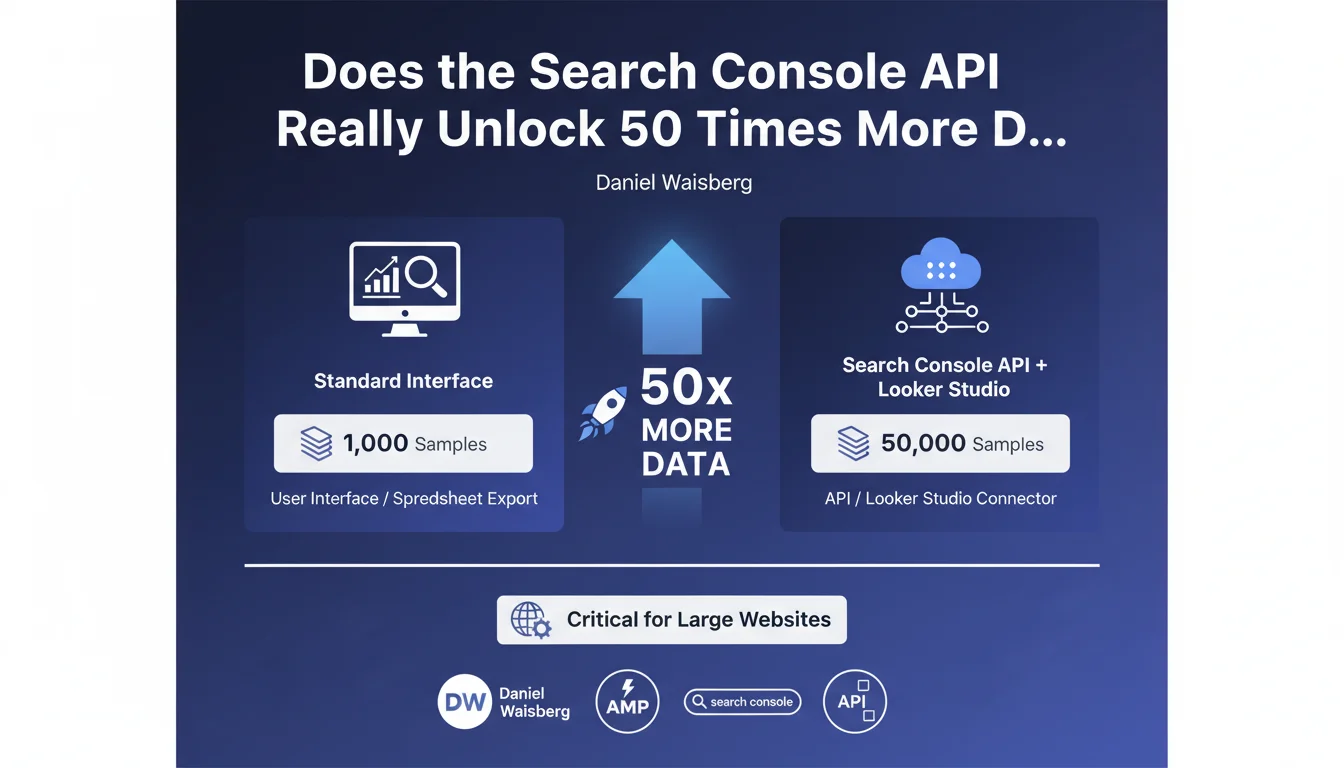
The Search Console API and Looker Studio connector give you access to 50,000 rows of data (pages or queries), versus only 1,000 through the standard user interface or CSV export. For large websites, this UI limitation can hide entire segments of organic performance — and throw your strategic decisions completely off course.
What you need to understand
What exactly is this data volume difference?
The Search Console interface displays a maximum of 1,000 rows in Performance reports, whether you're viewing the tool directly or exporting to a spreadsheet. It's a hard cap, invisible to most users.
The Search Console API and Looker Studio connector (formerly Data Studio), on the other hand, retrieve up to 50,000 samples of pages or queries. That's 50 times more rows available for your analysis.
Why does this limit create a real problem?
For a website with a few hundred pages, 1,000 rows is more than enough. But the moment you're managing a 10,000-product e-commerce site, a media portal, or a multilingual corporate site, you're only seeing a fraction of your actual performance.
Long-tail queries, low-visibility pages, semantic variations — everything beyond the top 1,000 is invisible in the UI. You then make strategic decisions based on a truncated sample, without knowing what's happening in the depths of your organic traffic.
Specifically, what data remains hidden in the interface?
Typically: queries with low individual volume but high cumulative volume, deep site pages that generate a few clicks per month each, keyword variations ranking at positions 20-50 that signal optimization opportunities.
On a large site, the sum of these "hidden" data points can represent 30 to 50% of total organic traffic. Ignoring this mass means flying blind without knowing where your real growth levers are.
- The Search Console UI caps out at 1,000 rows (pages or queries).
- The Search Console API and Looker Studio connector reach up to 50,000 rows.
- This limit impacts primarily large sites with thousands of pages or active queries.
- Missing data typically concerns the long tail and deep pages — exactly where untapped opportunities hide.
SEO Expert opinion
Is this UI limitation consistent with what we observe in the real world?
Absolutely. For years now, SEO practitioners working on high-volume sites have known to plug in the API or use Looker Studio to get a complete picture. It's not breaking news — but many junior teams and in-house marketers still don't know this.
Google officiating this point is welcome. It confirms that the UI is only a partial view, designed for quick monitoring, not deep analysis. If you're managing a large site purely from the web interface, you're navigating with an incomplete map.
Why doesn't Google simply display 50,000 rows directly in the interface?
Two likely reasons. First, there's a display performance issue: rendering 50,000 rows in a browser strains the interface and degrades user experience. The UI is built to be fast and accessible to everyone.
Second, Google implicitly pushes toward its advanced analytics tools — Looker Studio, BigQuery — where data can be manipulated, cross-referenced, and filtered endlessly. It aligns with their cloud and data strategy. [To verify]: there has never been an official statement about the exact reasons for this limit.
What risks come with settling for the 1,000 rows in the interface?
Underestimating long-tail opportunities, first and foremost. You're optimizing maybe the 100 queries that drive the most clicks — but you're missing the 5,000 queries that, combined, matter just as much. Second, you risk misprioritizing your efforts: fixing pages that look strategic in the UI when the real potential lies elsewhere.
For an e-commerce site, this translates to "orphaned" product pages in SEO visibility terms, even though they're capturing qualified traffic invisible in the UI. For a media site, you're missing emerging topics that are climbing in rankings but remain outside the top 1,000.
Practical impact and recommendations
What should you concretely do to access these 50,000 rows?
Two main solutions. The first: use the Search Console connector in Looker Studio (free). You connect your Search Console account, select your dimensions (queries, pages, country, etc.), and automatically retrieve up to 50,000 rows. The interface is visual, and you can cross-reference data with other sources (Analytics, CRM, etc.).
The second: leverage the Search Console API directly, via Python, R, or a third-party tool (SEMrush, Ahrefs, Oncrawl, etc. offer API connectors). More technical, but infinitely more flexible if you want to automate reports, combine with crawl or ranking data, or store history in BigQuery.
What mistakes should you avoid when pulling this data?
Don't confuse sample rows with data completeness. Even with 50,000 rows, the API gives you only a sample: if your site generates 100,000 different queries in a month, you'll only get the first 50,000 (based on your chosen sort order). Segment your queries by category, language, and page type to catch everything.
Another trap: forgetting that Search Console data is already sampled upstream by Google, especially on very large sites. The API gives you more rows, not necessarily more statistical precision on ultra-minority queries. Keep a critical eye on very low click/impression volumes.
How do you verify you're really capturing all available data?
Compare the total number of unique queries or pages visible in the UI (capped at 1,000) with the count you pull via the API or Looker Studio. If you're reaching 50,000 rows, ask yourself: is there still more data beyond? Then segment by period, device type, country to retrieve additional slices.
Also verify that the total clicks/impressions in your extractions matches the totals shown in the UI. If there's a significant gap, you're losing data somewhere — usually due to overly restrictive filters or poorly configured aggregation.
- Connect the Looker Studio connector or tap the Search Console API to access 50,000 rows.
- Segment your extractions (by language, category, period) if your site far exceeds 50,000 active queries/pages.
- Don't equate "more rows" with "completeness": the API remains a sample, albeit an expanded one.
- Cross-reference Search Console data with your server logs or a crawl tool to spot indexed pages that remain invisible in Search Console.
- Automate your reports via the API to track long-tail evolution over time without manually tweaking every month.
❓ Frequently Asked Questions
L'API Search Console donne-t-elle accès à 100 % des données de mon site ?
Le connecteur Looker Studio est-il vraiment gratuit ?
Pourquoi Google limite-t-il l'interface à 1 000 lignes alors que l'API en donne 50 000 ?
Est-ce que les données de l'API sont plus récentes que celles de l'interface UI ?
Faut-il des compétences techniques pour utiliser l'API Search Console ?
🎥 From the same video 9
Other SEO insights extracted from this same Google Search Central video · published on 26/04/2023
🎥 Watch the full video on YouTube →
💬 Comments (0)
Be the first to comment.