
Official statement
Other statements from this video 9 ▾
- □ Pourquoi l'API Search Console révèle 50 fois plus de données que l'interface standard ?
- □ L'API Search Analytics peut-elle remplacer l'interface Search Console pour piloter votre SEO ?
- □ L'API URL Inspection peut-elle vraiment remplacer les tests manuels d'indexation ?
- □ Comment exploiter l'API URL Inspection pour détecter les écarts entre canonical déclaré et canonical Google ?
- □ Peut-on vraiment déboguer les données structurées à grande échelle avec l'API URL Inspection ?
- □ L'API URL Inspection dévoile-t-elle enfin le vrai statut d'indexation de vos pages ?
- □ Pourquoi combiner l'API Search Console avec d'autres sources de données SEO ?
- □ L'API Sites de Search Console peut-elle vraiment simplifier la gestion de vos propriétés ?
- □ Faut-il vraiment passer par les bibliothèques clientes pour exploiter l'API Search Console ?
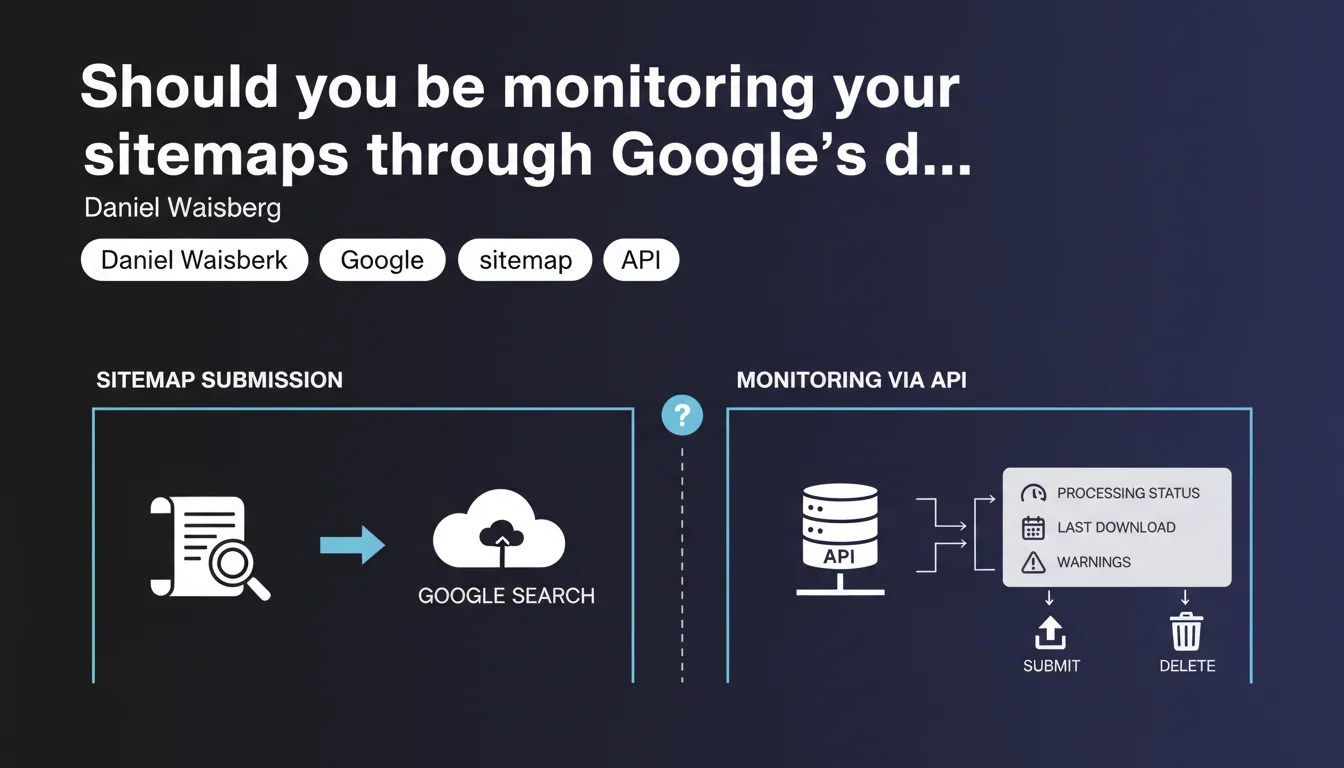
Google offers a Sitemaps API that lets you programmatically retrieve processing status, last download date, and warnings for submitted sitemaps. The API also enables script-based sitemap submission and deletion, opening the door to complete automation of sitemap file management.
What you need to understand
What exactly does this API change compared to the standard Search Console?
Until now, checking your sitemaps' status went exclusively through the Search Console interface. You had to log in, navigate through menus, and manually check reports. The Sitemaps API breaks this pattern: it makes all processing data accessible through programmatic requests.
You can retrieve the processing status (successful, pending, error), the last download date by Googlebot, and any potential warnings — all without going through the web interface.
Why is Google rolling out a dedicated API now?
Modern websites often generate dynamic sitemaps, sometimes split across dozens of files. Manually tracking these files quickly becomes unmanageable for teams running dozens of properties or handling complex architectures.
The API addresses a real need for automation: integrating sitemap submission, monitoring, and error correction directly into deployment pipelines or SEO monitoring tools. Google is acknowledging that practitioners need industrialized solutions.
What information exactly does the API expose?
The API returns three main types of data: the sitemap's processing status, the last download date by Google, and detected warnings (URLs in error, non-compliant formats, etc.).
It also allows you to submit a new sitemap or delete an existing one. In other words, the entire sitemap lifecycle can be managed via code.
- Retrieve processing status and errors
- Check the last sitemap crawl date
- Submit and delete sitemaps programmatically
- Complete automation of monitoring for high-volume sites
- Possible integration into CI/CD workflows and SEO tracking tools
SEO Expert opinion
Does this API really change the game for practitioners?
Let's be honest: if you manage 2-3 sites with a single sitemap, the benefit is limited. The Search Console interface does the job. Where the API becomes truly relevant is with complex architectures — multi-domain, multi-language, marketplaces with thousands of categories.
In these cases, automating sitemap error checks and triggering alerts when processing issues occur delivers real time savings. You avoid oversights and tedious manual verifications.
Can you really trust the statuses returned by the API?
Google indicates that the API returns processing status and warnings, but remains vague about error granularity. How actionable are the error messages? Are they as detailed as in the web interface? [To verify]
In the field, we sometimes observe discrepancies between the status displayed in Search Console and actual indexing reality. The API likely inherits the same limitations: a sitemap marked "processed" doesn't guarantee all URLs are indexed.
What are the risks of automated submission?
Automating sitemap submission via API can generate unintentional spam if misconfigured. Submitting the same unchanged file multiple times per day serves no purpose and risks polluting Google's logs.
Another risk: accidentally deleting a sitemap through a poorly tested script. Once deleted, Google loses the reference and may slow crawling of the affected URLs. Test your scripts in a staging environment before any production automation.
Practical impact and recommendations
What do you need to set up concretely to leverage this API?
First step: enable the Search Console API in your Google Cloud Platform project and generate OAuth 2.0 credentials. You then need to configure permissions to access the relevant Search Console property.
Once authentication is in place, you can start querying the API to retrieve your sitemaps' statuses. Ideally, you'll integrate these requests into your monitoring workflows: daily automated checks, Slack or email alerts when errors are detected.
What mistakes should you avoid during automation?
Don't submit your sitemaps in a loop. Google crawls sitemap files at its own pace, and submitting the same file 10 times in a day won't speed anything up. Worse, you risk being ignored if Google detects an abusive pattern.
Another trap: forgetting to log API responses. If a submission fails silently, you might never notice. Implement a robust logging system to track all API interactions.
How can you verify your sitemaps are being processed correctly?
The API returns a last download date. If this date doesn't update after several days, that's a signal: either the sitemap is no longer being crawled, or it contains blocking errors. Cross-reference this info with the processing status to diagnose.
Also check the warnings returned: URLs blocked by robots.txt, redirect chains, 404 errors. These signals let you fix problems before they impact indexation.
- Enable the Search Console API in Google Cloud Platform
- Configure OAuth 2.0 authentication with necessary permissions
- Secure access tokens and never expose them publicly
- Integrate API requests into your SEO monitoring workflows
- Set up automatic alerts when processing errors occur
- Don't submit sitemaps in a loop — respect Google's crawl pace
- Log all API interactions to track successes and failures
- Regularly check the last download date and warnings
- Cross-reference API data with Search Console indexation reports
❓ Frequently Asked Questions
L'API Sitemaps remplace-t-elle complètement l'interface de la Search Console ?
Peut-on soumettre plusieurs sitemaps en une seule requête API ?
Les avertissements remontés par l'API sont-ils aussi détaillés que dans la Search Console ?
Faut-il soumettre à nouveau un sitemap à chaque modification ?
Quels droits d'accès sont nécessaires pour utiliser l'API Sitemaps ?
🎥 From the same video 9
Other SEO insights extracted from this same Google Search Central video · published on 26/04/2023
🎥 Watch the full video on YouTube →
💬 Comments (0)
Be the first to comment.