
Official statement
Other statements from this video 9 ▾
- □ Pourquoi l'API Search Console révèle 50 fois plus de données que l'interface standard ?
- □ L'API URL Inspection peut-elle vraiment remplacer les tests manuels d'indexation ?
- □ Comment exploiter l'API URL Inspection pour détecter les écarts entre canonical déclaré et canonical Google ?
- □ Peut-on vraiment déboguer les données structurées à grande échelle avec l'API URL Inspection ?
- □ L'API URL Inspection dévoile-t-elle enfin le vrai statut d'indexation de vos pages ?
- □ Faut-il surveiller vos sitemaps via l'API dédiée de Google ?
- □ Pourquoi combiner l'API Search Console avec d'autres sources de données SEO ?
- □ L'API Sites de Search Console peut-elle vraiment simplifier la gestion de vos propriétés ?
- □ Faut-il vraiment passer par les bibliothèques clientes pour exploiter l'API Search Console ?
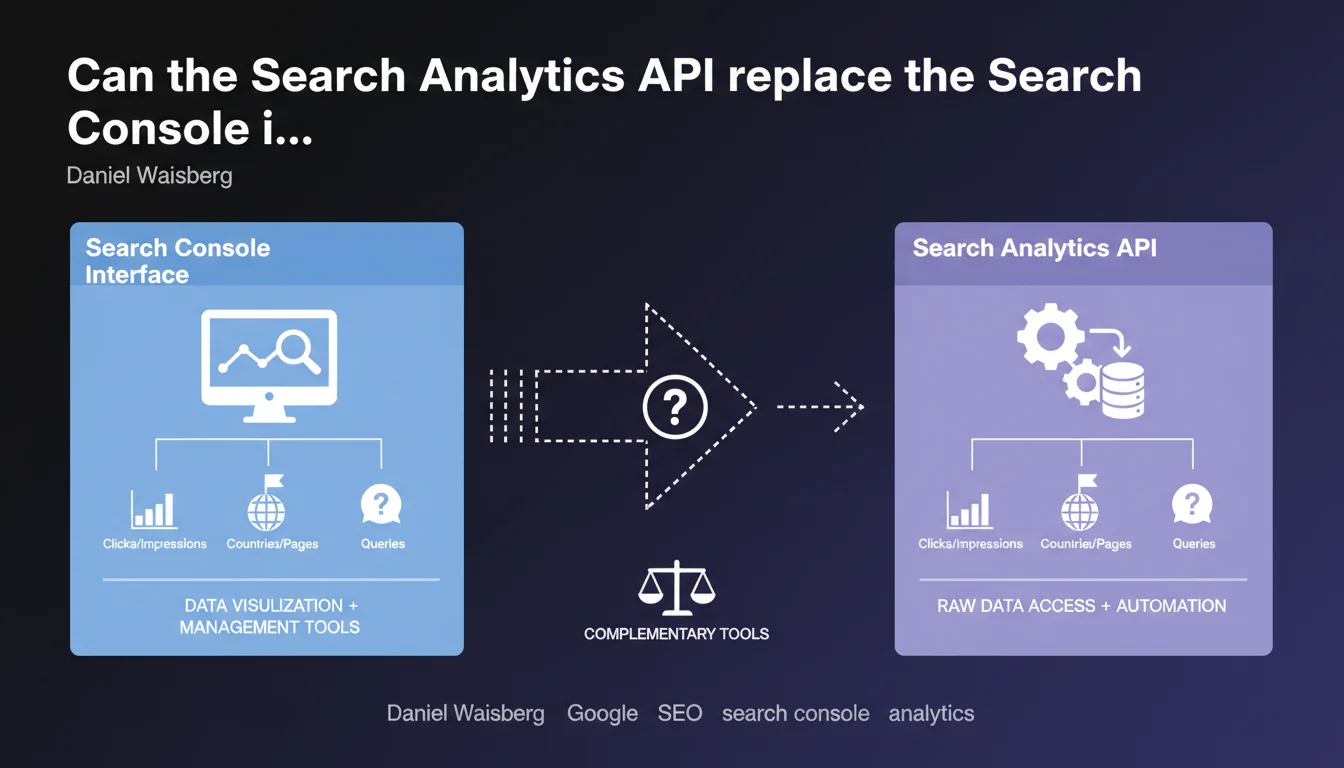
The Search Analytics API provides access to the same performance data as the Search Console interface (clicks, impressions, average position), segmented by queries, pages, countries, and other dimensions. In practice, it allows you to automate data extraction and processing for deeper analysis or custom reporting.
What you need to understand
Why does Google offer a dedicated API for Search Console data?
The Search Console web interface is sufficient for checking a site's performance, but it quickly shows its limitations when you want to cross multiple dimensions or automate reports. The Search Analytics API addresses this need: it exposes the same raw data, accessible through programmatic requests.
This API doesn't invent anything — it makes available what already exists in the performance reports. The difference? You can query this data on demand, store it in your own tools, and cross-reference it with other sources (Analytics, CRM databases, third-party tools).
What data exactly can you retrieve through this API?
The API exposes four main metrics: clicks, impressions, average position, and CTR. You can segment this data according to several dimensions: search queries, landing pages, countries, devices (desktop/mobile/tablet), search type (web/image/video), and dates.
Technically, this is exactly what you see in the "Performance" tab of Search Console, but retrievable as JSON through API calls. No additional data, no hidden metrics — just programmatic access to the same information.
Who should use this API instead of the standard interface?
Three main use cases: SEO agencies managing dozens of clients who want to automate their reporting, SEO software publishers integrating Search Console data into their dashboards, and analysts needing to cross-reference this data with other sources for in-depth studies.
If you manage a single site and check your stats once a week, the web interface is more than sufficient. The API becomes relevant when data volume or analysis frequency justifies automation.
- The Search Analytics API exposes the same data as the Search Console interface, nothing more, nothing less
- Four metrics available: clicks, impressions, average position, CTR
- Segmentation possible by queries, pages, countries, devices, search type, and dates
- Use cases: report automation, integration into third-party tools, cross-analysis
- Requires technical skills or use of tools that already leverage this API
SEO Expert opinion
Does this statement really bring anything new to the table?
Honestly, no. The Search Analytics API has existed for years, and this statement merely reiterates how it works. It reveals no new metrics, no changes in available data.
What deserves to be highlighted is that Google explicitly confirms the parity between the API and the web interface. Some users suspected that the API might provide access to more granular or less sampled data — that's not the case. Both sources draw from the same pool.
What important limitations are not mentioned here?
Google omits several critical constraints. First, the API is subject to strict quotas: 200 requests per day maximum for a Search Console property. If you manage a large site and want to extract granular data across multiple dimensions, you'll hit the ceiling quickly.
Additionally, data is only available over a sliding window of 16 months maximum. It's impossible to retrieve your complete history if your site has existed for several years. [To verify]: some observe minor discrepancies between API data and the web interface when querying recent periods (< 48 hours), likely due to consolidation delays.
Finally, the API does not provide access to Discover data or indexing reports (coverage, Core Web Vitals, structured data). It is limited strictly to organic search performance.
When is the API NOT the solution?
If your goal is to obtain more precise or less filtered data than the web interface, you'll be disappointed. The API unlocks no hidden data. It also doesn't correct the infamous bias of anonymized queries: requests with too few impressions remain masked, whether you use the API or the interface.
For truly advanced analysis — position tracking per query, unlimited historical tracking, non-sampled data — you need to turn to third-party tools that combine crawling, custom tracking, and multiple APIs. The Search Analytics API is a starting point, not an all-in-one solution.
Practical impact and recommendations
What do you need to do concretely to leverage this API?
First step: create a project in Google Cloud Console, enable the Search Console API, and configure OAuth 2.0 authentication. Without technical skills, this part can quickly become a maze.
Next, two options: develop your own scripts (Python, PHP, Node.js...) to query the API, or use tools that already leverage it (Google Sheets with an add-on, Data Studio with connectors, SEO software like SEMrush or Ahrefs). The second approach is much more accessible if you're not a developer.
What errors should you avoid when using the API?
The classic mistake: blowing through your quota of 200 requests by trying to extract too many dimensions at once. Optimize your calls by intelligently grouping data and caching results on the client side.
Another trap: directly comparing API figures with Google Analytics data. Counting methodologies differ (Search Console counts clicks to your site, Analytics counts sessions once on your site). Discrepancies are normal and don't signal an API bug.
Finally, don't neglect error handling and retries. The API may return temporary 500 errors or timeouts — your code must handle these cases to avoid losing data.
How can you verify that you're using the API correctly?
First, test your calls over a small date range and a single dimension. Compare the results obtained via the API with what you see in the Search Console interface for the same period and filters. The figures must match exactly.
Document your code and queries. If you or a colleague need to take over the project six months later, they should be able to quickly understand which dimension is being queried, what filters are applied, and how the data is processed.
- Create a Google Cloud project and enable the Search Console API
- Configure OAuth 2.0 authentication with the necessary permissions
- Optimize API calls to stay under the 200 requests/day quota
- Handle errors and timeouts in your code to ensure reliability
- Validate data by comparing API and Search Console interface over a test period
- Document your scripts and queries to facilitate maintenance
- Don't directly compare Search Console and Analytics metrics (different methodologies)
❓ Frequently Asked Questions
L'API Search Analytics donne-t-elle accès à plus de données que l'interface Search Console ?
Quel est le quota maximum de requêtes API par jour ?
Pourquoi les chiffres de l'API diffèrent-ils parfois de Google Analytics ?
Peut-on récupérer l'historique complet de son site via l'API ?
L'API permet-elle d'accéder aux données Discover ou aux rapports d'indexation ?
🎥 From the same video 9
Other SEO insights extracted from this same Google Search Central video · published on 26/04/2023
🎥 Watch the full video on YouTube →
💬 Comments (0)
Be the first to comment.