
Official statement
Other statements from this video 9 ▾
- □ Pourquoi l'API Search Console révèle 50 fois plus de données que l'interface standard ?
- □ L'API Search Analytics peut-elle remplacer l'interface Search Console pour piloter votre SEO ?
- □ L'API URL Inspection peut-elle vraiment remplacer les tests manuels d'indexation ?
- □ Peut-on vraiment déboguer les données structurées à grande échelle avec l'API URL Inspection ?
- □ L'API URL Inspection dévoile-t-elle enfin le vrai statut d'indexation de vos pages ?
- □ Faut-il surveiller vos sitemaps via l'API dédiée de Google ?
- □ Pourquoi combiner l'API Search Console avec d'autres sources de données SEO ?
- □ L'API Sites de Search Console peut-elle vraiment simplifier la gestion de vos propriétés ?
- □ Faut-il vraiment passer par les bibliothèques clientes pour exploiter l'API Search Console ?
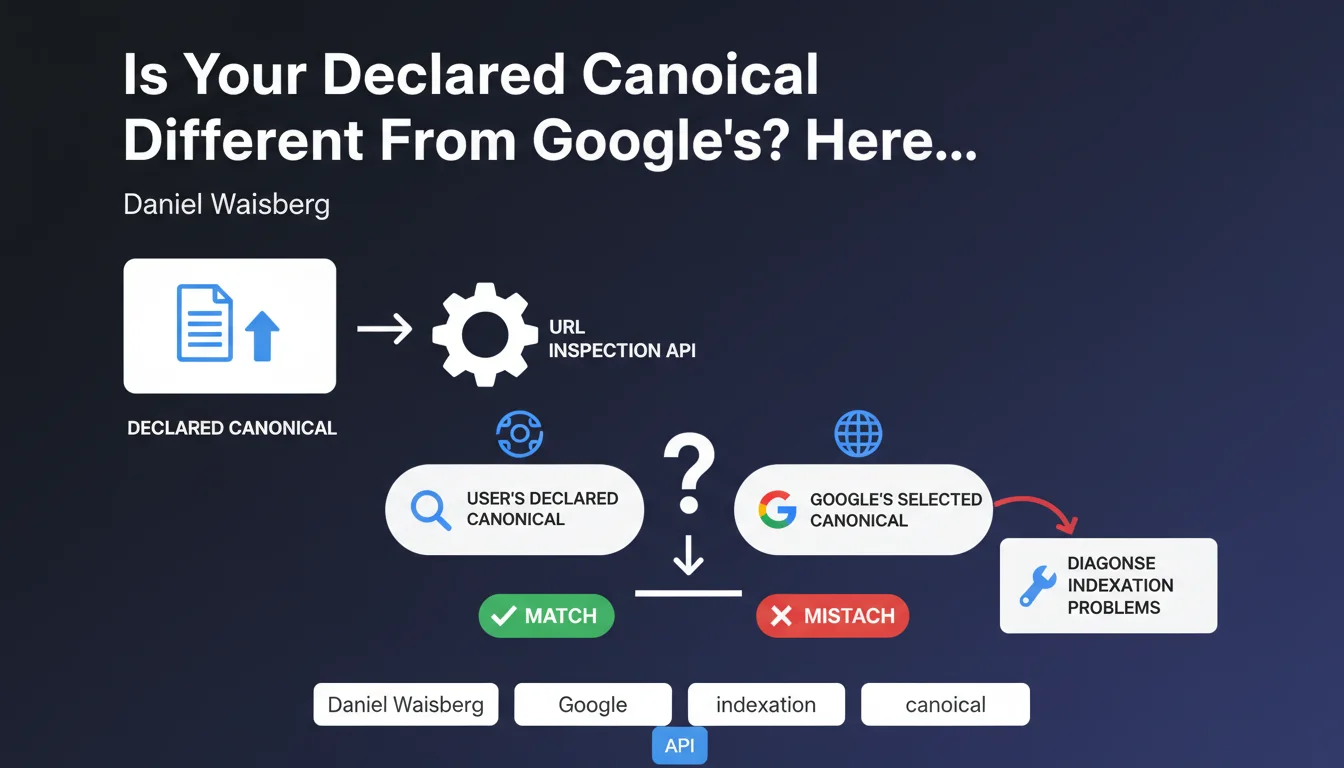
The URL Inspection API now exposes two distinct fields: the canonical URL you declare and the one Google actually selects. Comparing these two values helps you quickly identify indexation issues that remain invisible in standard Search Console. It's a diagnostic tool that should be part of any serious technical SEO audit.
What you need to understand
Why Does Google Expose Two Different Canonicals in Its API?
Google has always had the final say on canonical selection. You can declare a canonical URL via the rel="canonical" tag, HTTP headers, or your sitemap, but Google isn't obligated to respect it.
The URL Inspection API formalizes this distinction by returning two fields: user-declared canonical (what you specified) and Google-selected canonical (what Google actually retained). Previously, you had to cross-reference multiple reports to detect these discrepancies — now it's exposed directly.
When Do These Two Values Actually Diverge?
Divergences occur when Google detects conflicting signals or judges your declaration unreliable. For example: near-identical content without consistent canonical tags, chained redirects, poorly managed URL parameters, or misconfigurations between mobile and desktop variations.
Google can also ignore your canonical if the URL you're pointing to returns a 4xx/5xx error, or if it's not indexable (robots.txt, noindex). In those cases, it'll choose another URL from the series as canonical — often the one it judges most relevant to users.
What Are the Essential Takeaways?
- The URL Inspection API exposes two distinct fields for canonicals: the one you declare and the one Google retains.
- A gap between these two values signals a potential indexation problem or a misalignment between your intent and Google's analysis.
- This feature enables automated detection of these discrepancies at scale, via a script or third-party tool querying the API.
- Google never blindly respects your canonical — it applies its own URL consolidation rules.
SEO Expert opinion
Does This API Really Change the Game for Technical Diagnostics?
Yes, for two reasons. First, it automates a tedious process: previously, you had to manually compare coverage reports, sitemaps, and server logs to spot these divergences. Now, a Python script can query the API on 10,000 URLs and output a CSV of discrepancies in minutes.
Second, it forces Google to be transparent on a point it often dodged: the difference between what the SEO declares and what the crawler actually retains. It ends sterile debates like "but I added the canonical, so why is Google indexing the other URL?"
What Nuances Should You Keep in Mind?
The API doesn't tell you why Google chose a different canonical from yours. You see the gap, but not the cause. It's up to you to cross-reference with logs, redirects, hreflang signals, and more.
Another limitation: the URL Inspection API has a restrictive quota (600 requests/minute for a standard project). For an audit on a large site, you'll need to trim the URLs you test or space out requests. [To verify]: some third-party SEO tools claim to bypass this limit via multiple API keys, but that remains unclear on Google's side.
When Is This Divergence Not Actually a Problem?
Sometimes Google chooses a different canonical for good reasons. For example, if you have an AMP version and a standard version, and you mismanaged canonical declarations, Google can auto-correct by retaining the most relevant version for users.
Similarly, on e-commerce sites with product variants (color, size), Google may decide a variant URL deserves separate indexation if it adds unique content (customer reviews, different images). In that case, the canonical gap isn't an anomaly — it's Google's editorial decision.
Practical impact and recommendations
How Do You Actually Leverage This API to Audit a Site?
Build a script (Python + Google Search Console API) that queries the URL Inspection API on a sample of strategic URLs: category pages, high-traffic product pages, editorial content pages. Compare the two canonical fields and generate a report of divergences.
If you're not a developer, tools like Screaming Frog or OnCrawl already integrate this feature via the API. Configure a weekly crawl that automatically checks for canonical gaps and alerts you to any drift.
What Mistakes Should You Avoid When Analyzing Divergences?
Don't panic if 5-10% of your URLs show a gap. That's normal on large sites with complex history. Focus on high-impact URLs: those driving traffic or conversions.
Also avoid correcting canonicals without cross-checking traffic data. Sometimes Google is right: the URL it chose performs better than the one you designated. Verify each URL's metrics in Analytics or Search Console before making any changes.
Checklist: What Should You Prioritize?
- Query the API on a representative URL sample (at least 500-1,000 for a mid-sized site)
- Identify canonical gaps and sort them by traffic volume in descending order
- Cross-reference with server logs to see if Google heavily crawls non-canonical URLs
- Verify
rel="canonical"tags and HTTP headers on affected pages - Check 301/302 redirects: a redirect chain can disrupt canonical selection
- Analyze hreflang signals: a misstatement can cause Google to ignore your canonical
- Measure traffic impact: if Google's chosen URL performs better, leave it as is
❓ Frequently Asked Questions
L'API URL Inspection est-elle gratuite et accessible à tous ?
Si Google choisit une canonical différente, dois-je systématiquement corriger ?
L'API indique-t-elle pourquoi Google a ignoré ma canonical ?
Peut-on forcer Google à respecter notre canonical déclarée ?
Quel échantillon d'URLs faut-il tester en priorité ?
🎥 From the same video 9
Other SEO insights extracted from this same Google Search Central video · published on 26/04/2023
🎥 Watch the full video on YouTube →
💬 Comments (0)
Be the first to comment.