
Official statement
Other statements from this video 10 ▾
- □ Should you remove HowTo structured data from your pages now that Google has stopped displaying rich results?
- □ Should you abandon FAQ schema markup on your website after Google's restriction?
- □ Should you really let your CMS handle your structured data?
- □ How often does Google really roll out its core updates?
- □ Does Google's Helpful Content System really measure quality at the entire site level?
- □ Should you block third-party content from indexation to avoid Helpful Content penalties?
- □ Why does Google direct you to its documentation when your rankings drop?
- □ Does Google automatically display multilingual site names correctly in search results?
- □ Does Google really filter your pages by language for every search query?
- □ Is Google really indexing your CSV files and should you be concerned about it?
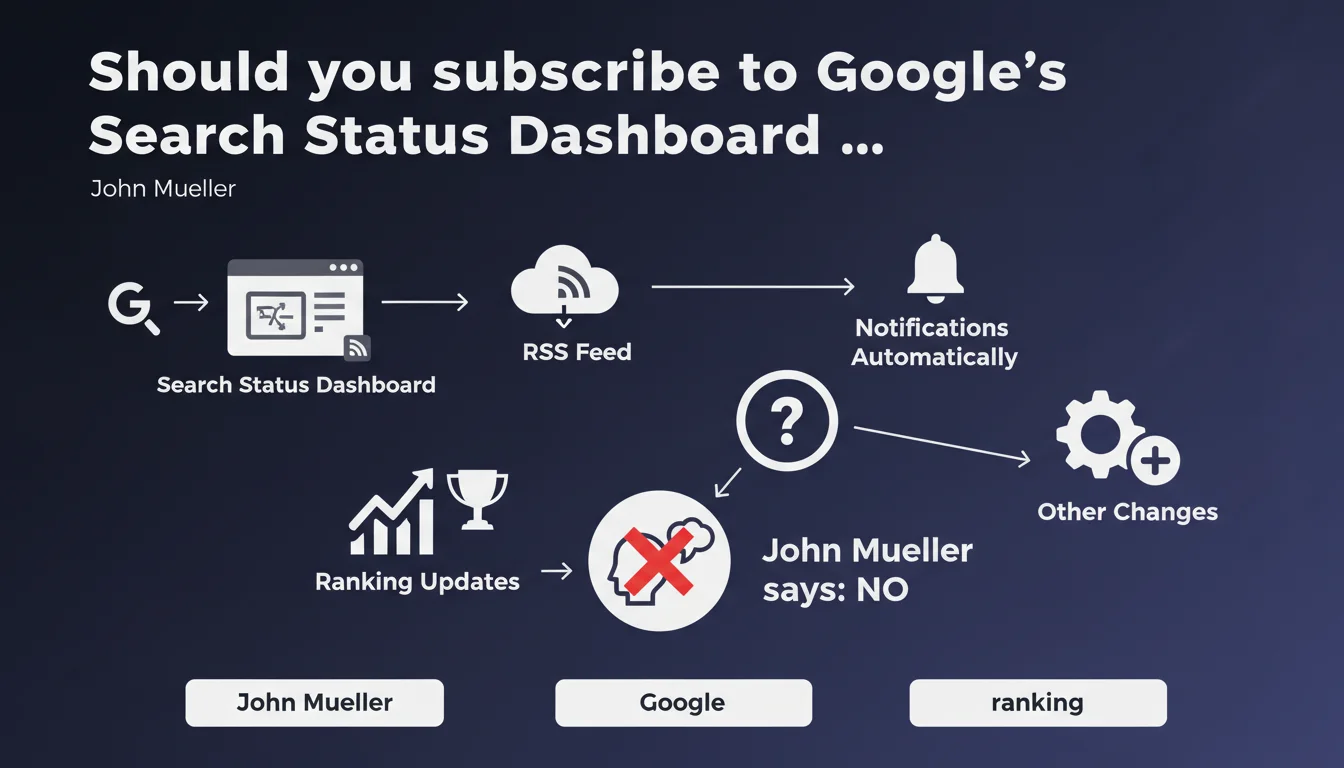
Google offers a Search Status Dashboard with RSS feed to track ranking updates and other important changes. The tool centralizes official notifications, enabling SEO professionals to react quickly to algorithm shifts. In practical terms, this eliminates the need to constantly monitor Twitter or forums to detect ongoing rollouts.
What you need to understand
What exactly is the Search Status Dashboard?
The Search Status Dashboard is a centralized control panel published by Google to communicate about algorithm updates, technical incidents, and other changes that could affect website rankings. The goal: provide SEO professionals with an official information source rather than leaving them to speculate about traffic fluctuations.
The addition of an RSS feed lets you subscribe and automatically receive notifications without having to manually check the page. For professionals managing multiple sites or clients, that's a meaningful time saver.
Why is Google launching this type of tool now?
Historically, Google communicated about Core Updates via Twitter (now X) or scattered blog posts. SEO professionals had to cross-reference multiple sources to confirm whether a traffic drop was actually tied to an official rollout.
This dashboard responds to recurring demands for transparency. By centralizing information, Google reduces confusion and limits false alerts about fake updates that don't actually exist. It's also a way to control the narrative: fewer rumors, more verifiable facts.
What concrete information does the dashboard provide?
The status shows ranking updates underway (Core Updates, Product Reviews Updates, etc.), technical incidents (indexing, crawl, and Search Console issues), and announcements of new algorithms or features.
Each entry specifies the start date, estimated rollout duration, and sometimes official recommendations. The RSS feed broadcasts this information immediately upon publication, with no delay. For an SEO monitoring multiple properties, it's a single source to track.
- Centralization: one URL to follow instead of multiple social media accounts or blogs.
- RSS feed: can be integrated into an aggregator (Feedly, Inoreader, etc.) for automatic notification.
- Official data: less speculation, more verifiable facts about ongoing rollouts.
- History: older entries remain accessible, useful for correlating a traffic drop to a past update.
SEO Expert opinion
Does this initiative really improve Google's transparency?
Yes and no. On one hand, having an official RSS feed centralizes information and eliminates the need to constantly monitor Twitter. On the other hand, the content of notifications often remains vague. Google announces that a Core Update is beginning, but never details which criteria have changed or what impact is expected.
In practice, it confirms what you're already observing in tracking tools (SEMrush, Ahrefs, Sistrix). The dashboard doesn't provide additional actionable data — just official confirmation that something is happening. Better than nothing, but far from revolutionary.
Is the RSS feed enough to anticipate impacts?
No. The RSS notifies you at the moment of launch, sometimes even after initial effects are already visible. To anticipate, you must already be monitoring traffic and ranking fluctuations in real time via third-party tools.
The dashboard confirms a hypothesis; it doesn't formulate one before you've detected it yourself. If your traffic plummets on a Monday morning and Google publishes a Core Update announcement on Tuesday, you've already lost 24 hours wondering whether it's an Analytics glitch or a real problem. [To verify]: Google could publish pre-announcements a few days before a rollout, but this never currently happens.
What risks come with ignoring this dashboard?
The main risk: panicking over nothing. Without official confirmation, some SEO professionals blame every fluctuation on a phantom update. The dashboard lets you distinguish a real rollout from a simple technical bug or seasonal variation.
Ignoring the dashboard also means missing announcements about feature deprecations (such as the end of support for certain schema tags, Search Console changes). These updates sometimes go unnoticed if you only follow a single channel.
Practical impact and recommendations
What should you do concretely right now?
Subscribe to the RSS feed of the Search Status Dashboard as your first step. Integrate it into your usual aggregator (Feedly, Inoreader, or even Slack via Zapier) to receive notifications in real time.
Combine this monitoring with position tracking tools (SEMrush Position Tracking, Ahrefs Rank Tracker, etc.) and traffic monitoring (Google Analytics, Search Console). The idea: detect an anomaly in your data before Google even confirms an update.
How do you correlate a traffic drop with a dashboard announcement?
When a fluctuation appears, compare the start date with the dashboard entries. If a Core Update launched the same day, that's probably the cause. Otherwise, explore other hypotheses: technical issues, aggressive competitors, shifts in user behavior.
Document each correlation in an SEO log. Over time, you'll identify patterns: certain sites are more sensitive to Product Reviews Updates, others to Helpful Content Updates. This historical feedback becomes valuable for anticipating future rollouts.
What mistakes should you avoid with this new tool?
Don't fall into the trap of over-reacting to every notification. A Core Update doesn't mean you need to panic and rebuild your entire site. Wait to see the actual impact on your KPIs before making any changes.
Another common mistake: overlooking minor updates. Some announcements target specific niches (local search, images, video). If you work in these segments, they deserve as much attention as a Core Update.
- Subscribe to the Search Status Dashboard RSS feed via an aggregator
- Set up automatic alerts (email, Slack, etc.) for each new entry
- Cross-reference announcement dates with fluctuations observed in Google Analytics and Search Console
- Keep a log to correlate updates with impacts on your sites
- Don't panic: wait 7 to 14 days after a rollout to evaluate real impact
- Monitor technical announcements (Search Console, indexing, crawl) that often go unnoticed
❓ Frequently Asked Questions
Le flux RSS du Search Status Dashboard est-il disponible pour tous les sites ou seulement certains comptes ?
Les notifications du dashboard arrivent-elles avant ou après le début d'un rollout ?
Le dashboard couvre-t-il uniquement les Core Updates ou aussi les mises à jour spécifiques (Product Reviews, Helpful Content, etc.) ?
Peut-on filtrer le flux RSS pour ne recevoir que certaines catégories de notifications (ex : uniquement les Core Updates) ?
Si mon trafic chute mais qu'aucune mise à jour n'est annoncée, que faire ?
🎥 From the same video 10
Other SEO insights extracted from this same Google Search Central video · published on 05/10/2023
🎥 Watch the full video on YouTube →
💬 Comments (0)
Be the first to comment.