
Official statement
Other statements from this video 10 ▾
- □ Faut-il supprimer les données structurées HowTo de vos pages après l'arrêt des résultats enrichis ?
- □ Faut-il abandonner le balisage FAQ sur votre site après la restriction de Google ?
- □ Combien de fois Google déploie-t-il vraiment ses core updates ?
- □ Le système de contenu utile mesure-t-il vraiment la qualité à l'échelle du site ?
- □ Faut-il bloquer le contenu tiers de l'indexation pour éviter les pénalités du Helpful Content ?
- □ Pourquoi Google vous renvoie-t-il vers sa documentation après une chute de classement ?
- □ Faut-il s'abonner au Search Status Dashboard de Google pour anticiper les mises à jour ?
- □ Les noms de sites multilingues s'affichent-ils automatiquement dans Google ?
- □ Google filtre-t-il vraiment vos pages par langue pour chaque requête ?
- □ Google indexe-t-il vraiment vos fichiers CSV et faut-il s'en préoccuper ?
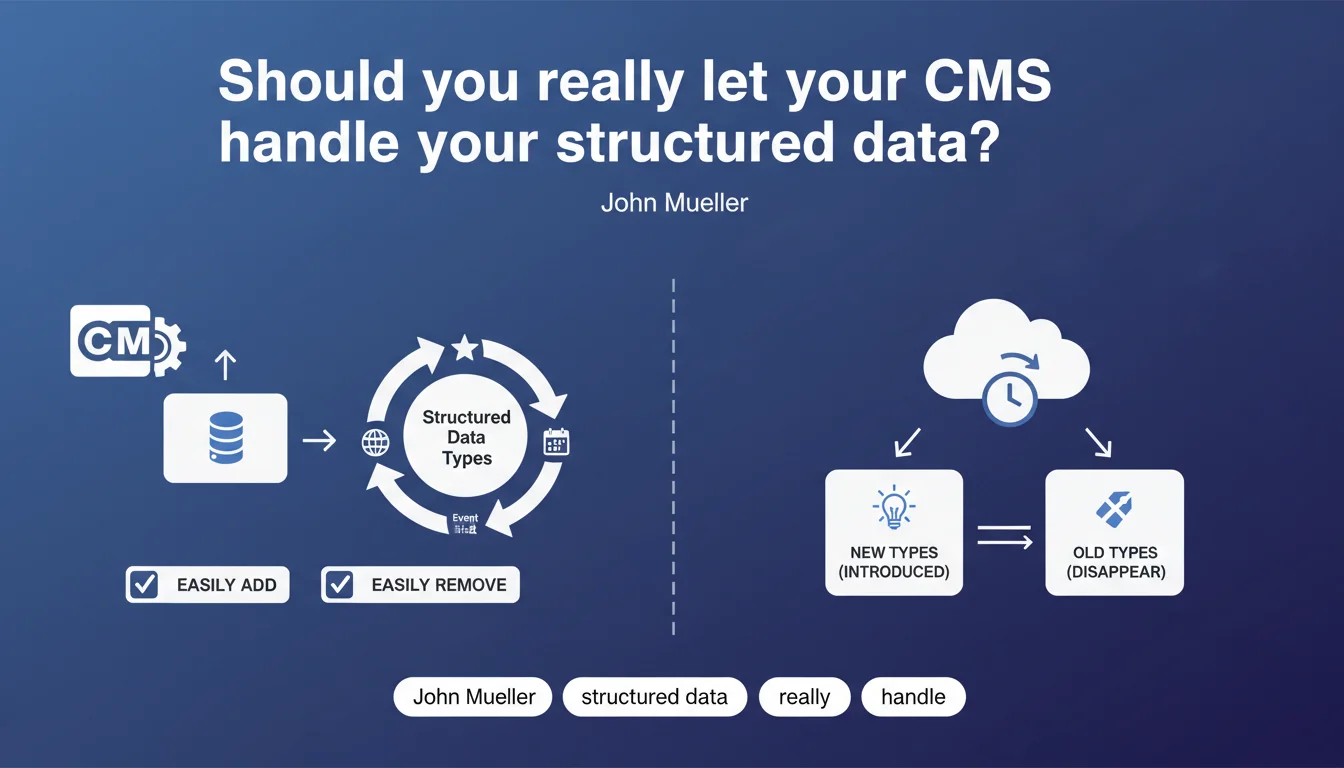
Google recommends delegating structured data management to your CMS, hosting platform, or plugin. The reasoning: Schema.org types are constantly evolving, with new ones appearing and others disappearing. The goal is to streamline updates without heavy manual intervention.
What you need to understand
Why is Google pushing to delegate structured data management?
Google isn't saying you must use a CMS or plugin. But the recommendation is clear: an automated system beats manual file-by-file management every time.
The reasoning boils down to one point: Schema.org types change. New ones emerge (like FAQPage, HowTo, enriched VideoObject), while others become outdated or lose their eligibility for rich results. If you hardcode everything into your templates, you'll struggle to keep your site up to date.
Which types of structured data are affected?
All of them. Articles, products, recipes, events, FAQs, breadcrumbs, organization, local business — the list is long and it keeps changing. Google regularly adds new rich result types, modifies required properties, or abandons certain formats.
A concrete example: Speakable was introduced then essentially abandoned. Sites that had hardcoded it had to manually clean it up. With a plugin, you just uncheck a box.
Do CMSs or plugins guarantee quality structured data?
No. And that's where things get tricky.
A plugin can generate technically valid Schema.org but semantically inappropriate markup. For instance, an e-commerce plugin that pushes a Product schema onto a category page, or generates a breadcrumb that duplicates the one from your theme.
Google doesn't say "use any plugin and everything will be fine." It says "make it easier to add and remove structured data." The distinction is crucial.
- Schema.org types evolve constantly — an automated system makes maintenance easier.
- A CMS or plugin lets you add/remove types without touching code directly.
- But automation ≠ quality — you need to audit what your tool generates.
- Google doesn't guarantee all plugins do good work — it's a methodological recommendation, not a validation of specific tools.
SEO Expert opinion
Is this statement consistent with real-world practices?
Yes and no. Sites that automate their Schema.org through a well-configured CMS or plugin do indeed have less technical debt. When Google adds a new type or changes required properties, they can adapt quickly.
But — and this is a big but — off-the-shelf plugins often generate generic markup that doesn't fit your content perfectly. A WordPress plugin that automatically pushes an Article schema to every post, even those that aren't news articles, is just noise.
I've seen e-commerce sites with three plugins stepping on each other's toes, generating duplicate Product schemas or conflicting breadcrumbs. [To verify]: Google claims its engine handles duplicates intelligently, but cascading errors in Search Console prove that's not always the case.
When is it better to hardcode structured data?
When you have specific requirements that plugins don't cover. For example, a media site with complex articles (multiple authors, frequent updates, nested sections) often requires custom markup.
Same goes for sites using advanced or experimental Schema.org types — some plugins don't support them yet, or support them poorly.
In those cases, custom development version-controlled (via Git or equivalent) is more reliable than third-party plugins whose updates and roadmap you can't control.
Should you trust popular plugins without checking?
No. Never. Even the most downloaded plugins (Yoast, RankMath, Schema Pro, etc.) have their limitations.
Some generate obsolete or non-compliant markup according to Google's latest guidelines. Others mishandle hierarchies (a breadcrumb that skips a level, a malformed ItemList).
Mueller's recommendation is valid if and only if you regularly audit the generated Schema.org. A good test: take 5 typical pages from your site, extract the JSON-LD, run it through Google's Rich Results Test, and verify everything is consistent.
Practical impact and recommendations
What should you do concretely?
If you're using WordPress, Shopify, Wix, or a similar CMS, enable a recognized Schema.org management plugin. Yoast, RankMath, Schema Pro, or Shopify's native modules will work — as long as you configure them correctly.
If you have a custom site or in-house CMS, integrate a templating system for structured data. Avoid hardcoding JSON-LD into each page — centralize the logic in reusable components.
Then audit. Take a sample of pages (homepage, product sheet, blog article, category page, contact page) and verify that the generated Schema.org is relevant and up to date. Use the Rich Results Test and Search Console to spot errors.
What mistakes should you avoid?
First mistake: stacking multiple plugins that all generate Schema.org. Result guaranteed: duplicates, conflicts, and chaos in Search Console.
Second mistake: let a plugin generate default markup without ever checking. For example, a plugin that pushes a FAQ schema across all pages when only certain pages actually contain a real FAQ.
Third mistake: not following Schema.org evolution. Google regularly adds new types or modifies required properties. If your plugin isn't up to date, you miss rich result opportunities — or worse, you keep marking up with obsolete types.
- Enable a plugin or CMS module to automate structured data management.
- Audit the generated Schema.org on a sample of typical pages (homepage, product, article, category).
- Check for duplicates between plugins, theme, and custom code.
- Regularly test with Google's Rich Results Test and monitor Search Console.
- Update the plugin or custom code when new Schema.org types appear.
- Don't mark up blindly — each type must actually match the page's content.
How do you ensure your setup stays optimal over time?
Structured data management isn't a one-time task. Google's recommendations evolve, plugins update, and your content changes. A minimum semiannual audit is recommended.
Follow Google Search Central announcements, watch for new types eligible for rich results, and adjust your configuration accordingly. If you notice a drop in visibility or CTR on certain pages, verify that the Schema.org is still current.
❓ Frequently Asked Questions
Un plugin WordPress suffit-il pour gérer correctement les données structurées ?
Que se passe-t-il si j'utilise plusieurs plugins qui génèrent tous du Schema.org ?
Google pénalise-t-il les sites qui codent les données structurées en dur ?
À quelle fréquence faut-il vérifier les données structurées de son site ?
Le Rich Results Test de Google garantit-il que mon Schema.org est optimal ?
🎥 From the same video 10
Other SEO insights extracted from this same Google Search Central video · published on 05/10/2023
🎥 Watch the full video on YouTube →
💬 Comments (0)
Be the first to comment.