
Official statement
Other statements from this video 11 ▾
- □ Googlebot est-il vraiment un seul programme ou une infrastructure distribuée ?
- □ Le crawl Google fonctionne-t-il vraiment par API avec des paramètres configurables ?
- □ Pourquoi Google ne documente-t-il pas tous ses crawlers dans sa liste officielle ?
- □ Crawlers vs Fetchers : pourquoi Google utilise-t-il deux systèmes distincts pour accéder à vos pages ?
- □ Google réutilise-t-il vraiment le cache entre ses différents crawlers ?
- □ Pourquoi Googlebot crawle-t-il principalement depuis les États-Unis ?
- □ Pourquoi Google ne crawle-t-il pas massivement votre contenu géobloqué ?
- □ Pourquoi le géoblocage peut-il nuire au crawl de votre site par Google ?
- □ Pourquoi Google impose-t-il une limite de 15 Mo par page crawlée ?
- □ Pourquoi Google impose-t-il une limite de 2 Mo pour crawler vos pages web ?
- □ Pourquoi Google limite-t-il le crawl des PDFs à 64 Mo alors que le HTML plafonne à 2 Mo ?
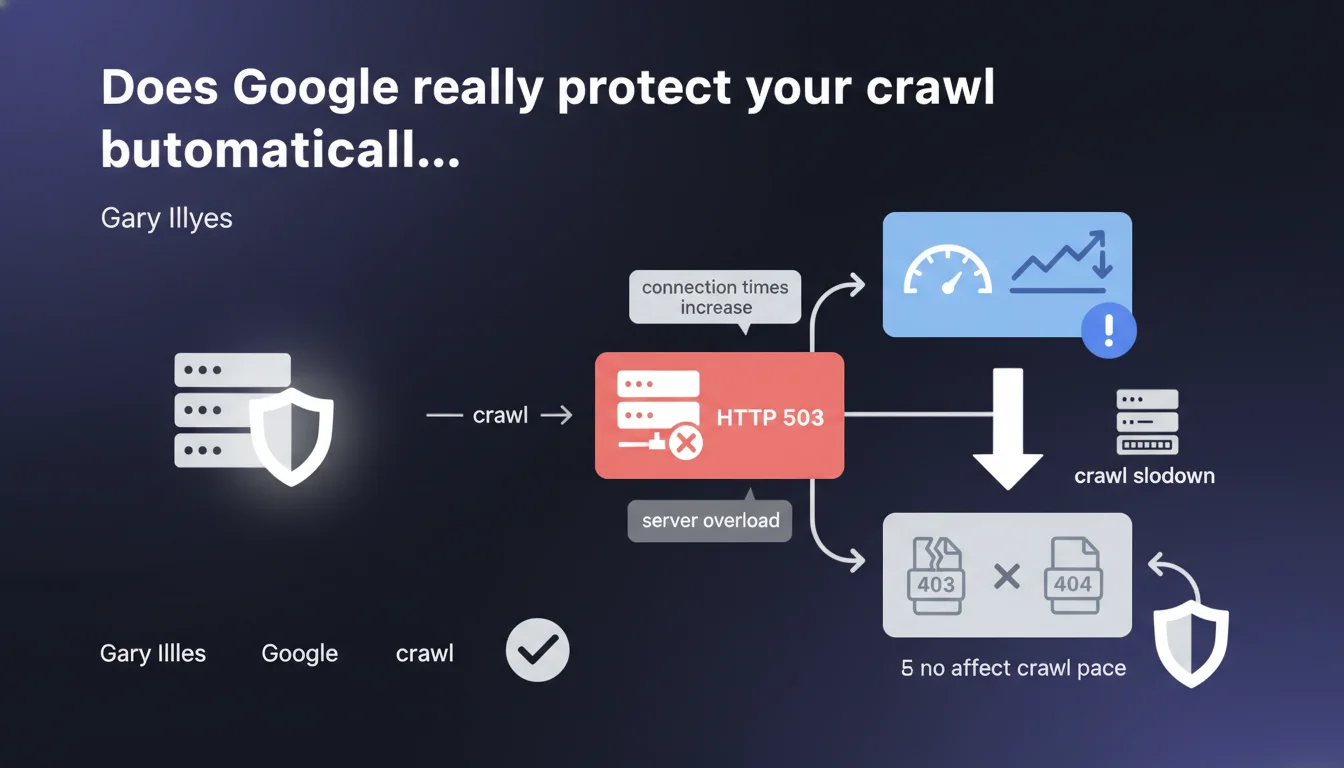
Google's crawl infrastructure automatically slows down if connection times repeatedly increase. In case of HTTP 503 code (server overloaded), the slowdown is even more pronounced. 403 and 404 errors do not influence the crawl pace.
What you need to understand
How does Google detect a server overload?
Google doesn't just send its bots without control. The crawl infrastructure continuously analyzes your server's response times at every request. If connection times repeatedly increase, it's a signal that the server is struggling to process requests.
The HTTP 503 code plays a specific role. Unlike 403 or 404 errors which indicate access or content issues, 503 explicitly signals a temporary unavailability due to overload. Google interprets this code as an implicit request to slow down.
Why don't 403 and 404 errors slow down the crawl?
These HTTP codes don't reflect a technical difficulty for the server to respond. A 403 error means deliberate access denial, a 404 simply indicates that a resource doesn't exist. In both cases, the server responds quickly and without stress.
Google doesn't penalize crawl budget for these common errors. The bot continues its exploration at the same pace, because no technical constraint justifies a slowdown.
What are the precise triggers for automatic slowdown?
Two main criteria: repeated high connection times and presence of HTTP 503 responses. A single high connection time isn't enough — there must be a detectable trend across multiple requests.
The slowdown intensifies if the server returns 503s. Google then understands the situation is critical and drastically reduces the frequency of requests to avoid worsening the overload.
- Crawl automatically slows down if connection times repeatedly increase
- HTTP 503 responses trigger an even more pronounced slowdown
- 403 and 404 errors don't affect the crawl pace
- This way Google protects your server against overload induced by its bots
SEO Expert opinion
Is this protection really reliable in practice?
Yes, to a large extent. Field observations show that Googlebot does effectively adapt its pace when facing degraded response times. But the system's reactivity isn't instantaneous — it sometimes takes several hours before a noticeable slowdown manifests.
The problem: Gary Illyes doesn't specify either the trigger thresholds or reaction delays. [To verify] What latency increase causes the slowdown? How long before the crawl adjusts? These gray areas complicate proactive optimization.
Is 503 code always the best response in case of overload?
In theory yes, in practice it's more nuanced. Returning a 503 signals Google to ease off, but it can also delay indexation of important content. If your server is regularly on the brink of overload, it's better to scale your infrastructure rather than rely on 503 as a lasting solution.
Some hosting providers or CDNs handle 503 poorly and transform it into a timeout, which worsens the situation. Test your configuration before counting on this protection mechanism.
Should you ignore 403/404 errors in crawl monitoring?
No. Even though these codes don't influence the crawl pace, they impact indexation and user experience. A sudden spike in 404s can signal an internal linking problem or failed migration.
The fact that Google doesn't slow crawl pace for 403/404s doesn't mean it ignores them. These errors remain visible in Search Console and can affect rankings if they concern strategic pages.
Practical impact and recommendations
What should you implement to avoid crawl slowdowns?
Continuously monitor server response times as a foundation. If you detect lengthening latencies, identify the cause: heavy requests, traffic spikes, insufficient resources. Don't wait for Googlebot to slow down on its own.
Configure alerts on 503 codes in your logs. An unusual spike should trigger immediate investigation. Also verify that your server returns a 503 (not a timeout) in case of overload.
How to optimize server reactivity to crawl?
Prioritize responses to bots over static content or low-cost resources. If your CMS generates pages on the fly, implement efficient caching to avoid overwhelming your database on each Googlebot request.
Scale your infrastructure according to observed crawl budget. If Google regularly crawls 10,000 pages per day, your server must handle this volume without breaking. An under-dimensioned server slows crawl, thus indexation, thus traffic.
Should you intentionally manipulate 503 code to manage crawl?
No, except in exceptional situations (migration, heavy maintenance). Using 503 as a daily crawl management tool is counter-productive. It sends a weakness signal to Google and risks permanently reducing your crawl budget.
Prefer an approach via robots.txt file (Crawl-delay directives for non-Google bots) or via crawl frequency parameters in Search Console — though Google removed manual control, the system adapts to server capabilities.
- Monitor server response times and configure alerts on repeated increases
- Verify that your server returns a proper 503 (not a timeout) in case of overload
- Scale infrastructure according to observed crawl budget in logs
- Implement efficient caching to reduce load on frequently crawled pages
- Don't use 503 as a daily crawl management tool
- Analyze logs to identify crawl patterns and adjust resources accordingly
❓ Frequently Asked Questions
Un serveur lent ralentit-il automatiquement le crawl Google ?
Faut-il renvoyer un code 503 si mon serveur est temporairement surchargé ?
Les erreurs 404 réduisent-elles le crawl budget ?
Comment savoir si Google a ralenti le crawl de mon site ?
Peut-on forcer Google à augmenter le crawl malgré un serveur lent ?
🎥 From the same video 11
Other SEO insights extracted from this same Google Search Central video · published on 12/03/2026
🎥 Watch the full video on YouTube →
💬 Comments (0)
Be the first to comment.