
Official statement
Other statements from this video 11 ▾
- □ Googlebot est-il vraiment un seul programme ou une infrastructure distribuée ?
- □ Le crawl Google fonctionne-t-il vraiment par API avec des paramètres configurables ?
- □ Pourquoi Google ne documente-t-il pas tous ses crawlers dans sa liste officielle ?
- □ Crawlers vs Fetchers : pourquoi Google utilise-t-il deux systèmes distincts pour accéder à vos pages ?
- □ Google réutilise-t-il vraiment le cache entre ses différents crawlers ?
- □ Pourquoi Googlebot crawle-t-il principalement depuis les États-Unis ?
- □ Pourquoi Google ne crawle-t-il pas massivement votre contenu géobloqué ?
- □ Pourquoi le géoblocage peut-il nuire au crawl de votre site par Google ?
- □ Le crawl budget est-il vraiment protégé automatiquement par Google ?
- □ Pourquoi Google impose-t-il une limite de 2 Mo pour crawler vos pages web ?
- □ Pourquoi Google limite-t-il le crawl des PDFs à 64 Mo alors que le HTML plafonne à 2 Mo ?
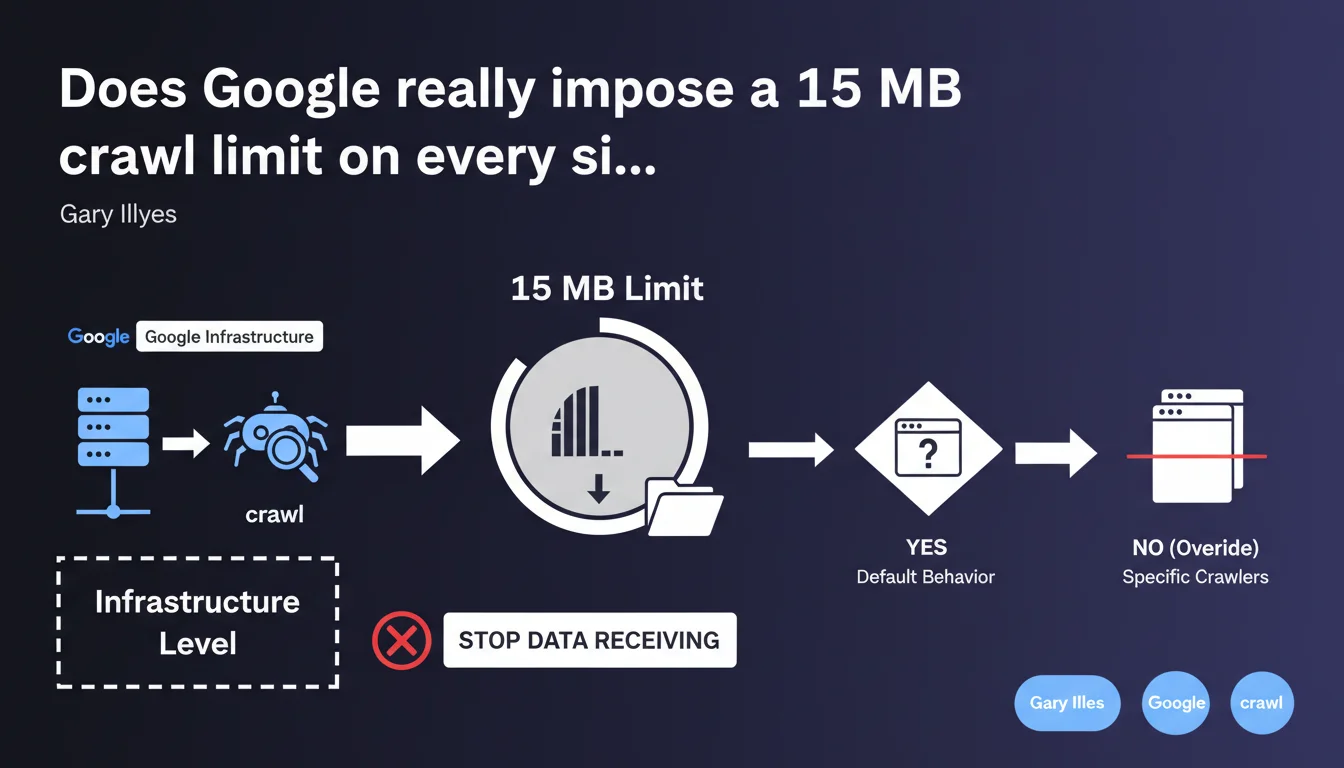
Google enforces a default 15 MB limit on all crawled pages. Beyond that threshold, the crawler stops receiving data. This limit is applied at the infrastructure level to all Google crawlers, except where explicitly overridden.
What you need to understand
What does this 15 MB limit actually mean in practice?
When Googlebot requests a page, it begins receiving HTML, CSS, JavaScript, or other content. If the total file size exceeds 15 megabytes, the crawler cuts the connection and stops receiving the remaining data.
This limit is coded at the crawl infrastructure level, not at the algorithmic level. It therefore applies to all Google bots (Googlebot Desktop, Mobile, Ads, News...) unless a specific crawler overrides it — which happens rarely and opaquely.
Why does Google enforce this constraint?
Two main reasons: resource economy and abuse prevention. Crawling billions of pages is expensive in bandwidth and time. Limiting file sizes prevents a single domain from monopolizing resources by serving massive files.
Second point — a 15 MB page is already enormous for standard HTML. If your page reaches this size, you have a structural problem: bloated JavaScript, base64-encoded inline images, redundant CSS.
Does this limit affect indexation?
Yes, directly. If Googlebot stops receiving data at 15 MB, everything after that point is invisible to the index. Internal links, text content, structured markup — everything that appears after the cutoff is never seen.
For dynamic sites that load content via JavaScript, it's even more problematic. If the main JavaScript exceeds 15 MB (poorly optimized bundles, bloated vendors), the rendering engine cannot execute it completely.
- Universal limit: 15 MB applies to all Google crawlers by default
- Hard cutoff: no negotiation, the crawler stops receiving data abruptly
- Indexation impact: all content beyond 15 MB is lost for Google
- Infrastructure level: technical decision, not algorithmic
- Override possible: certain crawlers can exceed this limit, but it's rare and undocumented
SEO Expert opinion
Is this 15 MB limit consistent with practices observed in the field?
Yes and no. Historically, Google has always had file size limits — this isn't new. Official documentation has mentioned a « several megabytes » limit for years without ever giving a precise figure.
What's new is the explicit confirmation: 15 MB. Before, we were flying blind. Field tests suggested a limit between 10 and 20 MB, but nothing official. Gary Illyes finally puts a number on the table.
Now, the real question — how many sites actually exceed 15 MB per page? Honestly, very few. The median webpage in 2025 hovers around 2-3 MB (HTTP Archive). Sites exceeding 15 MB are generally pathological cases: e-commerce with thousands of inline products, poorly optimized SPAs, unpaginated documentation pages.
What gray areas remain in this statement?
First point — Gary says « unless a crawler overrides it ». [Needs verification] Which crawlers? Under what circumstances? Google provides no details.
We can assume that certain specialized crawlers (Googlebot-Image, Googlebot-Video) have different limits tailored to their use case. But this is an assumption, not documented fact.
Second gray area — does this limit apply only to the initial HTML or also to loaded resources (external CSS, JS)? The phrasing « the crawler stops receiving data » suggests it applies at the level of each individual HTTP request. If your HTML page is 2 MB but your JS bundle is 16 MB, that bundle will be truncated.
Does this limit pose a real problem for most sites?
No, let's be honest. If your page is 15 MB, you already have a performance problem well before worrying about crawling. Users on mobile or slow connections will never see your content.
That said, certain sectors are more at risk: news portals with dozens of widgets, technical documentation sites with inline code, SaaS applications with complex dashboards. For these cases, the 15 MB limit can become an invisible ceiling.
Practical impact and recommendations
How do I check if my site exceeds the 15 MB limit?
First step: audit the size of your pages and resources. Use Chrome DevTools (Network tab) to measure the total size of each HTTP request. Filter by type (Document, Script, Stylesheet) and check individual files.
To automate auditing at scale, tools like Screaming Frog or Sitebulb let you crawl your site and extract the size of each resource. Export the data and sort by descending size — you'll immediately spot outliers.
Attention — don't limit yourself to HTML. Also check your JavaScript bundles and CSS stylesheets. A vendor.js file of 18 MB will be truncated, potentially breaking rendering on Googlebot's side.
What optimizations should I apply if resources exceed 15 MB?
First lever: code splitting. If you use a modern framework (React, Vue, Angular), divide your JavaScript bundles into smaller chunks loaded on demand. Webpack, Vite, or Rollup do this natively.
Second action — eliminate dead code. Tree shaking, removing unused vendors, lazy loading non-critical components. An audit with Lighthouse or Bundle Analyzer often reveals dozens of imported but never-used libraries.
For inline images (base64), stop immediately. Images must be served as separate files, optimized to WebP or AVIF, with lazy loading. A single 4K base64-encoded image can blow up your HTML size.
If you have listing pages with hundreds of products, implement strict pagination or infinite scroll with progressive loading. Google crawls 10 pages of 50 products better than a single page of 500 products.
Should I monitor this metric continuously?
Yes, especially if your site evolves rapidly. Add automated monitoring of resource size into your CI/CD pipeline. Define alert thresholds: if a bundle exceeds 10 MB, block deployment until investigation.
On the SEO side, integrate this check into your quarterly audits. Dynamic sites with multiple dev teams can see their weight explode without oversight — a plugin added here, a third-party lib there, and suddenly your page is 20 MB.
- Audit the size of all strategic pages with DevTools or Screaming Frog
- Check JavaScript and CSS bundle sizes — alert threshold at 10 MB
- Implement code splitting to divide large JS files into smaller chunks
- Remove unused dependencies via tree shaking and bundle analysis
- Convert all inline images (base64) to external optimized files
- Paginate or lazy-load product lists or voluminous content
- Set up automatic alerts in CI/CD if a resource exceeds 10 MB
- Review rendering architecture for SPAs: SSR or pre-rendering if needed
❓ Frequently Asked Questions
La limite de 15 Mo s'applique-t-elle au HTML seul ou à toutes les ressources ?
Que se passe-t-il exactement quand Googlebot atteint la limite de 15 Mo ?
Peut-on demander à Google d'augmenter cette limite pour un site spécifique ?
Les images comptent-elles dans les 15 Mo si elles sont chargées via des balises <img> ?
Comment savoir si Google a tronqué mes pages à cause de cette limite ?
🎥 From the same video 11
Other SEO insights extracted from this same Google Search Central video · published on 12/03/2026
🎥 Watch the full video on YouTube →
💬 Comments (0)
Be the first to comment.