
Official statement
Other statements from this video 11 ▾
- □ Googlebot est-il vraiment un seul programme ou une infrastructure distribuée ?
- □ Le crawl Google fonctionne-t-il vraiment par API avec des paramètres configurables ?
- □ Pourquoi Google ne documente-t-il pas tous ses crawlers dans sa liste officielle ?
- □ Crawlers vs Fetchers : pourquoi Google utilise-t-il deux systèmes distincts pour accéder à vos pages ?
- □ Google réutilise-t-il vraiment le cache entre ses différents crawlers ?
- □ Pourquoi Googlebot crawle-t-il principalement depuis les États-Unis ?
- □ Pourquoi Google ne crawle-t-il pas massivement votre contenu géobloqué ?
- □ Pourquoi le géoblocage peut-il nuire au crawl de votre site par Google ?
- □ Le crawl budget est-il vraiment protégé automatiquement par Google ?
- □ Pourquoi Google impose-t-il une limite de 15 Mo par page crawlée ?
- □ Pourquoi Google impose-t-il une limite de 2 Mo pour crawler vos pages web ?
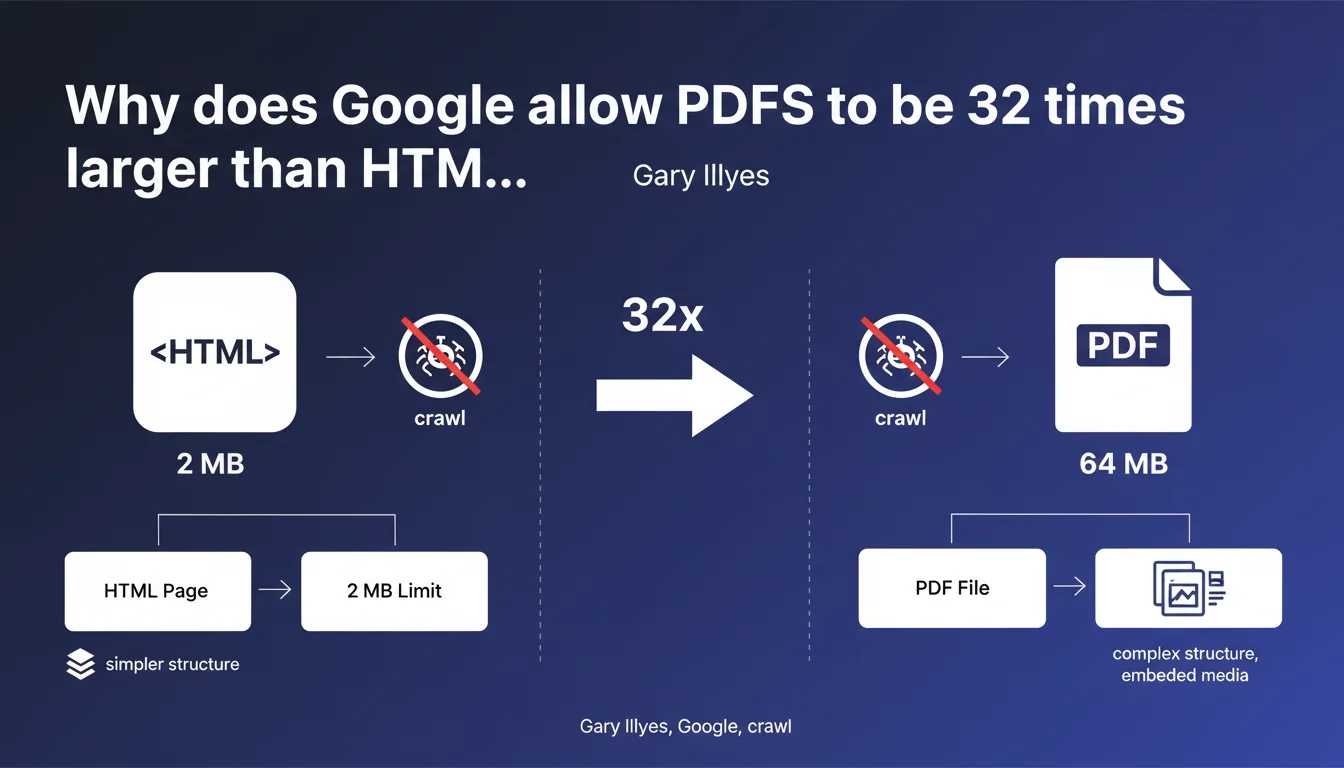
Google applies a crawl limit of approximately 64 MB for PDF files, which is 32 times higher than the 2 MB limit for HTML. This difference exists because PDFs are inherently more voluminous in nature, incorporating fonts, images, and metadata. Any document exceeding this threshold simply will not be crawled in its entirety by Googlebot.
What you need to understand
What exactly is this 64 MB limit announced by Gary Illyes?
Google imposes a strict crawl limit of approximately 64 megabytes for indexable PDF files. In practical terms, if your PDF exceeds this size, Googlebot will stop reading at that threshold and will not index the remaining content.
This restriction applies solely to the crawl process — in other words, the robot's ability to read the file. It does not concern the initial download of the PDF by a user, but rather Google's capacity to extract and index its text content.
Why is this limit 32 times higher than the HTML limit?
HTML files are limited to approximately 2 MB by Google, a constraint known for years. PDFs, on the other hand, carry far more than plain text: embedded fonts, high-resolution images, structured metadata, annotations, interactive forms.
A technical documentation PDF or an annual report can quickly reach several dozen megabytes without being "heavy" in a functional sense. Google calibrated this limit to 64 MB to accommodate the majority of legitimate professional use cases, while preventing Googlebot from crawling excessively large files.
Does this limit apply to all types of PDFs?
Yes, without distinction. Whether it's a native text PDF (generated from Word or InDesign), a scanned PDF with OCR, or a pure image PDF, the 64 MB limit applies uniformly.
Be aware, however: a scanned PDF without OCR will not be text-indexable by Google regardless of size. The crawl limit only comes into play if the content is technically extractable.
- PDF crawl limit: ~64 MB (full file volume)
- HTML crawl limit: ~2 MB (source code only)
- Beyond the threshold: excess content is not indexed
- PDF type: the limit applies to all, but only text/OCR PDFs are indexable
- Practical implications: monitor the weight of PDFs that are strategic for SEO
SEO Expert opinion
Does this 64 MB limit really match what's observed in practice?
Let's be honest: until Gary Illyes made this announcement, most SEO professionals were unaware that a specific limit existed for PDFs. Real-world observation shows that PDFs ranging from 10 to 30 MB generally index without difficulty, which is consistent with a 64 MB ceiling.
However, for very large files — product catalogs at 80 MB, illustrated annual reports at 100 MB — partial indexation problems have often been encountered without always being able to identify the cause. This official clarification finally explains these edge cases. [To verify]: Google has not specified whether this limit has always applied or was introduced recently.
Does the different treatment of HTML vs. PDF create a fairness issue?
Not really. Comparing the 2 MB limit for HTML with the 64 MB limit for PDF makes sense only if you're comparing apples to apples. Modern HTML is rarely "heavy" in itself — it's external resources (CSS, JS, images) that increase a page's weight, and these are not counted within the 2 MB limit.
A PDF, on the other hand, packages everything: fonts, images, metadata. The 64 MB therefore includes the equivalent of HTML plus all its resources. In this sense, Google applies a relatively consistent logic between formats.
Should you worry if a strategic PDF exceeds 64 MB?
It depends on your context. If the PDF in question is a critical SEO asset — for example, a technical guide you want to rank for long-tail queries — then yes, it's a problem.
If it's a supplementary document made available for download (detailed financial report, historical archive), the SEO impact will be limited. But in that case, why keep it indexable? A simple X-Robots-Tag: noindex in the HTTP header or a well-configured robots.txt would solve the issue.
Practical impact and recommendations
What should you do concretely if your PDFs exceed or approach this limit?
First step: audit the PDFs currently indexed on your site. Use a crawler (Screaming Frog, OnCrawl, Botify) configured to extract PDF file URLs and their weights. Filter those exceeding 50 MB — that's your red zone.
For each large PDF, ask yourself: does this document have an SEO purpose? If yes, you need to reduce its weight. If no, de-index it properly.
What techniques can you use to reduce PDF weight without losing quality?
The optimization levers are classical but often overlooked. Compress embedded images (move to 150-200 dpi instead of 300 dpi for web), remove unused fonts, strip unnecessary metadata, disable embedded Photoshop layers.
Tools like Adobe Acrobat Pro, Ghostscript, or online services like Smallpdf enable effective compression. In most cases, an 80 MB PDF can be reduced to 30-40 MB without noticeable degradation on screen.
How can you verify that Google crawls your entire PDFs?
Use Google Search Console to inspect the PDF URL and check the version rendered by Googlebot. If the content appears truncated or incomplete, that's a red flag.
Another technique: search Google for a text phrase located near the end of the PDF (last page, appendices). If it doesn't appear in the index while the document's beginning is well indexed, you likely have a crawl limit issue.
- Audit all indexable PDFs and identify those > 50 MB
- Compress embedded images (150-200 dpi is sufficient for web)
- Remove non-essential embedded fonts
- Break down large documents into multiple thematic files if appropriate
- Test the crawled version via Google Search Console (URL inspection)
- Verify indexation of end-of-document content with targeted searches
- De-index non-strategic PDFs (X-Robots-Tag: noindex or robots.txt)
- Implement recurring monitoring of published PDF weights
❓ Frequently Asked Questions
La limite de 64 Mo s'applique-t-elle au poids du fichier sur le serveur ou au poids une fois décompressé ?
Si je découpe un PDF de 80 Mo en deux fichiers de 40 Mo, Google les indexera-t-il tous les deux intégralement ?
Un PDF hébergé sur un CDN externe (type Google Drive, Dropbox) est-il soumis à la même limite ?
Les PDFs générés dynamiquement (factures, rapports personnalisés) sont-ils concernés par cette limite ?
Google prévoit-il d'augmenter cette limite à l'avenir avec l'évolution des infrastructures ?
🎥 From the same video 11
Other SEO insights extracted from this same Google Search Central video · published on 12/03/2026
🎥 Watch the full video on YouTube →
💬 Comments (0)
Be the first to comment.