
Official statement
Other statements from this video 13 ▾
- □ Pourquoi vos fiches produits n'apparaissent-elles pas dans les carrousels Shopping de Google ?
- □ Comment Google affiche-t-il les fourchettes de prix dans les rich snippets grâce au balisage Schema.org ?
- □ Comment alimenter efficacement l'infrastructure shopping de Google pour maximiser la visibilité produit ?
- □ Faut-il contrôler la fréquence de rafraîchissement de vos flux produits dans Merchant Center ?
- □ Le rapport Merchant Listing dans Search Console va-t-il remplacer Merchant Center ?
- □ Faut-il vraiment utiliser schema.org ET Merchant Center pour ranker en shopping ?
- □ Pourquoi le prix et la disponibilité déterminent-ils la visibilité de vos fiches produits dans Google Shopping ?
- □ Schema.org vs feed specification : faut-il choisir entre les deux formats de données pour le shopping ?
- □ Comment Schema.org peut-il mieux gérer les variantes produits que les feeds ?
- □ Pourquoi Google refuse-t-il d'afficher vos produits si les prix ne correspondent pas entre le flux et le site ?
- □ Google applique-t-il vraiment les mêmes filtres de politique à Shopping qu'en recherche classique ?
- □ Le crawl budget limite-t-il vraiment les mises à jour de prix dans Google Shopping ?
- □ Pourquoi Google lance-t-il un rapport dédié aux impressions et clics produits dans Merchant Center ?
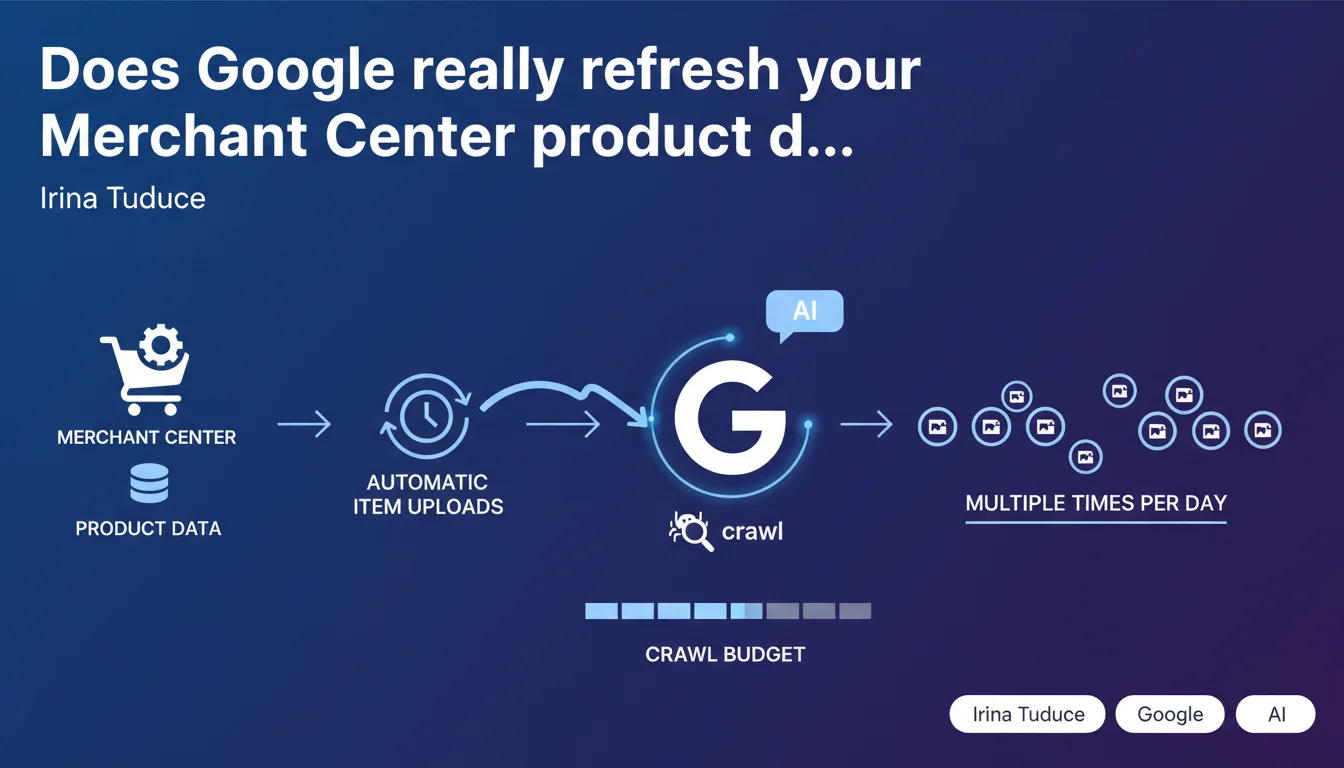
Google is rolling out 'automatic item uploads' in Merchant Center: merchants can now specify which product attributes should be automatically refreshed. Google updates this information more frequently than daily, depending on available crawl budget. A feature that reshuffles the deck for e-commerce feed optimization.
What you need to understand
How does this feature concretely change things for merchants?
Previously, merchants had to manually submit their product feeds or schedule daily updates. With automatic item uploads, Google will itself fetch the information to refresh — multiple times a day if crawl budget permits.
The merchant only needs to specify which attributes deserve frequent updates: stock, price, availability, promotions. Google handles the rest. It's a reversal of the usual logic where the merchant pushes their data.
Why does Google tie this frequency to crawl budget?
The crawl budget refers to the amount of resources Google allocates to exploring a site. The more important, fast, and well-structured a site is judged to be, the more resources Google dedicates to it.
By conditioning automatic updates to crawl budget, Google is implicitly saying: "If your site is slow, poorly optimized, or not strategically important, don't expect hourly refreshes." Crawl budget becomes a direct lever on the freshness of product data in Merchant Center.
Which attributes should you prioritize for these automatic updates?
Google doesn't detail everything, but logically, volatile attributes take priority: price, stock availability, temporary promotions. These data points change multiple times daily in certain sectors (tech, fashion, marketplaces).
Stable descriptive attributes (title, long description, technical specs) don't need frequent refreshing. Concentrate your refreshes on what actually changes.
- Google can now refresh product data more than once per day, not just daily
- The merchant specifies which attributes need frequent updates
- Refresh frequency depends directly on the crawl budget allocated to the site
- Volatile attributes (price, stock, promos) should be prioritized for these automatic updates
- Google comes to fetch the information, rather than the merchant pushing it
SEO Expert opinion
Does this feature really change the game for e-commerce feed optimization?
Yes and no. For large merchants with comfortable crawl budgets and fast-moving catalogs, it's a real win. No more need to recalculate feeds hourly and push them to Google — Google itself comes to fetch them.
But for sites with limited or unstable crawl budget, this feature risks being disappointing. If Google doesn't already allocate enough resources to explore all your pages, it won't miraculously refresh your product sheets three times a day. [To verify]: Google remains vague about the crawl budget thresholds that trigger these frequent refreshes.
Is crawl budget becoming an even more decisive criterion for e-commerce?
Absolutely. We already knew crawl budget impacted indexing of new pages and content discovery. Now it also conditions the freshness of product data in Merchant Center.
Concretely, this means optimizing site speed, reducing unnecessary pages, improving architecture becomes even more strategic. A site that wastes its crawl budget on infinite pagination or useless facets is shooting itself in the foot — and not just for organic SEO.
Is there a risk of over-soliciting the server with these frequent crawls?
Potentially, yes. If Google increases crawl frequency to refresh your product attributes, your server will receive more requests. For under-dimensioned infrastructure, this can cause problems.
The paradox: if your server slows down under load, Google may reduce your crawl budget... which will decrease refresh frequency. A vicious cycle to avoid by optimizing performance and server capacity upfront.
Practical impact and recommendations
What do you need to do concretely to benefit from these automatic updates?
First, activate the feature in Merchant Center and select the attributes to refresh automatically. Prioritize volatile data: price, stock, availability, temporary promotions.
Next, ensure your site exposes this data in a structured, easily crawlable way. Use up-to-date Product structured data on all your product pages. If Google has to guess where to find the price or stock, it may move on.
How do you optimize crawl budget to maximize refresh frequency?
Eliminate everything that wastes crawl budget: infinite filter pages, irrelevant facets, duplicate content, chained redirects, orphaned 404 pages. Every resource saved can be reallocated to your strategic product pages.
Improve the site's technical performance: server response time, compression, caching, CDN. The faster Google crawls, the more frequently it can crawl with the same budget.
Monitor your server logs and Google Search Console to identify which pages Google crawls most often. These are likely the ones that will benefit first from automatic refreshes.
What mistakes should you avoid with this new feature?
Don't select all your attributes for frequent updates. If you ask Google to refresh 50 attributes per product three times a day, you risk saturating your crawl budget with no real gain.
Don't neglect source data quality. If your XML feeds or product pages contain errors, Google will pick them up... and propagate them multiple times daily. Automation amplifies structural errors.
- Enable automatic item uploads in Merchant Center
- Select only volatile attributes for refresh (price, stock, promos)
- Implement clean, up-to-date Product structured data on all product sheets
- Audit and optimize crawl budget: remove unnecessary pages, reduce facets, speed up the server
- Monitor logs to identify pages Google prioritizes
- Test source feed quality before activation to avoid error propagation
- Monitor server performance after activation to detect any over-solicitation
❓ Frequently Asked Questions
Les automatic item uploads sont-elles disponibles pour tous les marchands ?
Puis-je forcer Google à rafraîchir mes données plusieurs fois par jour même avec un petit crawl budget ?
Faut-il encore envoyer des flux manuels si on active les automatic item uploads ?
Comment savoir si mes produits bénéficient effectivement de rafraîchissements fréquents ?
Cette fonctionnalité améliore-t-elle directement le classement des annonces Shopping ?
🎥 From the same video 13
Other SEO insights extracted from this same Google Search Central video · published on 05/09/2024
🎥 Watch the full video on YouTube →
💬 Comments (0)
Be the first to comment.