
Official statement
Other statements from this video 9 ▾
- □ Is Google Search Console really the only reliable tool to verify your site's crawl status?
- □ Does Google Search Console really detect all indexing problems on your website?
- □ Should you really submit a sitemap via Search Console to optimize your pages' indexation?
- □ Is Search Console really the only reliable source for measuring your organic traffic?
- □ How can you leverage Search Console to diagnose organic traffic collapse?
- □ Why Should You Cross Search Console and Google Analytics Data to Drive Your SEO Strategy?
- □ Is your Search Console data actually reliable for recent performance analysis?
- □ How do you correctly isolate organic search traffic from Google in Analytics?
- □ How can you pinpoint exactly which pages and queries are causing your traffic to drop?
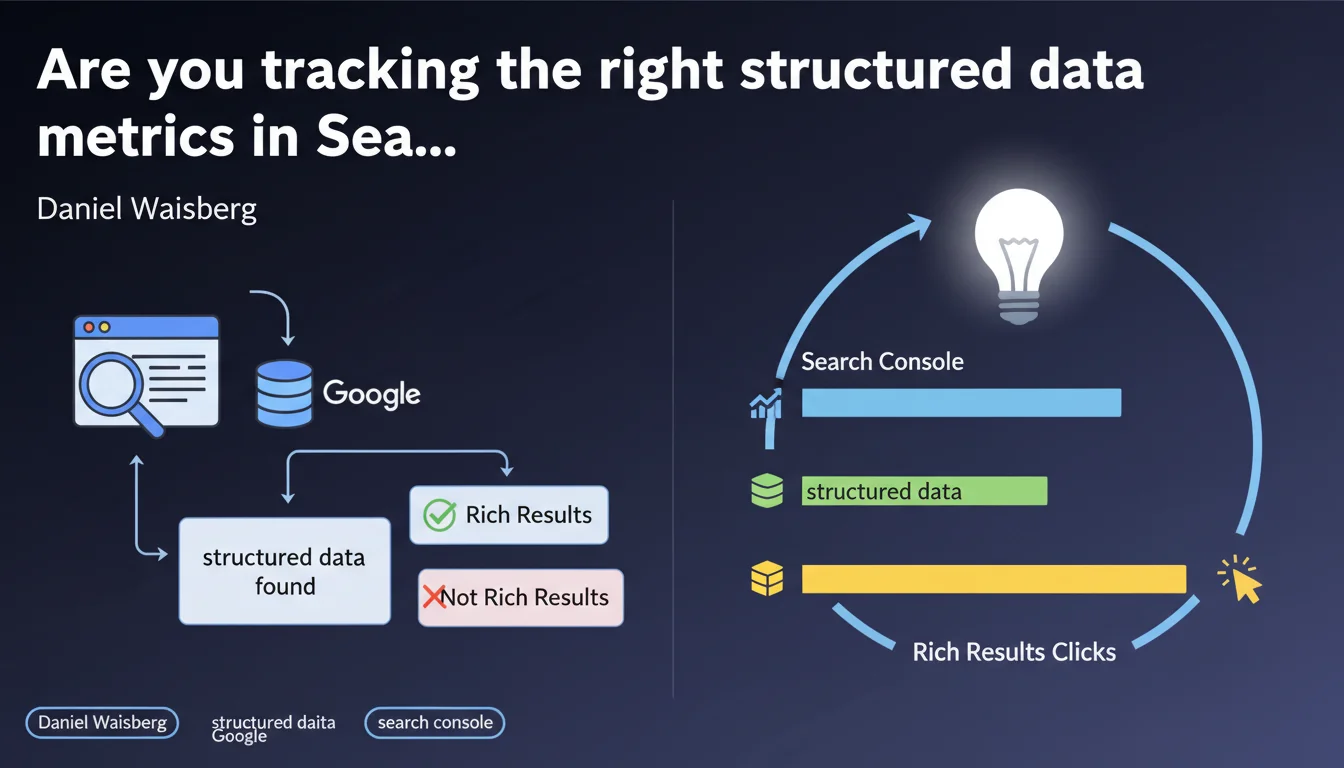
Google confirms that Search Console allows you to monitor the structured data detected on your site and track whether your rich results are actually appearing in the SERPs. Two essential tools for diagnosing markup issues and measuring the visibility of your enrichments.
What you need to understand
What structured data verification tools does Search Console offer?
Search Console provides two distinct reports to monitor your structured data. The first displays the schema.org types detected during crawling (Product, Recipe, FAQ, etc.) along with any errors. The second report, "Rich results status," tells you concretely whether these markups have generated rich snippets visible in search results.
These two reports don't tell exactly the same story. A structured data markup can be technically valid but fail to trigger rich result display for various reasons — competition, relevance, or simply because Google chooses not to display it systematically.
Why is this distinction between detection and display so critical?
Many SEO practitioners stop at validating the technical markup. The problem? A perfectly valid schema.org doesn't guarantee any additional visibility. Google detects your structured data but decides entirely on its own whether to display it or not.
Search Console allows you to precisely measure this gap between what you've implemented and what actually shows up in the SERPs. This is where you discover whether your technical work produces real impact on your CTR.
What are the limitations of these reports?
Search Console reports are neither exhaustive nor instantaneous. Data is reported with a 24 to 48 hour delay, sometimes longer. Certain errors aren't detailed with precision — you know there's a problem, but not always where or exactly why.
- Reports only cover structured data types Google deems a priority (not all existing schemas)
- Rich result display depends on many contextual factors (search query, device, location)
- Critical errors block display, but some minor errors are flagged without visible consequences
- No long-term history — difficult to correlate a markup change with traffic evolution over several months
SEO Expert opinion
Is this feature really sufficient to drive your structured data strategy?
Let's be honest: Search Console provides a partial view. It tells you what Google saw during its last crawl, but not necessarily what your users see in search results. Rich results can appear intermittently, depending on search context or site position.
In practice, we regularly see pages with validated markup that receive no visible enrichment. [To verify]: Google doesn't precisely document eligibility criteria beyond technical compliance. Content quality, domain authority, and contextual relevance probably play a role — but Google remains vague about actual thresholds.
What are the most common interpretation errors?
Many marketing teams assume a "green" Search Console report means everything is working. Wrong. The report can be clean while your competitors capture all the rich snippets in your category because their implementation is more complete or their content better structured.
Another trap: focusing only on critical errors while ignoring warnings. Some warnings don't impact immediate display but can block evolution toward new enriched formats (carousels, knowledge panels, etc.).
When should you cross-reference with other tools?
Search Console doesn't replace real-world testing. To verify what Google actually displays, you need to query the SERPs directly — ideally in private browsing, with different devices and locations. Tools like the Rich Results Test or SERP scrapers give you a more accurate picture of real impact.
Practical impact and recommendations
What should you audit first in Search Console?
Start with the "Enhancements" report, which lists the structured data types detected. Identify critical errors that block indexing of your markups — missing required fields, invalid formats, conflicts between multiple schemas on the same page.
Next, cross-reference with the "Rich results status" report to measure conversion between technical detection and actual display. If you have 1,000 pages marked up as Recipe but only 50 active rich snippets, ask yourself: why this gap?
What concrete actions should you take when anomalies appear?
For each reported error, Search Console provides example URLs affected. Test these URLs in the Rich Results Test for detailed diagnostics. Fix errors by criticality: first those that completely block display, then warnings.
If your structured data is valid but not appearing as a rich result, manually test target queries. Perhaps Google is already displaying another enriched format (featured snippet, knowledge panel) that "consumes" available space. In that case, adjusting your markup won't help — you need to revise editorial strategy.
- Check Search Console reports weekly to detect any regression after technical deployment
- Prioritize errors on high-traffic pages or pages with high conversion potential
- Test actual rich result display in private browsing on your strategic queries
- Compare your enrichment rates with those of direct competitors (via SERP scraping tools)
- Don't implement structured data "for principle" — each type must serve a measurable business objective (CTR, traffic, conversions)
- Document every markup modification to correlate with performance variations in Analytics
❓ Frequently Asked Questions
La Search Console affiche-t-elle tous les types de données structurées présents sur mon site ?
Combien de temps faut-il pour qu'une correction de balisage remonte dans la Search Console ?
Pourquoi mes données structurées sont validées mais n'apparaissent jamais en rich snippet ?
Les erreurs « avertissement » dans la Search Console impactent-elles mon référencement ?
Faut-il implémenter tous les types de données structurées disponibles ?
🎥 From the same video 9
Other SEO insights extracted from this same Google Search Central video · published on 06/02/2025
🎥 Watch the full video on YouTube →
💬 Comments (0)
Be the first to comment.