
Official statement
Other statements from this video 9 ▾
- □ La Search Console est-elle vraiment le seul outil fiable pour vérifier le crawl de votre site ?
- □ La Search Console détecte-t-elle vraiment tous les problèmes d'indexation de votre site ?
- □ Faut-il vraiment soumettre un sitemap via Search Console pour optimiser l'indexation de vos pages ?
- □ Comment vérifier efficacement vos données structurées et rich results dans la Search Console ?
- □ Comment exploiter la Search Console pour diagnostiquer une chute de trafic organique ?
- □ Pourquoi devriez-vous croiser Search Console et Google Analytics pour piloter votre SEO ?
- □ Faut-il se méfier des données récentes dans la Search Console ?
- □ Comment filtrer correctement le trafic organique Google dans Analytics ?
- □ Comment identifier précisément les pages et requêtes responsables d'une chute de trafic ?
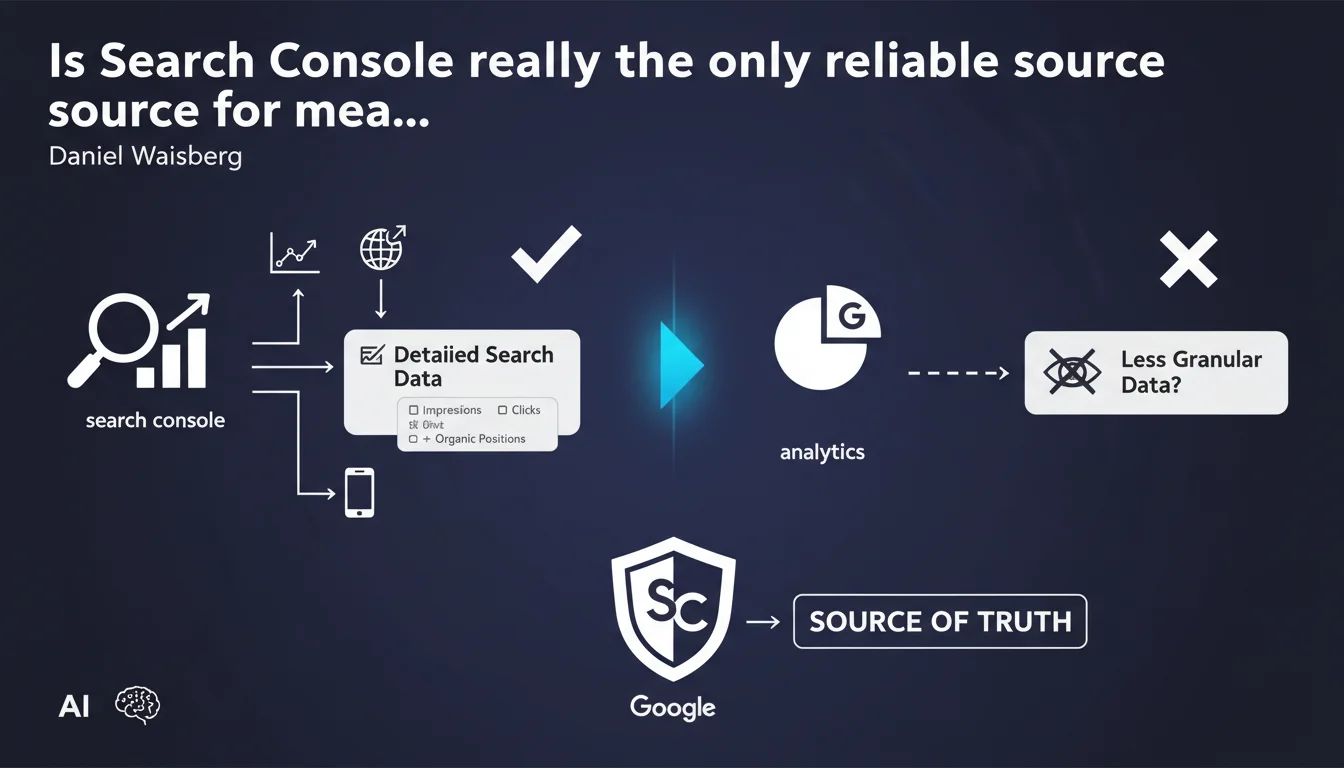
Google claims that Search Console should be your absolute reference for search data, because it provides information that Google Analytics cannot offer. This statement raises questions about the discrepancies between the two tools and the actual reliability of the data.
What you need to understand
Why does Google insist on this distinction between Search Console and Analytics?
The two tools collect data in fundamentally different ways. Search Console records performance directly from Google's servers, before the user has even clicked on your result. It captures impressions, average positions, and CTR with a precision that Google Analytics cannot achieve.
Google Analytics, on the other hand, depends on complete page loading and the execution of tracking JavaScript. Ad blockers, privacy settings, and loading issues create blind spots. A portion of actual traffic is never counted.
What specific data does Search Console offer exclusively?
The exact search queries that generate impressions are Search Console's major asset. You see what users type into Google, even if they don't click on your site. This intelligence is invisible in Analytics.
Average position per query allows you to track your ranking fluctuations over time. CTR by position data reveals whether your titles and meta descriptions are performing correctly. Analytics cannot provide these metrics because they exist before the click.
Are discrepancies between the two tools normal?
Yes, and it's structural. Search Console records all clicks, even those that don't result in complete page loading. A user who clicks and then immediately closes their browser will be counted in Search Console but not in Analytics.
Differences of 10 to 30% between the two platforms are common. Data sampling in Search Console (limited to 1000 rows per direct export) and filtering in Analytics (spam, bot traffic) also contribute to discrepancies.
- Search Console captures data on Google's server side, before the click
- Google Analytics depends on JavaScript loading on the client side
- Exact queries and average positions are exclusive to Search Console
- Discrepancies of 10-30% between the two tools are normal and expected
- Search Console undergoes sampling for high-traffic sites
SEO Expert opinion
Does this statement truly reflect practices observed in the field?
Let's be honest: no serious SEO professional relies on a single data source. Search Console has documented limitations — aggressive sampling beyond certain thresholds, aggregated data by default, 2-3 day reporting delay. Saying it should be "the source of truth" is reductive.
In reality, Search Console excels for pure SEO insights: what content ranks for which queries, where your opportunities are at positions 5-11, which featured snippets you're missing. But for understanding post-click behavior — bounce rate, conversions, user journey — Analytics remains essential.
When does Search Console become unreliable?
Sites with millions of pages or hundreds of thousands of daily queries suffer severe sampling. You only see a fraction of actual data, and low-volume queries disappear completely from reporting. [To verify]: Google does not publish exact sampling thresholds or precise methodology.
Multilingual or multi-domain sites also encounter issues. If your SEO architecture is complex (subdomains, ccTLDs, management of AMP and non-AMP versions), reconciling data across Search Console properties becomes a nightmare. And that's where Analytics, with its unified view, regains the advantage.
What should you do with glaring discrepancies between the two tools?
A 30% difference is normal. A 200% difference signals a technical problem — often failing Analytics tracking or a site that loads too slowly. If Search Console reports 10,000 clicks but Analytics only 3,000 organic sessions, check your tag implementation.
Conversely, if Analytics shows more organic traffic than Search Console, you likely have miscategorized referrers or dark social traffic counted as organic. Clean up your parameter exclusion filters and your source/medium rules.
Practical impact and recommendations
Concretely, how do you integrate these two sources into your SEO workflow?
Use Search Console for diagnosis and opportunity identification. Export queries at positions 5-15 with low CTR: these are your quick wins for optimizing titles and meta descriptions. Cross-reference this data with estimated search volume to prioritize.
Then move into Analytics to understand what happens after the click. Do these high-ranking pages generate conversions? Is the bounce rate abnormally high? If so, the problem isn't your SEO but your content or UX.
What critical errors must you avoid?
Never rely on absolute figures from Search Console as a contractual reference or business KPI. If you need to report the ROI of an SEO campaign to management, Analytics remains your source — because it connects to conversions and revenue.
Also avoid comparing Search Console "clicks" to Analytics "sessions." These are not the same metrics. A user can click multiple times from Google within the same session. Instead, compare unique users if you want to reconcile the two datasets.
How do you audit the reliability of your search data?
Set up a monthly reconciliation dashboard. Export your Search Console clicks and your Analytics organic sessions for the same scope (domain/property, period, device). Calculate the percentage difference. If it varies dramatically from month to month without obvious technical reason, investigate.
- Use Search Console to identify underexploited queries (positions 5-15)
- Export Search Console data at page level to prioritize optimizations
- Cross-reference with Analytics to verify the conversion rate of these pages
- Set up automatic alerts on abnormal discrepancies between the two tools
- Document your data reconciliation methodology to make it reproducible
- Train your marketing teams to read both tools as complementary, not in opposition
❓ Frequently Asked Questions
Pourquoi les chiffres de clics dans la Search Console sont-ils supérieurs aux sessions organiques dans Analytics ?
La Search Console inclut-elle le trafic provenant de Bing ou DuckDuckGo ?
Peut-on exporter l'intégralité des données de la Search Console sans échantillonnage ?
Quelle est la période de rétention des données dans la Search Console ?
Comment la Search Console calcule-t-elle la position moyenne d'une requête ?
🎥 From the same video 9
Other SEO insights extracted from this same Google Search Central video · published on 06/02/2025
🎥 Watch the full video on YouTube →
💬 Comments (0)
Be the first to comment.